After rebuilding a site into a headless setup, you are sometimes given this explanation: "the front end just serves static files, so there is no worry about WordPress vulnerabilities being exploited." The first half is a correct statement. But the person hearing it takes it to mean "WordPress is gone."
In reality, the WordPress used to write content keeps running. Anything that keeps running needs updating and monitoring. GH Media itself runs on a setup that serves pages written out statically by Astro while pulling the article bodies over GraphQL from a separately hosted WordPress. The front end going static does not make the back end disappear.
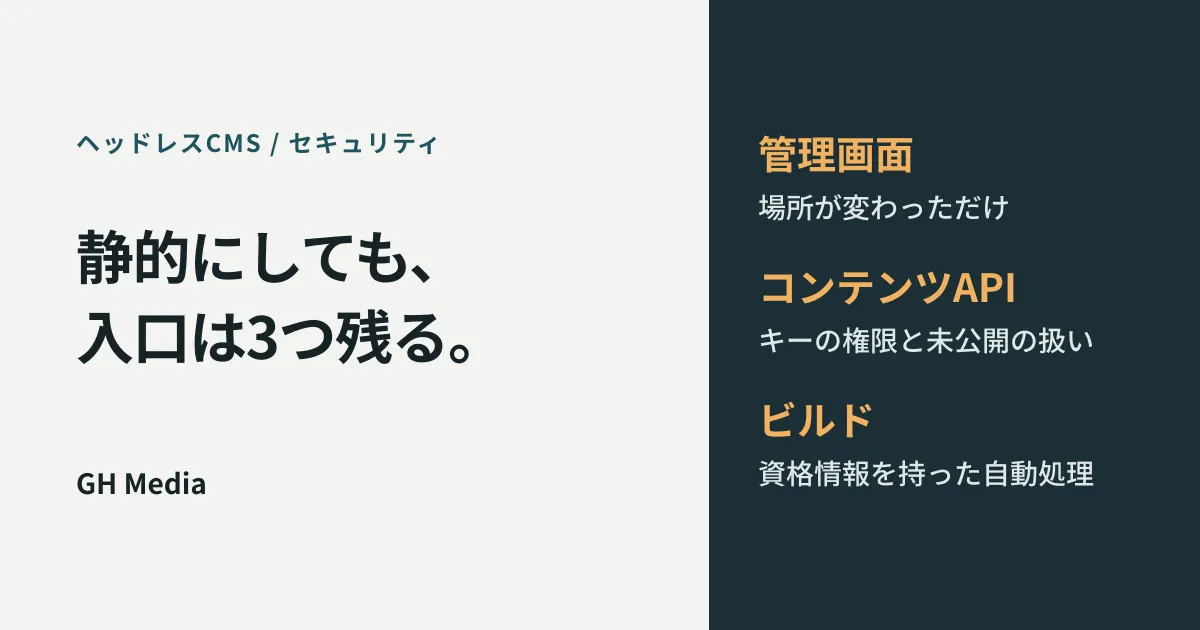
Going headless does shrink the surface exposed to attack. But the shrinkage is uneven, and if you keep watching the same places that shrank, you miss the entry points that remain.
What disappears, what remains, and what is added
Let us take in the whole picture first.
| Going headless | Rationale | |
|---|---|---|
| Code execution on public pages | Mostly disappears | What is served is pre-generated files, with no per-request processing |
| Reaching the admin screen via public pages | Disappears | The admin screen does not sit on the same domain |
| The admin screen itself | Remains | It keeps running as the place where articles are written |
| The content API | Is added | A new retrieval endpoint that can be called from outside comes into being |
| The build machinery | Is added | Automation holding credentials is added |
The top two rows are the part explained as "now it is safer." The bottom three rows are the part that often does not come up in the explanation, and that is what gets left alone after handover.
Entry point 1: the admin screen has only moved
A common headless setup runs the CMS under a separate hostname such as cms.example.com and serves the public site on a different domain. Because they are separated, the CMS cannot be reached from the public site. It can, however, be reached from the internet.
What is easy to miss is that separating them also separates attention. The public site is monitored, and if the layout breaks someone notices. The CMS behind it is opened only by the few people who write articles. It becomes a place where updates can stop without anyone noticing.
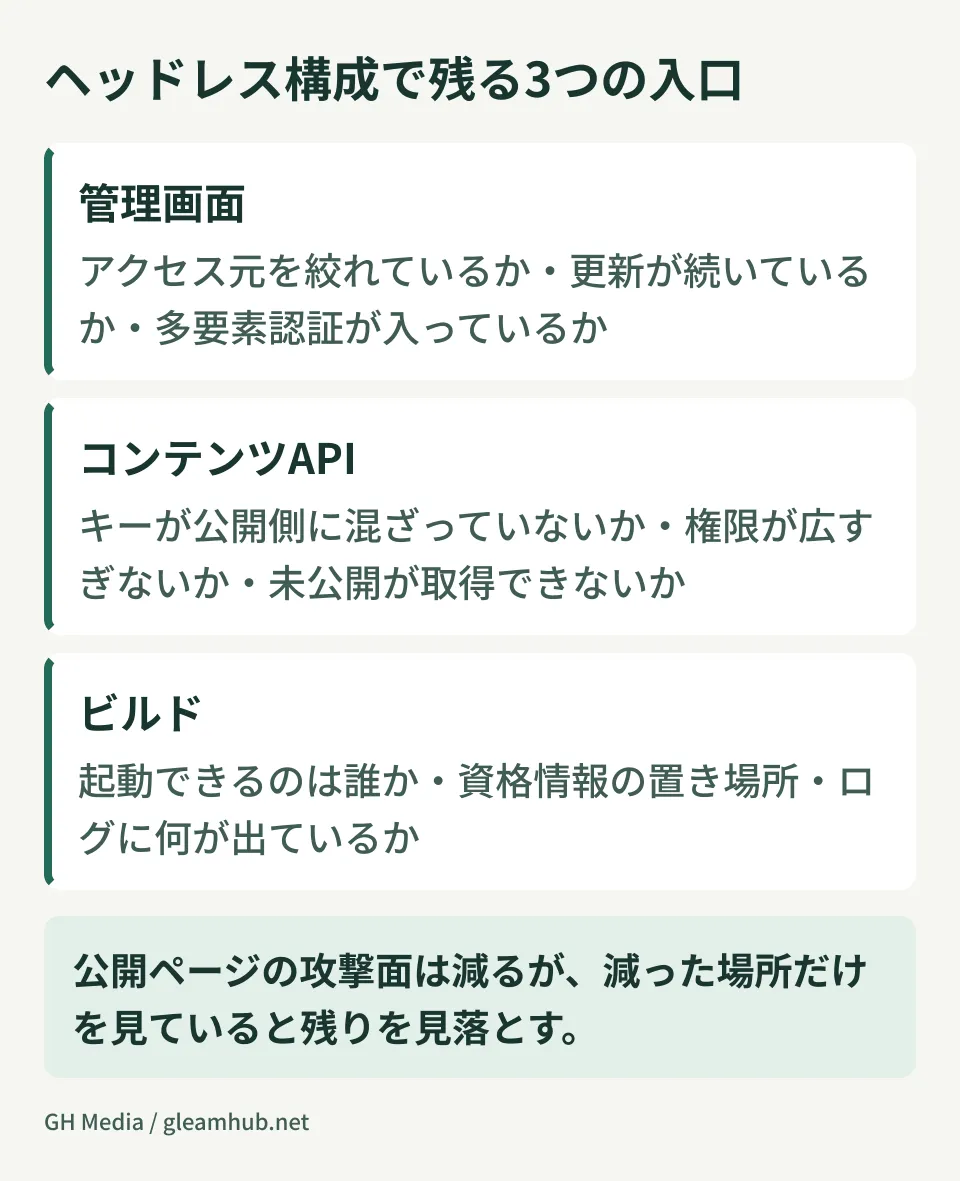
There are three things to check here.
- Can you restrict where access comes from? If the set of authors is limited, restricting by IP address or in front of authentication is the most effective step. Some hosted headless CMS services also let you restrict access to the admin screen and the API by IP address
- Are updates continuing? Have updates to the core and plugins stopped? Not being publicly visible is not a reason to skip updating
- Is multi-factor authentication in place? Are the authors' accounts protected by a password alone?
If you use a CMS you host yourself, these three tend to fall to the operating side rather than the agency. Unless you decide whose job each is at handover, they become nobody's job.
Entry point 2: the content API comes down to permission granularity
What is newly added by going headless is the API for retrieving content. The incidents that actually happen here cluster around simple handling problems, not elaborate attacks.
Explanations of API security also report that leaked authentication keys and tokens and cases where insufficient authorization checks expose what should not be visible are frequently reported. In a headless setup, both apply directly.
- The key ends up on the public side. Embed a key in front-end code and it can be read from the browser. This happens in setups that do not separate keys used only at build time from keys used at runtime in the browser
- The key's permissions are too broad. A key that can also write is used where read access would do. This is what decides whether a leak means only being read or being rewritten
- Drafts can be retrieved. The query is not restricted to published items, so unpublished articles can be fetched from the API. It happens easily when the preview path is built with the same key as production
The third is the most common in practice and the hardest to notice. A state where unreleased announcement materials and press releases can be fetched before their publication date leaks information without any technical breach. Hosted headless CMS services let you define which resources each API key can reach, narrowing the blast radius of a leak. If the feature is available, do not reuse the default key.
Entry point 3: the build is automation holding credentials
A static site is not written out by hand; it is generated automatically in response to CMS updates. That machinery holds both the CMS key and permissions on the delivery target.
The points worth checking are as follows.
- Who can trigger the build? Is the endpoint that receives update notifications in a state where anyone can call it
- Where are the credentials stored? Are they sitting in the repository in plain text? Are they managed as secrets of the build environment
- What appears in the logs? Are keys or retrieved content written into the build logs? Logs sometimes remain in a publicly accessible place
This area is the flip side of what gets described as the benefit of a Jamstack setup. The thinking behind the architecture itself is covered in why Jamstack is becoming the new standard, and the steps for moving WordPress toward headless in migrating WordPress to headless. Deciding who watches these three entry points while you are still at the migration stage saves arguments later.
What to check at handover
At handover of a headless setup, record the following items in writing. Said out loud, they disappear the moment the person in charge changes.
- Who updates the CMS core and plugins, and when
- How the range of access to the CMS admin screen is restricted
- A list of the API keys in use and the permissions on each
- The result of confirming that unpublished content cannot be retrieved from the API
- Where the build credentials are stored, and who can trigger the build
These five items fall apart in operation without documentation, even when the architecture is correct. For the groundwork of website security in general see the basics of website security, and for a worked example of combining a headless CMS with a front end see building with Astro and microCMS.
What to do next
If your own site runs headless, try opening the URL of the CMS admin screen from outside the office network. If a login screen appears, no restriction on access origin is in place. That alone is not necessarily an immediate problem, but it is a signal to check the state of updates and authentication.
One more thing. Prepare one article whose publication date has not yet arrived, and try fetching it from the API the same way the public side does. If it comes back, that is the first place to fix.
GleamHub handles the design and handover of headless setups and reviews of existing site architecture through our development, AI and automation consultation. The order of checks depends on the CMS you use and how delivery is arranged, so please get in touch from our contact page.