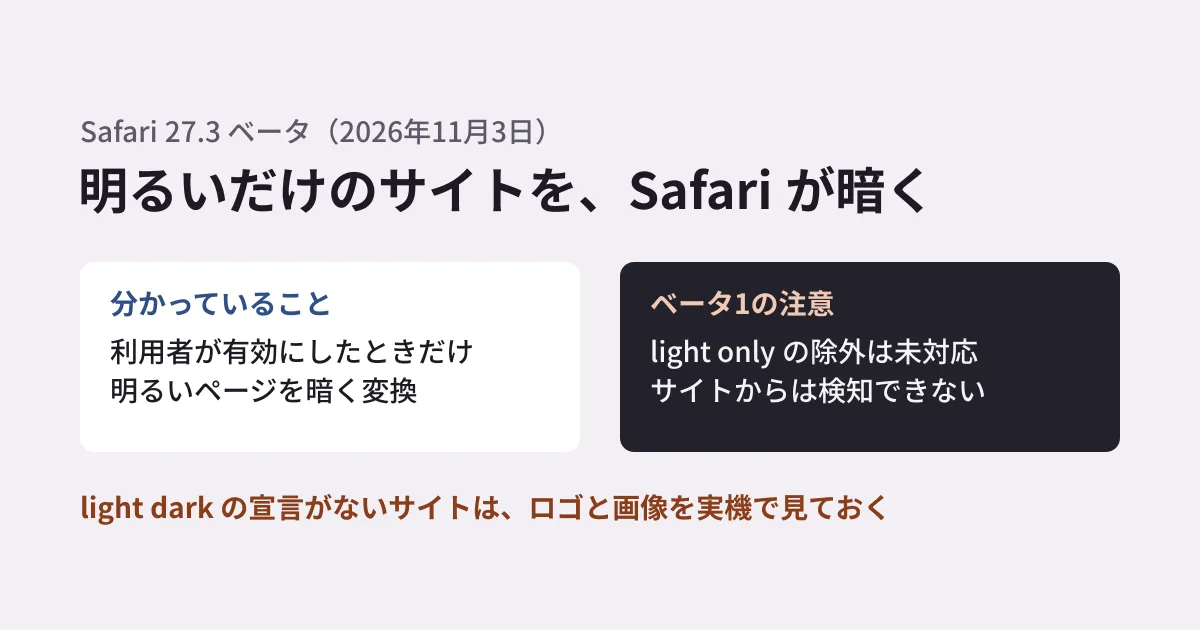
A corporate site built for a white background is changed to a dark color scheme by the visitor's browser. When that happens, images with dark text baked in may melt into the background, and only photos and diagrams with white backgrounds may stand out brightly. The people who built the site end up having customers see it in a state they have never once seen on their own screens.
The beta version of Safari 27.3, released on November 3, 2026, includes this feature that "converts bright pages to dark for display". It works only when the user enables it. The timing of the official release is not stated, but now that it is in beta, it is worth checking sites that do not offer a dark mode. In this article, we organize what can be learned from Apple's release notes and the official WebKit blog, and together with the results of checking this site's CSS, summarize what the production and maintenance side should look at.
What the release notes say
Apple's "Safari 27.3 Beta Release Notes" were published on November 3, 2026, for version 27.3 beta (20626.1.12). They cover Safari on iOS 27.3 beta, iPadOS 27.3 beta, visionOS 27.3 beta, macOS 27.3 beta, macOS 26, and macOS Sequoia.
Under new features for Rendering, there is the following line.
Added Adaptive Dark Mode, which automatically adapts bright web pages that don’t natively support dark mode, giving users an optimized viewing experience when browsing at night or in dark environments.
Translated, it reads: "Added Adaptive Dark Mode. Automatically adapts bright web pages that do not natively support dark mode, providing a display optimized for viewing at night or in dark environments". The same section also adds dark mode support for the screen that displays XML documents.
What we learn from the WebKit blog
A single line in the release notes does not explain the conditions under which the feature works. The official WebKit blog post "Introducing Adaptive Dark Mode," published the same day, November 3, explains what site builders want to know. According to the blog, close to 40% of page loads come from dark mode users, but only 10% of page loads support dark mode.
- The user turns it on: The blog uses the words "When enabled by a user". To try it, set the system appearance to dark, open a site with a light background, and tap "Try" in the preview Safari shows
- When it does not apply: Sites that indicate dark mode support with
<meta name="color-scheme" content="light dark">or with CSScolor-scheme: light darksee no change - All other pages: It looks at the colors to estimate whether the page as a whole is light or dark. Pages that already have a dark background with light text are left unchanged, and light pages are converted to dark
- Color conversion: Lightness is inverted while hue is preserved, making light backgrounds dark and dark text light. For text it targets the WCAG contrast ratio of 4.5:1, and light CSS gradients are also darkened
- Images: Most images are left as they are. SVGs are inspected and recolored if needed, and for bitmap images the pixel distribution is examined and simple black-and-white logos are inverted. The contents of
<canvas>are not changed - Handling of effects: Masks and
mix-blend-modeare turned off in some cases, because they can produce undesirable results on elements whose colors have been changed - Detection from the site: Not possible. To protect privacy, reading colors with JavaScript returns the colors from before the conversion. The only way to check is to look at the screen
The opt-out setting does not work in beta 1. For sites that want to avoid conversion, the blog lists <meta name="color-scheme" content="light only"> or color-scheme: light only. In CSS, it can also be applied to specific elements only. However, a note says the only keyword is not yet supported in Safari 27.3 beta 1. The blog says to check as the beta progresses, so if you add the setting, confirm on a real device that it works before the official release.
How video and the contents of iframe are handled, when only will become usable, and when the official release will ship are not stated in the materials we checked. This article does not fill those gaps with guesses.
What we checked in this site's CSS
For reference, we checked the source of this site (gleamhub.net) on November 6, 2026.
- Media pages (GH Media): The shared CSS specifies
color-scheme: light darkin:root, and the background switches withlight-dark(). We provide our own dark mode color scheme, so going by WebKit's explanation these pages are not subject to conversion - Corporate pages: There is neither a
color-schemesetting nor anyprefers-color-schemestyles. They are built with a light color scheme only
Going by WebKit's explanation, the corporate pages fall on the side that gets converted to dark if the user has enabled the feature and the page is estimated to be light. This is not a result confirmed on a real device. Likewise, any "site built with a light color scheme only" is something to view on a real device before the official release.
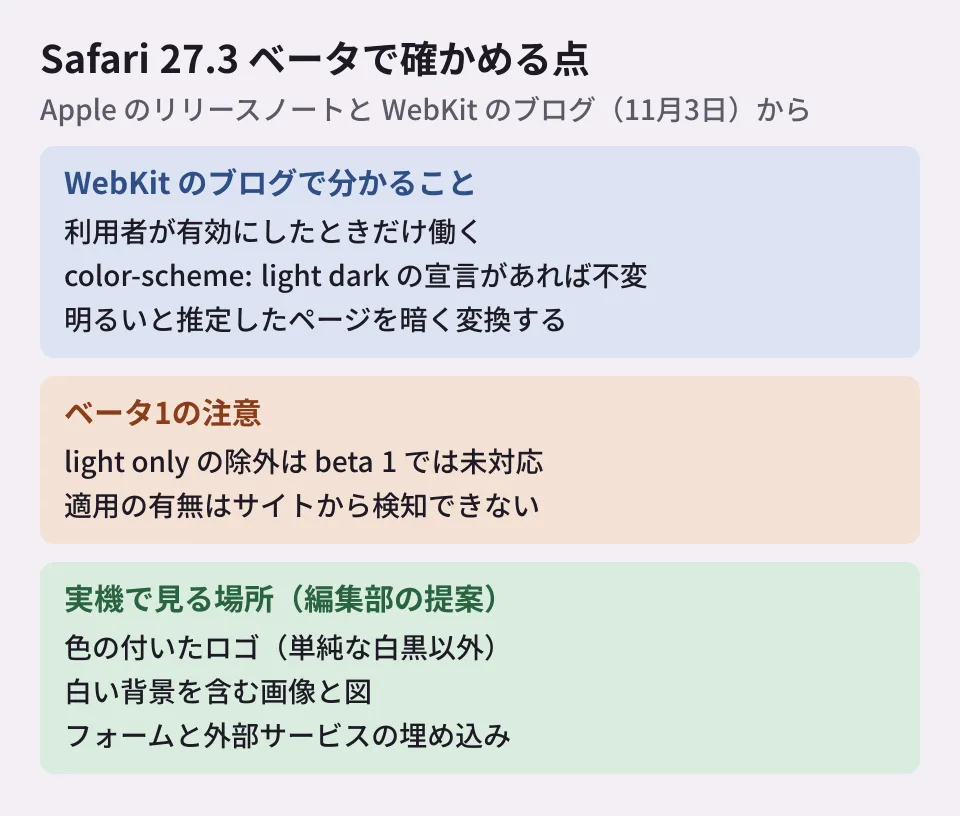
Where to look on a real device with the beta (editorial proposal)
Based on the blog's explanation, the likeliest candidates for breakage are parts where color is baked into images rather than set in CSS, and parts excluded from conversion. We propose enabling the feature on a device with the beta installed and checking in the following order. We have not confirmed any breakage on a real device.
- Logos: Among bitmap images, the logos subject to inversion are simple black-and-white ones. Transparent PNGs in a color such as dark navy may become unreadable when the background turns dark. For SVG logos too, check the colors after conversion
- Images and diagrams with white backgrounds: Because most images are not converted, pricing tables or process diagrams posted as images may stand out in white. Also check that the text inside diagrams is readable
- Tiled background images and sprites: These are older techniques the blog recommends replacing
- Masks,
mix-blend-mode, and<canvas>: Check how parts with effects turned off look, and whether<canvas>alone stays light - Brand colors: Even if hue is preserved, lightness changes. Check whether button and heading colors are acceptable as corporate colors
- Forms and embeds: Contact forms, maps, and
iframefrom external services. Check that the combination of text and background in input fields is readable - Printing and PDF export: Check whether changes to the on-screen colors affect printing. The blog does not cover this point
If you find breakage, the blog lists the following fixes.
- Replace bitmap logos and icons with SVG
- Replace tiled background images with solid colors or gradients in CSS
- Replace image sprites with CSS such as rounded corners and shadows
- Create in-content images with transparent backgrounds instead of baking in the page background color
- Add padding to containers so that elements are not cramped
If you want only part of a page to have its own dark color scheme, specify color-scheme: light dark on that element and add your own styles. For full control over appearance, implement dark mode and declare it with head in the HTML or with :root or body in CSS. The blog cautions against adding these later with JavaScript.
color-scheme: light dark is a declaration that the site supports dark mode, so it is safer to avoid adding it solely to stop conversion without providing a color scheme (the editorial team's view). How to build a dark mode toggle is covered in our article on not making dark mode toggles a three-way choice.
Main features removed and added in the same release
Besides Adaptive Dark Mode, the 27.3 beta includes other changes relevant to site building and maintenance. From the release notes, we picked out those that may affect existing sites and those that become available.
| Classification | Details | What it checks |
|---|---|---|
| Removed | The non-standard percentage value of -webkit-line-clamp | Whether you specify it as a percentage (this site uses integers only, so it is not affected) |
| Removed | The three values margin-trim, DataTransferItemList.prototype.item(), and dominant-baseline on grid containers | Whether any such declarations exist (none found in this site's source) |
| Added | interactive-widget in the viewport <meta> (specifies how the page responds when the keyboard is shown) | Whether input fields are hidden by the keyboard in smartphone forms |
| Added | The Origin-Agent-Cluster header (document.domain continues to work by default) | Whether any scripts span subdomains |
Support has also been added for CSS if(), attr(), @function, and corner-shape, unprefixed user-select, JavaScript Temporal, and more. Since this is a beta, the safe approach is to provide a fallback with something like @supports until other browsers catch up. The module loading fix in Safari 27 was covered in our article on top-level await in Safari 27.
Scope of verification
On November 6, 2026, we checked "Safari 27.3 Beta Release Notes" on Apple's developer site (published November 3, 2026) and the official WebKit blog post "Introducing Adaptive Dark Mode" (published the same day) (document research). We did not check rendering on a real device running the Safari 27.3 beta. The check of this site's CSS was done by searching the repository source (
src/) and is not a rendering result.
We handle dark mode support for existing sites and display checks that keep up with browser updates through our website production and redesign consultations. The scope of what to check varies with how a site is built, so please reach out through our contact page.