You want to make internal rules, manuals, and FAQs searchable. Or you want AI to answer questions using the articles on your corporate website. Cloudflare AI Search is a service that reads files in R2 or websites, builds an index, and uses it for search and AI answers. However, when used with Japanese documents, keyword search may barely work if you leave the indexing settings at their defaults.
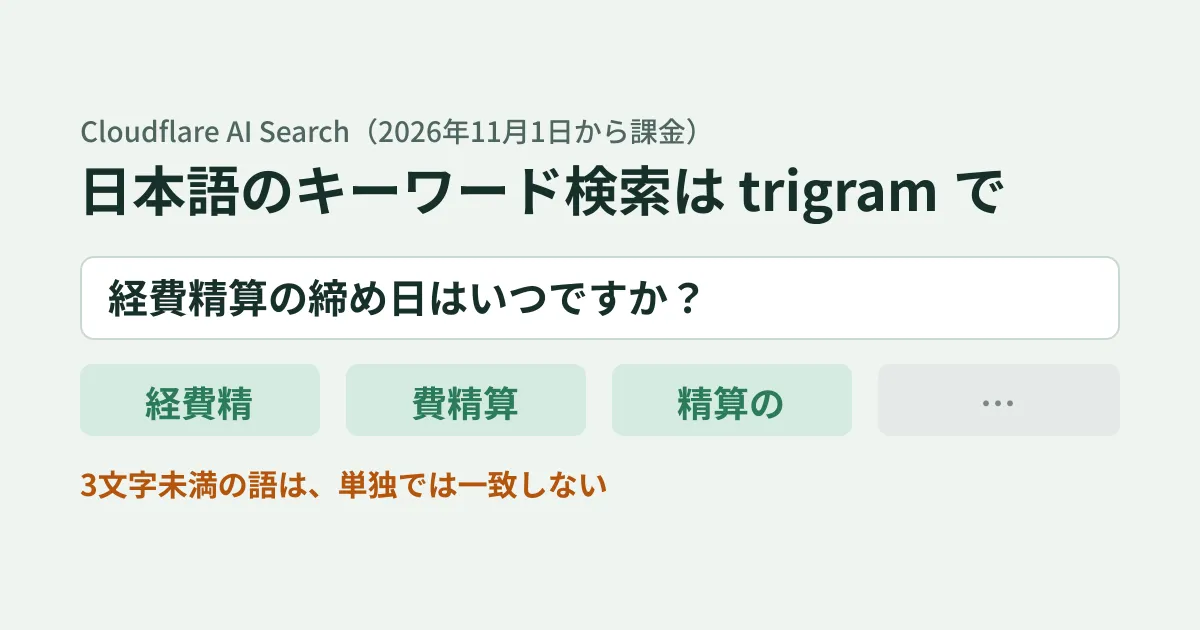
According to Cloudflare's changelog of October 16, 2026, AI Search keyword search now matches Japanese, Chinese, and Korean queries when you use the trigram tokenizer. The entry says that until now, an entire query without spaces was treated as a single exact-match phrase, and keyword search usually returned no results.
Previously, a query without spaces was treated as a single exact phrase and usually returned no keyword results.
AI Search became generally available (GA) on October 1, and usage-based billing starts on November 1, 2026. Usage beyond the free allowance will be billed, so it is worth reviewing this now, along with the settings for using it in Japanese.
Changing the keyword search "tokenizer"
AI Search offers vector search, which finds results by closeness in meaning, and keyword search (BM25), which finds results by matching words. New instances default to hybrid search, which runs both in parallel and combines the results.
Keyword search splits text into "tokens" before checking for matches. What determines how text is split is keyword_tokenizer within indexing_options.
| Value | Default | How text is split (official description) |
|---|---|---|
porter | Yes | Splits on whitespace and punctuation and normalizes word endings ("running" matches "run") |
trigram | No | Splits into overlapping sequences of three characters ("config" matches "configuration"). The official documentation describes it as intended for code |
The keyword search documentation warns that the default porter splits on whitespace, so it does not work well for Japanese, Chinese, or Korean and may return no results. For Japanese documents, it advises using trigram.
trigram matches text by turning it into overlapping sequences of three characters. For example, the query from the changelog example, "Keihi seisan no shimebi wa itsu desu ka?" (When is the cutoff date for expense reimbursement?), is treated as a collection of three-character sequences such as "kei-hi-sei," "hi-sei-san," "sei-san-no," and so on. This means that even if the wording of a query does not exactly match the document, matches can be found through shared three-character sequences.
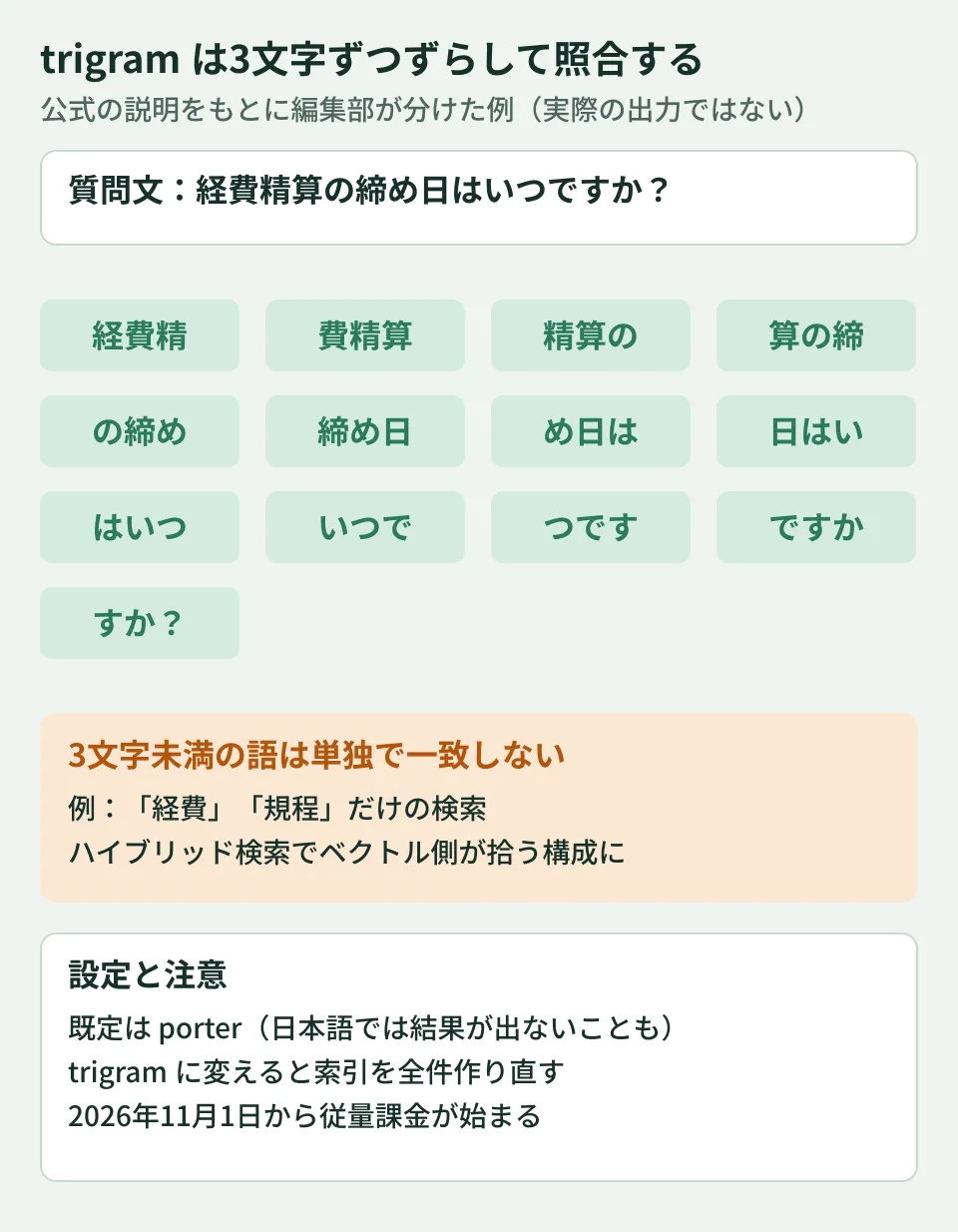
Two-character words do not match on their own
The same documentation also contains the following sentence.
Words shorter than three characters cannot be matched on their own.
Japanese has two-character words such as keihi (expenses), kitei (regulations), keiyaku (contract), and kyuka (leave). If a user enters just one such word, trigram keyword search will not match it. From here on is the editorial team's suggestion. When using it in Japanese, do not make it a keyword-only instance; keep hybrid search (the default) so that short terms are picked up by vector search. Prompting users in the search box to "enter a full question" is another option.
Changing the setting rebuilds the index
keyword_tokenizer is specified when creating or updating an instance. The documentation says that changing it starts a full reindex. For instances with a large volume of documents, change it during a low-usage period, assuming that search results may change while the rebuild is in progress. The following is an example of specifying it when creating an instance from a Workers binding (based on the documentation's example with indexing_options added; we have not run it).
const instance = await env.AI_SEARCH.create({
  id: "internal-docs",
  index_method: { vector: true, keyword: true }, // ハイブリッド検索(既定)
  indexing_options: { keyword_tokenizer: "trigram" },
});
Pricing from November 1 and how much you can use for free
According to the pricing page, billing starts on November 1, 2026, and Cloudflare will send a notice email the week before. Each month, usage up to the following amounts is free of charge.
- Ingestion (index building): 5 million tokens
- Storage: 10 GB-month
- Semantic search (vector and hybrid): 1,000 queries
- Full-text search: 1,000 queries
Charges for usage beyond that are as follows.
| Item | Pricing |
|---|---|
| Ingestion | $0.75 per million tokens (image processing adds $0.50 per million tokens) |
| Save | $2.00 per GB-month |
| Vector and hybrid search | $0.75 per 1,000 queries |
| Full-text search | $0.10 per 1,000 queries |
Ingestion tokens are counted on the document fragments (chunks) after splitting, using a method called cl100k_base. Overlapping portions between fragments are counted in each fragment. Workers AI usage for embedding (vectorization) and reranking is included in the AI Search price, but answer generation, query rewriting, and use of external models are billed separately.
When you use OCR (extracting text from images) on scanned PDFs and the like, the extracted text is counted as "image processing" tokens in addition to normal ingestion. Image processing tokens share the free ingestion allowance of 5 million tokens per month.
For internal search at about 30 queries a day (600 queries over 20 business days a month), the math says it fits within the free allowance of 1,000 semantic searches per month. On the other hand, if you connect it to the search box on a public website, the number of searches is determined by the number of visitors. Each hybrid search counts as a "semantic search," so for public sites, estimate the number of queries before using it.
Limit
The main limits for the Workers free and paid plans are as follows (from the limits and pricing page).
- Files per instance: 100,000 on the free plan. 1 million on the paid plan, or 500,000 with hybrid search
- Size per file: 10 MiB for text and for PDFs using OCR. 4 MiB for PDFs without OCR and other formats
- Website crawling: up to 500 pages per day on the free plan
What to check before you start
Some points cannot be determined from the official documentation. For these, test with your own documents before deciding.
- Search accuracy in Japanese: The documentation says
trigrammatches Japanese queries, but it gives no figures on how accurately the target documents rank near the top. Prepare about 20 to 30 questions commonly asked internally and compare the top results withporterandtrigram. Also comparekeyword_match_mode, which determines how multiple terms are handled (the default isand, which requires all terms to be present; the other option isor). The official documentation does not say how this setting affects the three-character sequences oftrigram - Embedding model used for vector search: The accuracy of semantic search in Japanese also depends on the embedding model you choose. Choose from the list of supported models and compare them with the same questions
- Settings of existing instances: Instances created before October may still use
porteror may be set to vector search only. Check the settings, and if you change them, allow time for the index rebuild
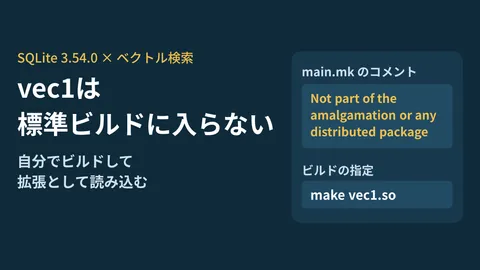
For how to compare this with the option of building your own search system, Trying vector search with vec1 in SQLite 3.54.0 is a useful reference. If you use internal chat history for search, also see Message search and pinning with the Chat API.
Scope of verification
On October 23, 2026, we checked Cloudflare's changelog entries "AI Search keyword search supports Japanese, Chinese, and Korean queries" (October 16, 2026) and "AI Search is generally available" (October 1, 2026), and the AI Search documentation (Keyword search, Hybrid search, Search modes, Limits & pricing, and the Workers binding API) in the source repository of the official documentation (cloudflare/cloudflare-docs) (document research). We did not verify creating an instance in a Cloudflare account, search results and accuracy with Japanese documents, or the time required to rebuild the index. The three-character sequences in the diagram were produced by the editorial team splitting the query based on the tokenizer's description, and are not actual AI Search output. On October 27, 2026, before publication, we re-reviewed the published changelog and documentation pages and the list of AI Search changelog entries, and added notes on OCR billing and
keyword_match_mode. There were no new AI Search changelog entries after October 16.
For designing and developing internal document search or site search, contact us through Development, AI, and automation consultations.