"That procedure must have been shared somewhere in Chat," you think, and you search but never find it. The more spaces you have, the more decisions and links to procedure documents get buried in the flow of messages. You can search and pin in the Google Chat interface, but until now the APIs for doing the same from internal tools or Apps Script were limited.
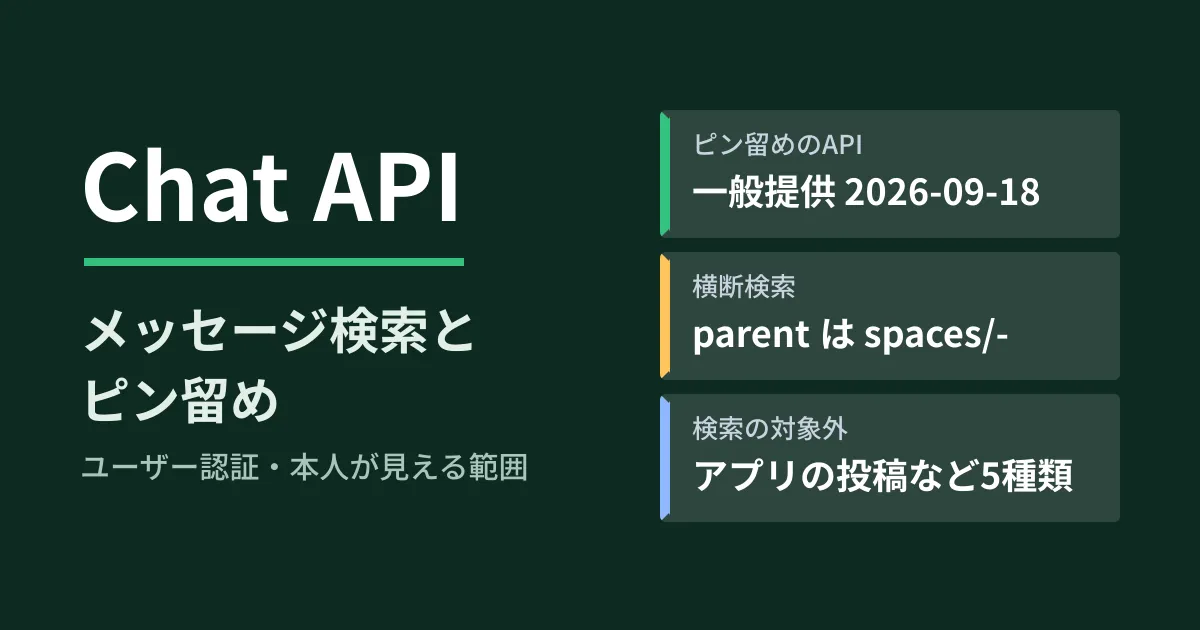
According to the Chat API release notes, the message search API (spaces.messages.search) became generally available (GA) on July 30, 2026, and the pinning API (spaces.messagePins) on September 18. Before that, both were in Developer Preview (early access for developers who applied). In this article, we lay out the conditions you should know before building these into internal tools, based on what we confirmed on October 6, 2026 by directly opening the Chat API release notes and developer guides, the history of the definition files Google publishes (googleapis/googleapis), and the Chat API Discovery document (v1, revision 20261001). This is based on document research and editorial proposals; because we had no credentials, we did not actually call the APIs.
What's new: cross-space search and reading and writing pins
This update covers two APIs.
| API | HTTP | Primary use case | Authentication and scopes (Discovery document) |
|---|---|---|---|
spaces.messages.search | POST /v1/spaces/-/messages:search | Search messages across the spaces and DMs the user can see | User authentication. chat.messages.readonly or chat.messages |
spaces.messagePins.list | GET /v1/spaces/{space}/messagePins | List the pinned messages in a space | User authentication. One of chat.spaces.pins.readonly, chat.spaces.pins, chat.spaces.readonly or chat.spaces |
spaces.messagePins.create / delete | POST / DELETE | Add and remove pins | User authentication. chat.spaces.pins or chat.spaces |
Both list only user authentication (calling the API as the user themselves); app authentication, where the Chat app calls the API as itself, is not supported. In other words, the API can only see what the caller can see in Chat. It cannot be used by an administrator to go across messages for the whole company.
The pinning API has appeared in the Discovery document since late August (revision 20260820). It entered the definition files as generally available in a googleapis/googleapis commit on September 16, 2026 (4bcbf04, "Graduate MessagePin APIs to General Availability (GA)"), and the release notes announced on September 18 that it is "no longer limited to the Developer Preview." Two new scopes were created for pinning: chat.spaces.pins ("See, add, and remove pins in your Google Chat spaces") and chat.spaces.pins.readonly ("See pins in your Google Chat spaces"). A pin's name is spaces/{space}/messagePins/{message_pin}, and the ID at the end is described as being the same as the original message's ID. Listing returns up to 100 items at a time.
According to the release notes, message search entered Developer Preview on May 12, 2026 and reached GA on July 30. It was added to the definition files in a commit on July 30 (36d9a9b, "Addition of the Search Messages API"), and filtering by space type was added in a commit on September 18 (a557eba). The Discovery document also shows no "Developer Preview" label on search itself. However, sorting by relevance (relevance) alone is marked as Developer Preview.
As for eligible editions, the prerequisites in the developer guides (for both search and pinning) state "a Business or Enterprise Google Workspace account." We could not find any announcement covering these two APIs in Workspace Updates (the update blog for administrators).
Conditions you can filter on in search
In the search filter, you can specify the following conditions in addition to keywords. Here is a summary of the Discovery document's description.
- Time range:
create_time(<and>=) - Sender:
sender.name = "users/{user}". An email address can be used instead of{user} - Space:
space.name = "spaces/...", or a partial match on the display namespace.display_name:Project(up to the top 5 matching spaces) - Space type:
space.space_type = "DIRECT_MESSAGE"(alsoGROUP_CHATandSPACE) - Has attachments:
attachment:* - Mentions:
annotations.user_mentions.user.name:users/me(mentions of you) - Functions:
has_link()(contains links),is_unread()(unread only)
Different fields can only be combined with AND, and only certain fields allow OR within the same field. Queries can be up to 1,000 characters. By default, results are returned newest first by creation time, 25 at a time, up to 100 per page.
parent must always specify spaces/-; anything else results in INVALID_ARGUMENT. Even when searching only a specific space, you filter with space.name in filter rather than parent. In addition, filtering by display name or type requires additional scopes such as chat.spaces.readonly, and is_unread() requires a read-state scope (such as chat.users.readstate.readonly).
For example, to find a week's worth of mentions of you that you have not yet read, the filter looks like this (the dates and times are examples).
annotations.user_mentions.user.name:users/me AND is_unread() AND create_time >= "2026-09-29T00:00:00+09:00"Five types of messages are excluded from search
The most important thing to watch when building this in is that the search description says "This API doesn’t return all message types," and the following five types are not included in the results.
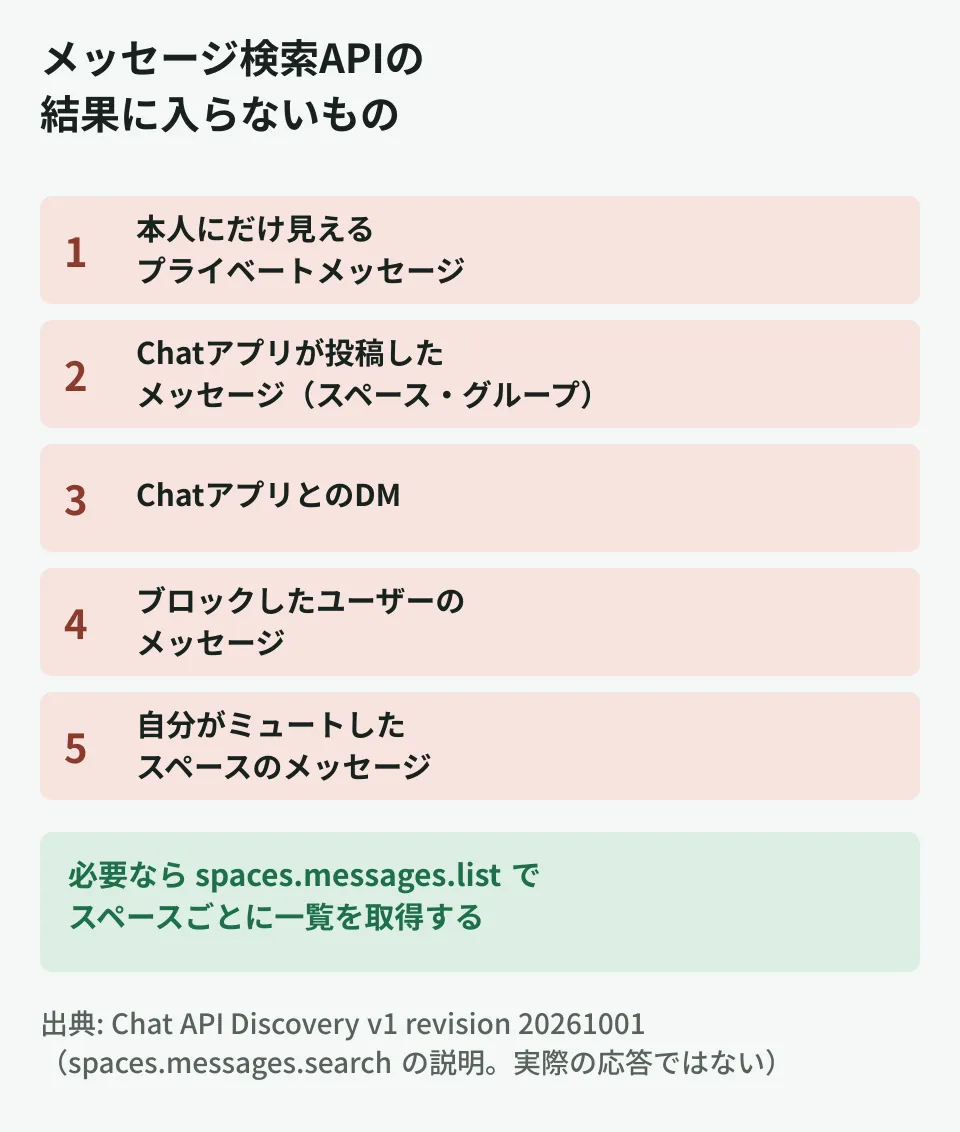
- Private messages visible only to the caller
- Messages posted by Chat apps to spaces or group chats
- Messages in DMs with Chat apps
- Messages from blocked users
- Messages in spaces the caller has muted
The second one matters if you want to use this to aggregate notifications. Messages posted by Chat apps, such as notifications from monitoring tools or forms and daily report bots, do not appear in search. A design that collects alert history through the search API does not work, so in that case, as the description advises, retrieve them per space with spaces.messages.list. The fifth one also needs attention. The same search can return different results depending on which spaces the person running it has muted.
If you specify SEARCH_MESSAGES_VIEW_FULL in view and have the corresponding scopes, search results also include whether each message has been read (read) and the space's mute setting (spaceMuteSetting). If you copy the results into a list shared with others, keep in mind that these reflect the state as seen by the person who ran the search.
How to use them in internal tools (editorial proposal)
Within what can be read from the definitions, the following uses are possible. All of them are uses as personal or team helper tools that run with the permissions of the person running them.
- Use pins as a table of contents for procedures: In a project space, pin links to decisions and procedures, list them once a week with
messagePins.list, fetch the original messages withspaces.messages.get, and compile them into a spreadsheet or document. Because a pin's ID is the same as the message's ID, matching them up is easy - Collect unread mentions of you: Using the
filterabove, list unread mentions each morning and send them to email or a task list - Take stock of messages with attachments: Filter by
attachment:*and a time range to see which spaces files are being exchanged in
A setup that uses a spreadsheet as a ledger can apply the ideas in the basics of automation with GAS as is. Whether the sender's display name and email are returned depends on your relationship with the sender, as explained in Chat API now returns sender email addresses.
What administrators should check first
The chat.messages.readonly scope required for search lets the tool read the Chat messages the user can see. Because it allows reading messages, including DMs, and not just searching, it is safer to check the following points before granting it to an internal tool.
- Whose account it runs under: If it runs under a personal account, that person's DMs are also searched. For a shared team tool, it is safer to set up a dedicated account and limit the spaces it joins
- Which scopes it requests:
chat.spaces.pins.readonlyis enough if you only need to list pins. Check that it does not requestchat.messagesorchat.spacesbeyond what is needed - App permissions: If you restrict access by Chat apps or third-party apps in the Admin console, check this together with settings such as the Chat app allowlist
- Where results are stored: If you export search results to a spreadsheet, people other than members of the original space may be able to see the content. Match the sharing scope to the original space
Pitfalls before building them in
- Trying to collect bot notifications through search: Chat app posts are not covered by search. Retrieve them by listing instead
- Specifying a space in
parent: Anything other thanspaces/-causes an error. Filter spaces withfilter - Using relevance sorting in production: Sorting by
relevanceis in Developer Preview. Build on the default newest-first order - Rolling it out without checking eligible editions: The developer guide's prerequisite is a Business or Enterprise account. We have not confirmed whether it works on other editions
Start by separating the information that tends to get buried in Chat into what pinning is enough for and what needs to be found by search. If pinning is enough, starting with a small tool that uses only chat.spaces.pins.readonly is also the safest choice in terms of permissions.
On October 6, 2026, we directly retrieved and cross-checked the Chat API release notes, the developer guides (searching messages and pinning), the Chat API definition files in googleapis/googleapis (
google/chat/v1/chat_service.protoandmessage_pin.proto, commits 4bcbf04, 36d9a9b and a557eba), the Chat API Discovery document (v1, revision 20261001), the history of google-api-go-client and the type definitions in npm's@googleapis/chat51.2.0 (document research). The uses in internal tools and the points for administrators to check are editorial proposals. Because we had no credentials, we did not call the APIs, and the actual responses and behavior on editions other than Business and Enterprise have not been confirmed. The Apps Script example in the search guide calls REST directly withUrlFetchApprather than using the Advanced Chat service. We could not find a relevant announcement in Workspace Updates.
GleamHub's free IT and Google Workspace consultation can help with organizing information sharing in Google Chat and reviewing permissions for internal tools. Because the approach depends on the information you handle and how you use spaces, please reach out through our contact form.
References
- Google Chat API release notes
- Search messages (Google Chat API guide)
- Pin or unpin messages in Google Chat spaces (Google Chat API guide)
- googleapis/googleapis — commit 4bcbf04(Graduate MessagePin APIs to General Availability (GA))
- googleapis/googleapis — google/chat/v1/message_pin.proto(4bcbf04)
- googleapis/googleapis — commit 36d9a9b(Addition of the Search Messages API)
- googleapis/googleapis — commit a557eba(space.space_type filter for SearchMessages)
- Google Chat API Discovery document (v1)
- npm registry — @googleapis/chat