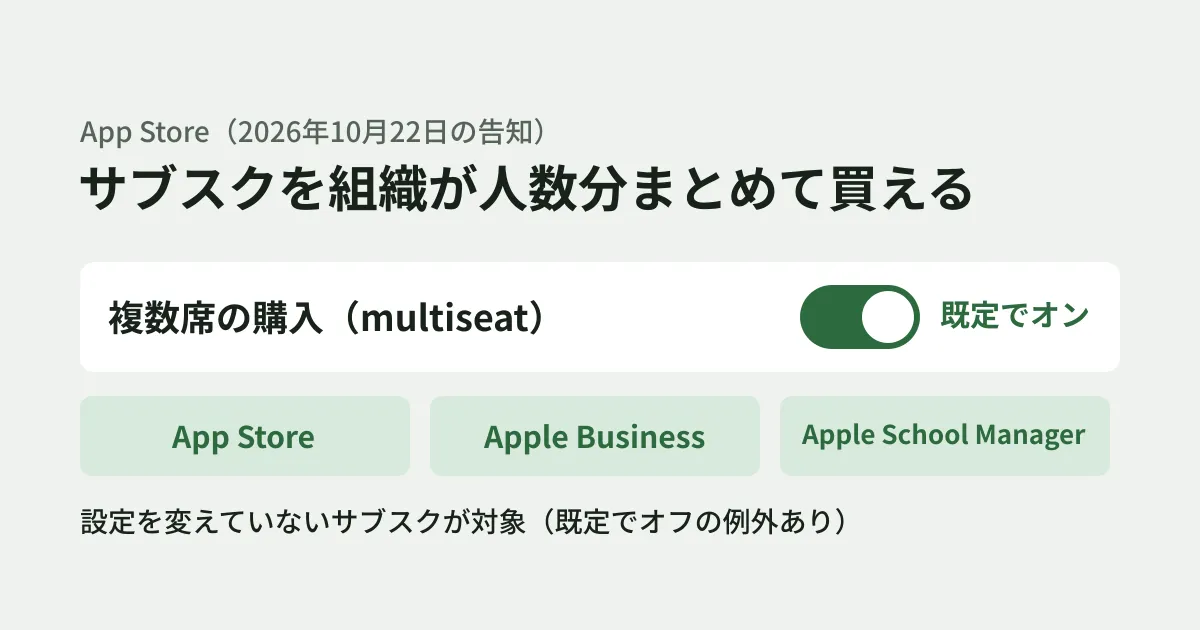
For companies selling subscriptions (auto-renewing recurring billing) in their own apps, Apple's announcement of October 22, 2026 could change the terms of sale even if they do nothing. This is because businesses and schools can now buy an app's subscription in bulk for multiple people, and that setting is on by default for many subscriptions.
Apple's developer announcement says the following.
Multiseat purchasing for subscriptions is enabled by default in App Store Connect, unless you’ve previously adjusted this setting. This makes your subscription available for purchase through Apple Business, Apple School Manager, and the App Store.
Apple Business is Apple's service for businesses, and according to Apple's support page, it brings together the features of the former Apple Business Manager and other services.
Based on Apple's announcement, the App Store Connect help pages, and the App Store Connect API documentation, this article lays out what staff responsible for apps that sell subscriptions should check.
What is now possible
According to the announcement, organizations using Apple Business or Apple School Manager can buy the number of seats they need in a single in-app purchase, and assign and manage the seats with the device management tools they already use. The number of seats can be increased or decreased at any time.
While this adds another sales channel for businesses, the app side needs to decide the following points.
- Whether it is acceptable to sell your subscription in bulk to organizations (whether this fits your terms of use and pricing design)
- If you sell, where to sell: the App Store, Apple Business, or Apple School Manager
- If you do not sell, whether to turn the setting off
Default exceptions and when it starts on the App Store
The App Store Connect help page lists exceptions that are not in the announcement.
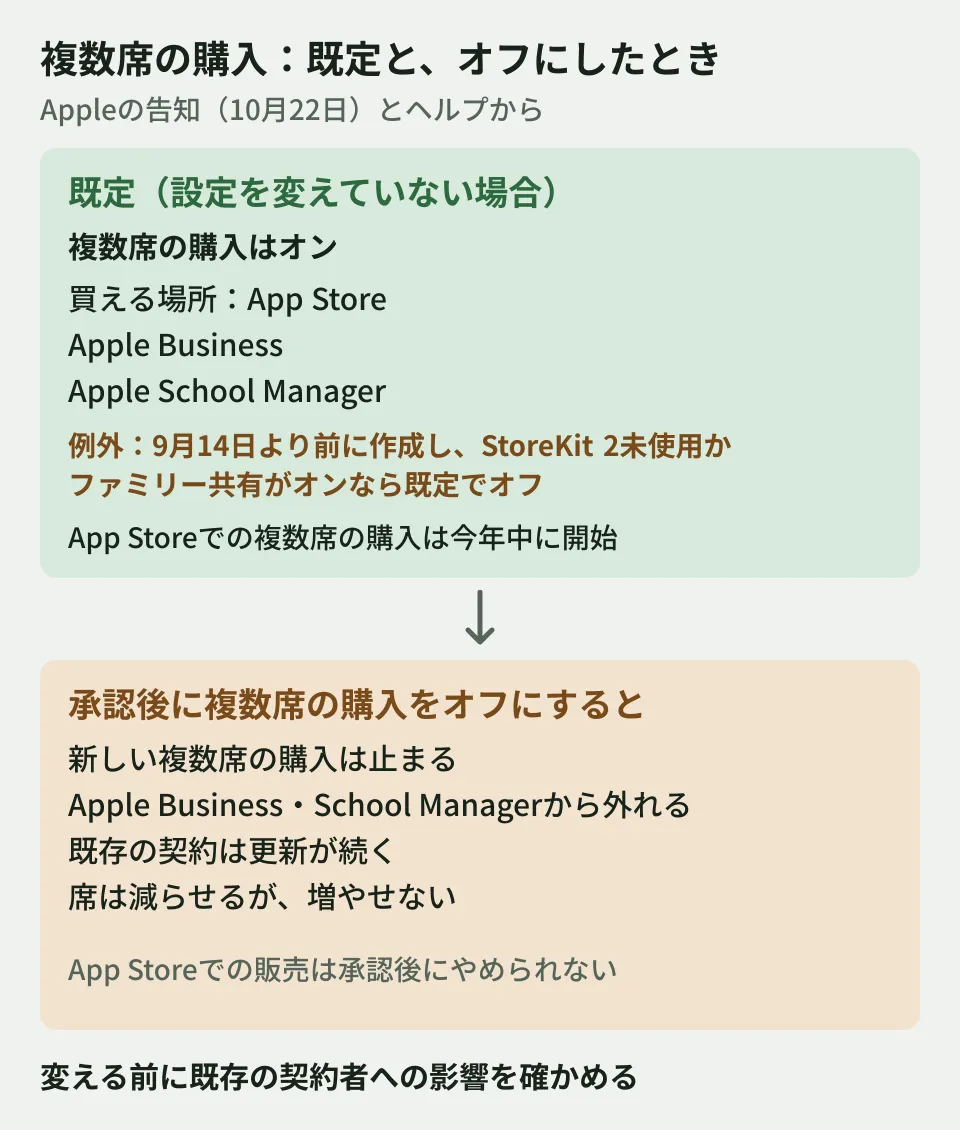
- Off by default (opted out): subscriptions created before September 14, 2026 that do not use StoreKit 2, and those with Family Sharing turned on. If you want to sell multiple seats, you can turn it on at any time
- Subscriptions in custom apps (apps distributed to specific organizations): purchase options cannot be managed. They automatically become purchasable through Apple Business and Apple School Manager, and multiseat purchasing cannot be turned off
- Multiseat purchases on the App Store: the help page says App Store customers will be able to buy multiple seats later this year. The announcement also says group purchases on the App Store will start this winter
To see which of these applies to your subscriptions, check the actual values on the settings screen described in the next section or with the API introduced later.
Where the setting is and the available options
According to the App Store Connect help page, the setting is in the subscription's "Purchase Options." Select the app, open the relevant subscription from Subscriptions, and click Edit under Purchase Options. The roles that can change it are Account Holder, Admin, and App Manager.
The first question is "Can a customer purchase multiple seats for this subscription?" (whether to allow buying multiple seats).
- Yes, allow multiseat purchases: customers can buy multiple seats. Required for selling through Apple Business and Apple School Manager
- No, don’t allow multiseat purchases: customers can buy only one seat
The second question is "Where can a customer purchase this subscription?" (where to make it purchasable), and you choose from the App Store, Apple Business, and Apple School Manager.
Impact of turning it off
When changing the settings of a subscription that has already been approved, you need to be careful about the impact on existing subscribers. The help page's descriptions can be summarized as follows.
- Turning off multiseat purchasing: new customers can no longer buy multiple seats, and the subscription is removed from Apple Business and Apple School Manager (because both support only multiseat purchases). Existing contracts continue to renew until the person who made the bulk purchase cancels. Seats cannot be added but can be reduced
- Stopping sales through Apple Business and Apple School Manager: this can be changed after approval, but existing subscribers are not automatically renewed and are canceled at the end of the next renewal. Only the Account Holder can make this change
- Sales on the App Store: after approval, you cannot stop selling on the App Store
The help page asks you to consider, before saving, how the change will affect renewals and seat additions for existing subscribers. If you are narrowing your sales channels, it is safer to decide on the date you turn it off together with how you will notify existing subscribers.
The documents differ on how it interacts with Family Sharing
For subscriptions that use Family Sharing (a feature that lets family members share in-app purchases), the documents describe some points differently. As noted in the section "Default exceptions and when it starts on the App Store," the help page also says subscriptions created before September 14 with Family Sharing on are off by default. What differs is how things are handled when both are turned on.
- App Store Connect help (the two pages on purchase options and Family Sharing): when both multiseat purchasing and Family Sharing are on, only the person who made the bulk purchase can share with their family, and the other seats are for individual use only. When turning on multiseat purchasing for a subscription with Family Sharing on, you are asked to confirm this
- App Store Connect API documentation: turning on Family Sharing for a subscription automatically sets
multiSeatStatustoDISABLED. If multiseat purchasing is turned on again, Family Sharing applies when only one seat is purchased
As of October 27, 2026, we could not determine from the documents which behavior applies. For subscriptions that use Family Sharing, check how the actual settings are displayed in App Store Connect. Note that the help page says Family Sharing cannot be turned off once it has been turned on.
Checking the setting with the API
If you have many subscriptions, you can also read the settings with the App Store Connect API. According to the documentation, multiSeatStatus and marketSettings in the GET /v1/subscriptions/{id} response show the current settings.
{
  "data" : {
    "type" : "subscriptions",
    "id" : "6446671421",
    "attributes" : {
      "multiSeatStatus" : "ENABLED",
      "marketSettings" : [ "APP_STORE", "APPLE_BUSINESS" ]
    }
  }
}
The above is an example response from the documentation (the IDs are example values). The meaning of each field, as described in the documentation, is as follows.
multiSeatStatus:ENABLED(multiple seats can be purchased; the default for all auto-renewable subscriptions) orDISABLED(one seat only). However, since the help page lists exceptions that are off by default, the reliable approach is to check the actual value in this field rather than relying on the defaultmarketSettings: the channels for selling multiple seats. An array ofAPP_STORE,APPLE_BUSINESS, andAPPLE_SCHOOL. Has no effect whenmultiSeatStatusisDISABLED
Settings are changed with PATCH /v1/subscriptions/{id}, and the roles that can change them are Account Holder (ACCOUNT_HOLDER), Admin (ADMIN), and App Manager (APP_MANAGER). API keys with the Marketing (MARKETING) role can only read. The editorial team has not called the API with a real account.
Checks on the app side for bulk purchases
The following are the editorial team's suggestions. If you accept multiseat purchases, checking the following points on the app or service side as well can reduce inquiries from organizations that adopt it.
- Are your terms of use and price list written on the assumption of use by a single person?
- Will people using seats assigned by their organization run into trouble with app accounts or login?
- Can you provide adopting organizations with instructions for distributing the app through their device management tools?
Implementation details, such as how seat assignments are conveyed to accounts in the app, were not confirmed in the materials reviewed for this article. Check the implementation details in the WWDC26 session "Offer subscriptions to groups and organizations," which the announcement introduces, before proceeding.
The announcement also previews group purchases (a mechanism where an individual buys multiple seats and invites others). Starting in November 2026, developers will be able to configure and test this in test accounts (Sandbox), and it is scheduled to become available on the App Store this winter.
How to think about this when you manage company iPhones collectively with a device management tool is also covered in New iOS settings in Google endpoint management. Setting up a maintenance structure for apps is explained in Before outsourcing a business smartphone app.
Scope of verification
On October 26, 2026, we reviewed the Apple Developer news post "Offer your subscriptions to businesses and schools" (October 22, 2026), the App Store Connect help article "Manage purchase options for an auto-renewable subscription," and the App Store Connect API documentation "Configuring multi-seat subscriptions for organizations." On October 27, we rechecked the same materials, along with the help article "Turn on Family Sharing for In-App Purchases" and the Apple Business Manager user guide (document review). We did not confirm the configuration screens in App Store Connect, API calls, purchases through Apple Business, availability in Japan, or the implementation details in the WWDC26 session.
For updates to subscription apps or for building mechanisms that support selling to businesses, contact us through Consultation on development, AI, and automation.
References
- Offer your subscriptions to businesses and schools(Apple Developer、2026-10-22)
- Manage purchase options for an auto-renewable subscription(App Store Connect Help)
- Configuring multi-seat subscriptions for organizations(App Store Connect API)
- Turn on Family Sharing for In-App Purchases(App Store Connect Help)