You set up a perimeter to prevent data exfiltration on Google Cloud (VPC Service Controls, hereafter VPC-SC), but forget to add each new project to it as you create it. Or, conversely, traffic gets denied in the middle of development and you hastily add a broad exception. Google Cloud's official blog also says that overly broad perimeters increase the risk of data exfiltration, while overly strict ones stall development with too many denials.
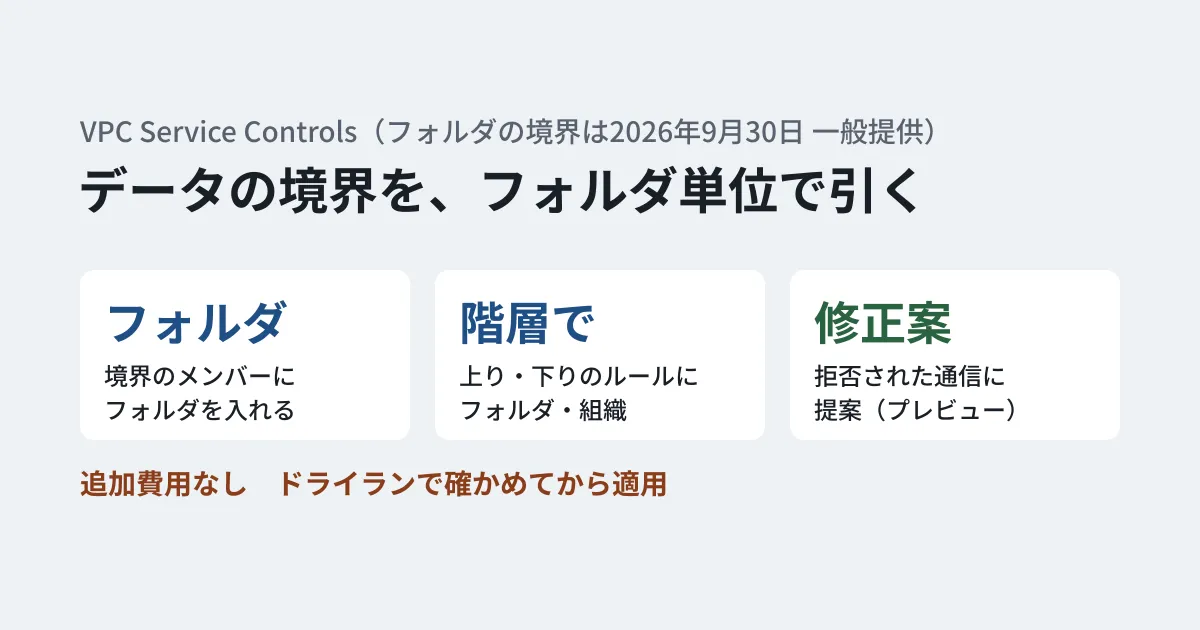
On October 15, 2026 (October 16 Japan time), Google Cloud summarized its VPC-SC updates in an official blog post. Folders can now be added to perimeters, and narrowly scoped remediation suggestions will be offered for denied traffic. The blog says these updates are generally available (GA) and carry no additional cost. However, checking each feature in the release notes shows that they became generally available at different times, and that the remediation suggestions remain in preview. In this article, we use the blog and documentation to lay out what changed and propose an order for reviewing existing perimeters.
What has changed
The release notes give the release stages of the updates listed in the blog as follows.
| Update | Release stage | Release note date |
|---|---|---|
| Add folders as perimeter members | Generally available | September 30, 2026 |
| Specify folders and organizations in ingress and egress rules | Generally available | September 30, 2026 |
| Specify Private Service Connect endpoints in ingress and egress rules | Generally available | June 30, 2026 |
| "Service patterns" for VPC accessible services | Generally available | August 6, 2026 |
| Remediation suggestions for denials (Violation Analyzer) | Preview | October 8, 2026 |
On additional costs, the pricing page also says there is no separate charge for using VPC-SC. The four updates are as follows.
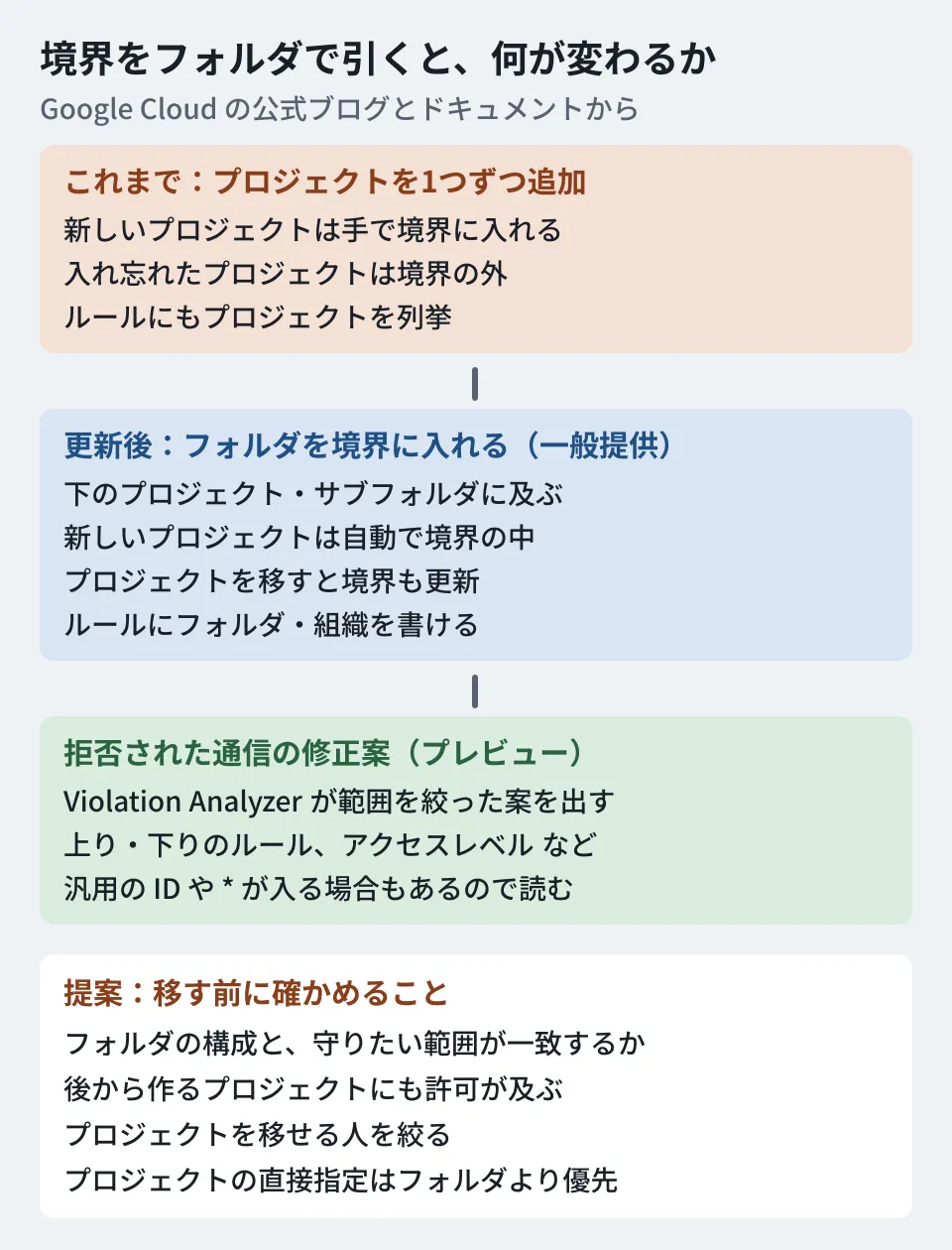
- Folders can be perimeter members: When you add a folder to a perimeter, the perimeter's policy extends to all projects in it and all nested subfolders. Newly created workloads are protected with no extra work. When you move a project to another folder, the perimeter membership is also updated automatically. Dry-run mode also supports folder members
- Folders and organizations can be specified in ingress and egress rules: Google Cloud folders and organizations can be specified directly in ingress and egress rules. The blog explains that a single hierarchy entry replaces the set of projects beneath it, which shortens rules, makes it easier to keep the number of attributes within quota limits, and automatically covers projects created later
- Private Service Connect endpoints can be used as conditions: Private Service Connect endpoints for Google APIs can be specified as attributes in ingress and egress rules. This lets you write rules such as allowing only access that passes through a specific private path. The documentation advises creating the endpoints with the
vpc-scAPI bundle. In addition, "service patterns" for VPC accessible services let you allow only the URL patterns of the APIs you need among the Google APIs used with private VIPs orall-apisbundle endpoints - Remediation suggestions for denials (preview): A remediation suggestion feature has been added to VPC-SC's Violation Analyzer. The blog calls it "Guided Violation Remediation," and the documentation calls it "remediation suggestions." It compares denied requests against the perimeter configuration and proposes narrowly scoped changes based on the principle of least privilege (an update to an ingress rule, an egress rule, an access level, or VPC accessible services)
The blog says "these updates are generally available," but the documentation for the remediation suggestions carries a preview label, and the release notes also list them on October 8, 2026 as "Status: Preview." In this article, we follow the release notes and documentation, which show the status of each feature.
The blog also says that suggestions can be verified first in dry run. The documented procedure, on the other hand, is a flow in which clicking "Apply remediation" in the console updates the perimeter configuration, and it includes no steps for verifying in dry run. The blog also says the time needed to resolve denied requests goes "from days to minutes." This is Google Cloud's description, and the editorial team has not measured it.
Why rethink how perimeters are built now
The blog explains these updates in connection with the use of AI agents. Agents act on behalf of users or autonomously, and request data across projects. The blog positions agents as a type of non-human identity (NHI) and says they need guardrails that are secure by default.
What follows is the editorial team's analysis. When you add projects to a perimeter one at a time, the more projects you have for agents or testing, the more likely it becomes that some projects end up outside the perimeter. If you draw perimeters by folder, "which folder it goes in" basically becomes "which perimeter it joins." The blog also says that compliance checks then only require confirming that resources are in the right place in the hierarchy. However, as the next section shows, if there is a perimeter that specifies a project directly, that perimeter takes precedence.
The order for reviewing existing perimeters
The blog gives four steps for getting started: set your folder baseline, observe production traffic in dry run, resolve denials with Violation Analyzer's suggestions, and move to enforcement once the dry-run logs match your intent.
The documentation also has a procedure for safely moving from direct project assignments to folders. The order is to add the folder to the perimeter, move the project into that folder, keep the direct assignment until the hierarchy change has propagated, and finally remove the direct assignment. Propagation usually takes a few minutes, though it may take longer in some cases.
To these flows, we add the points to check when moving from existing perimeters, as the editorial team's suggestions.
- Decide which folders correspond to which perimeters: Confirm that your folder structure matches the scopes you want to protect, such as production, testing, and running AI agents. You can put only some of the projects in a folder into a different perimeter, because a perimeter that specifies a project directly takes precedence over a perimeter inherited from a folder. However, the more exceptions you have, the smaller the benefit of drawing perimeters by folder. Sort out where projects are placed first
- Add the folder to the existing perimeter's dry-run configuration: Add the folder with
gcloud access-context-manager perimeters dry-run updateand check the logs to see which traffic is expected to be denied. This article does not recommend keeping the project-level perimeter while creating a separate folder-based perimeter in dry run. That is because the documentation's explanation of precedence reads as saying that if a project is placed directly in an enforced perimeter, that assignment takes precedence even in dry run (the editorial team has not confirmed this on a real environment). You can check which perimeter is in effect withgcloud access-context-manager lookup-configured-perimeter - Replace ingress and egress rules with hierarchy entries: Consolidate rules that list projects into folder or organization entries. However, the fact that permission automatically extends to projects created later in the folder is both a benefit and a widening of the permitted scope. The documentation cautions that specifying a folder or organization also allows access to resources directly under it that a perimeter cannot protect. Decide for each rule which folders may be specified
- Read remediation suggestions instead of applying them as is: The remediation suggestions are in preview. According to the restrictions in the documentation, when the caller is hidden in the audit logs, a suggestion may use a generic identity such as
ANY_USER_ACCOUNT, and when fine-grained method specification is not supported, it may use*. Decide whether to adopt a suggestion based on whether the traffic is needed for the business. Remediation suggestions are available only in the organization-level console, do not support service patterns, and cannot analyze denials older than the log retention period (30 days by default) - Keep watching project moves after enforcement: With folder perimeters, moving a project directly means entering or leaving a perimeter. The documentation also recommends coordinating hierarchy moves with Resource Manager administrators. Decide on an operating practice that limits who has permission to move projects and checks the records of moves
Restrictions and limits confirmed in the documentation
These are points not covered in the blog that we were able to confirm in the documentation on November 6, 2026.
- When perimeters overlap: A single resource is protected by one regular perimeter in enforced mode and one in dry-run mode. When multiple perimeters are involved, the assignment lowest in the hierarchy takes effect. Enforced and dry-run modes are evaluated separately
- Excluding a project: To remove a project from a folder perimeter, put it in a separate perimeter that restricts no services and allows all ingress and egress
- Perimeter bridges: Folders cannot be added; only projects can
- Service patterns: Folder members cannot be used in perimeters where
allowed_service_patternsis configured. Add the underlying projects or VPC networks directly - Known issue: If you put a VPC network's project directly in a dry-run perimeter, the enforced protection inherited from the folder above it is removed
- Scoped policies: To add a folder to a perimeter, the scope of the access policy must be that folder or one above it
- Limit values: Ingress and egress rule attributes are limited to 6,000 for each of a perimeter's enforced and dry-run configurations. Protected resources are limited to 40,000 across the entire access policy. The limits page has no item that counts only the number of folders
We have not checked for cautions on combining this with organization policies or IAM conditions. Before changing a production perimeter, check the latest documentation.
We covered how to think about the permissions you give AI agents on Google Cloud in Four points to read before adding IAM Helper to your AI agents. For how to think about authentication and boundaries when connecting internal screens from Gemini Enterprise, MCP Apps in Gemini Enterprise: what to decide before connecting internal tool screens is also a useful reference.
Scope of verification
On November 6, 2026, we opened and checked the Google Cloud official blog post "Introducing new scalable perimeter options with VPC Service Controls" (the publication date information says October 15, 2026, and the page displays October 16), the VPC-SC release notes, and the pages on folders, remediation suggestions, ingress and egress rules, limits, and pricing (document research). We did not test by creating a VPC-SC perimeter. Our reading of dry-run precedence is an interpretation of the documentation's text and has not been confirmed on a real environment. The migration order and checkpoints are the editorial team's suggestions.
For designing Google Cloud perimeters and reviewing the structure of projects that run AI agents, please contact us through development, AI, and automation consulting.
References
- Introducing new scalable perimeter options with VPC Service Controls (Google Cloud Blog, October 15, 2026)
- VPC Service Controls release notes(Google Cloud)
- Folder support in service perimeters(Google Cloud)
- Configure folders in service perimeters(Google Cloud)
- Resolve access denials with remediation suggestions(Google Cloud)
- Ingress and egress rules(Google Cloud)
- Quotas and limits(Google Cloud)
- VPC Service Controls pricing(Google Cloud)