Having a coding agent help with building on and deploying to Google Cloud can lead to failures such as using outdated SDK patterns, guessing at nonexistent arguments for gcloud, or attempting operations it lacks the permissions for. Even more troublesome is the risk that it may go ahead and enable billable APIs or create resources without confirmation. The official Google Cloud blog also names this as a challenge.
Google Cloud announced on its official blog on November 3, 2026 that it had published "google-cloud-developer", a plugin that reduces these problems, for Antigravity, Google's agentic development environment, under "Build with Google" in the Antigravity Marketplace. This article sets out what the plugin includes, what its guardrails actually consist of, and what to decide before rolling it out to a team.
What the plugin includes
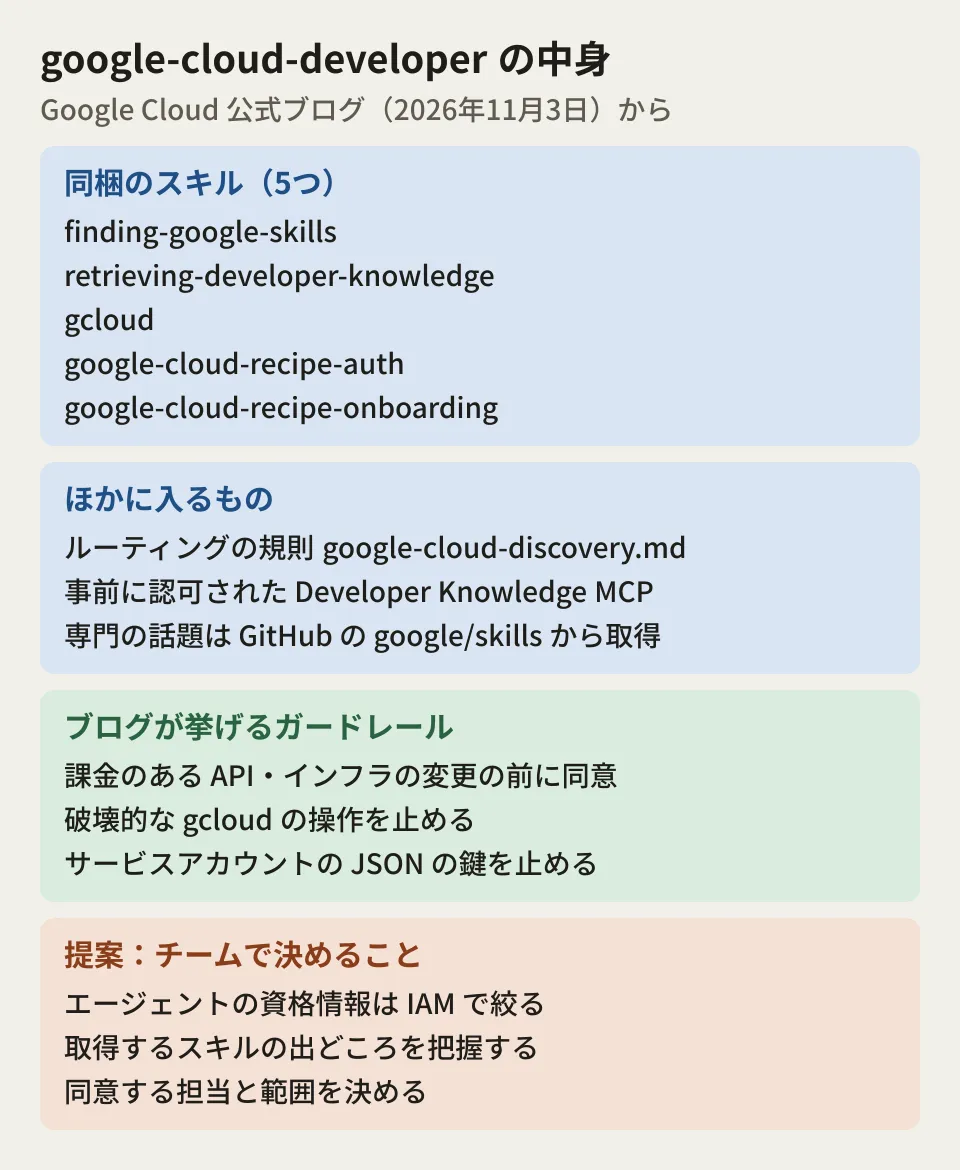
According to the blog, the plugin bundles core skills, routing rules, and the Developer Knowledge MCP server into a single package. The blog lists the following three goals.
- Answers based on the latest documentation: the agent queries Google Cloud's official documentation over streaming HTTP
- Safety and cost guardrails: it keeps the agent to least-privilege IAM patterns and asks for the user's consent before enabling billable APIs or changing infrastructure
- Environment awareness: it inspects the local environment and existing CLI configuration and draws up a safe execution plan before running commands
Five skills are bundled.
| Skills | Role (as stated in the blog) |
|---|---|
finding-google-skills | Finds the skills it needs in the google/skills repository on GitHub and loads them when needed |
retrieving-developer-knowledge | Returns answers and code examples based on the official documentation for Google Cloud, Firebase, Android, Web, and Gemini |
gcloud | Checks gcloud command syntax and applies safety checks. Stops accidental destructive operations |
google-cloud-recipe-auth | Steers toward authentication using service identities and Application Default Credentials (ADC), and stops risky methods such as downloading service account JSON keys |
google-cloud-recipe-onboarding | Guides initial project setup, account preparation, and billing checks. Checks the project's state before enabling services |
The plugin itself, in google/skills on GitHub (version 1.1.17 as of November 6, 2026), also bundled these five skills. The same plugin can also be installed in Claude Code and Codex CLI.
There is also a routing rule called google-cloud-discovery.md. When a request touches on a specialized topic, this rule works together with finding-google-skills to fetch the relevant skills from the public catalog. Because dozens of specialized skills do not have to be loaded up front, the blog explains, this puts less pressure on the context.
How to install it, and MCP server authorization
You can install it from the Antigravity Marketplace UI or with a one-line terminal command.
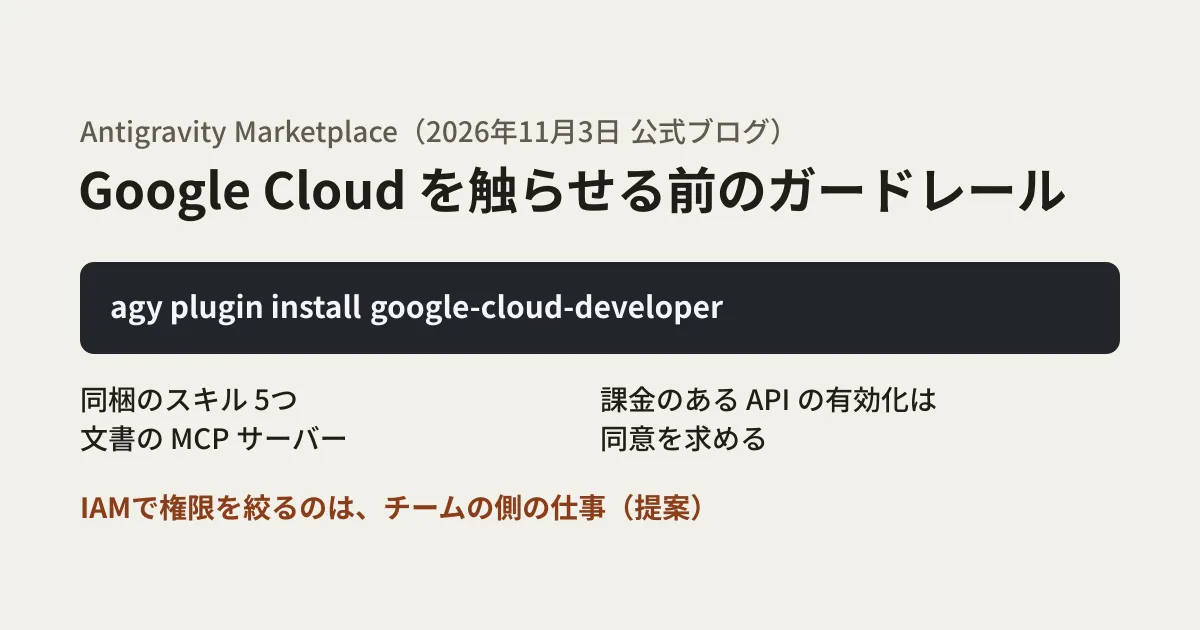
agy plugin install google-cloud-developerAccording to the blog, the CLI registers the skills and connects to the Developer Knowledge MCP server right away. Adding an MCP server normally requires handling an API key, but from the "Build with Google" catalog in the Marketplace, this MCP server is pre-authorized and authentication is managed by Antigravity. The blog says no API keys, OAuth tokens, or configuration file edits are needed.
This does not mean that no credentials are used. The configuration for Antigravity is authProviderType: google_credentials, and the Developer Knowledge documentation also explains that Antigravity connects using the user's active Google credentials. For Claude Code and Codex CLI, the steps for enabling the API and setting an API key are in the repository's README. "No key needed" applies only when using it from Antigravity.
Once it is installed, the blog says, the agent bases its answers on the latest documentation without any special phrasing. The blog's example is the question "Based on the documentation, what are the main differences between GKE and Cloud Run, and when should each be used?"
Guardrails confirmed in the skill text
We checked the skill text in the repository to see what the blog's "blocks" refers to. The guardrails are written as instructions to the agent.
gcloud: its "do not run autonomously" list names changes to IAM policies, roles, and bindings, enabling APIs,gcloud * delete,gcloud billing *,gcloud organizations *,gcloud kms *, andgcloud infra-manager deployments apply, and requires the user's explicit approvalgoogle-cloud-recipe-onboarding: it instructs the agent to show a table of the details and wait for consent before creating a project or linking a billing account. The skill assumes an individual developer's first-time setup; for accounts belonging to a Google Workspace or Cloud Identity organization, it stops running and directs the user to the Google Cloud Setup guidancegoogle-cloud-recipe-auth: the blog says key downloads are "blocked", but the skill text is worded to "strongly discourage" users who try to use keys locally and "recommend impersonation"
In addition, the gcloud skill instructs the agent to add --quiet to every command it runs, because the agent's execution environment cannot wait for confirmation input. With --quiet, gcloud does not wait for confirmation; it proceeds with the default choice, or stops with an error if a required value is missing. As a result, gcloud's own confirmation prompt does not act as a safeguard. Whether an operation can be stopped depends on whether the agent follows the instructions and on the execution permission settings on the Antigravity side. The skill text we read does not describe any mechanism that technically blocks command execution.
Editorial proposal: what to decide before rolling it out to your team
As shown so far, the guardrails are behavior produced by skills and rules loaded into the agent. The blog does not describe them as a substitute for restricting IAM permissions either. We suggest deciding the following points before adding the plugin to your team's development environment.
Narrow the scope of the credentials given to the agent with IAM. Even if a skill asks for consent, if the credentials the agent uses have broad permissions, a single consent action can make large changes. Separate out development projects, and grant the agent's credentials only the roles they need. A setup that avoids distributing service account keys was covered in our article on keyless Workload Identity Federation.
Know where the fetched skills come from. Specialized skills are fetched when needed from the main branch of the google/skills repository on GitHub. As of November 6, 2026, all 186 references in the catalog (index.json) read by finding-google-skills pointed to main. The parts bundled with the plugin are fixed to the version you installed, but fetched skills reflect their content at that moment and, according to the rule's description, disappear at the end of the session. If the repository content is updated, the agent's behavior may change too. The skill text and rules describe no procedure for pinning to a specific version. Teams that want to verify later which version was used will need to work out a separate way of recording it. If you use it behind an internal proxy, you will also need to allow traffic to raw.githubusercontent.com, api.github.com, developerknowledge.googleapis.com, and so on. See also our article on Google's official Agent Skills repository for google/skills, and our article on IAM Helper for how permissions are approached in a separate set of Google Cloud skills.
Decide who handles consent. The person who consents to enabling billable APIs or changing infrastructure is the developer operating the agent. Decide which operations developers may allow on their own judgment and which require approval from someone else. The repository's guidance says that state-changing commands such as gcloud projects create, gcloud billing projects link, and gcloud services enable should not be put on the automatic allow list, and should instead go through a confirmation (Ask) or be run by hand.
Check what is sent to the documentation MCP server. To produce answers, the agent's queries are sent to developerknowledge.googleapis.com. The blog and repository do not address what the queries contain or how they are retained. Note that in the November 5 version (1.1.17), a header identifying the plugin's name and version was added to the MCP configuration. The agent is also instructed to add a usage-tracking tag to gcloud commands. The skill's description says this tag indicates only the skill and version and contains no user data.
Check the Antigravity terms of service. Antigravity's additional terms of service state that usage records (Interactions) are stored and used to improve products and machine learning and that Google personnel may view them, and they ask users not to send confidential information. How the records are used can be changed in the settings. When it is used under a Gemini Enterprise or Google Workspace contract, for example, the terms agreed to by the administrator apply. However, the same terms also state that enterprise and similar contract conditions do not apply to use of the Antigravity Marketplace. For projects that handle confidential code or configuration, check with your legal and IT teams before installing the plugin from the Marketplace.
Scope of verification
On November 6, 2026, we opened and cross-checked the official Google Cloud blog post "Google Cloud Developer plugin now available in Antigravity Marketplace" (November 3, 2026), the plugin itself in
google/skillson GitHub (the skill text, rules, configuration, and README for version 1.1.17), Antigravity's Marketplace documentation and additional terms of service, and the Developer Knowledge MCP documentation (desk research). We did not install and test the plugin, so whether the agent behaves as the skills instruct is unconfirmed. Antigravity's pricing by plan and the retention and handling of queries sent to the MCP server are also unconfirmed.
For permission design when bringing AI agents into your development workflow, please contact us through development, AI, and automation consulting.