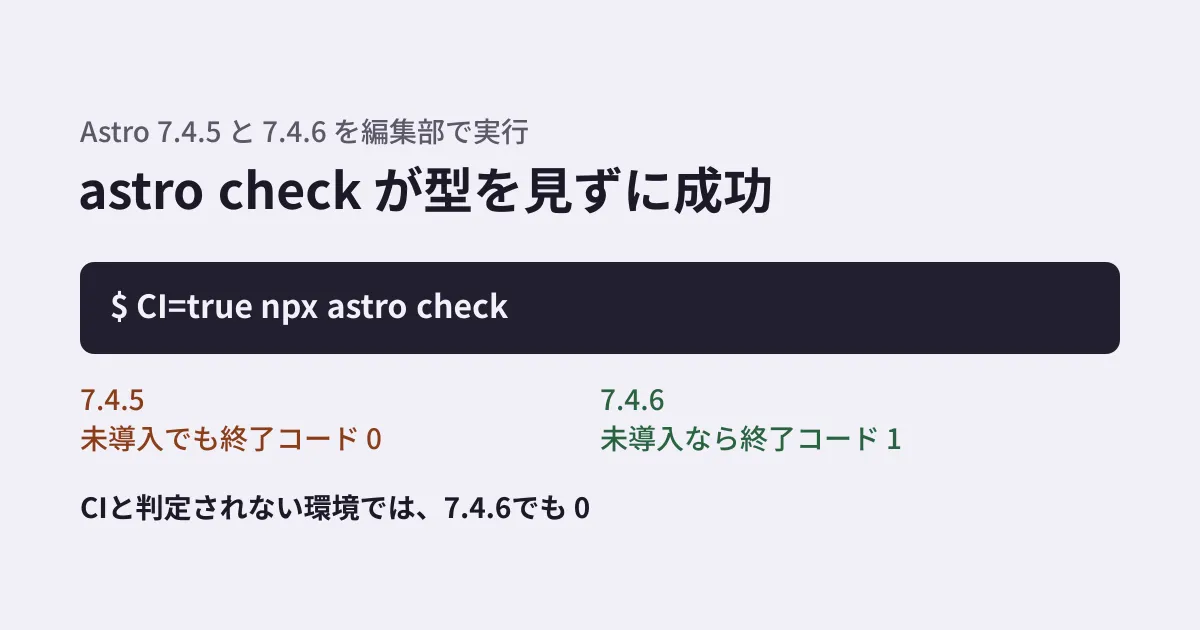
If your Astro site's build includes astro check && astro build, you may assume the build stops whenever there is a type error. But if type checking never actually runs and the step is treated as a "success", errors pass straight through to production. Up to Astro 7.4.5, when @astrojs/check or typescript was not installed in the project, astro check in CI printed an error yet still exited with code 0.
This bug was fixed in Astro 7.4.6, released on November 5, 2026. In this article, we run 7.4.5 and 7.4.6 under the same conditions in our editorial working environment and sort out what changed and what did not. We also covered how to verify Astro patch releases in our article on the Astro 7.4.5 environment variable bug.
What 7.4.6 fixed
The 7.4.6 entry in Astro's changelog (packages/astro/CHANGELOG.md) contains the following line.
astro checkexiting with code 0 when@astrojs/checkortypescriptis not installed. The command now exits with code 1 so CI fails instead of silently skipping type checking.
The fix commit (402c0fa, November 2, 2026) changed a single line in packages/astro/src/cli/check/index.ts. When the two packages could not be loaded, the code displayed an error and then ended without returning anything (return;); it now returns a failure (return true;). The CLI reads this return value and sets the exit code to 1.
The test added with the fix checks this in a child process with the environment variable CI=true set. A note in the test says that in a CI environment, Astro does not ask whether to install the missing packages and instead treats them as packages that could not be loaded.
As of November 11, 2026, the latest version on npm is 7.4.10 (released November 10). The changelogs for 7.4.7 through 7.4.10 contain no entries for astro check. Version 7.4.8 changed how the CLI parses arguments, but in the 7.4.10 source the code that returns a failure when the two packages cannot be loaded is the same as in 7.4.6. Note, however, that we did not run 7.4.7 or any later version.
Results under the same conditions
In our editorial working environment (Linux, Node.js 22.23.4), we created two projects in empty directories with only astro installed. One used 7.4.5 and the other 7.4.6. Each had a single page containing const count: number = "not a number";, a line with a deliberate type mismatch. We ran each condition once.
| Condition | 7.4.5 | 7.4.6 |
|---|---|---|
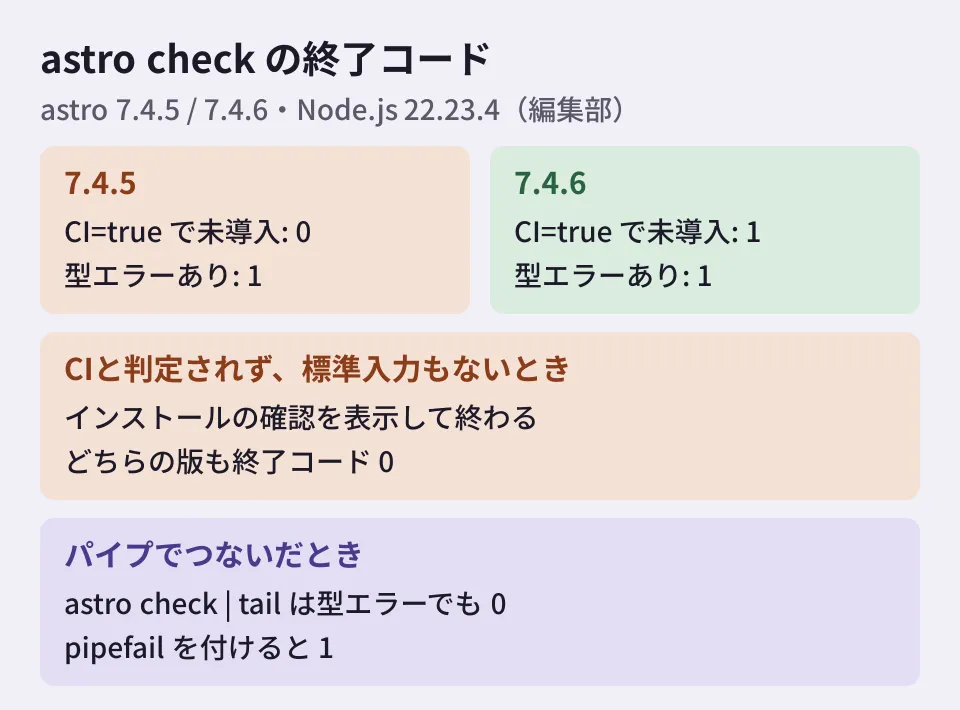
CI=true, without the two packages | Exit code 0 | Exit code 1 |
| No CI setting, no standard input, without the two packages | Exit code 0 | Exit code 0 |
| With the two packages, with a type error | Exit code 1 | Exit code 1 |
| With the two packages, no type error | Exit code 0 | Exit code 0 |
With CI=true, both versions displayed the same output.
To continue, Astro requires the following dependency to be installed: @astrojs/check. Packages cannot be installed automatically in CI environments.
[ERROR] [check] The `@astrojs/check` and `typescript` packages are required for this command to work. Please manually install them into your project and try again.
Version 7.4.5 displayed this [ERROR] and then returned exit code 0. You could notice the error by reading the log, but the next astro build chained with && still ran, and the build as a whole succeeded. Version 7.4.6 displayed the same output and then stopped with exit code 1.
Outside environments detected as CI, it still exits with 0
The second row of the table still showed exit code 0 in 7.4.6. When run without CI environment variables and without standard input attached, Astro displays a prompt asking whether it may run npm i @astrojs/check typescript, and ends without receiving an answer. In this case, both versions exited with code 0.
The source shows that Astro uses a package called ci-info to determine whether it is running in CI (packages/astro/src/cli/install-package.ts). Only when it detects CI does it skip the prompt and treat the packages as "could not be loaded". This fix corrected the exit code on that path; the path that shows the prompt has not changed.
Whether the service or script that runs your build sets an environment variable that ci-info recognizes as CI differs from service to service. We tested only two cases: with CI=true set and with nothing set. You need to check which case applies to your own build environment.
With TypeScript 7 installed, type checking stops
As of November 11, 2026, the latest version (latest) of typescript on npm is 7.0.2. Meanwhile, the typescript supported by the latest version of @astrojs/check, 0.9.12, is ^5.0.0 || ^6.0.0.
When we ran npm i @astrojs/check typescript, npm selected 6.0.3, which satisfies this range. When we deliberately installed typescript@7.0.2 in the 7.4.6 project and ran astro check, it stopped with exit code 1 and displayed the following message.
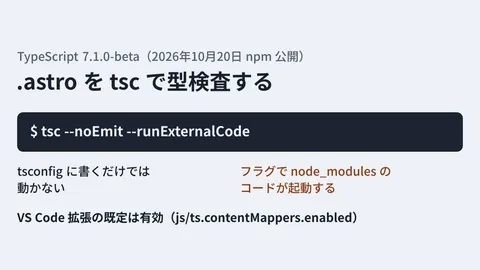
[ERROR] [check] astro check does not currently support TypeScript 7.0. To continue using astro check, install TypeScript 6 instead.This message was added in a commit on September 17, 2026 (cf5d72f). The rest of the message says that astro check is planned to be deprecated in a future version, and that @astrojs/ts-content-mapper is available as an experimental way to type check .astro files in TypeScript 7.1 and later. On npm, 7.1 is still in beta (7.1.0-beta) as of November 11, 2026. Sites planning to upgrade TypeScript will also need to review how they run type checking.
Piping the output turns errors into success
Version 7.4.6 also includes a fix for a bug where the command crashed with a stack trace when piped into a reader that closes the output early, such as astro check | head. In our environment, 7.4.5 displayed Error: write EPIPE and exited with code 1, while 7.4.6 displayed nothing and exited with code 1.
What deserves attention is the exit code of the whole pipeline. When we ran astro check | tail -3 with bash -c while a type error was present, the exit code of the whole pipeline was 0. Doing the same with bash -o pipefail -c gave 1. This is because, unless pipefail is set, a pipeline's exit code is that of its last command.
The GitHub Actions workflow syntax documentation states that sh and bash get set -e by default, and that -o pipefail is also added when shell: bash is specified explicitly. If you process the output to shorten logs, check which shell is specified.
What to check on your own site (editorial suggestions)
The following are our editorial suggestions based on the results above.
- Declare
@astrojs/checkandtypescriptexplicitly inpackage.json. Do not rely on them being installed at run time. Our corporate site lists both independencies(package-lock.jsonat@astrojs/check0.9.10 andtypescriptat 5.8.2). If you put them indevDependencies, also check that development dependencies are not omitted in the environment that runs type checking. npm does not install development dependencies by default when the environment variableNODE_ENVisproduction(the default of theomitsetting becomesdev). - Upgrade Astro to 7.4.6 or later (the latest as of November 11, 2026 is 7.4.10).
- In your build environment, create a branch with a deliberate type error once and confirm that the build stops. Look for "the next step did not run", not just "an error was displayed".
- If you pipe the output of
astro checkfor processing, check whetherpipefailis set. - Decide how you will run type checking before upgrading to TypeScript 7.
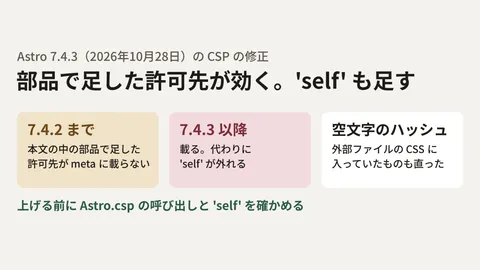
As we saw with Astro's CSP fix, behavior can change even in patch releases. See also our article on the CSP fix in Astro 7.4.3.
Scope of verification
On November 7, 2026, we reviewed the withastro/astro changelog (7.4.5 to 7.4.7), the fix commit 402c0fa and its test, the current source of
packages/astro/src/cli/check/index.tsandinstall-package.ts, and the version information forastro,@astrojs/checkandtypescriptin the npm registry (document research). We also ran each of the conditions above once in our editorial working environment (Linux, Node.js 22.23.4) using astro 7.4.5 and 7.4.6, @astrojs/check 0.9.12, and typescript 6.0.3 and 7.0.2 (hands-on testing). On November 11, 2026, we rechecked the changelog (up to 7.4.10), the changelog of@astrojs/check, the 7.4.10 source, the npm version information and the GitHub Actions documentation. We found no announcement of 7.4.6 on the astro.build blog. We did not test running 7.4.7 to 7.4.10, Windows or macOS, or build services such as Cloudflare Workers Builds and GitHub Actions.
GleamHub helps with building and maintaining Astro sites as part of our development, AI and automation consulting. What needs checking depends on your setup, so please reach out via our contact form.
References
- withastro/astro — packages/astro/CHANGELOG.md
- withastro/astro — commit 402c0fa(Exit with code 1 when @astrojs/check or typescript packages are missing)
- withastro/astro — packages/astro/src/cli/check/index.ts
- withastro/astro — packages/astro/src/cli/install-package.ts
- npm — @astrojs/check
- npm Docs — config(omit)
- GitHub Docs — Workflow syntax for GitHub Actions(defaults.run.shell)