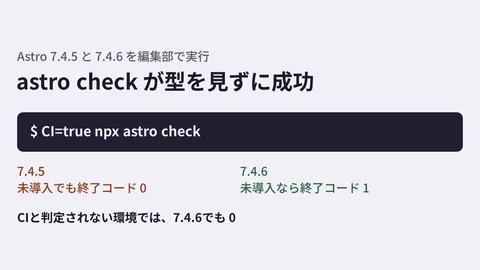
For sites built with Astro, Vue, or Svelte, type-checking could not be done with tsc alone. Because the TypeScript compiler cannot read .astro or .vue files, a dedicated tool such as astro check has to be run separately. Upgrading to TypeScript 7 (the version rewritten in Go) has also caused a problem where this dedicated tool stops working. The source of astro check in Astro as published on npm (7.4.7 and 7.4.10, the latest as of November 10) is written to stop with the error "TypeScript 7.0 is not supported. Please install TypeScript 6" when the TypeScript major version is 7 or higher.
The TypeScript 7.1 beta introduces a mechanism called a "content mapper" to fill this gap. However, using it requires permission to run external code during compilation. In this article, based on the announcement on the official TypeScript blog, the source text in the TypeScript repository (microsoft/TypeScript), and the contents of the packages published on npm, we sort out how the mechanism works and what to decide before you start using it.
Where the TypeScript 7.1 beta stands
As of November 11, 2026, the typescript package on npm has the following tags.
latest(the version installed by a regularnpm i typescript): 7.0.2 (released July 8, 2026)beta: 7.1.0-beta (released October 20, 2026)next: 7.1.0-dev.20261110.1 (daily development build)
7.1 is still in beta, and neither an RC (release candidate) newer than the beta nor a stable release is on npm. The official blog announcement "Announcing TypeScript 7.1 Beta" (October 20, 2026) says the RC will come "about a month from now," with the stable release shortly after. The exports of the 7.1.0-beta package lists API entry points such as ./sync, ./async, and ./ast. We covered the overall picture of migrating to TypeScript 7.0 in our TypeScript 7.0 migration guide.
How to write contentMappers
A content mapper is an external program that converts files in formats TypeScript cannot read into a form that can be type-checked. The official blog describes it as a "new plugin hook" that is registered per file extension and returns a virtual representation of the file along with a mapping back to the original file. According to the same announcement, prototypes or implementations are in progress for Astro, CSS Modules, Ember, MDX, Svelte, and Vue. You write contentMappers at the top level of tsconfig.json. In the schema bundled with 7.1.0-beta, each element of the array has three fields: package (package name, required), extensions (extensions handled, required), and options (optional).
The Astro team has published @astrojs/ts-content-mapper for .astro (the latest on npm is 0.2.0, released September 22, 2026). The configuration given in its README is as follows.
{
  "compilerOptions": {},
  "contentMappers": [
    {
      "package": "@astrojs/ts-content-mapper",
      "extensions": [".astro"]
    }
  ]
}
Run it with the following command.
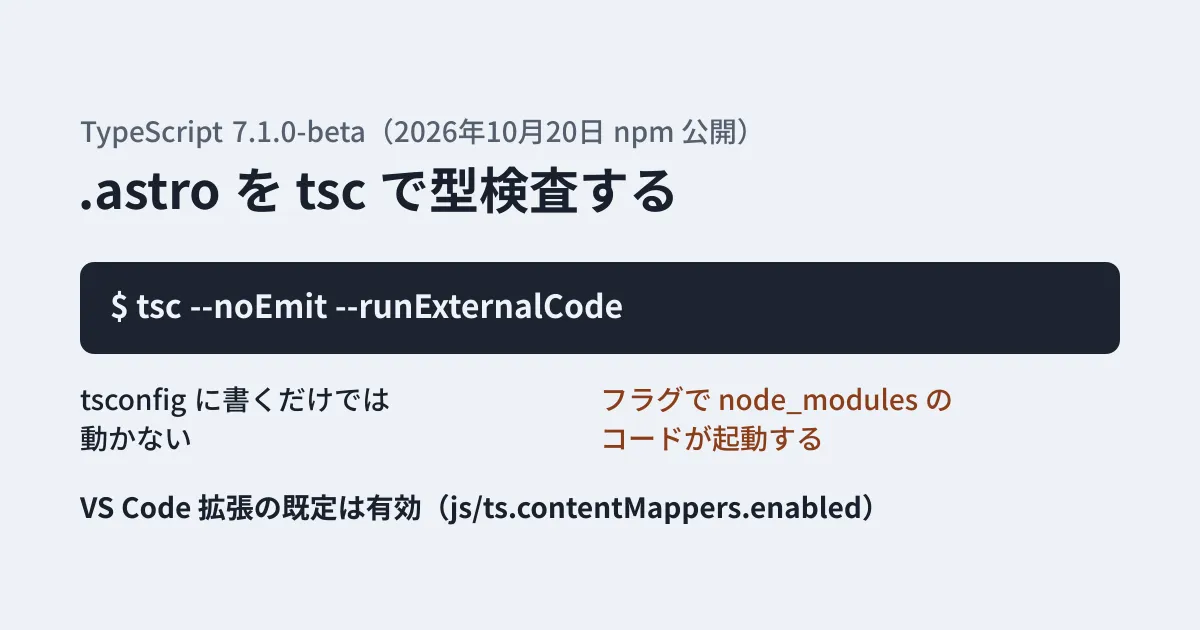
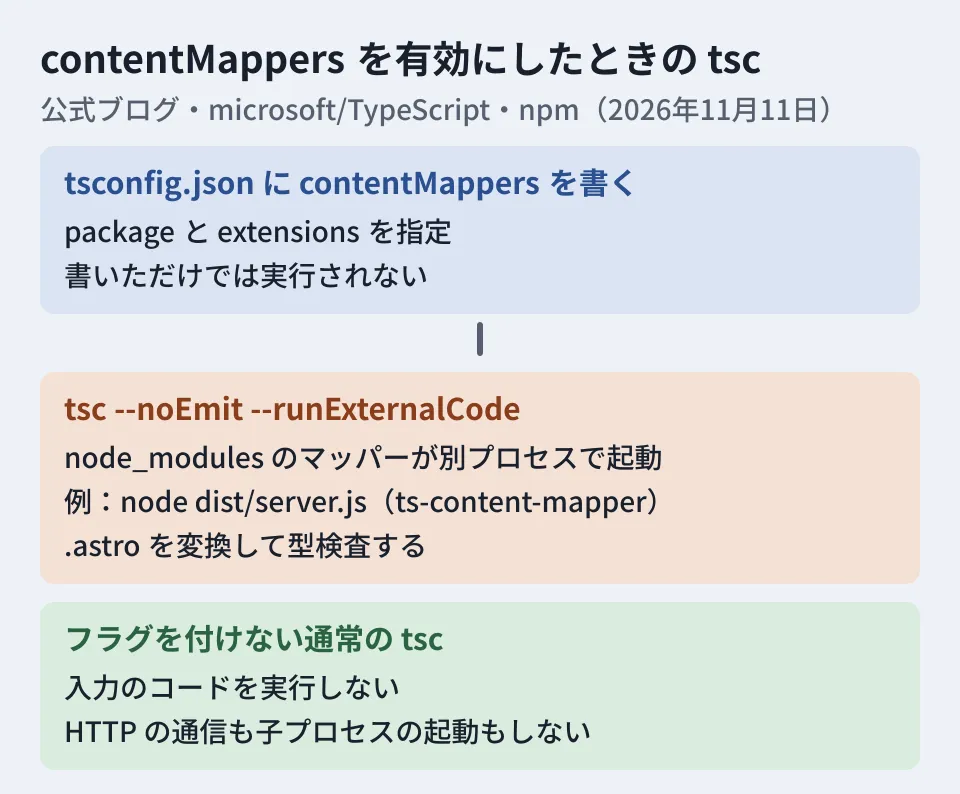
tsc --noEmit --runExternalCodeThe schema description says "Execution must be enabled separately with --runExternalCode." The official blog also explains that because a content mapper can run practically any program, this flag makes you opt in explicitly. Writing it in tsconfig.json alone does not make the mapper run. For runs without the flag, an error message reading "Content mappers require the '--runExternalCode' command line flag to be enabled." is provided, and this message is also included in the 7.1.0-beta executable.
Why permission to "run external code" is required
The TypeScript repository has a document summarizing what tsc guarantees against untrusted input. It states that running tsc on a malicious .ts or tsconfig.json never executes the input code, and that this is the central security property of tsc. It then adds the following sentence as an exception.
Enabling content mappers makes it possible to execute third-party code. Pass
--runExternalCodeonly after you have checked which content mappers will be used and decided that it is acceptable to run them.
The same document also says that tsc makes no HTTP requests and starts no child processes, except through content mappers. In other words, the moment you add the flag, the type-checking command becomes "a command that launches programs from packages in node_modules." The package.json of @astrojs/ts-content-mapper also contains a setting that launches node dist/server.js as the process responsible for the transformation.
Enabled by default in the editor
While the command line requires explicit permission, the TypeScript 7 VS Code extension (packages/vscode-typescript in the repository) handles this differently.
- The default value of the
js/ts.contentMappers.enabledsetting is true (it is marked as an experimental setting) - The value of this setting is passed as-is to the language server as
runExternalCode - The extension's
package.jsondeclares that it does not support untrusted workspaces
The official blog also says that content mappers "just work" in editors such as VS Code, that both workspace trust and content mapper permission are required, and that they can be disabled with js/ts.contentMappers.enabled. The repository's security policy document states that content mappers, including those that come from node_modules, are part of "project code" and run if you trust the workspace.
A commit on October 19, 2026 (#64837) restricted where the language server loads content mappers from to node_modules inside the workspace folder only. However, comparing it on GitHub with the commit the beta was built from (3e92363 on the release-7.1 branch, October 19, 20:38 UTC), this change landed in main about two hours later and is not included in the beta. Also, on November 3 a fix (#65105) was merged that resolves mappers specified by relative path from the location of the config file that declared them; this is a change in development builds after the beta. On November 9-10, fixes for jumping to files transformed by content mappers and for handling module formats (#65009, #65417, #65432) also landed in main. The details of the mechanism are still changing.
What to decide before using it in CI or across a team
What follows are the editorial team's suggestions based on the sources above. The editorial team has not run anything with --runExternalCode.
Add the flag only in repositories with pinned dependencies. Because programs in node_modules launch on every type check, always commit package-lock.json and install with npm ci in CI. Review updates to the mapper package and its dependencies (such as @astrojs/astro2tsx for @astrojs/ts-content-mapper) the same way you review ordinary dependency updates.
Handle jobs that check external pull requests with care. If a pull request from a partner company or an outside contributor modifies package.json, running --runExternalCode on that branch executes the modified dependency code. Decide in advance how to separate these cases, for example by running in jobs that receive no secrets, or by having a person review pull requests that change package.json before running them.
Make sure the team knows the editor default. The VS Code extension enables it by default. Assume that once you click "Trust" for a workspace, the mappers in that repository's node_modules will run. When opening a repository received from a client or partner, do not pass the trust prompt lightly.
Do not use it to gate production builds during the beta. 7.1 is not a stable release, and as shown above, even how mappers are resolved keeps changing. For now, the safe approach is to run in parallel: keep your current type checking (such as TypeScript 6 and astro check) and compare the 7.1 beta results in a separate job. For how to compare when replacing a type-checking tool, see also our article comparing Bun's bun check with tsc. We covered a recent Astro fix in our article on the Astro 7.4.5 environment variable bug.
Scope of verification
On November 9, 2026, we checked
typescripton npm (the 7.1.0-beta release date, tags, bundled schema and messages in the executable), the@astrojs/ts-content-mapper0.2.0 package (README and package.json), the security policy document, option definitions and VS Code extension settings in the microsoft/TypeScript repository (f797316, as of November 6, 2026), and related commits (desk research). Before publication, on November 11, 2026, we rechecked the official TypeScript blog's 7.1 beta announcement, the npm tags (that no version newer than the beta exists), the 7.1.0-beta schema, the security policy document and VS Code extension settings on main, and the relationship between the commit the beta was built from and #64837. The behavior of Astro'sastro checkwas confirmed from the source of astro 7.4.7 and 7.4.10 on npm, without running it. We did not run type checks with--runExternalCode, because the permission settings of the environment where the draft was written held back execution of external package code.
For maintenance of sites built with Astro or for upgrading TypeScript versions, please contact us through Website development and redesign consultation. The approach depends on your site structure and CI setup, so we will advise you individually.
References
- Announcing TypeScript 7.1 Beta (official TypeScript blog)
- typescript(npm)
- @astrojs/ts-content-mapper(npm)
- withastro/astro — packages/language-tools/ts-content-mapper
- microsoft/typescript-go — Content mappers(#4712)
- microsoft/TypeScript — .github/skills/security-report-check/SKILL.md
- microsoft/TypeScript — packages/vscode-typescript/package.json
- microsoft/TypeScript — commit 28534d7(#64837)
- microsoft/TypeScript — commit ce8b744(#65105)