An old admin panel built in PHP, Terraform configuration, small internal scripts. GitHub has added "AI Scan for repositories" to code scanning as an option for when you want to inspect code in languages CodeQL does not support, or repositories where code scanning has not been set up.
On October 28, 2026 (during GitHub Universe 2026), GitHub released this feature as a public preview in the Changelog. Limitations were added to the documentation on November 9. It is stated clearly that the details may change during the public preview. In this article, we lay out the requirements, pricing and handling of results described in the Changelog and documentation, and propose what to decide before trying it.
What the feature does
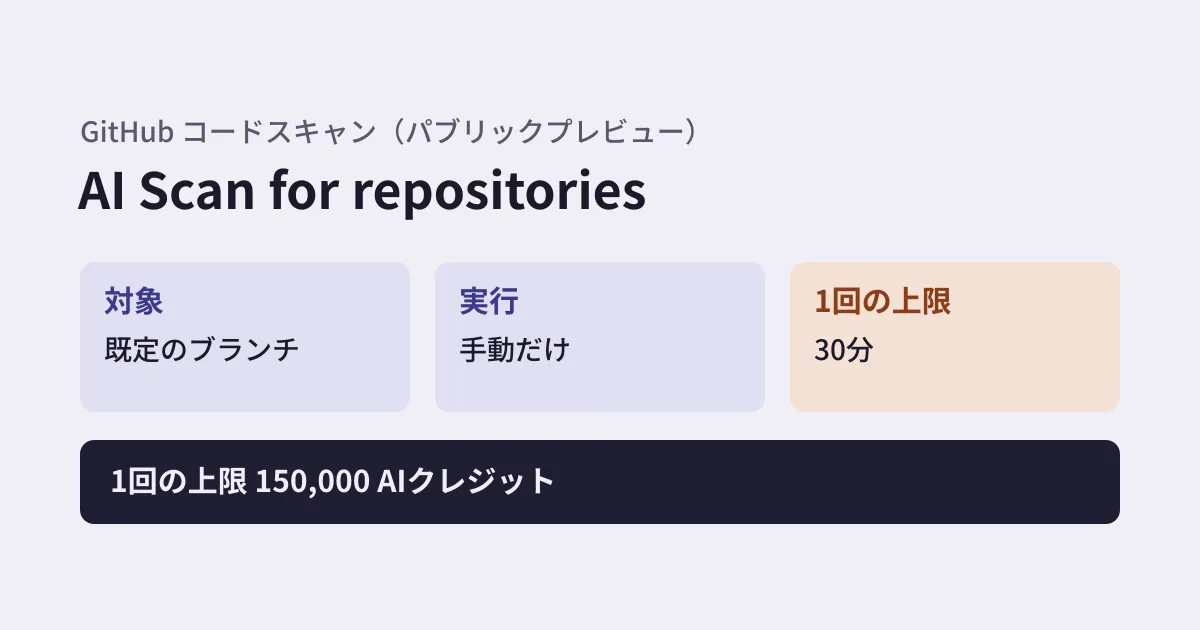
AI Scan for repositories is a feature that scans a repository's default branch when you start it manually. According to the documentation, it uses its own mechanism with multiple models (where available) to look for vulnerabilities regardless of language. It is described as finding vulnerabilities in languages CodeQL does not support, and also additional vulnerabilities in languages CodeQL does support.
Findings go into the code scanning alert list (the "Security and quality" tab), alongside CodeQL alerts. You can filter the list by the "AI Scan" tool. Existing workflows such as assigning an owner, linking to an issue, including the alert in a security campaign, and generating a proposed fix with agentic autofix work as they are.
AI Scan also includes "AI Scan for pull requests," which scans pull request changes (generally available on October 15, 2026, for some languages CodeQL does not support, such as PHP and Terraform HCL), and a feature that checks AI apps for prompt injection. Each has its own eligibility conditions and pricing. This article covers the feature that scans the entire default branch.
Eligibility
The table in the documentation splits eligibility by repository owner and visibility as follows.
| Owner | Visibility scope | Eligibility |
|---|---|---|
| Organization | Public | Available without an active committer license |
| Organization | Private / internal | Requires GitHub Code Security or GitHub Advanced Security |
| Personal account | Public | Available |
| Personal account | Private | Unavailable |
No Copilot license is required. The changelog lists availability on github.com and GitHub Enterprise Cloud with data residency. The billing page states that it is currently not available for repositories in personal namespaces under Enterprise Managed Users.
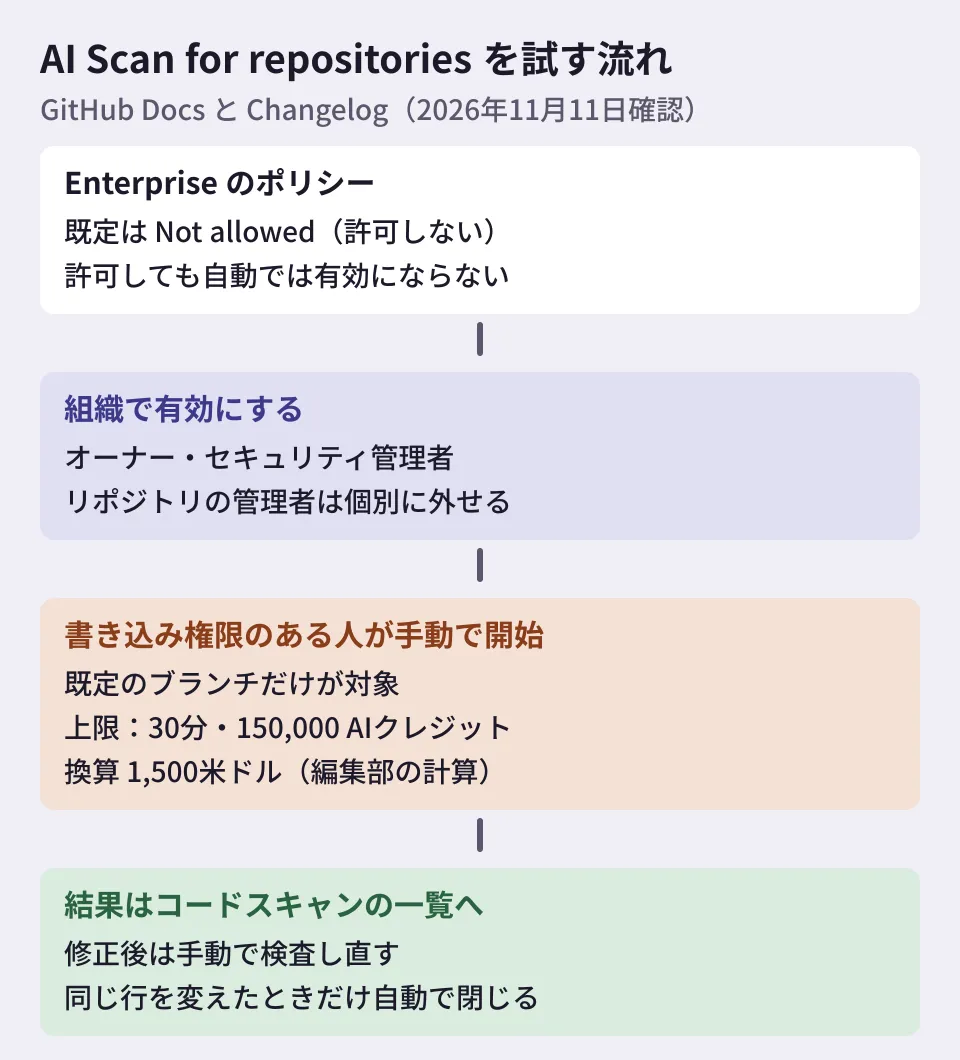
In an enterprise, there is a policy that lets enterprise owners decide whether organizations may use it, and the default is "Not allowed." This policy is shared with AI Scan for pull requests. Allowing it does not turn it on automatically. When organization owners and security managers enable it for the organization, repositories inherit that setting, and repository administrators can opt out individually (you cannot enable it for just one repository while it is disabled for the organization). For public repositories owned by personal accounts, you enable it in the repository settings.
Pricing and the per-run limit
AI Scan consumes "Code Security AI credits" every time it runs. This is billed separately from active committer licenses, and AI credits are consumed even on public repositories that need no license. Organization repositories are billed to the account that holds the organization's billing (the organization, or the enterprise above it). Public repositories on personal accounts are billed to that individual. However, if the owner has a Copilot license assigned by an organization or enterprise, the charge goes to that organization or enterprise. According to GitHub's Copilot billing documentation, 1 AI credit equals US$0.01.
- If the billed account has AI credits included in its Copilot plan, those are used first. Once they are used up, or if there are no included credits, usage is billed on a metered basis and follows the budget settings
- With a capped budget (hard budget) and no credits left, AI Scan cannot produce results. It resumes when an administrator raises the budget or the next billing period begins. According to the changelog, if the budget is exhausted, GitHub tells you so before the scan starts
- A single detection run is limited to 30 minutes and 150,000 AI credits
At US$0.01 per credit, 150,000 credits come to US$1,500 (our own calculation; the documentation does not state this amount). How much a single run actually consumes likely depends on factors such as repository size, and we have not verified it in this article. Still, judging from the cap, it is best to avoid enabling it across the whole organization without setting a budget. The billing page also asks you to check your included credits and set a hard budget to limit metered charges before enabling it widely.
Handling results, and limitations
The behavior and limitations described in the documentation and changelog are as follows.
- Scans can be started by people with write access to the repository. In the repository's "Security and quality" tab, open "Code scanning" on the left, then start a "Standard scan" from the "AI Scan" menu at the top right of the screen
- The agent chooses which files and functions to examine and does not read everything. When it uses up its time budget, it stops searching and reports what it found
- Only the default branch is covered. There are no scheduled runs or automatic runs on push
- Self-hosted runners are not supported (added on November 9)
- Findings that match existing CodeQL alerts are suppressed, but matching is best effort and duplicates can occur
- AI results can be inaccurate, so each one needs to be verified
- During the public preview, merging a fix does not trigger an automatic rescan. You need to rescan manually, and an alert closes automatically only if the fix changes the exact lines the alert points to. Otherwise, you close it manually
- When you rescan, findings that are found again stay open, and only newly found issues are reported (changelog)
"It does not examine every file" and "finding nothing is not a guarantee that there are no vulnerabilities" are caveats worth always including when you report results.
What to decide before trying it (our suggestions)
From here on are the editorial team's suggestions.
1. Start with public repositories or a few selected ones. Private repositories require Code Security or Advanced Security. Check your subscription status and choose a few repositories that include languages CodeQL does not support.
2. Set the budget first. Agree on a hard budget for Code Security AI credits with the person in charge of your organization's billing before enabling it. Sharing the dollar equivalent of the per-run cap makes the budget discussion easier.
3. Decide who handles the results. Alerts may not close automatically, and duplicates can occur. Decide who verifies, who closes alerts, and who reruns the scan after a fix. We covered setting acceptance criteria for AI-written code in our GitHub Code Quality article. For how to think about AI credit consumption, our Copilot Fusion article is also useful.
Scope of verification
On November 10, 2026, we reviewed github/docs as of the checked revision (f309096, November 9, 2026): "AI Scan for a repository’s backlog," "About AI Scan," "Viewing and managing AI Scan alerts on your repository’s default branch," the "GitHub Advanced Security" billing page (AI feature usage), the Copilot billing page (AI credit conversion), related reusable source files, and the commit that added the pages (8e7396e, October 28) and the commit that added the limitations (3419465, November 9) (documentation research). On November 11, 2026, we opened the published pages on docs.github.com (the three pages above, the Advanced Security billing page, and the Copilot billing page) and the GitHub Changelog (AI Scan for repositories on October 28 and AI Scan for pull requests on October 15), and confirmed that they matched the source files and that these source files had not been updated since November 9. Because we did not run AI Scan on GitHub, we do not know the actual consumption per run, the time it takes, or the detection accuracy.
GleamHub's development, AI and automation consulting can help with how to review vulnerabilities in your internal repositories and with building processes that feed AI-based scan results into your development workflow. The approach depends on the number of repositories and your subscription status, so please reach out via our contact form.
References
- AI Scan for repositories in public preview(GitHub Changelog、2026-10-28)
- AI Scan for pull requests generally available(GitHub Changelog、2026-10-15)
- GitHub Docs — AI Scan for a repository’s backlog
- GitHub Docs — About AI Scan
- GitHub Docs — Viewing and managing AI Scan alerts on your repository’s default branch
- GitHub Docs — GitHub Advanced Security billing(How AI feature usage is billed)
- github/docs — commit 3419465(self-hosted runners not supported)