When you build a batch job that writes internal data to an external API in bulk, you need to space out the calls so you do not hit the other API's limits, such as "up to N calls per second" or "up to N concurrent requests." Until now, Node.js's standard modules had no dedicated function for this, so you had to write it yourself or use an npm library.
Node.js's standard module node:util has gained util.throttle(), a function for exactly this purpose, and util.debounce(), which collapses consecutive calls into one. In addition, node:crypto has gained crypto.parsePKCS12(), which reads certificates and private keys in the .p12 and .pfx formats.
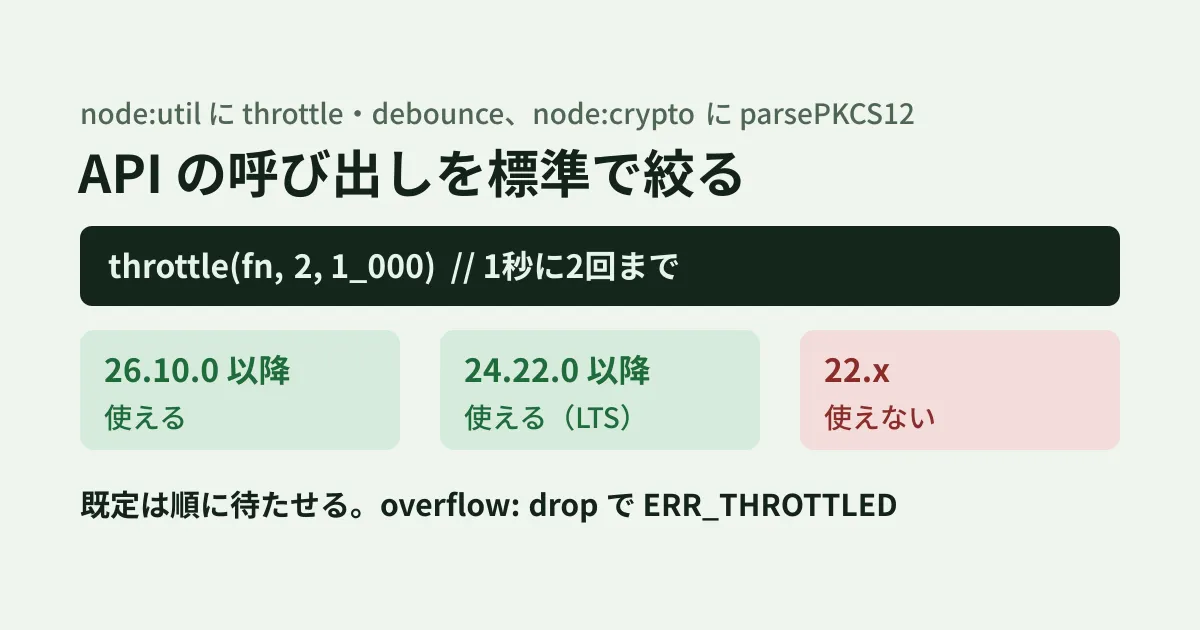
All of them arrived in Node.js 26.10.0 (September 21, 2026 according to the release list on nodejs.org, September 22 according to the CHANGELOG heading) and were also backported to the LTS release 24.22.0 (October 14). Based on the official documentation, this article lays out how to choose settings when using them in business batch jobs and integrations, and what to check before adopting them.
Supported versions
Based on the "Added in" entry for each function in the official documentation and on the release changelogs.
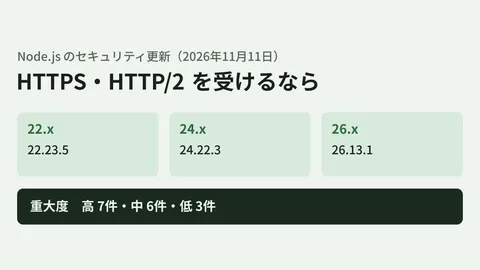
- 26.x: from 26.10.0. As of November 20, the latest is 26.13.1 (LTS)
- 24.x (LTS): from 24.22.0. The Notable Changes for 24.22.0 in CHANGELOG_V24.md list
util.throttle,debounceandcrypto.parsePKCS12()as SEMVER-MINOR. As of November 20, the latest in the 24 line is 24.22.3 - 22.x (LTS): not listed in the v22 documentation (the version for 22.23.5, the latest as of November 20). On Node.js 22.23.4 in our editorial Linux environment,
typeof util.debounce,typeof util.throttleandtypeof crypto.parsePKCS12were allundefined
If your internal servers or CI are still on the 22 line, code that switches to the standard functions will not run. If you use them, write something like "node": ">=24.22.0" in engines of package.json, and switch over only after aligning the runtime versions.
util.throttle: limiting call rate and concurrency
util.throttle(fn, limit, interval[, options]) returns a function that calls fn at most limit times within interval milliseconds. The returned function returns the Promise returned by fn. The example from the documentation is as follows.
import { throttle } from 'node:util';

const request = throttle(async (id) => {
  const response = await fetch(`https://example.com/items/${id}`);
  return response.json();
}, 2, 1_000);

// 1秒の区間に始まるリクエストは最大2つ。残りは引数を保ったまま待つ
const results = await Promise.all([request(1), request(2), request(3), request(4)]);
By default, calls over the limit are not discarded but are queued in the order received. The options that matter in business use are as follows.
| Option | Default | Decision Item |
|---|---|---|
concurrency | Infinity | How many calls whose return values have not yet settled are allowed at the same time. Use it for slow APIs that limit concurrent connections |
strict | false | By default, the window is counted so that "an interval starts with the first call," and the documentation notes that calls can bunch up around interval boundaries. Setting it to true records the time of each call so that no continuous interval exceeds limit |
overflow | 'queue' | Setting it to 'drop' rejects calls that cannot run immediately with ERR_THROTTLED instead of making them wait |
maxPending | Infinity | With 'queue', the maximum number of calls that can be queued. Calls beyond it are rejected with ERR_THROTTLED |
If the other API's limit reads as "up to N calls in any one-second window," choosing strict: true is the safe option, because it avoids calls bunching up at boundaries. In a batch that submits tens of thousands of items at once, if you do not set maxPending, the arguments of every queued call remain in memory.
The returned function has cancel(), which empties the queue, hasImmediateCapacity(), which tells you whether a call made now would run immediately, pendingCount for the number of waiting calls, and activeCount for the number of calls in progress. If you pass AbortSignal to options.signal, then on abort, waiting calls and any later calls are rejected with AbortError. Calls that have already started are not stopped.
util.debounce: collapsing consecutive calls into one
util.debounce(fn, wait[, options]) returns a function that calls fn once, wait milliseconds after the last call. Typical uses include watching files for changes and reprocessing them, or holding off saving while settings keep changing.
According to the documentation, no matter how many times you call it while waiting, fn receives the arguments of the last call, and by default the Promises of all the collapsed calls settle with the same result. With rejectOnCancel: true, calls superseded by later calls are rejected with AbortError. leading: true runs the first call in an interval immediately. There is also flush(), which runs right away without waiting, and cancel(), which cancels.
Note that the return value is a Promise. If your existing code uses a different debounce implementation, check whether anything uses its return value before replacing it.
crypto.parsePKCS12: reading .p12 and .pfx files
crypto.parsePKCS12(bundle[, options]) takes PKCS#12 data in DER format (.p12 or .pfx) and returns privateKey (the first private key, or null if there is none), certificate (the certificate matching that key, or null if there is none), and additionalCertificates (the other certificates). The passphrase is passed to options.passphrase; omitting it is treated the same as passing an empty string.
import { parsePKCS12 } from 'node:crypto';
import { readFileSync } from 'node:fs';

const { privateKey, certificate, additionalCertificates } = parsePKCS12(
  readFileSync('bundle.p12'),
  { passphrase: process.env.P12_PASSPHRASE },
);
TLS connection settings have long accepted PKCS#12 via the pfx option, but parsePKCS12() differs in that it lets you extract the private key inside as KeyObject and the certificate as X509Certificate. For example, in integrations that authenticate with client certificates, you can check the expiry date (validTo of X509Certificate) of a distributed .pfx certificate in a batch job. Do not write the passphrase in code; pass it in from environment variables or a secrets management system.
Order for adopting them (editorial suggestion)
From here on are the editorial team's suggestions.
- Align runtime versions. Check
node -vin production, staging, CI and developer machines, and bring them all to 24.22.0 or later (26.10.0 or later on the 26 line). If the build environment's Node.js version is set separately, as with Cloudflare Workers Builds, check that setting too - Write down the other API's limits. Check the other party's documentation for the unit of the rate limit (seconds or minutes), the concurrent connection limit, and the response when you exceed them (such as 429), then decide on
limit,intervalandconcurrency - Set a queue limit. Decide on
maxPendingand write down how to handleERR_THROTTLEDwhen it is exceeded (retry later, log it) - Replace one place at a time. When replacing an existing library, check the differences in return values and exception handling in one place before rolling it out further
We also covered how to upgrade Node.js in our article on Node.js 26.11 and our article on the default Node.js in Workers Builds.
Scope of verification
On November 17, 2026, we reviewed the official Node.js documentation (the v26 and v24 versions of util and crypto on nodejs.org, including the JSON format), the nodejs/node repository (doc/api/util.md, errors.md and CHANGELOG_V24.md), and the release list on nodejs.org (desk research). We confirmed that the three functions do not exist on Node.js 22.23.4 in our editorial Linux environment. On November 20, we rechecked the official documentation, the CHANGELOG and the release list. We have not verified their behavior on 24.22 and later or on 26.10 and later.
GleamHub's development, AI and automation consulting can help with rebuilding internal batch jobs and external API integrations and with updating Node.js versions. Because the approach depends on your setup, please reach out via our contact form.