Some teams use a Google Chat space as an inquiry desk and copy incoming requests into external tickets or logs. Even if the copying is automated, the unread markers stay in the assignee's Chat. An API for marking a space as read already existed, but it did not mark replies inside threads as read, so it remained hard to tell from the screen whether something had been handled.
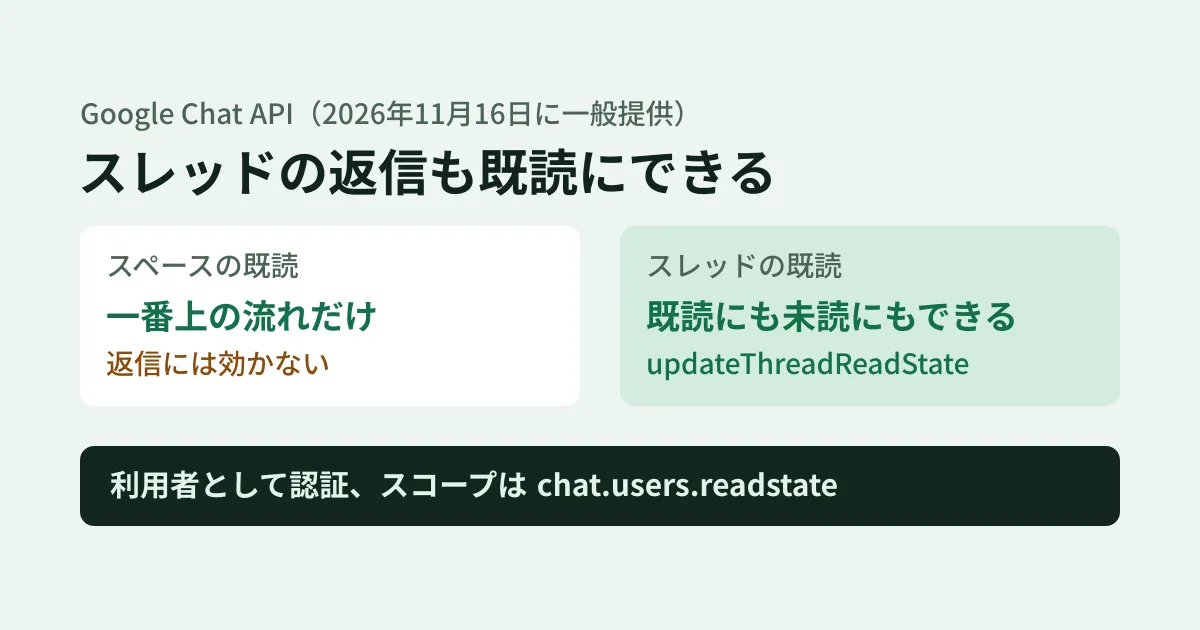
On November 16, 2026, the Google Chat API release notes announced that users.spaces.threads.updateThreadReadState, which rewrites read/unread state per thread, is now Generally Available. In this article, based on the release notes, the developer guide and reference, the Discovery document (the machine-readable definition of the API), and the status of Google's client libraries, we outline what is now possible and what to check before using it.
Space read state and thread read state are separate
The Chat API has two kinds of resources that represent “how far each user has read.”
| Resource | Name format | Before | From November 16, 2026 |
|---|---|---|---|
| Space read state (SpaceReadState) | users/{user}/spaces/{space}/spaceReadState | Get and update | Unchanged |
| Thread read state (ThreadReadState) | users/{user}/spaces/{space}/threads/{thread}/threadReadState | Get only | Get and update |
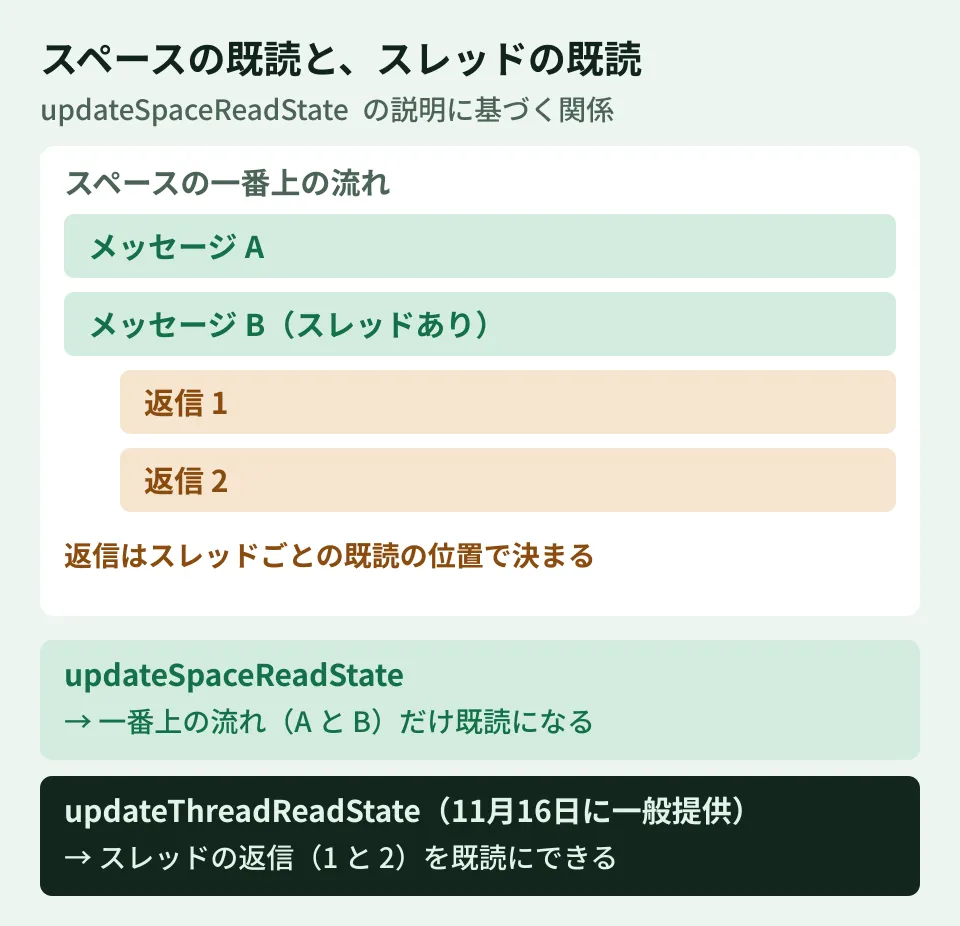
The key point is one sentence in the description of updating a space's read state (updateSpaceReadState). The space's read position applies only to messages visible in the top-level conversation of the space, and it states that “replies in threads are not affected by this timestamp and instead follow the thread read state.” In other words, even if you mark an entire space as read, threads with replies remain unread.
How to call updateThreadReadState
The specification as read from the guide and reference is as follows.
- HTTP
PATCH, with the pathv1/users/{user}/spaces/{space}/threads/{thread}/threadReadState - The request body is
ThreadReadState, and the only field that can be rewritten islastReadTime(written aslast_read_timein the Discovery document) updateMaskis required. This is the only field you can specify for now. The reference and guide text write it aslastReadTime, while the Discovery document and the guide's code samples writelast_read_time- Mark as read: Set a time equal to or later than the creation time of the thread's latest message. Future times are rounded to the time of the request
- Mark as unread again: Set a time earlier than the creation time of the latest message. According to the guide, messages after that time are treated as unread, and the unread count display, the bold thread styling, and the display in Home are updated
- Times earlier than 1970-01-01T00:00:00Z result in
INVALID_ARGUMENT(400) - Authenticate as a user and use the scope
https://www.googleapis.com/auth/chat.users.readstate(for read-only access,getThreadReadStatewithchat.users.readstate.readonly)
Because it is called as a user, the documentation does not cover calling it with Chat app (bot) permissions or rewriting other people's read state with administrator permissions. The guide explicitly states that “updating thread read state only supports updating the read state of the calling user.” The target is specified as me, the user's own Workspace email address, or the user's own user ID. The guide's prerequisites list a Business or Enterprise Google Workspace account with access to Google Chat.
The call looks like this. The thread name can be taken from the message's thread.name (spaces/{space}/threads/{thread}).
PATCH https://chat.googleapis.com/v1/users/me/spaces/SPACE_ID/threads/THREAD_ID/threadReadState?updateMask=last_read_time
Authorization: Bearer ユーザーのアクセストークン
Content-Type: application/json

{ "lastReadTime": "2026-11-18T01:23:45.678Z" }
The guide's code sample sets lastReadTime to the current time. When processing with external tools, it is safer to set it to the createTime of the latest message in the processed thread (editorial suggestion). That way, if a new reply arrives during processing, you will not mark that reply as read as well.
The same announcement states that the result of getThreadReadState and the thread read state notifications received through the Google Workspace Events API (ThreadReadState events) now also reflect in lastReadTime that a thread was marked unread again.
The Node.js libraries do not support it yet
As of November 20, 2026, neither of the following two npm packages includes updateThreadReadState (confirmed by searching the package contents downloaded from the npm registry; getThreadReadState is present in both).
- The latest version of
@googleapis/chatis 51.4.1 (published November 12). The definition of the new method has only been merged into the googleapis/google-api-nodejs-client repository on November 17 - The latest version of
@google-apps/chatis 0.35.0 (published October 12). The guide's Node.js code sample uses this package'supdateThreadReadState, but it is not yet in the published version
Until then, either call it directly over HTTP as shown above or wait for the libraries to be updated.
Use cases (editorial suggestion)
- Mark only threads that have been copied or processed as read. A tool that the assignee has authorized with their own account advances the read position of threads for which a ticket was successfully created. Threads where ticket creation failed stay unread, so unread items on the screen directly serve as a marker of what is “unprocessed.”
- Mark threads you want to send back as unread again. For threads that turn out to need further action after being marked as processed, moving
lastReadTimeback to before the latest message makes them stand out as unread on the assignee's screen. - Combine with space read state. Handle top-level messages with
updateSpaceReadStateand threads with replies withupdateThreadReadStateseparately. Marking only the space as read does not clear unread replies. - Read the read state first. Compare
lastReadTimeofgetThreadReadStatewithcreateTimeof the thread's latest message so that you do not touch anything a person has already read. - Keep scopes to a minimum. For reports that only need to read, use
chat.users.readstate.readonly.
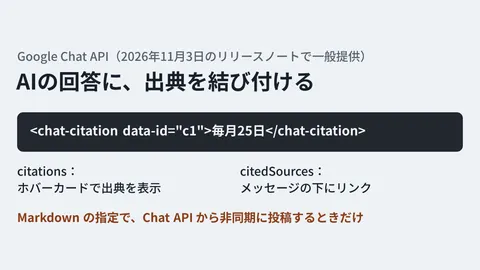
We covered the Chat API features for finding and pinning messages in our article on message search and pinning, and the feature for adding sources to bot answers in our article on citations.
What we have not verified
- Actual calls. We have not tested calls with a Google Workspace test account or checked how the unread display on screen changes. We have also not verified through calls whether
updateMaskworks when written as eitherlastReadTimeorlast_read_time. - Effect of administrator settings. How this behaves when an organization's administrator restricts the use of Chat or the API is not described in the sources we reviewed.
On November 18, 2026, we checked the Google Chat API Discovery document (chat.googleapis.com, revision 20261115) and the change in googleapis/google-api-nodejs-client (commit f4452ba, November 17, 2026), and examined the type definitions of npm
@googleapis/chat51.4.1. On November 20, we checked the Chat API release notes (the November 16 entry), the guide “Update a user’s thread read state” and the reference (both last updated 2026-11-16), the Discovery document (revision 20261117), and npm@googleapis/chat51.4.1 and@google-apps/chat0.35.0 (document research). We have not made any API calls.
GleamHub can help with connecting Google Chat to other tools and with Google Workspace operations through our free IT and Google Workspace consultation. Please reach out via our contact form.
References
- Google for Developers — Google Chat API release notes
- Google for Developers — Update a user’s thread read state
- Google for Developers — Method: users.spaces.threads.updateThreadReadState
- Google Chat API Discovery document (v1)
- GitHub — googleapis/google-api-nodejs-client「feat(chat): update the API」(f4452ba)
- npm — @googleapis/chat
- npm — @google-apps/chat