When people receive an answer from a Chat bot that searches internal rules and manuals, the next thing they want to confirm is "Which document says that?" You can list URLs at the end of the answer, but that does not convey which sentence is based on which document. Readers end up opening the original document and searching for the relevant passage all over again.
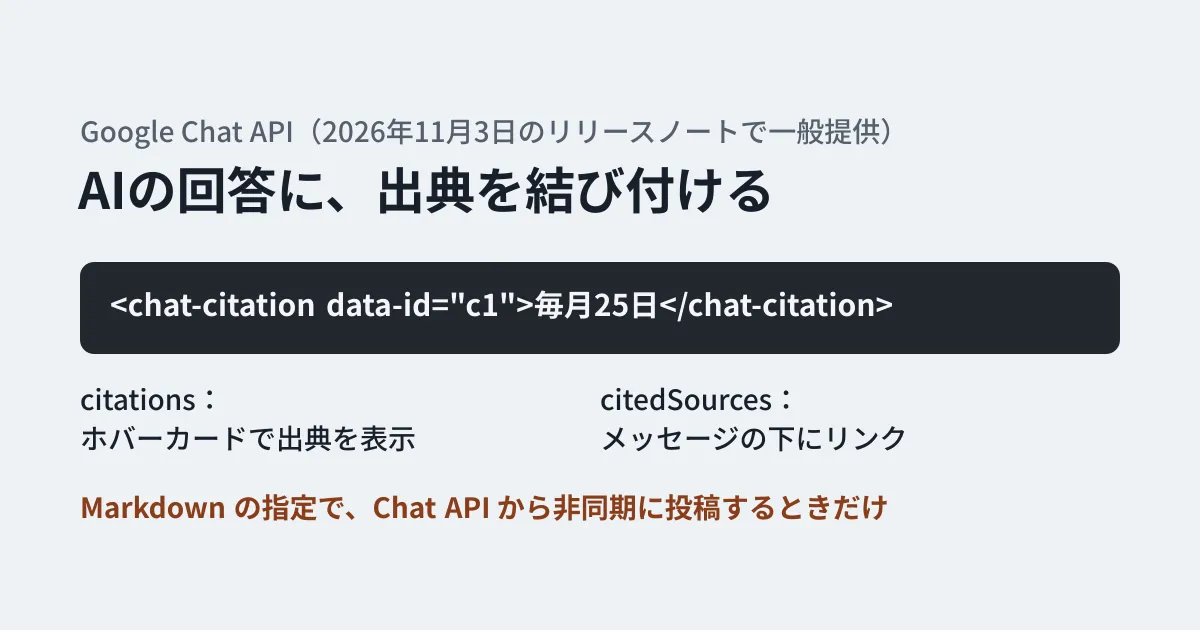
In Google Chat API messages, this mapping can be expressed with the field elements. It has two parts: citations, which marks part of the text as "cited" and shows the source's title, URL, and excerpt in a hover card, and citedSources, which lists references for the whole answer as links below the message. The November 3, 2026 release notes announced this feature as Generally Available. In this article, based on what we confirmed in Google's release notes and guide, the definitions in the official repository, and the type definitions of the official npm client, we organize how to write it and what to decide before designing.
What has become available
In the Chat API release notes, this feature appeared as a developer preview on August 26, 2026, and was announced as "Generally Available" in the November 3, 2026 entry. Usage is described in the guide "Add citations to a text message".
The repository of API definitions published by Google (googleapis/googleapis) received a commit titled "feat: Add Citation and Elements protos for Google Chat v1" on October 28, 2026. elements was added to the message (Message), and definitions for Citation, CitedSource, and Elements were newly added.
The same content also appears in the Chat API Discovery document (retrieved on November 6, 2026, revision 20261103). In the official Node.js client @googleapis/chat, Schema$Elements appears in the type definitions from 51.4.0, published on October 30, 2026, and is absent from 51.3.0, published on October 22.
The stated release stage is not consistent across the documents. As of November 6, 2026, the relevant section of the guide and the Citation reference show no preview label. On the other hand, the developer preview list still includes "Include citations and footer sources in text messages." and Elements in the spaces.messages reference also shows a Developer Preview label. The editorial team has not actually posted a message to confirm this, so before using it in production, please confirm that you can post from your own project.
According to the descriptions in the guide and definitions, the two fields serve the following roles.
- citations: sources tied to a specific part of the text. They appear as interactive cards shown when you hover the pointer (hover cards)
- citedSources: overall references used to create the answer. They are not tied to a specific part of the text and appear as footer links below the message
When a message is read back, both are also returned in elements if it has sources. So besides posting, this can also be used to read sources and record them in another system.
Note that the November 4, 2026 release notes list spaces.streamMessages, which displays answers little by little, as a developer preview, and say that inline sources can be added partway through. This article covers only regular message posting, which was announced as generally available.
How to write it: match tags in the text with the list of sources
Wrap the part of the text you want to cite in <chat-citation data-id="{id}">{text}</chat-citation>, and put the source with the same id into elements.citations. The following example is a message that an app which searches rules and answers posts with spaces.messages.create in the Chat API.
import { chat_v1 } from '@googleapis/chat';

export function buildAnswer(): chat_v1.Schema$Message {
  return {
    text:
      '経費精算の締め日は<chat-citation data-id="c1">毎月25日</chat-citation>です。',
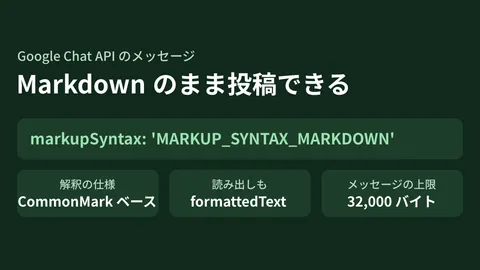
    markupSyntax: 'MARKUP_SYNTAX_MARKDOWN',
    elements: {
      citations: [
        {
          id: 'c1',
          citedSources: [
            {
              title: '経費精算規程(2026年版)',
              uri: 'https://docs.google.com/document/d/EXAMPLE/edit',
              snippet: { text: '精算の締め日は毎月25日とする。' },
              footer: { text: '総務部' },
            },
          ],
        },
      ],
    },
  };
}

export async function post(chat: chat_v1.Chat, space: string) {
  return chat.spaces.messages.create({ parent: space, requestBody: buildAnswer() });
}
In the editorial team's working directory, this code passed only a type check with tsc --strict, using @googleapis/chat 51.4.0 and TypeScript 5.9.3. We also confirmed that changing a field name by one character to citedSource causes a type error. Because we have no credentials, we have not confirmed actually posting to a space or how it displays.
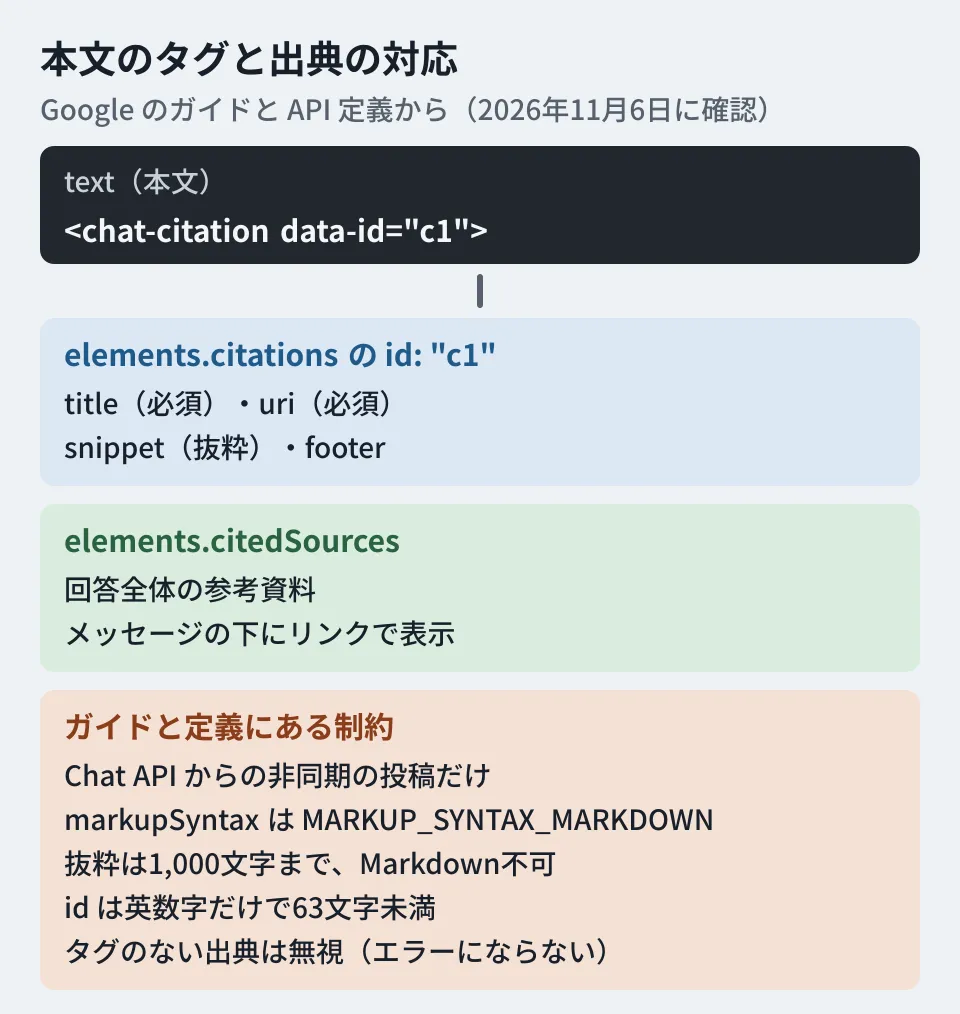
Constraints stated in the guide and definitions
Here we pick out constraints worth knowing before implementation from the descriptions in the guide and API definitions.
- Asynchronous posts through the Chat API only. The guide and release notes say this can be used only when creating messages asynchronously with the Chat API. As in the example above, call
spaces.messages.create. If your app returns responses synchronously to user message events, check this point first - Available only with Markdown. Sources can be used only when the message's
markupSyntaxisMARKUP_SYNTAX_MARKDOWN. We covered specifying the syntax itself in our article on posting Markdown as is through the Chat API - ids must be alphanumeric and under 63 characters. They must match the
data-idof the tag in the text, and the definitions say only ASCII letters and digits may be used. The guide's examplecite_1contains an underscore and does not match the definition's description. It is safest to follow the definition and use only alphanumeric characters - Excerpts are limited to 1,000 characters.
snippet.textdoes not support Markdown and must not exceed 1,000 characters. The source title (title) and footer (footer.text) are also plain text without Markdown support - Title and URL are required.
titleanduriofCitedSourceare Required - Sources with no tag in the text are ignored. Even if you put them in
elements.citations, they are ignored if there is no matching tag in the text, and the message itself is not rejected. Because no error occurs, you may not notice that they are not being displayed - Automatic footer completion. If you do not specify
citedSources, footer sources are created automatically fromcitationsin the text with duplicates removed, and in that case the excerpts are omitted - Images must use public URLs only. Images attached to excerpts (
imagePreview) are fetched and displayed by Chat, so they must be at public URLs
What to decide before designing (editorial proposal)
From here on are the editorial team's proposals, based on properties that can be read from the definitions. We have not confirmed them in the actual display.
Choose excerpts on the assumption that everyone in the space can see them. Even if the source URL points to an access-restricted document, the excerpt text is sent by the app as part of the message. Design on the assumption that even people without permission to open the original document can see the excerpt itself. The basic approach is to use, at the search stage, only documents that both the person asking and the space members can read as material for the answer.
Do not use internal images as source images. Image URLs must be public. It is safer to avoid designs that place internal drawings or screenshots in a public location just to attach them to excerpts.
Decide how to handle answers with no sources. An answer for which only text was generated even though the search found no supporting evidence will have an empty source section. If you decide up front, as an app specification, whether to withhold the answer in that case or to add "No supporting documents were found", you can prevent users from over-trusting answers.
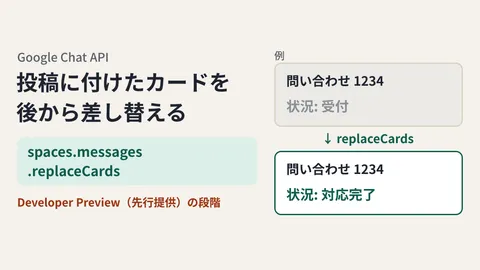
Use retrieved sources for records. Reading a message returns elements, so you can later aggregate which answers relied on which documents. If many answers relied on outdated rules, that can be a prompt to fix the documents themselves. We covered designs that update answers by replacing cards in our article on replaceCards.
What we checked and what is still unknown
On November 6, 2026, we checked the Chat API release notes, guide, reference, developer preview list, Discovery document (revision 20261103), the definitions in the googleapis/googleapis repository (commit 2bf8227, October 28), and the type definitions of npm
@googleapis/chat51.3.0 and 51.4.0 (document research). The code example only underwent a type check, on November 5, 2026. The release notes announce general availability, but as noted above, some pages still show a developer preview label, and we have not confirmed it through actual posting either. The display in smartphone apps and the appearance of hover cards are also unconfirmed.
GleamHub handles the design of Chat apps that search internal documents and answer, and of systems that connect generative AI with Google Workspace, through its free IT and Google Workspace consultations. The configuration changes depending on the scope of the documents handled and the permission design, so please consult us through our contact form.
References
- Google Chat API release notes
- Add citations to a text message (Google Chat API guide)
- Citation (Google Chat API reference)
- spaces.messages (Google Chat API reference)
- Google Workspace Developer Preview list
- googleapis/googleapis — google/chat/v1/citation.proto
- googleapis/googleapis — google/chat/v1/cited_source.proto
- googleapis/googleapis — google/chat/v1/elements.proto
- Google Chat API Discovery document(chat v1)
- npm registry — @googleapis/chat