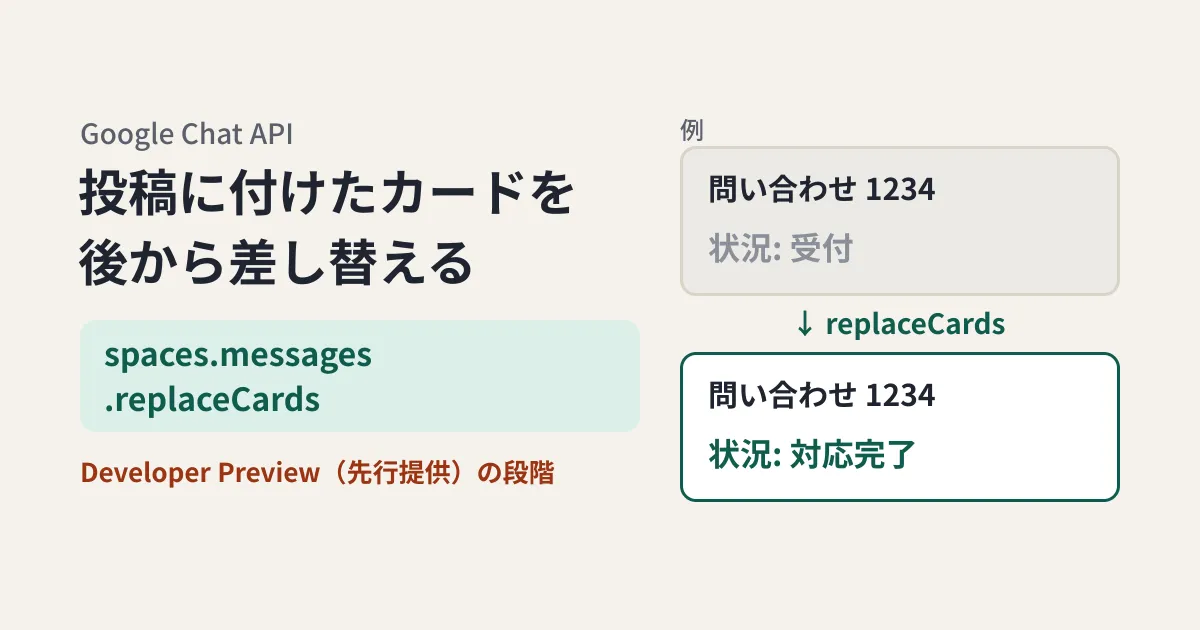
Suppose you build a Chat app (a link preview) that shows the number and status as a card when someone pastes a URL from your internal ticket or project management system into Google Chat. There is one problem. The card shows the status at the time the URL was pasted, so even after the item becomes "Resolved," the "Received" card stays in the space. Someone who acts on the card could end up working on an item that has already been dealt with.
As far as the previous Chat API definitions show, an app could change the cards on a message posted by a user only in a "response" when a link was posted or when a button on the card was clicked. However, a new revision (revision 20261015) of the Chat API Discovery document, retrieved on October 20 (a machine-readable document in which Google publishes each API's methods and types), adds a method that replaces a message's cards: spaces.messages.replaceCards. The reference also has a page for the same method, which begins with "Developer Preview: Available as part of the Google Workspace Developer Preview Program." This is early access for developers who have applied to the program, not general availability (GA).
In this article, we lay out what the method can do and its conditions based on the original text of the reference and the Discovery document (document research and suggestions from the editorial team). As of October 20, it does not yet appear in the Chat API release notes, and the timing of general availability and the eligible editions are unknown. We have not made any actual calls either.
When could cards on user posts be changed until now?
According to the definitions, there are three ways a Chat app can change a message's cards. The first two existed in the previous revision (revision 20261013), and the third was added in the new revision.
| Method | Messages that can be changed | When they can be changed |
|---|---|---|
spaces.messages.patch (app authentication) | Only messages posted by that app | Any time |
Response to an event UPDATE_USER_MESSAGE_CARDS | User posts | When a link is posted, or when a card on a user post is clicked |
spaces.messages.replaceCards (added in the new revision, Developer Preview) | User posts with cards attached by the app, among others | No timing restriction is stated in the definition |
The description of patch says "When using app authentication, requests can only update messages created by the calling Chat app," so link previews attached to user posts cannot be changed with patch.
The other response, UPDATE_USER_MESSAGE_CARDS, is defined as "This is only permitted as a response to a MESSAGE event with a matched url, or a CARD_CLICKED event where the message sender type is HUMAN." In other words, it can only be used at the moment a link is posted or the moment a button on a card attached to a user post is clicked. We found nothing in the previous revision's definitions that would let the app change the card on its own when the status changes in an external system.
What the replaceCards definition says
In the reference and the Discovery document, replaceCards is described as follows (in the reference, the Developer Preview sentence mentioned above comes before it).
Replaces the cards included in a message. A Chat app can only replace cards on a human-created message if the message already contains cards, and the cards were created by the app. If the app replaces the cards with an empty list, the cards are removed. After removing the cards, the app cannot add cards back to the message.
Here are the conditions we can read from it, listed from an implementation perspective.
- On user posts, only when the app's own card is present: The post must already have a card, and that card must have been attached by the calling app. Cards attached through link previews fit this condition. You cannot add a card later to a post that has no card
- Emptying removes the cards for good: Calling it with an empty array removes the cards, and you can no longer add cards back to that message. Avoid using it to "clear the display once and redraw it"
- App authentication only: Authentication is app authentication, and
https://www.googleapis.com/auth/chat.botis the only scope listed. Calling it with user authentication is not intended - The whole set is replaced: For the request's
cardsV2, it says "These cards will replace the existing cards of the message," so the existing cards are replaced by the array of cards you pass. The response (ReplaceMessageCardsResponse) has no fields, and the reference also says "If successful, the response body is empty."
The new revision adds ownerUser ("Output only. The app that owns the card.") to the card type CardWithId. cardId is "Required if the message contains multiple cards," and the limit for a single card is "Maximum size is 32 KB." The description does not say whether replaceCards can be used on the app's own posts, and for that purpose patch (cards_v2 in updateMask) is still enough, as before.
The flow for replacing cards when the status changes
When combined with link previews, the flow has two stages.
- When a link is posted: The URL targeted by the preview is included in
message.matchedUrlof theMESSAGEevent. ReturnUPDATE_USER_MESSAGE_CARDSand a card in the response, and at the same time save the message name (spaces/…/messages/…) together with information such as the inquiry number - When the status changes: Call
replaceCardson the saved message name and pass a card with the new status
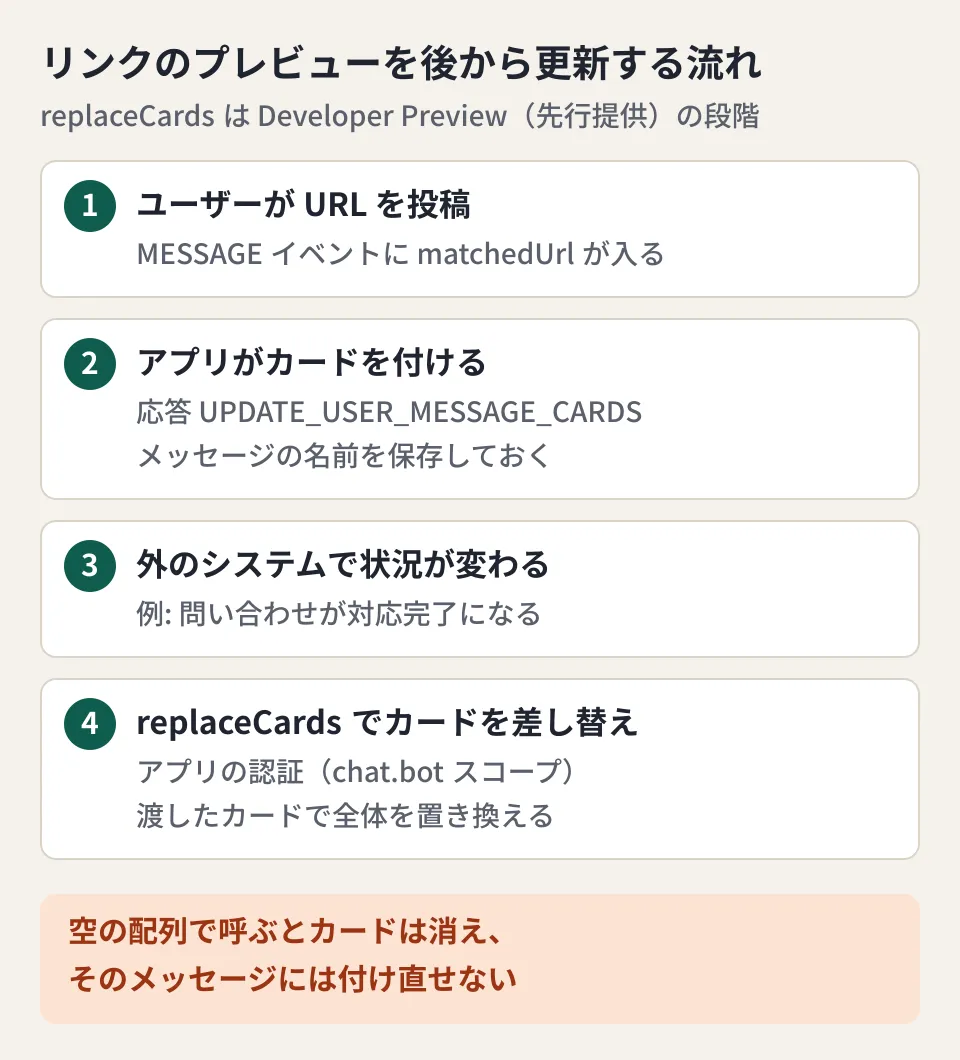
The following code is an example that assumes a URL for an inquiry number. As of October 20, replaceCards is not included in the Node.js client libraries (@googleapis/chat 51.2.0 and googleapis 186.0.0), so the code calls the Discovery document path v1/{+name}:replaceCards directly. The card and event types use the type definitions from @googleapis/chat 51.2.0, and the code passed TypeScript type checking.
import { auth, chat_v1 } from '@googleapis/chat';

type CardWithId = chat_v1.Schema$CardWithId;

// 問い合わせ番号のリンクに付けるカード(cardId は同じ値を使い続ける)
export function ticketCard(ticketId: string, status: string): CardWithId {
  return {
    cardId: `ticket-${ticketId}`,
    card: {
      header: { title: `問い合わせ ${ticketId}`, subtitle: `状況: ${status}` },
      sections: [{ widgets: [{ textParagraph: { text: `最終更新: ${new Date().toISOString()}` } }] }],
    },
  };
}

// 1) リンクが投稿されたとき(MESSAGE イベントの応答)。
//    カードを付けたメッセージの名前を、問い合わせ番号と一緒に保存しておく
export function onLinkPosted(event: chat_v1.Schema$DeprecatedEvent, save: (ticketId: string, messageName: string) => void) {
  const url = event.message?.matchedUrl?.url;
  const messageName = event.message?.name;
  const ticketId = url?.match(/tickets\/(\d+)/)?.[1];
  if (!ticketId || !messageName) return {};
  save(ticketId, messageName);
  return {
    actionResponse: { type: 'UPDATE_USER_MESSAGE_CARDS' },
    cardsV2: [ticketCard(ticketId, '受付')],
  };
}

// 2) 後から状況が変わったとき。replaceCards は 10月20日時点でクライアントライブラリに
//    入っていないため、Discovery 文書のパス(v1/{+name}:replaceCards)を直接呼ぶ
const googleAuth = new auth.GoogleAuth({
  keyFile: process.env.CHAT_APP_KEY_FILE, // Chat アプリのサービスアカウントの鍵
  scopes: ['https://www.googleapis.com/auth/chat.bot'],
});

export async function replaceCards(messageName: string, cardsV2: CardWithId[]) {
  const client = await googleAuth.getClient();
  await client.request({
    url: `https://chat.googleapis.com/v1/${messageName}:replaceCards`,
    method: 'POST',
    data: { cardsV2 },
  });
}

// 例: await replaceCards(saved.messageName, [ticketCard('1234', '対応完了')]);
There are three points to decide in the design (suggestions from the editorial team).
- Save the message name: To replace the card later, you need the name of the message the card was attached to. The same inquiry URL may be pasted into multiple spaces, so store the data in a form that allows multiple names per inquiry number
- Replace with a "closed" card instead of removing it: If you remove the cards with an empty array, you cannot attach them again. For items that are finished, replacing the card with one that says "Resolved" or "This item is closed" avoids trouble if you later need to revert the status
- Scope of information on the card: Everyone in the space sees the card. Decide on the app side whether to include things like customer names, rather than leaving it to whoever pastes the URL
The example above assumes a Chat app that is not an add-on and receives interaction events of the type DeprecatedEvent in the Discovery document. Google's guide to link previews also explains that Chat apps that are not add-ons attach cards with a UPDATE_USER_MESSAGE_CARDS response. Chat apps built as Google Workspace add-ons use a different event format (such as updateInlinePreviewAction), and we have not confirmed how to use replaceCards in that case.
Release stage and what is still unknown
The most important caveat is that replaceCards is at the Developer Preview (early access) stage. According to Google Workspace's Developer Preview Program page, joining requires registering a Google Workspace account and a Google Cloud project and applying. It also says "features in Developer Preview may not be included in public applications prior to the General Availability announcement," so plan on the assumption that it cannot be built into public apps until general availability is announced. The same page says the early access period is usually 3 to 6 months.
The status of other sources is as follows (as of October 20).
- The latest entry in the Chat API release notes is dated October 16, and there is no announcement of
replaceCards replaceCardsis not present in any of the following: the type definitions ofgoogleapis186.0.0 (released October 14) and@googleapis/chat51.2.0 (released October 3) for Node.js, the google-api-python-client repository for Python (the bundled definition on main is revision 20260927), or the Chat API definitions in googleapis/googleapis (chat_service.proto)- On the morning of October 20 (UTC), the Discovery document returned a mix of revision 20261015, which includes
replaceCards, and revision 20261013, which does not. At the time of cross-checking on the same day, bothchat.googleapis.comandwww.googleapis.comwere revision 20261015
When we sent a POST to https://chat.googleapis.com/v1/spaces/AAAA/messages/BBBB:replaceCards without credentials, the details of the 401 error included "method": "google.chat.v1.ChatService.ReplaceMessageCards" (a nonexistent method name returns 404). The endpoint exists, but we have not confirmed the response when calling it with authentication from a project not enrolled in the Developer Preview, the eligible editions, or the quotas (usage limits).
If you join the Developer Preview and try it, check the following points in a test space.
- Whether
replaceCardssucceeds on cards attached through link previews, and whether the replaced card changes immediately on other members' screens - Whether
cardIdneeds to be the same as on the card originally attached - What error occurs if you call it after the user has edited or deleted the message
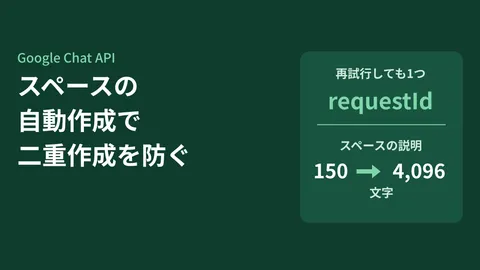
We are also tracking changes to the Chat API definitions in other articles. markupSyntax, which sends the body as Markdown, is covered in the article on posting Markdown as-is with the Chat API, and automatically creating a space for each project is covered in the article on preventing duplicate space creation.
Conclusion
If you run a Chat app that shows link previews, first check whether you save the names of messages you attach cards to. If you do not, you will not be able to replace cards attached in the past even after replaceCards becomes generally available. As of October 20, replaceCards is at the Developer Preview (early access) stage. It is safest to wait until general availability is announced in the release notes before building it into production apps, and until then to join the Developer Preview and check the three points above in a test space.
On October 20, 2026, we directly retrieved and checked the Google Chat API reference (the
spaces.messages.replaceCardspage), the release notes, the guide to link previews, the Developer Preview Program page, the Discovery documents (chat.googleapis.comandwww.googleapis.com, revisions 20261013 and 20261015), the bundled definitions in google-api-python-client 2.200.0 and 2.201.0 and the definitions on the repository's main branch, the type definitions ofgoogleapis186.0.0 and@googleapis/chat51.2.0 on npm, andgoogle/chat/v1/chat_service.protoandmessage.protoin googleapis/googleapis (document research). We also checked the response to a request sent to thereplaceCardsURL without credentials (401, method namegoogle.chat.v1.ChatService.ReplaceMessageCards). The code example passed TypeScript type checking against@googleapis/chat51.2.0. The reference treatsreplaceCardsas Developer Preview, and the timing of general availability, eligible editions, and quotas are unconfirmed. We have also not confirmed authenticated API calls or how the result appears in the Chat interface.
GleamHub's free IT and Google Workspace consultation can help with building systems that connect Google Chat to your internal systems and with designing Chat apps. The setup depends on the information you handle and how you use spaces, so please reach out through our contact form.
References
- Method: spaces.messages.replaceCards (Google Chat API reference)
- Google Chat API release notes
- Developer Preview Program(Google Workspace)
- Google Chat API Discovery document(chat v1)
- Google Chat API Discovery document(www.googleapis.com, chat v1)
- Preview links(Google Chat)
- googleapis/googleapis — google/chat/v1/chat_service.proto
- npm registry — @googleapis/chat
- PyPI — google-api-python-client