In systems that post internal notification bots or summaries written by generative AI to Google Chat, the original text is often written in Markdown: GitHub notifications, meeting minute summaries, AI answers and so on. Google Chat messages, however, have their own formatting syntax, which is different from Markdown. Until now, you either had to write your own process to convert Markdown to Chat syntax before posting, or give up on formatting and send plain text.
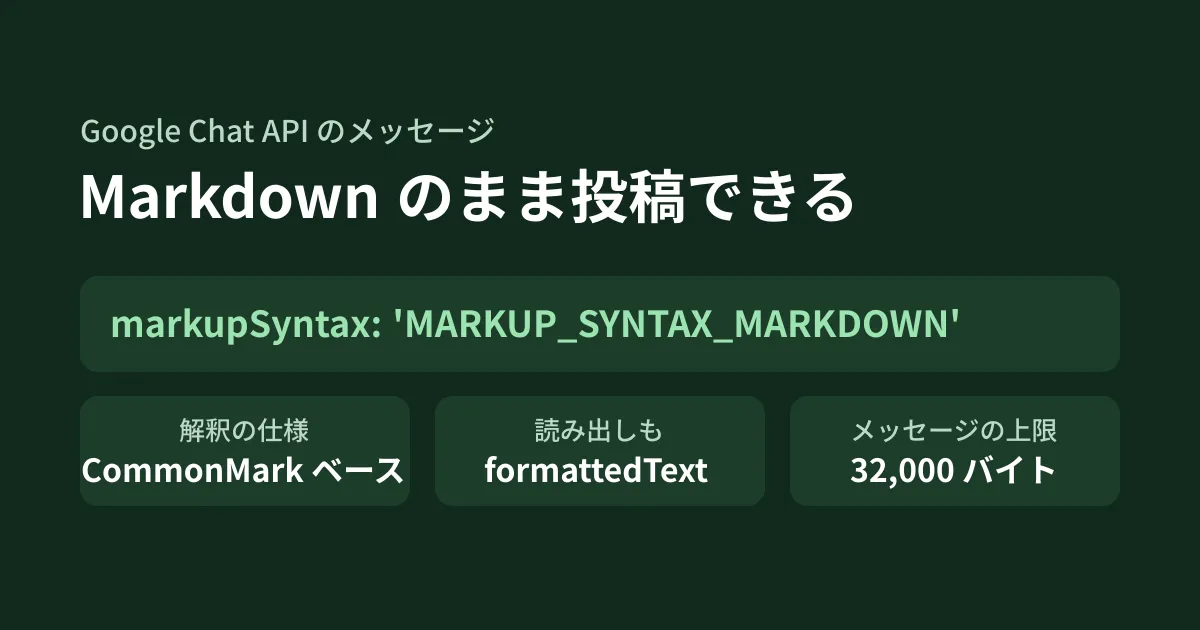
Chat API messages now have a field, markupSyntax, that specifies which syntax the body (text) is interpreted in. Setting it to MARKUP_SYNTAX_MARKDOWN makes the body be treated as Markdown. The Chat API release notes mark it as generally available (GA) on August 7, 2026, and on October 16 it became possible to choose a default syntax for each app in the Google Cloud console. In this article, we summarize what we confirmed on October 19, 2026 by directly opening the Chat API release notes, the formatting guide (Format messages), the reference, the Discovery document (revision 20261013), and the Python and Node.js client libraries. This is desk research plus the editorial team's proposals; because we had no credentials, we did not actually post any messages. The code example has only passed type checking against the type definitions.
Fields added in two places
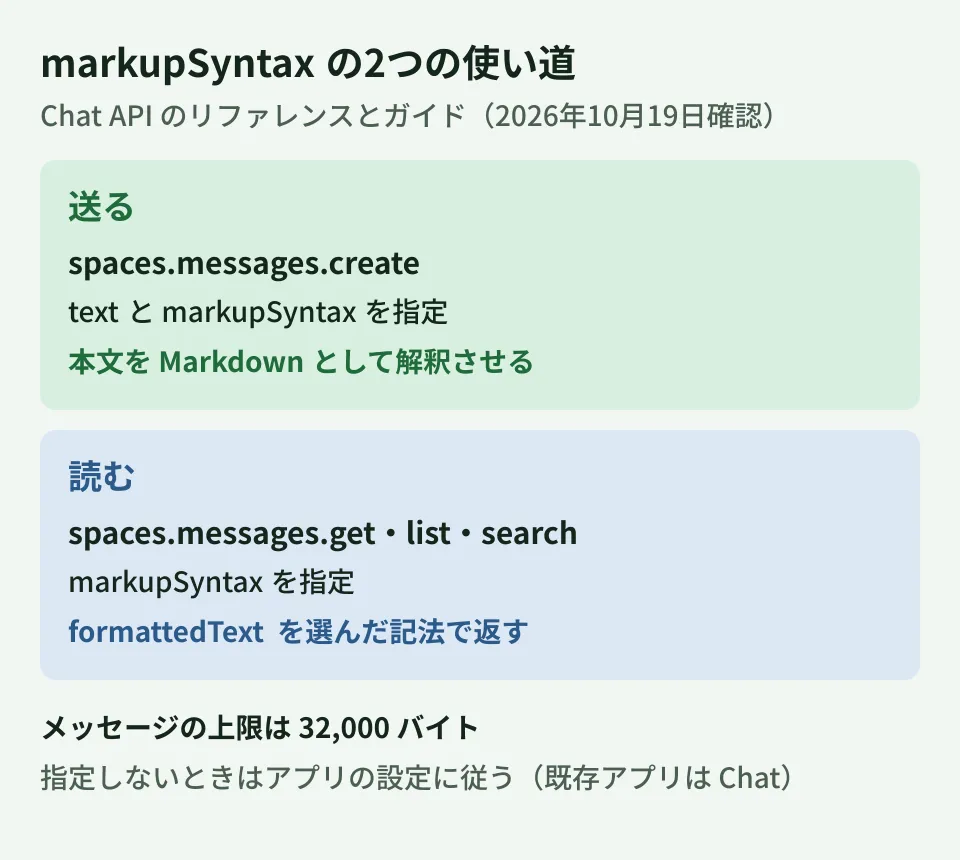
The first is a field used when sending. It is markupSyntax on the message itself (Message), and the reference describes it as "Specifies how the server interprets the message text field content." (how the server interprets the contents of the body text). There are three values.
MARKUP_SYNTAX_CHAT: Google Chat syntax ("Uses Google Chat’s markup syntax.")MARKUP_SYNTAX_MARKDOWN: Markdown, "based on the CommonMark specification, with additional extensions" (the CommonMark specification with its own extensions added)MARKUP_SYNTAX_UNSPECIFIED: Unspecified
The second is a setting used when reading. spaces.messages.get, spaces.messages.list and spaces.messages.search have a field with the same name, markupSyntax, described as "Specifies the desired output syntax for the Chat message formatted_text field." In other words, it specifies which syntax is used to return formattedText (the body with formatting information marked up with symbols) in the response.
When it became available
The Chat API release notes contain two announcements.
- August 7, 2026: Generally Available. "By specifying the markupSyntax field as MARKUP_SYNTAX_MARKDOWN when creating a message using the Chat API, the body text is parsed using standard Markdown formatting." (When you specify
MARKUP_SYNTAX_MARKDOWNwhen creating a message, the body is interpreted as standard Markdown) - October 16, 2026: It became possible to choose a default syntax (Markup syntax) for each app on the Chat API configuration page in the Google Cloud console. The announcement says the rollout begins that day and is expected to complete within a few days. Specifying
markupSyntaxin an individual API request takes precedence over the default
The definitions bundled with the client libraries roughly match this timeline (release dates in UTC). In google-api-python-client for Python, MARKUP_SYNTAX_MARKDOWN appears from 2.199.0 (released August 20, with Chat definitions at revision 20260809) and is absent from 2.198.0 (released June 25). In @googleapis/chat for Node.js, it has been in the type definitions since 46.0.0 (released August 3).
Code for sending
This example posts a generative AI summary to a space using app authentication. It passes TypeScript type checking against the type definitions of @googleapis/chat 51.2.0 for Node.js.
import { chat_v1 } from '@googleapis/chat';

// 綴りを間違えても型チェックで気づけないため、定数にしておく
const MARKDOWN = 'MARKUP_SYNTAX_MARKDOWN';

// 生成AIの要約(Markdown)を、記号のまま出さずにスペースへ投稿する
export async function postSummary(chat: chat_v1.Chat, space: string, markdown: string) {
  const res = await chat.spaces.messages.create({
    parent: space, // 例: 'spaces/AAAAxxxx'
    requestBody: {
      text: markdown,
      markupSyntax: MARKDOWN,
    },
  });
  return res.data.name;
}
There are three points to watch. The first is the type. In the type definitions of @googleapis/chat, it is markupSyntax?: string | null;, not a fixed list of values. A misspelling such as 'MARKUP_SYNTAX_MARKDWON' also passes type checking. Grouping the value into a constant, as in the example above, lets you fix mistakes in one place.
The second is size. The reference for creating messages states, "The maximum message size, including the message contents, is 32,000 bytes." In systems that pass long generative AI output straight through, check the limit in bytes, not characters. Japanese text is often 3 bytes per character in UTF-8, so you approach the limit at around 10,000 characters.
The third is how mentions and custom emoji are written. According to the comparison table in the formatting guide, when sending in Markdown, mentions take the form <chat-user data-user="users/{user}"> (or <chat-user data-email="…">, which uses an email address), and custom emoji take the form <chat-emoji …>. If you have existing processes that build <users/{user}> in Chat syntax, review them when switching to Markdown. Links also change from Chat syntax's <https://example.com|表示する文字> to Markdown's [表示する文字](https://example.com).
Using it when reading messages
There are also situations where you want to extract existing messages in Markdown form, such as when moving Chat conversations into documents or a knowledge base, or when passing past conversations to generative AI.
// 既存のメッセージを読み、書式をMarkdownの形で受け取る
export async function readAsMarkdown(chat: chat_v1.Chat, name: string) {
  const res = await chat.spaces.messages.get({
    name,
    markupSyntax: MARKDOWN,
  });
  return res.data.formattedText ?? res.data.text ?? '';
}
For formattedText, the reference and the Discovery document state, "This field might not capture all formatting visible in the UI" (it does not necessarily represent all the formatting visible on screen). The description lists bold, italic, strikethrough, monospace, bulleted lists, quotes, mentions (<users/{user}>), links (<{url}|{rendered_text}>) and custom emoji (:{emoji_name}:). Do not build a migration process on the assumption that elements such as tables and images will be preserved. The conditions for combining this with message search (spaces.messages.search) are covered in our article on Chat API message search and pinning.
Behavior when not specified, and what to test
The formatting guide describes, for each calling method, how requests that do not specify markupSyntax are handled.
| Calling method | Syntax when not specified |
|---|---|
| Chat apps configured on the Chat API configuration page | The syntax chosen on the configuration page. Newly created apps default to Markdown; existing apps default to Chat syntax for compatibility |
| Cloud projects with no saved Chat app configuration | MARKUP_SYNTAX_MARKDOWN |
| Incoming webhooks | MARKUP_SYNTAX_CHAT |
Existing notification bots keep working with Chat syntax if you do nothing. On the other hand, if you switch the default on the configuration page to Markdown, the interpretation of every post that the app sends without markupSyntax changes. Posts written in Chat syntax, such as *太字*, are interpreted as italics in Markdown. Rather than changing the default, explicitly specifying markupSyntax only in requests that send Markdown keeps the scope of impact narrower.
There are also points that cannot be determined from the official documentation and that you should verify in a test space before building them into your posting system.
- How headings and tables are displayed: The comparison table in the guide covers bold, italic, strikethrough, monospace, code blocks, bulleted lists, nested bulleted lists, numbered lists (Markdown only), quotes, links, mentions, custom emoji, and citation display (Markdown only, in developer preview). It does not say how headings or tables are displayed
- Whether incoming webhooks can change the setting: The guide states that the webhook default is Chat syntax, but it does not say whether you can switch by specifying
markupSyntaxin a webhook request - When updating: The October 16 announcement says
markupSyntaxcan be specified in create, update and read requests. However, the fields listed as updatable (updateMask) in thespaces.messages.updateandpatchreference includetext,attachment,cardsand others, but notmarkup_syntax. Verify for yourself how it behaves when you later edit the body of a message posted in Markdown
When testing, prepare a short text containing one each of a heading, bold text, a bulleted list, a code block, a table and a link, post it both ways with MARKUP_SYNTAX_MARKDOWN and MARKUP_SYNTAX_CHAT, and compare the display and formattedText; this makes the differences easy to see.
Conclusion
If you have a system that sends Markdown text to Chat, first check where your own conversion process is, then compare it with posts that specify markupSyntax: 'MARKUP_SYNTAX_MARKDOWN' in a test space. Whether you can reduce the conversion process depends on whether the formatting you use displays as expected. If you also automate creating spaces, how to prevent duplicate creation when creating spaces automatically is a useful reference. If you also handle information about the users who posted, checking the conditions for retrieving sender email addresses will keep your design consistent.
On October 19, 2026, we directly retrieved and checked the Chat API release notes, the formatting guide (Format messages), the Chat API configuration guide (Configure the Google Chat API), the reference (the
spaces.messagesresource,get,createandsearch), the Discovery document (chat v1, revision 20261013), the definitions bundled with google-api-python-client 2.198.0 and 2.199.0 along with their PyPI release timestamps, and the type definitions and release timestamps of npm's@googleapis/chat45.0.0, 46.0.0 and 51.2.0 (desk research). The code example passes TypeScript type checking against@googleapis/chat51.2.0. Because we had no credentials, we did not call the API, and the actual display, the handling of headings and tables, specifying the field in webhooks, and the behavior on update remain unverified.
GleamHub's free IT & Google Workspace consultation can help with building notification systems for Google Chat and designing internal tools that connect generative AI with Google Workspace. The setup depends on posting volume and the information you handle, so please reach out via Contact Us.
References
- Google Chat API release notes
- Format messages(Google Chat)
- Configure the Google Chat API
- REST Resource: spaces.messages(Google Chat API)
- Google Chat API Discovery document(chat v1)
- googleapis/googleapis — google/chat/v1/markup_syntax.proto
- PyPI — google-api-python-client
- npm registry — @googleapis/chat