"Once we rolled out Gemini company-wide, an employee reported that executive salary tables appeared in search results. When we checked, someone had uploaded the file years ago with 'anyone with the link can view' and left it forgotten. Even without malicious intent, we have no visibility into how many similar files are sitting in our drives." We received this consultation from someone handling IT duties at a 50-person company. The more companies rely on cloud workflows, the more permissive defaults accumulate, leaving confidential assets scattered under loose access controls.
Historically, even if files were shared loosely, they posed little practical risk as long as no one possessed the specific URL. That changes once AI tools like Gemini cross-search and summarize entire company drives. Because AI systematically retrieves any file a user is authorized to read, the more loosely shared a file is, the more easily it surfaces to unintended viewers. This article outlines how clients should audit sharing permissions before and after rolling out AI.
AI finds everything it has access to
AI tools like Gemini for Workspace only answer queries using files the user already has permission to access. This design is inherently secure. The real problem is that the range of accessible files in most companies is vastly broader than leadership assumes. Files shared with "anyone with the link" are treated as accessible to everyone across the company, pulling them directly into AI search scopes. Files that staff previously never stumbled upon are suddenly surfaced instantly by AI.
Rather than AI leaking confidential data, it is more accurate to say that AI exposes file-sharing permissions that were overly permissive from the start. Therefore, the solution is not disabling AI, but remediating file-sharing configurations. While our generative AI usage guidelines article addressed establishing organizational rules before staff adopt tools independently, organizations must first verify what data is visible to whom as a prerequisite foundation.
Three key settings to check first in your audit
Auditing sharing permissions with focus on these three areas ensures comprehensive coverage:
| Target setting | Risk factor |
|---|---|
| Files shared with "anyone with the link" | Reachable by anyone internally (including via AI). Check for confidential data. |
| Files shared externally (outside the domain) | May still remain visible to former business partners or contractors. |
| Business data stored in individual My Drives | Lost when employees leave, leaving permission management up to individuals. |
Unmanaged individual files easily become orphaned after resignations or department transfers. The rationale for migrating corporate files from individual control into shared repositories is covered in our guide to moving from My Drive to shared drives. Audits should fundamentally follow three actions: delete, restrict, or consolidate into shared drives.
Restricting access with conditional controls
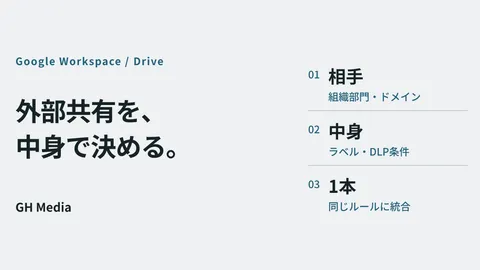
Once an audit resolves existing issues, implement safeguards to prevent permissions from loosening again. Enforcing domain-wide external sharing limits or locking specific folders to internal access via the Google Workspace Admin console removes reliance on individual judgment. For high-security data, you can combine stronger measures such as Context-Aware Access to restrict access by location or device health, along with client-side encryption (CSE) to prevent even Google from viewing file contents. Remediation through audits and recurrence prevention through policy controls must always operate hand in hand.
AI adoption: the ideal catalyst to overhaul file sharing
Rolling out AI like Gemini provides organizations with a timely opportunity to confront long-ignored sharing configurations. Leaving loose permissions intact before introducing AI creates security vulnerabilities, whereas auditing and reconfiguring controls enables organizations to gain operational visibility and data security simultaneously. Whether you want to assess whether confidential files are lingering under loose settings, secure sharing permissions ahead of company-wide AI rollouts, or consolidate personal files into shared drives to prepare for staff departures, feel free to contact GleamHub for Google Workspace implementation and operational support. We partner with you to establish secure foundations starting with comprehensive audits.