"When I opened Drive on my phone and asked the AI, it summarized and returned documents that look like personnel evaluations from another department. Was I supposed to be able to see this?"—When administrators receive this kind of inquiry, the first thing to check is not the behavior of the AI. It is whether that user had access to those documents all along.
In most cases, they had access—and had for a very long time. It was simply that because they did not know the file name or location, it was virtually invisible to them.
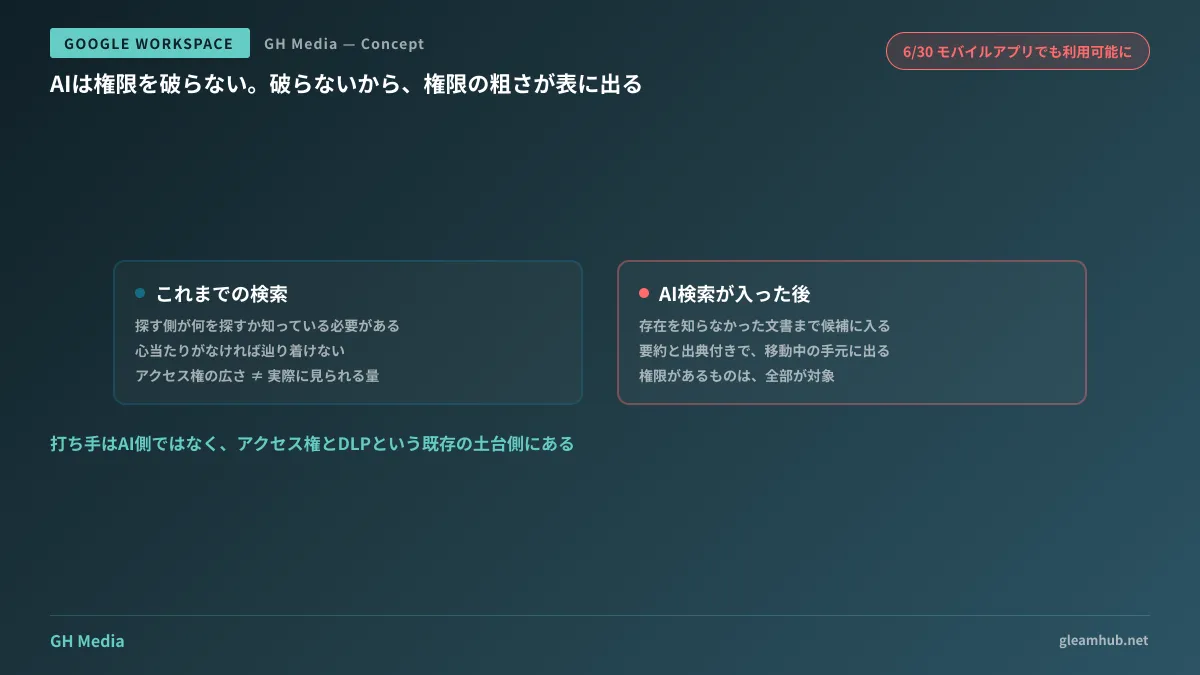
AI does not breach permissions; that is precisely why it causes problems
"Ask Gemini" and "AI Overviews" in Google Drive operate strictly within the scope of files to which the user has access. When generating responses, they do not duplicate or copy files in the background; they reference them on the spot while respecting DLP and information rights management policies. They never read content beyond granted permissions.
In short, information is not newly leaking due to AI. Something entirely different is taking place.
Previously, searching required the searcher to know what they were looking for: part of the filename, the creator's name, or the approximate time period. Without a lead, users could not reach a file even if they had permission. The breadth of access permissions and the volume of files actually viewed have long been misaligned. For many companies, this gap functioned as de facto security.
AI search closes this gap. If you ask, "Summarize the documents describing this term's evaluation system," it returns summaries with citations, including documents whose existence the searcher never knew. Anything within permissions is a candidate.
The accurate explanation of what is happening now is that loose permission design has become visible as actual harm for the first time.
Mobile rollout makes this a company-wide issue
These capabilities became available on the web in April 2026. At that stage, the scope of impact was still limited. Users who open Drive in a desktop browser and query the AI via the side panel tend to be people already well-versed in where information resides.
What changed was June.
- On June 3, using Gmail as a source in Ask Gemini in Drive entered general availability (Gmail as a source in Ask Gemini in Drive now generally available — Google Workspace Updates).
- On June 30, "Ask Gemini" and "AI Overviews" became available in the Drive app for Android and iOS.
Users can specify sources across Drive, Gmail, Chat, and Calendar, and responses include citation numbers linking back to original documents. Furthermore, all of this can now be opened from smartphones while on the go.
Users least familiar with where information lives benefit the most from querying AI. As a product feature, this is a positive direction. From an administrator's standpoint, however, the safety net of "they do not see it because they do not know about it" has simultaneously disappeared from the hands of all employees.
Do not start an audit from "all of Drive"
If you start by saying, "Let's review all sharing settings across the board," you will likely never finish. Even in SMBs, it is not uncommon to have tens of thousands of files across shared drives and My Drive combined. Having humans review every single item is simply unfeasible.
A practical approach is to narrow the scope based on the characteristics of documents that AI easily surfaces. The priority order is as follows.
| Priority | Target | Why inspect first |
|---|---|---|
| High | Documents containing proper nouns and numbers in the body text (evaluations, salaries, costs, transaction terms) | Most easily matched because vocabulary aligns directly with natural language queries |
| Medium | Documents with titles formatted like "About ..." covering broad company topics | Prone to colliding with search intent, accidentally appearing as candidates |
| Low | Images, drawings, and proprietary format files | Rarely subject to full-text search, so priority can be lowered |
The first items to inspect are text documents containing proper nouns and monetary amounts. Check whether documents such as "Transaction terms with Company A" or "FY2026 evaluation criteria" remain shared across departments. Focusing solely on these keeps the target volume manageable.
When handling discovered items, stripping permissions immediately can halt business operations. Instead, create a folder with restricted viewing access inside the shared drive and move files there first. If someone runs into trouble as a result, add them back individually. Restricting access first and restoring it as needed results in smaller incidents than leaving permissions wide open.
If individuals hold many business files in My Drive, that structure itself is the root cause, so please read Consolidating My Drive and Shared Drives first. Granting administrative privileges is outlined in Delegating Admin Roles and Principle of Least Privilege.
Settings effective on the administrator side and areas that remain unaffected
It is also essential to grasp what can be accomplished in the Admin console.
Gemini-related features can be controlled by organizational unit (OU) or group. Rather than rolling it out company-wide all at once, you can enable it initially for the IT team and select departments to observe what queries arise before expanding.
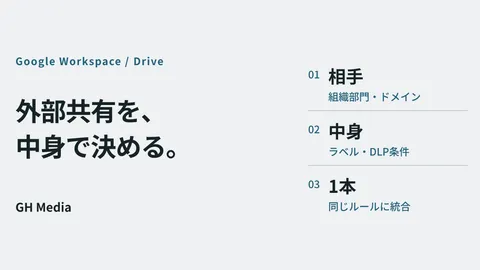
On the other hand, you cannot designate specific individual files to be excluded from AI search. The scope accessible by AI is strictly governed by user access privileges and existing policies such as DLP. In other words, for information governed by DLP, those definitions apply directly. For organizations that have configured sensitivity labels and information protection rules, this is where those assets prove their worth. For organizations that have not, this serves as an opportune moment to start with a focused scope (DLP Strategy Including Gmail).
Consequently, administrator remedies lie not on the AI side, but within the existing foundation of access permissions and DLP. Disabling AI features leaves loose permissions intact. The proper path is to fix those underlying permissions while AI access is restricted.
Action items for this week
Try running a single query against your company Drive using an administrator account: "Summarize documents regarding the latest salary revisions." The subject can be any sensitive internal topic.
Review the list of returned documents. If it includes items that make you feel, "It is problematic for this to appear," those are your first targets for remediation. If not, your permission design is working effectively, at least for highly sensitive information.
This check takes only five minutes. Before planning an audit across tens of thousands of files, use this test to understand where your organization currently stands.
Whether you want to redesign Drive sharing configurations to match actual operations or define the scope of verification before enabling AI features company-wide, GleamHub accepts consultations through our free IT and Google Workspace advisory service. Because the optimal setup varies depending on requirements, we provide individual estimates. Please reach out via Contact Us.
Sources
- Gmail as a source in Ask Gemini in Drive now generally available — Google Workspace Updates (June 2026)
- Google Drive "Ask Gemini" and "AI Overviews" become available on mobile apps — HelenTech
- Google Drive’s Ask Gemini & AI Overviews come to Android with AI Pro — 9to5Google
- Google makes Gmail generally available as an information source for Ask Gemini in Drive — AI Watch