"To be honest, no one in our company knows where confidential files are or what they contain across our Drive anymore"—we frequently receive this confessional consultation from companies that have grown past around two hundred employees. Listening closely, stories emerge one after another: folders of departed employees left set to "Anyone with the link" for years, contracts and informal internal notes sitting indistinguishable in the same directory, and more shared drives created by unknown owners than there are departments. What makes this frightening is that these issues come to light only after an incident occurs. Only when asked for a security audit by a client does a company realize that no one can explain the full picture of its files.
At the root of these symptoms lies a structural issue: the frequency gap between files multiplying every day and audits occurring once a year at best. Manually opening folders one by one to sort "this is confidential, this can be public" is a process where new files pile up even while you work. Manual auditing is structurally destined to lose the frequency battle against ever-increasing files. That is why, even if you clean it up once, everything reverts back within six months. As long as you try to solve this with brute-force manual labor, governance will never catch up. In this article, from the perspective of designing custom development solutions, we outline a path to solving this problem systematically through a combination of Google Drive's AI classification and DLP, rather than through manual auditing.
What It Means to Automate Classification
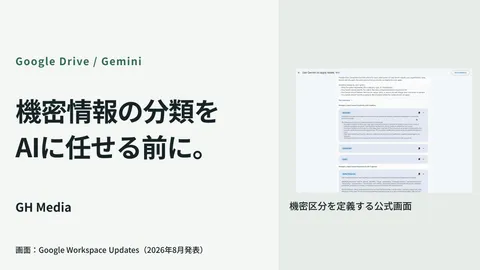
Google Drive AI classification is a feature that automatically applies labels to sensitive content using a custom AI model trained by your organization. The key takeaways are two: it requires no programming, and it applies automatically to both new and existing files.
Here is how it works. First, during an initial training period, the organization trains the AI on examples of files determined to be "Confidential" or "Internal Only." The AI learns the company's labeling criteria and subsequently applies labels like "Confidential" or "Internal Only" automatically to both newly created files and legacy files stored in Drive. In other words, once properly trained, files are continuously classified as they multiply without further human intervention. Against the problem of auditing losing the frequency battle, this is fundamentally the correct measure. Instead of chasing files manually, you attach automated evaluation to the side that is growing. The Google Workspace blog highlighted how pharmaceutical giant Roche protected millions of files using this AI classification—a volume that could never be completed manually.
However, support is primarily centered on higher tiers such as Enterprise Standard and Enterprise Plus. While we will touch on this later, determining whether to upgrade because you want to use it or whether your current scale truly warrants it is the first agenda item to align on in custom development.
Applying Labels Alone Is Meaningless: It Only Works When Paired with DLP
A common misconception here is assuming that "if AI automatically applies labels, the job is done." In reality, a label is merely a marker indicating that a file is confidential. Simply adding a marker does not protect the file. Connecting labels to actual enforcement is the role of Data Loss Prevention (DLP) rules.
The integration between the two flows in two directions. One direction is automatically applying classification labels when DLP rules detect sensitive content. The other direction is having DLP enforce controls—such as blocking external sharing or prohibiting downloads—based on existing labels. For example, by establishing a rule that files with a "Confidential" label cannot be shared outside the domain, incidents like leaving ex-employees' folders publicly accessible can be systematically prevented around labels. While the broader philosophy of sharing settings is discussed in detail in our Google Drive sharing settings article, viewing AI classification as the layer that automates determining which settings apply to which files clarifies its position.
From a design perspective, label precedence is something that causes incidents if overlooked. Labels applied by AI classification are overwritten by labels configured via DLP rules. Conversely, AI classification labels overwrite default classification labels set by administrators. That is, there is a hierarchy of strength: DLP rules > AI classification > defaults. If you stack multiple rules without understanding this order, unintended behaviors quietly take place, such as an external share succeeding because another rule overwrote an AI classification of confidential. Unless conflicts are identified during the design phase, these surface as unexplained incidents once in production.
What Custom Development Undertakes: Design and Non-Disruptive Operations
Looking solely at feature descriptions, it might seem like a matter of merely configuring settings, but making it a system that actually works requires numerous judgment calls. When we step in for custom development, we primarily undertake the following roles.
| Domain Designed by Custom Development | Common Failures When Attempting In-House |
|---|---|
| Designing granularity of the label hierarchy | Over-complicating classifications so operations fall apart |
| Preparing ground-truth training data for AI | Feeding skewed data, producing mass misclassifications |
| Organizing DLP and AI classification precedence and conflicts | Misunderstanding overwrite rules, allowing opposite controls |
| Assessing edition requirements and cost | Realizing higher tiers are required too late, derailing plans |
The first two are particularly challenging. While a label hierarchy appears more rigorous the finer it is divided, setting granularity to where staff wonder which label applies breaks both automated classification accuracy and human workflows. Restricting it to three or four tiers that anyone can determine intuitively works best in the end. As for training data, if you feed documents from only a specific department as examples of confidential material, the AI will learn that only that department's documents are confidential, overlooking equally vital files from other departments. Biases in ground-truth data manifest directly as biases in misclassification. Someone who understands the reality of the company's documents must deliberately prepare this with balance.
Another factor that carries weight alongside feature configuration is operational design to prevent excessive labeling and false positives from halting business activities. The more aggressively you apply AI classification and DLP, the more false positives increase. Legitimate materials meant for external sharing get tagged as "Confidential" and blocked, prompting deadline-pressed employees to resort to workarounds like sending files via chat tools—a failure pattern we have seen repeatedly in our article on Microsoft Copilot data exfiltration countermeasures concerning enterprise AI DLP. Governance was introduced, but staff created loopholes that made things even less visible. To prevent this, operations must avoid locking down everything perfectly from the start; instead, implement an observation phase with warning-only alerts, capture false-positive patterns, tune rules, and gradually strengthen enforcement. Understanding how to audit your organization's Drive as a prerequisite for detection and control alongside the perspectives in the Google Workspace security configuration checklist will minimize oversights.
Our Case Study: When Blocking Everything Sparked a Revolt on the Ground
Let us look at a specific example. A mid-sized construction consultancy (name withheld) approached us saying, "We want to seriously prevent data leaks, so we want to block all external sharing of confidential files." The executive leadership's sense of urgency was genuine: in an industry where leaking client blueprints or estimates instantly destroys trust, their initial request was quite aggressive: "Block everything that looks confidential across the board."
We first persuaded them to hold off on immediately implementing hard blocks. Instead, we trained AI classification to apply labels automatically and ran DLP for the first month under a setting that issued warnings upon external sharing without blocking the action. As expected, a massive volume of warnings appeared. However, many of them were legitimate quotes sent to clients or company overviews intended for the public. Had we blocked everything as initially requested, frontline staff could not have done their work, and they undoubtedly would have bypassed controls via chat or email. In fact, a similar clampdown had failed at this company once before, meaning we had to start by regaining trust on the ground.
Using the one-month warning logs, we identified false-positive patterns—what types of documents were prone to misclassification as confidential and which external recipients were legitimate—and recalibrated the training data and label granularity. We then narrowed blocks to only what truly needed stopping, leaving the rest to warnings and logging. As a result, blueprints and cost data were reliably prevented from leaking externally while frontline daily operations remained virtually unaffected. What we did was not tighten controls indiscriminately, but discern where to tighten and where to ease based on actual data. This case demonstrated that the crux of AI classification and DLP lies not in configuring features, but in making adjustments that enforce governance without stopping business operations.
From Detection to Classification and Control
Historically, Drive security centered on detecting anomalies—such as spotting massive encryption from ransomware, as discussed in our Drive ransomware detection article. AI classification and DLP represent the next step: tools for classifying and governing routine files during peacetime. Rather than merely discovering incidents, they continuously sort which files need protection automatically and enforce controls on them. This progression from detection to control becomes unavoidable as organizations grow.
If you are considering implementation, what you should do first narrows down to two actions. One is to establish your company's label hierarchy in advance at a granularity where frontline staff do not hesitate. Before enabling features, define how many confidentiality tiers exist and articulate what each means. The other is to begin with a warning-only observation period rather than blocking everything immediately. Grasping false-positive patterns using real data before tightening controls prevents both pushback and illicit workarounds from staff.
Whether your confidential files are scattered across Drive and the full picture is unclear, you need to establish classification and governance systems for client audits, you want to introduce AI classification and DLP but worry about disrupting daily operations, or you want to assess cost-effectiveness including upgrading to higher editions, please get in touch via GleamHub's inquiry page. We will examine your current Drive structure and sharing settings, and partner with you from designing label hierarchies and preparing training data to organizing DLP precedence and executing staged rollouts that keep your operations running.