Suppose a company decides to protect only contracts and blueprints with client-side encryption (CSE). The policy itself is sound. Yet a few months later, they notice updates to the encrypted folder have ground to a halt.
The reason is simple: every time someone wanted to check the contents, they had to download the file to their device to open it. Even after locating the file name in search results, an extra barrier stood before verifying what was inside. Hurried employees downloaded files, left them on local drives and forgot about them, and eventually began saving new documents to unencrypted folders. When encryption falls into disuse, the cause is usually viewing friction rather than cryptographic strength.
PDFs and images can now be opened directly in the browser
On August 28, 2026, Google released a beta feature in Google Drive enabling direct in-browser previews of client-side encrypted PDF and image files. Administrators with eligible licenses can apply to join the beta.
Previously, viewing non-native files protected by CSE (files like PDFs or images rather than Docs or Sheets) required downloading them to a local device. With this update, authorized users can check file contents without leaving Drive.
The current scope is as follows:
| Item | Details |
|---|---|
| Covered services | Google Drive (Drive only at launch) |
| Supported files | CSE-protected PDF and image formats |
| Deployment Model | Beta (administrators with eligible licenses apply) |
Native formats such as Google Docs and Sheets could already be edited in the browser while encrypted. What has been addressed here is the surrounding gap of "view-only files that nevertheless required downloading."
Why reducing downloads enhances security
While this might look like a convenience update, it is fundamentally a security improvement.
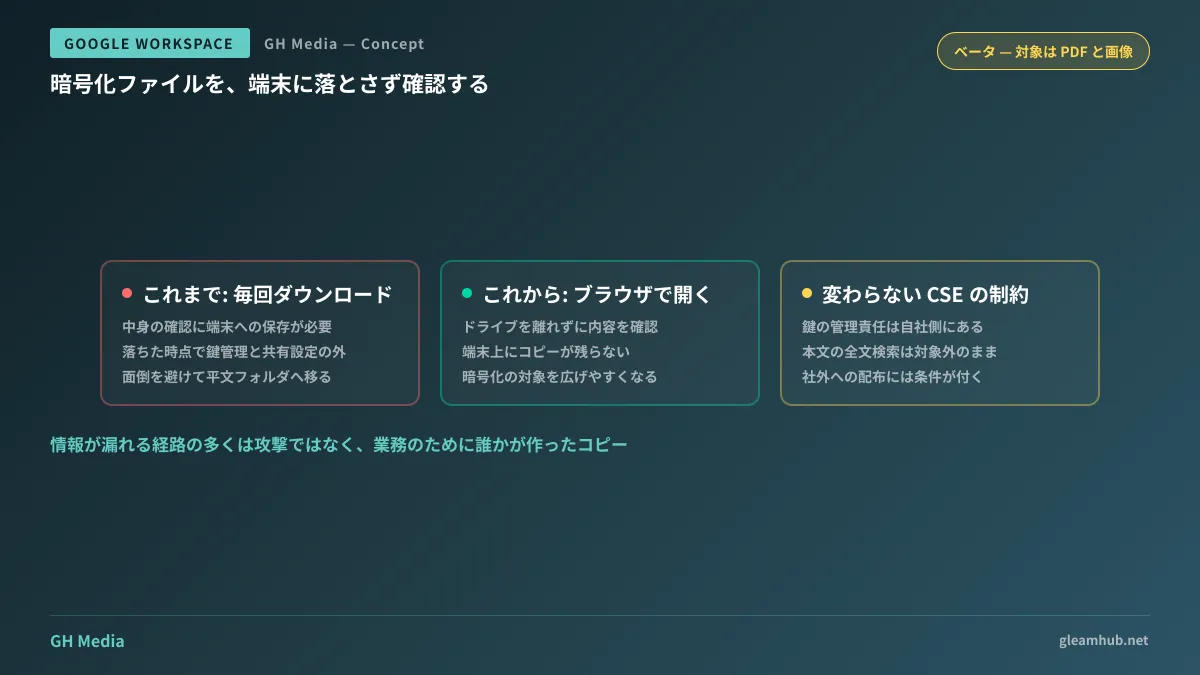
Downloading files just to view them creates copies outside the encrypted perimeter. The moment a file hits a local device, it falls outside CSE key management and Drive sharing permissions. Even if download logs remain, tracking how the file is handled afterward is impossible. This risk escalates further on personal devices or machines used by departing employees.
As anyone who has performed an audit of external share links knows, data leakage routes stem far more often from "someone making a copy for work" than from "being attacked." An architecture requiring a download for every view effectively mass-produced those leak channels.
Core characteristics of CSE remain unchanged
The beta announcement only streamlines the viewing workflow. The constraints weighed when deciding whether to adopt CSE in the first place remain intact. Make sure to distinguish between these factors before rolling it out.
- Key management responsibility remains with your organization. Because this architecture relies on an external key service, files cannot be opened if that service goes down. By definition, CSE means you cannot ask Google for data recovery.
- Search does not index file content. Because Google cannot read the contents of encrypted files, they are excluded from full-text search. File naming conventions directly dictate whether documents can be found.
- External sharing imposes prerequisites on the recipient. Unlike links accessible to anyone, CSE files require specific recipient configurations, making them unsuited for documents frequently distributed outside the organization.
In short, the availability of previews does not mean you should indiscriminately expand your CSE footprint. What changed is simply that everyday inspection of designated files has become practical.
Existing adopters should first review encryption scope
If your organization already uses CSE, the parameter worth revisiting following this update is your scope configuration.
Many organizations have folders excluded from encryption simply due to viewing overhead. Contracts might be encrypted, while attached blueprints and inspection photos were left in plaintext "because they need to be opened constantly." Despite sharing the same sensitivity, their treatment diverged. Now that previewing works, this inconsistency can be resolved.
Conversely, if you have included materials intended for external distribution under CSE, consider removing them. Files requiring administrative coordination for every share become a major liability whenever retrieval or migration is needed.
What to do next
First, identify any CSE-enabled folders that have not been updated within the past three months. Stalled folder activity is usually a sign that files were relocated elsewhere due to usability friction. If they were moved to an unencrypted location, that has become your actual storage location.
Next, check whether your company's licenses are eligible for the beta. If eligible, test it on a single folder first and have operational staff verify the updated viewing workflow. Relying solely on administrator assessments will not tell you whether frontline teams will actually adopt it.
GleamHub offers free IT and Google Workspace consultations covering Workspace encryption, permission architecture, confidential document retention rules, and external share auditing. Optimal boundaries depend on data classifications and external collaboration frequency, so please consult us for individualized guidance. Reach out via Contact Us.
Sources
- Preview client-side encrypted PDF and image files directly in Google Drive, now available in beta — Google Workspace Updates
- Google Workspace Client-side encryption overview — Google Workspace Admin Help
- Overview of the user experience for client-side encryption — Google Workspace Admin Help
- Build a custom key service for client-side encryption — Google for Developers
- Now generally available: Bulk import using client-side encryption and the Drive API — Google Workspace Updates