
You want to share an internally created notebook with external partners assisting with creative production. You enter their email address, but it neither autocompletes nor enables the share button.
When consultations of this nature reach the IT team, there is usually nothing wrong with the user's actions. By default, external sharing for Gemini Notebook has previously been globally disabled in the Admin Console. First check administrator settings, then isolate conditions regarding the recipient's account and the notebook itself.
Starting September 10, 2026, granular settings began rolling out for this area. Instead of a binary choice between completely open or completely closed, you can now select from four options.
Managed independently from Drive sharing permissions
As a baseline prerequisite, external sharing for Gemini Notebook is an independent setting from Google Drive external sharing controls. Even if Drive permits sharing with external partner domains, that alone will not allow sharing notebooks.
The reason lies in the architecture of a notebook. A notebook is not an isolated single file; it is a collection of source references and a repository for answers generated from them. What the shared recipient sees is information viewed through that consolidated collection. The scope of information exposed externally is fundamentally broader than sharing original files one by one.
That is why separate settings were established: to prevent loopholes where information remains locked down in Drive yet leaks externally through AI notebooks.
Four options correspond directly to tiers of external exposure
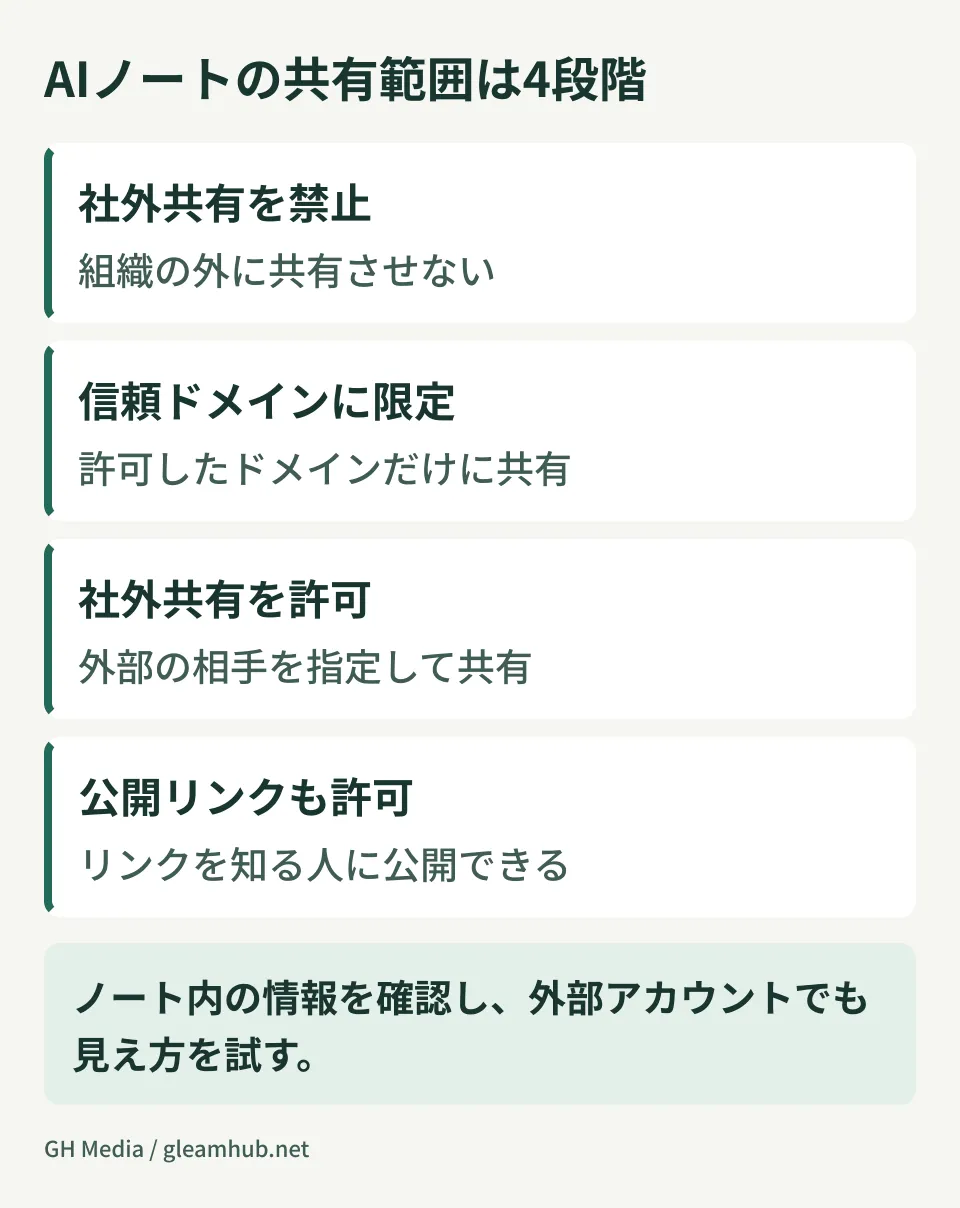
The following four tiers are available in the Admin Console, ordered from top to bottom by expanding external exposure:
| Configuration | Who you can share with | Intended use case |
|---|---|---|
| Off (Default) | Within organization only | No established workflow for external sharing yet |
| Trusted domains | Addresses in allowlisted domains only | Ongoing collaboration with business partners and group companies |
| Checked | Any external address | Ad-hoc recipients are frequent, making pre-registration impractical |
| On (including public notebooks) | Anyone with the link | Materials intended for external public release |
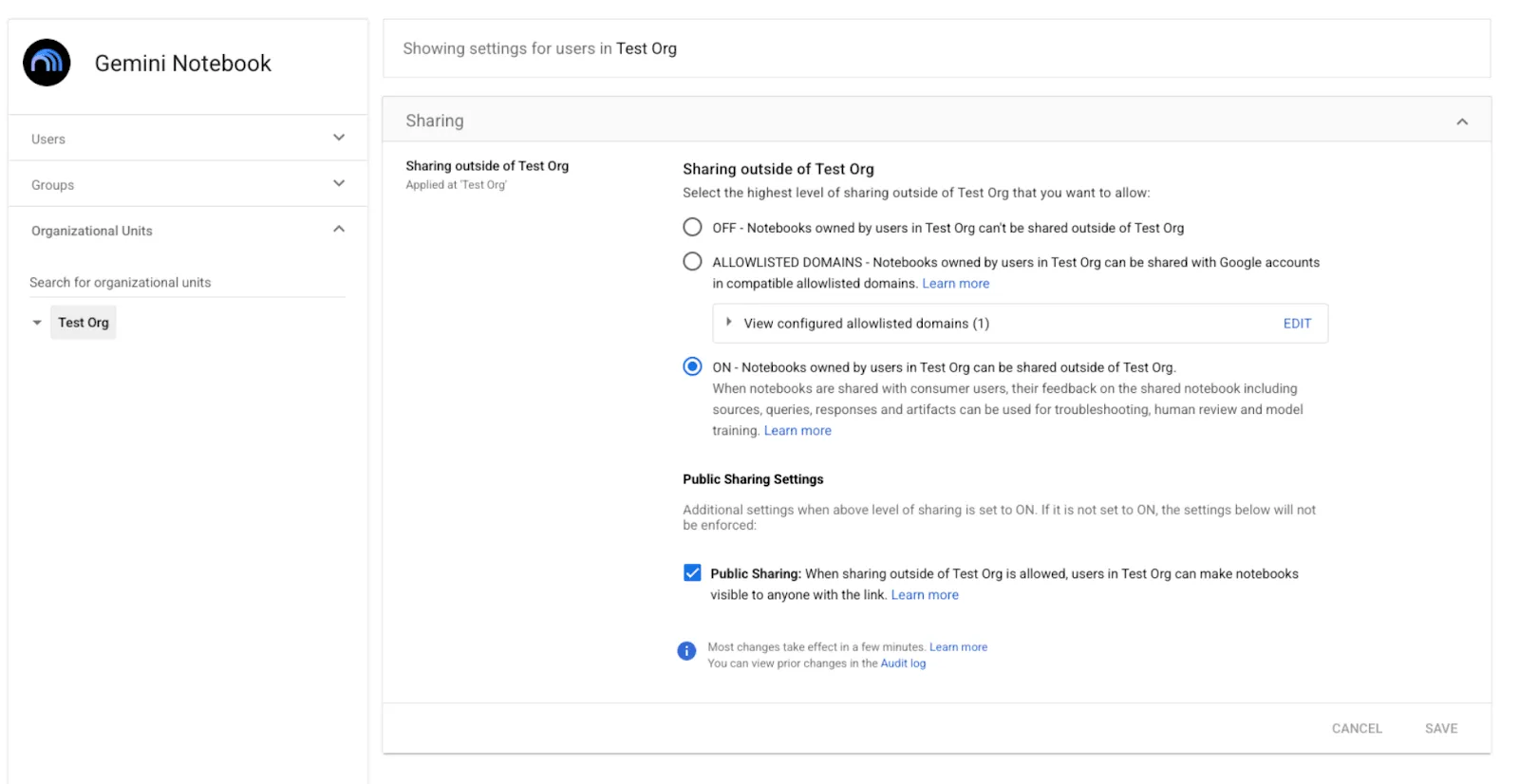
On the official screen, external sharing scope and public sharing settings are separated. Compare the option wording with the scope your company intends to permit. Source: Official Google Workspace documentation.
In practice, the option to evaluate first is the second from the top: Trusted domains. By registering partner domains, notebooks can be shared only with addresses in those domains. Administrators do not need to intervene every time recipients change, and content cannot be sent to unapproved parties.
The bottom option, "including public notebooks," behaves differently. This setting creates a state where anyone with the link can open the notebook. If an internal notebook is mistakenly set to public, you cannot determine after the fact who viewed it because no specific recipients were designated. It is best practice to keep this disabled until there is an explicit business requirement for external public release.
These can be configured not only for the entire organization, but also at the organizational unit (OU) or group level. Changes may take up to 24 hours to propagate.
Do not start rollout organization-wide
Because settings can be granularly configured by OU and group, there is a proper sequence for enabling them.
- First identify which departments collaborate externally. Company-wide access is rarely needed. It can almost always be limited to departments interfacing externally, such as production, sales, and procurement
- Enable access only for that department's OU or the relevant member group. Turning on access for the entire organization and then closing exceptions risks leaving overlooked openings
- Start with trusted domains. If partner destinations are fixed, this stage is sufficient
- Escalate to On only if insufficient. Keep a record of the escalation and document why it was raised
OU settings are inherited from parents and can be overridden by child OUs when permitted. Verify the actual values applied to target users, including precedence with group settings. The layered structure of external sharing itself is organized in Four layers administrators should check when "Only shareable within your organization's apps" appears.
Do not judge sharing scope solely by original file permissions
When sharing notebooks, verify how much of the sources, ingested content, and generated answers are visible to the recipient. Never assume that because the source Drive file is not shared, its contents cannot be seen through the notebook.
Prepare an external test account before sharing to verify directly what sources, answers, and downloads can be accessed. Rather than handing over a notebook containing sensitive data, creating an external-facing notebook containing only sources approved for disclosure limits the verification scope.
The relationship between duplication and source permissions should also be considered, but do not simply apply permission models from other features to external sharing; verify with current specifications and actual sharing screens.
Two things to decide before enabling
Enable access only after ensuring audit records can be reviewed. Gemini Notebook allows audit logs to be reviewed in the Admin Console. Setting up the ability to check recorded events among usage, sharing, and source operations in advance allows you to trace "what did that notebook reference?" after enabling external sharing. Audit logs do not necessarily begin collecting only from the moment an administrator opens the screen. Understand the trackable events and retention periods beforehand. What can be viewed in logs is summarized in Making it possible to explain later what was fed to that AI notebook.
Designate who is responsible for revoking access. External sharing enabled for a project remains active even after the project concludes. Fewer people volunteer to decide on closing access than on opening it. When receiving requests to enable sharing, requiring an estimated completion date and specifying who will close access reduces the burden of audits.
What to do next
Check whether the Gemini Notebook sharing settings section appears in your Admin Console. Because this is a gradual rollout, some domains cannot see it yet. If it does not appear, check your release track settings and wait.
If it is displayed, compile a list of departments collaborating externally before opening access. If you open the settings screen without identifying who needs it, lack of decision criteria tends to lead toward turning it on for the whole organization.
GleamHub provides free IT and Google Workspace consultations covering sharing scope architecture including external collaboration, OU and group segmentation, and the sequencing of AI feature rollouts. Because implementation varies based on your current organizational structure and external relationships, please reach out via Contact Us.
Sources
- Manage external sharing for Gemini Notebook in the Admin console — Google Workspace Updates
- Manage Gemini Notebook sharing settings — Google Workspace Help
- Introducing comprehensive audit logs for Gemini Notebook in the Workspace Admin console — Google Workspace Updates
- Allow external sharing with only trusted domains — Google Workspace Help







