"Everything was working normally until last week, but first thing this morning multiple employees reported that the login screen looked different and they couldn't get in, costing us half a day to troubleshoot." A business owner at a company of about twenty employees, where general affairs doubles as the IT team, brought us this issue. Upon investigation, no one had altered the settings. Google's default changes had simply taken effect on the schedule specified in their notices.
Herein lies the current challenge with Google Workspace: convenient new features and security-tightening updates take effect "by default" without administrators lifting a finger. While heightened security is welcome, if changes take effect before internal operational policies and announcements are in place, issues manifest on the ground as sudden login disruptions or audit discrepancies. This article details the major changes taking effect in 2026 and provides a roadmap for SMEs lacking dedicated IT teams to navigate them without experiencing lockouts.
2-Step Verification for Admin Accounts Shifts from "Recommended" to "Mandatory"
The first critical item is the phased enforcement of 2-step verification (2SV). Google is mandating 2SV for administrator accounts, which carry the highest risk of severe impact. What is often overlooked here is the grace period between receiving the notification and taking action.
If you ignore the enforcement notification, access to web applications—including the Admin console—will be restricted once the grace period expires. In other words, dismissing the notification with an intention to "deal with it later" can lead to the alarming scenario where, weeks later, the administrator holding the highest privileges cannot log in. Once an administrator is locked out, modifying other configurations becomes impossible, making account recovery significantly harder.
The necessary action is straightforward: regardless of whether you have received a notice, enable 2SV on administrator accounts immediately. Next, configure backup methods (such as backup codes or secondary security keys), and for companies with only one administrator, grant admin privileges and recovery credentials to at least one other person. For protection against account takeovers, transitioning from code-based 2SV to phishing-resistant passkeys is covered in detail in our Article on 2-Step Verification and Passkey Migration for SMEs.
Login Session Durations Shorten from "Indefinite"
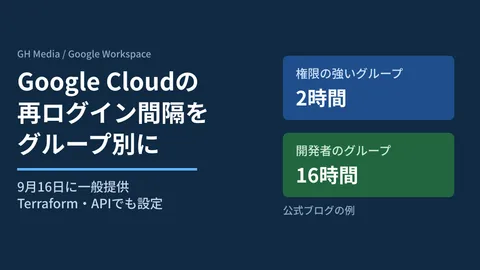
Another change quietly taking effect involves session durations. Previously, settings that kept users logged in almost indefinitely were common defaults. However, alongside enhancements to Device-Bound Session Credentials, default policies have been revised to require re-authentication after specified intervals.
This is an improvement for security. It automatically terminates persistent logins that pose risks—such as sessions left open on shared cafe computers, active logins on former employees' personal phones, or lost laptops with direct access to company data. On the other hand, employees often complain that frequent login prompts are bothersome. What administrators must recognize is that session lengths can be adjusted to match business workflows. Departments like sales, who work outside for extended hours, do not necessarily need the same duration settings as departments handling sensitive data like accounting.
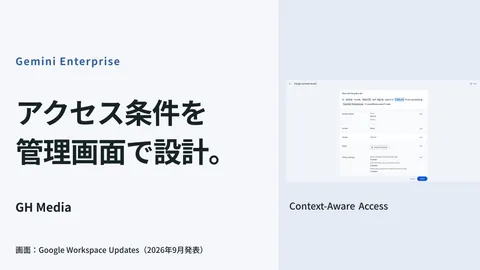
Applying a uniform setting across all staff inevitably causes strain on one group or another. Differentiating configurations by department works best when coordinated with Organizational Units (OUs) and access condition rules. Restricting entry points, including whether access should be allowed from anywhere, is covered in our Article on Context-Aware Access.
Establishing a Mechanism to Catch "Silent Default Changes" Early
The common pitfall with both 2SV and session policy updates is having missed the announcements. Google Workspace provides built-in mechanisms for administrators to discover these updates ahead of time.
| Impending changes | Consequence | Advance actions required |
|---|---|---|
| Mandatory admin 2-step verification | Admins lose login access after grace period | Enable immediately; prepare backup admins and recovery methods |
| Shortened session durations | Periodic re-authentication required | Adjust durations by department; notify staff |
| Expanded admin password reset notifications | Reset events detected and notified across all admin roles | Designate Alert Center recipients and review owners |
Regarding the third item, administrator password reset alerts—which were previously restricted to super administrators—have now expanded to cover all administrator roles across the organization. If an admin password is unauthorizedly reset, it could signal an account takeover in progress. Many companies leave Alert Center routing pointed to unmonitored shared inboxes. Simply deciding who receives and reviews these alerts can fundamentally improve incident response.
Case Study: Rebuilding Access for a Company Whose Admin Was Locked Out After Overlooking Notices
Here is a specific example. A company of about thirty-five employees (name withheld) contacted us stating: "We can no longer enter the Admin console, even though we haven't changed any settings." The cause was that the representative had ignored the mandatory admin 2SV notice for weeks. Access was restricted once the grace period expired, and because that individual was the sole administrator, no one in the company could modify any settings.
In this case, we began by regaining access for the representative through Google's account recovery process. After recovery, our first priority was properly configuring 2SV for the representative and securely storing backup codes. Next, we assigned administrative privileges to the head of accounting, establishing a two-person system. Finally, we updated the Alert Center routing to an email address checked daily and documented an internal policy: "Never ignore Google administrator update notices." What solved the problem was not complex engineering; it was preventing single-point admin dependency and ensuring someone reviews change notices. These two adjustments alone ensured the lockout would not happen again. Distributing administrative privileges connects directly to the concepts in our guide on Separation of Administrative Privileges.
First, Designate an "Alert Monitor" and a "Backup Administrator"
In 2026, Google Workspace is evolving to become more secure by default. While this trend is positive, unmonitored default updates translate directly into workplace confusion. Before tackling complicated security configurations, establish two fundamental rules: assign someone to monitor Google's admin notices and alerts, and avoid concentrating administrative privileges in a single person by setting up a backup administrator and recovery mechanisms.
Having these two pillars in place allows you to anticipate and address sudden login disruptions or audit discrepancies before they escalate. Establishing an operational workflow to catch changes early is the most cost-effective precaution an SME without dedicated IT personnel can take, far outweighing the rush to layer complex controls.
If you are unsure whether your company has received actionable notices, feel uneasy about having only one administrator, or want to tailor departmental login policies seamlessly, please feel free to request a free IT and Google Workspace consultation with GleamHub. From auditing change notifications to restructuring administration and sequencing settings to prevent lockouts, we will tailor our support to your operations.
Sources
- Google Workspace Updates: What’s new in Google Workspace
- Protect your business with 2-Step Verification | Google Workspace Help
- Deploy 2-Step Verification | Google Workspace Help
- Google Cloud Session Duration Defaults Changing from June 8, 2026 | DevelopersIO
- Data regions and the Alert center | Google Workspace Admin Help