An employee gives notice, and you want to review their recent activity just in case. You open audit logs in the Admin console and filter download records. Around 300 file downloads appear. Getting this far works as expected.
The problem begins right after. What kinds of files are listed? Are they company assets or personal drafts? Were they downloaded from a company-issued PC or a personal smartphone? Without answers to these questions, you cannot determine whether data exfiltration occurred or if everything was benign. Having records but being unable to make a judgment is the actual dead end administrators face.
Why logs ended up merely "existing"
Audit logs record operations: who did what, when, and to which file. This baseline data has long been available. What was missing was information that provides context to those operations.
For instance, when looking at a single file download, what an investigation genuinely needs to know includes:
- Whether the file belongs to a shared drive or the employee's personal My Drive
- Whether the owner is the departing employee or someone from another department
- Whether the operation occurred on a company-managed device or an unmanaged one
- Whether other operations took place from the same device around the same time
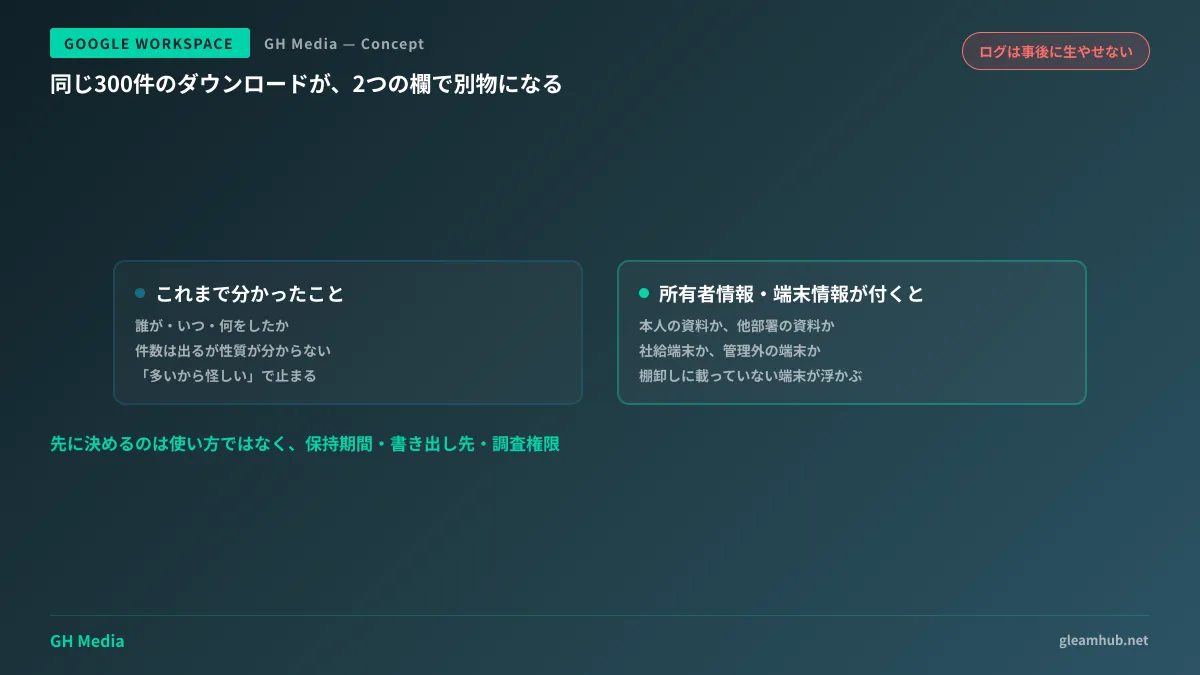
Without this context, judging activity solely by the raw number of events degrades into simplistic assumptions: "high volume looks suspicious, low volume looks safe." A batch of 300 downloads can happen simply when someone organizes materials they created themselves. Conversely, downloading just five quote sheets owned by another department could represent a far more serious incident.
The two newly added fields
Fields providing this context have been added to Google Workspace audit logs and the security investigation tool. Announced in March 2026, they have been rolling out sequentially since spring 2026.
The first is Owner details. This indicates resource ownership and consists of two elements: the owner type (an individual user, organization, group, or shared drive) and the owner's identifier (the specific ID or email address).
With this data, the 300 download records mentioned earlier can be broken down. You can separate files owned by the employee from those owned by colleagues or other departments. For the first time, audit logs can distinguish between "organizing one's own documents" and "collecting files from other departments."
The second is User device info. This captures details regarding the device used for the operation, recording device IDs, OS versions, device types, and more.
Distinguishing company-issued devices from unmanaged devices is a major milestone. In organizations with endpoint management, administrators can cross-reference the recorded device ID against their managed inventory. Bulk downloads from an unmanaged device immediately warrant prioritized investigation.
These fields appear not only in the Admin console investigation interface, but are also included in events exported to the Admin SDK and BigQuery. For organizations centralizing logs in external data warehouses, this simply expands the columns available in existing reporting queries.
Logs are the one thing you cannot create after an incident occurs
More critical than the added features is the operational reality that this type of data cannot be generated retroactively. Once an incident occurs, wanting to see device info for that day is useless if it was never recorded in the first place.
Therefore, administrators should focus not merely on how to use the new fields, but on the prerequisites leading up to them.
| What to verify | Commonly overlooked points |
|---|---|
| Audit log retention period | Varies by edition; investigating departing employees can require looking back several months |
| Endpoint management enrollment status | Capturing device info is useless for investigations unless it can be cross-referenced with your asset ledger |
| Log export destinations | Without exporting to BigQuery or similar storage, analysis beyond default retention limits is impossible |
| Who can access logs | If investigation privileges are concentrated in one person, audits halt if that person is the subject |
The most common oversight is the first row. Assuming you can "just look when needed" backfires when the retention window has already expired by the time a need arises. Investigations into departing employees often need to go back several months prior to their formal resignation.
The fourth row is equally vital in practice. Having only one IT staff member hold investigation permissions breaks down if that person's own conduct needs review. Delegating permissions is covered in Delegating administrator privileges and least privilege. Designing active alert notifications is detailed in Detecting insider threats with audit logs and alerts.
The other significance of capturing device info
Device info is not merely for post-incident audits. Reviewing it regularly reveals unexpected access routes.
A frequent scenario involves employees adding their corporate account to a personal smartphone and forgetting about it. With no ill intent, it was configured once years ago; yet the account remains active, granting ongoing access to email and Drive. Capturing device types and OS versions brings these "uninventoried devices" to light.
Devices left on outdated operating systems present a similar risk. Logging OS versions means you can list all devices accessing resources from unsupported OS releases. Attackers routinely target these endpoints that fall outside IT governance. For mechanisms binding post-login sessions to physical devices, refer to DBSC for countering session cookie theft.
Actions for this month
Before writing an investigation manual, verify your retention periods and log export destinations just once.
Check your organization's edition and audit log retention period in the Admin console to ensure the window is not shorter than the timeframe you might need for employee investigations. If it is too short, you must decide whether to set up log exports or evaluate edition upgrades. This can only be decided before an incident happens.
Next, try sorting Drive download records from the past month by the owner details column. Users downloading large volumes of files owned by others will appear at the top. In most cases, these individuals have legitimate business justifications. Knowing who they are establishes the baseline needed to spot true anomalies when it matters.
If you lack a dedicated IT department and want to establish baseline auditing and investigation capabilities, GleamHub offers free IT and Google Workspace consultations. Because optimal configurations depend on specific needs, we provide tailored quotes. Contact us via our inquiry form.
Sources
- Changes to make auditing and investigation easier — Google Workspace Admin Help
- About the security investigation tool — Google Workspace Admin Help
- [For Admins] Google Workspace audit logs upgraded! In-depth guide to advanced security investigations and new fields — Komalog
- Google Workspace security configuration review guide 2026 — CloudNative BLOGs