
You submit a proposal for internal review. Opening the document the next day reveals 50 comments: sales feedback, managerial questions, typo corrections, and notes saying "this looks great." Sorting out which comments must be resolved before submission takes just as long as drafting the text itself.
To make matters worse, feedback often conflicts. Sales asks to "put pricing up front," while management demands "fleshing out problem analysis before mentioning price." Deciding between them, replying to justify your choice, and checking whether both sides agree must happen before touching the document. Review cycles failing to close in a single day are almost always due to this back-and-forth.
Starting July 28, 2026, Gemini is integrated directly into Google Docs comment threads.
Four things Gemini can do with comments
Google's rollout of Gemini-powered comment workflows enables Gemini to read across an entire document's comments. Its capabilities fall into four main categories:
- Cross-comment summaries and inquiries. You can prompt it with queries like "Summarize all of Person A's comments" or "Based on the comments, what issues remain unresolved?"
- Adding comments. You can delegate writing action items, such as "Add a comment asking Person B to verify the figures in the launch preparation section."
- Drafting replies. It generates context-aware reply drafts for the active thread.
- Proposing document edits. Instructing it to "rewrite the introduction incorporating Person B's feedback" outputs suggested edits that apply directly to the body once approved.
Rolling out gradually from July 28, 2026, the feature may take up to 15 days to appear. There is another easily overlooked limitation: only users with edit access to the document can use this feature. It does not appear for members with view or comment-only permissions.
The "edit access required" restriction is actually the operational turning point
Requiring edit access is not merely a feature constraint; it can be reinterpreted as a prompt to determine who drives the review.
External partners or internal staff with view- or comment-only access cannot use this feature. Consequently, triaging stacks of comments always falls to document owners holding edit access. The responsibility of organizing and responding to 50 comments remains with the original author, just as before. However, the nature of that work changes.
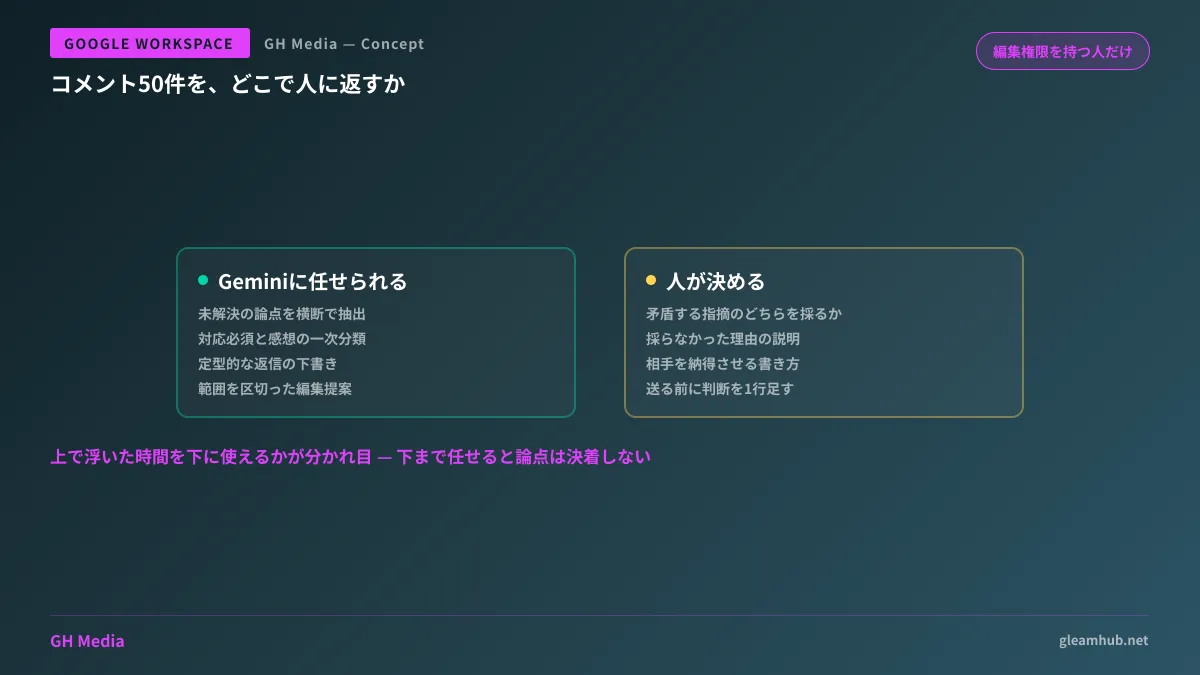
| Tasks in a review | Can it be delegated to Gemini? |
|---|---|
| Extracting unresolved points from all comments | Can be delegated |
| Initial triage separating mandatory fixes from impressions | Can be delegated |
| Drafting routine replies (acknowledged, fixed, discuss separately) | Can be delegated |
| Deciding between contradictory feedback | Decided by humans |
| Phrasing decisions persuasively to gain consensus | Written by humans |
Whether you can invest the time saved on the top three items into the bottom two is everything. Attempting to delegate the final two items to Gemini produces tidy replies without actually resolving core debates, stalling the review in the exact same spot.
Three points to align on beforehand to avoid chaos
There are three points your organization should align on before adopting this feature.
First is setting a boundary: never send Gemini's drafted replies as-is. While drafted replies are generated with context in mind, the danger is that it can easily write "We'll take care of it." If a positive response is sent to feedback that hasn't actually been decided on yet, the other party will assume the matter is settled. Operating with the rule of reading drafts as just drafts and adding one line of your own judgment before sending keeps things safe.
Second is how diffs look after applying editing suggestions. If asking it to "rewrite reflecting the feedback" alters large swathes of the body text, other reviewers won't be able to track what changed. Requesting edits within a scoped range (just this section, just this paragraph) ends up finishing faster. Managing the structure of long documents itself falls under Google Docs tabs and pageless view.
Third is handling information written in comments. In review comments, people casually post unannounced pricing or personal names. Because Gemini reads and summarizes them, this is directly tied to organizing what your organization allows Gemini to read. The approach to administrator settings is covered in Temporary chats and retention policies in the Gemini app.
When review delays stem from elsewhere
If you have read this far and felt that "comment volume isn't what makes our reviews slow," that intuition may well be correct. A common case is that the granularity of review requests is simply too large to begin with. Submitting the finished deliverable all at once results in 50 comments. If you submit chapter by chapter, it takes only 5 comments each time.
For reviews involving diagrams or slides, changes allowing you to generate and edit diagrams directly in Google Docs (Creating diagrams with Gemini in Google Docs) or running video reviews with timestamped comments (Timestamped comments in Google Drive) can be more effective in certain situations. Measuring where work is stalling before adding more tools is well worth it.
If you try it this week, follow this order
First, pick one in-progress document and try only this: "Based on the comments, list the points that remain unresolved." Whether that matches your own understanding will tell you if this feature can be integrated into your workflow. If it matches, leave the initial triage to it; if it's off, adjust how you write your requests. Not starting with auto-generating replies is the trick to avoiding failure.
If it is difficult to finalize operational designs for document reviews or knowledge sharing internally, GleamHub offers free IT and Google Workspace consultations. Because appropriate permission design varies depending on your organization structure and how external partners are involved, please consult us individually. Reach out via Contact Us.


