"We want to move from Microsoft 365 to Google Workspace. But we stopped when we saw the migration quote." We regularly get this question from companies of around ten employees. The reason is that the quote for moving email and past files can be larger than the license cost itself.
That said, when you actually talk to these companies, many say things like "we do not use shared mailboxes" or "the files are just in each person's OneDrive." With a setup that simple, there is a real chance you can move it yourself.
In September 2026, a feature that imports Microsoft users and data directly as part of the initial setup flow of Google Workspace became generally available. Instead of going into the admin console and configuring a migration tool, the import entry point appears on the screen right after you sign up and verify your domain. There are conditions, however, and those conditions are exactly the line between companies that can move on their own and companies that cannot.
An import entry point now sits in the middle of setup
There are two steps. Connect to your Microsoft business account with global administrator credentials, and deselect any users or data types you do not want to import. That is all.
The timing is after domain ownership verification and MX record activation are finished, and before you complete setup. At that point the option to "import users from Microsoft" appears.
What moves is the existing users on the Microsoft side, plus their email, OneDrive files, calendar events, contacts and tasks. The difference from before is that creating user accounts and migrating data are connected in a single flow.
Ten users, and the Flexible Plan
There are two conditions, and neither is minor.
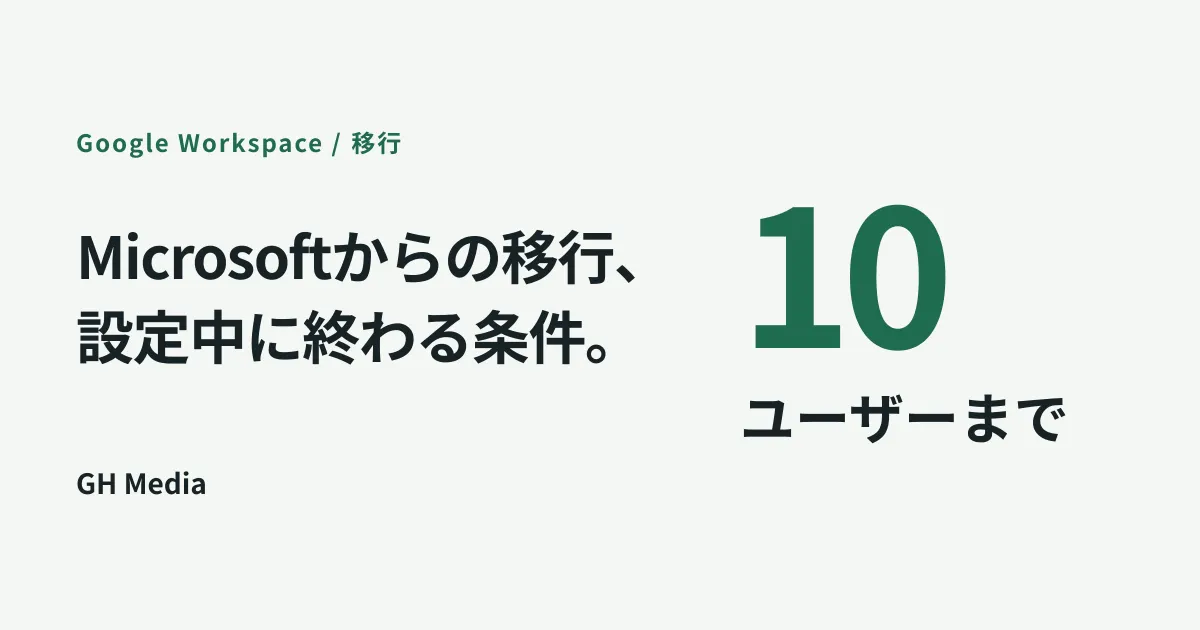
The first is headcount. This entry point imports up to ten users automatically. From the eleventh person onward, you use the admin console data migration as before.
The second is the contract plan. It applies only to the Flexible Plan (monthly billing with a variable user count). If you are on an annual plan or a fixed-term contract, you need to add licenses before the import.
In other words, what this feature assumes is "a company of ten people or fewer that is about to stand up Google Workspace." It is not something an organization already in operation adopts partway through, and it is not something a company of twenty people can use. Check first which side of the line your company is on.
What cannot be moved takes more work than what can
Even if you are under ten people and on the Flexible Plan, that does not mean everything is done. Migration effort usually balloons in the parts other than personal email and files.
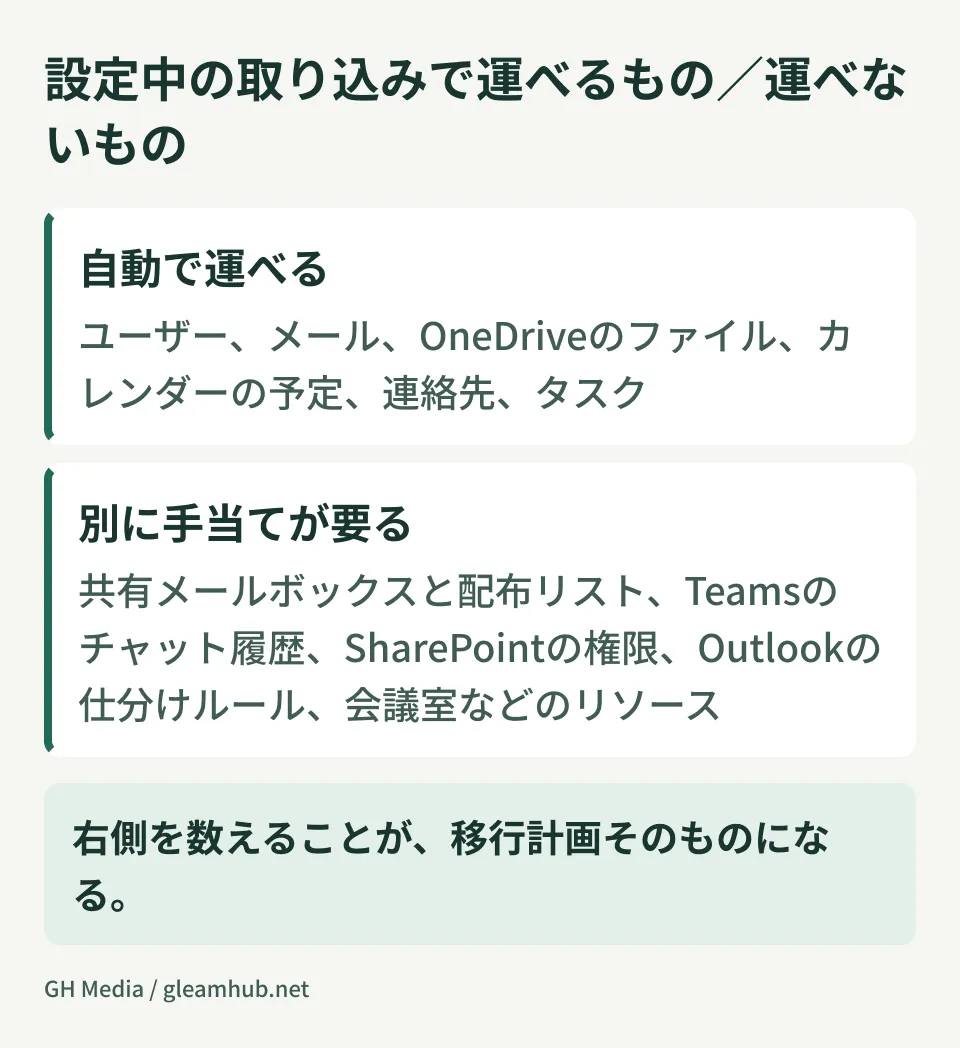
| Moved automatically | Needs to be handled separately |
|---|---|
| User accounts, email, OneDrive files, calendar events, contacts and tasks | Shared mailboxes and distribution lists, Teams chat history, SharePoint sites and permissions, Outlook sorting rules and signatures, resources such as meeting rooms, external sharing links, and SSO and device management settings |
Counting the right-hand column is what a migration plan really is. A few notes follow.
Shared mailboxes and distribution lists become groups in Google Workspace. There is no direct destination to copy them to, so work arises to decide again who receives which address. How many people watch info@ or support@, and whose name do replies go out under? Migrate without settling this and inquiries will be left hanging the day after the switch.
Teams chat history goes through a separate route from this import during setup. Because it requires a decision including whether to move it at all, running through the perspectives laid out in deciding whether to migrate Teams chat history first will keep you from getting stuck.
OneDrive files covers only the personal area. If department-shared files live in SharePoint, you need to design the shared drive structure first. How to import when you are dealing with a large volume of files is covered in advancing a large-scale migration with OneDrive data import.
What happens on switchover day
What is easily overlooked is the behavior at the moment you switch the MX record.
New mail starts arriving on the Google side, but because the import copies past email over afterward, the inbox looks empty right after the switch. This is when "my email is gone" inquiries come in from staff. Simply telling people in advance that "past email will arrive progressively" prevents this confusion entirely.
There is also the handling of email that arrives just before and after the switch. Because DNS propagation is staggered, mail from some senders keeps arriving at the old environment. Do not cancel the old environment right away. Run both in parallel for a while and allow a period to check that nothing was missed. Securing your data before leaving the old environment follows the same thinking as checking your exit routes out of Google Workspace first, only in the opposite direction.
Companies that do it themselves, companies that hand it over
If you were to draw a line, it is more practical to look at the following three things rather than headcount.
- How many shared addresses do you operate? If the answer is zero, doing it yourself is well within reach. If there are three or more and each has different recipients, you need to start from design
- Are there hours you cannot afford to go down? Industries where orders or bookings arrive by email need a designed switchover window and parallel period. If the work can be caught up the next day, the risk is small
- How far back do you need past email to go? If statutory retention or litigation response requires the full period, you need a separate step to verify that the import is complete
If all three lean toward "no," the import during setup is enough. If even one of them is heavy, it is fine to consult on just that part. It is not a binary choice between handing over everything and doing everything yourself.
What to do next
First, count the active users on your current Microsoft side. If it is above ten, this entry point does not apply to you. Then produce a list of shared mailboxes and distribution lists. You can pull it as a list from the admin center, so it takes five minutes.
Once you know these two things, you can almost always judge whether you can proceed on your own. Start from wherever the judgment is clear.
At GleamHub, we offer free IT and Google Workspace consultations on Google Workspace migration planning, designing shared addresses and groups, and the sequence of steps for switchover day. Because the approach depends on how you currently use these tools, please get in touch via Contact.
Sources
- Seamlessly import your team and data from Microsoft to Google Workspace during setup — Google Workspace Updates
- Google Workspace Weekly Recap - September 11, 2026 — Google Workspace Updates
- Import data during setup — Google Workspace Admin Help
- Small businesses can now seamlessly import users from Microsoft to Google Workspace — Google Workspace Updates