Run an external-sharing review once and roughly the same things surface. The folder of proposal materials handed over for a pitch six months ago. The specification shown to last year's contractor. The spreadsheet where an agency you no longer work with still sits as an editor.
Every one of them was the right call at the time. The only problem is that nobody decided "until when" at the moment of handing it over. You may intend to remove the sharing once the engagement ends, but nobody remembers a file's sharing settings at the moment an engagement ends.
You can now set a sharing expiration on files and folders in shared drives. Specify the expiry in the sharing dialog as you hand something over, and access is cut automatically on that day. Closing it stops being a thing you have to remember.
Where it works, and where it does not
Pinning down the scope first saves you from hesitating when you write the operating rules.
The rollout has been phased since November 2025, reaching rapid release domains from November 4 and scheduled release domains from November 13. It is available on the Business editions of Google Workspace, Enterprise, Education and the Google AI plans.
Worth noting is where you can operate it. Expirations can be set from the web and from Android, but not from the iOS app. If the people who most often hand things over on the road are iPhone users, the practice of "set the expiry as you share" simply does not hold there. For them, either plan on adding the expiry from the web afterwards, or move the sharing action itself to a PC.
One more thing: this feature has no admin control and is available by default. Administrators cannot force expirations to be set, and equally cannot turn the feature off. Whether it gets used comes down to whether the people doing the work know about it. That is the crux of the operating design.
Why "I will revoke it later" never happens
Manual revocation does not stick because of how the work is structured, not because of anyone's attentiveness.
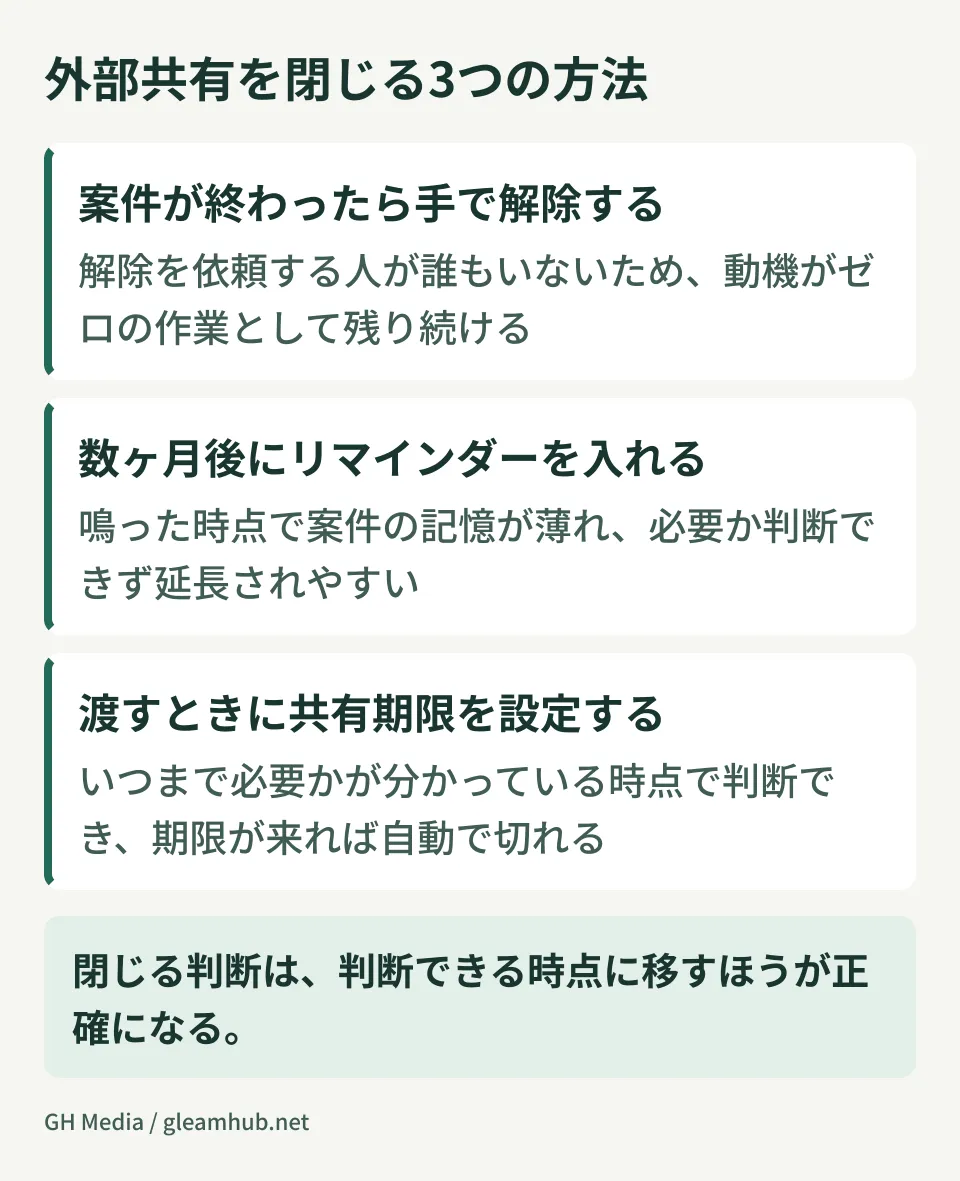
At the moment sharing starts there is a request from the other side, you are in a hurry, and the purpose is clear. The motivation is strong, so it gets done. At the moment sharing should end, no request comes from anyone. People may be glad an engagement is over, but nobody says "please cut their access." Work with zero motivation does not get done however thoroughly you write it into a procedure.
Setting a reminder is another common attempt, and it is also weak. By the time a reminder fires three months later, the memory of that engagement has faded. You think "this might still be needed," and extend it for now. Anything extended never closes.
Expiring shares work because they move the decision to the point where you can make it. At the moment of handing something over, you know how long it is needed. Until the pitch result is announced. Until the contract ends. An expiry decided at that point is more accurate than one you try to recall later.
The right number of days follows the shape of the engagement
If you think about the length every time, you will end up filling in "one year" by default. It is more practical to set a default per type of engagement.
- Proposal and pitch materials — until one or two weeks after the expected decision date. This keeps your materials from living on with a party that did not select you
- Sharing with contractors — until the contract end date. Extend the expiry whenever you extend the contract, and the contract and the sharing never drift apart
- Joint work with clients — until the project milestone. For long engagements it is safer to re-cut the expiry phase by phase
- Material shown only once — a few days. Copies of quotations and invoices, evidence for a review, and anything else the other side only needs to download, should be cut short
When in doubt, go shorter. If an expiry is too short the other side contacts you and you extend it; if it is too long nobody contacts you at all. The principle is to tilt toward the direction where the inconvenience becomes visible.
What expirations cannot close
This feature works on what you are about to hand over. It does nothing about what is already out there. That is separate work.
To get a picture of the sharing already exposed externally, the review covered in counting external sharing in Drive is the starting point. Once you can see the numbers, work through the steps in reclaiming files handed out as "anyone with the link", closing link-shared items first.
The natural order is to stop the bleeding with a review of the current state, then make expiring shares the rule for new ones. Reverse it and everything you hand over from now on is clean while the old material lingers.
One note: if you try to share and are stopped by a message such as "can only be shared within your organization's apps," then sharing itself is blocked by an admin setting, before any question of expiry. To narrow that down, check the four layers to look at when external sharing is blocked first.
The one line to add to your policy
Because administrators cannot enforce this feature, how you word the rule decides the outcome. Writing something abstract like "set an appropriate expiration" will not be followed.
Add this to your internal sharing policy: "When sharing with an external address, set an expiration in the sharing dialog. If you cannot decide on an expiration, do not share it at all." The second half matters. Not being able to decide on an expiry means you do not know how long it is needed, and that is a signal to rethink what you are sharing and how.
Sorting out how you handle accounts for each external party also reduces what you have to manage with expirations. As set out in collaborating through guest accounts, preparing a shared workspace is sometimes faster than sharing files one at a time.
What to do next
Open three files you shared externally in the past month and check whether an expiry is set. If not, you can set one now. You do not need to fix everything from the past; the ones on live engagements are enough.
Then, the next time you hand something to an external party, try using the expiry field in the sharing dialog once. Using it once is enough to feel that closing the share is no longer something you have to remember. Writing the operating rule can come after that.
GleamHub offers external-sharing reviews for Google Workspace and help putting sharing policies in place, through our free IT and Google Workspace consultation. Where to start depends on how much sharing there is and how external parties are involved, so please get in touch from our contact page.
Sources
- Google Drive can now set expirations on files and folders in shared drives — HelenTech
- Setting expirations on Google Drive sharing gets easier — PC Watch
- Setting sharing expirations on files and folders in shared drives — Gmail and Google apps blog
- The Google Drive API now supports setting expirations on shared drive files — Dontokoi Google Workspace