An internal request form pushes its tallies into a Google Sheet. At the start of each month, the user list is exported for review. It is not unusual for a single IT team member to have kept Google Apps Script (GAS) like this running for years. Nobody touches it, so as long as it works, its very existence is forgotten.
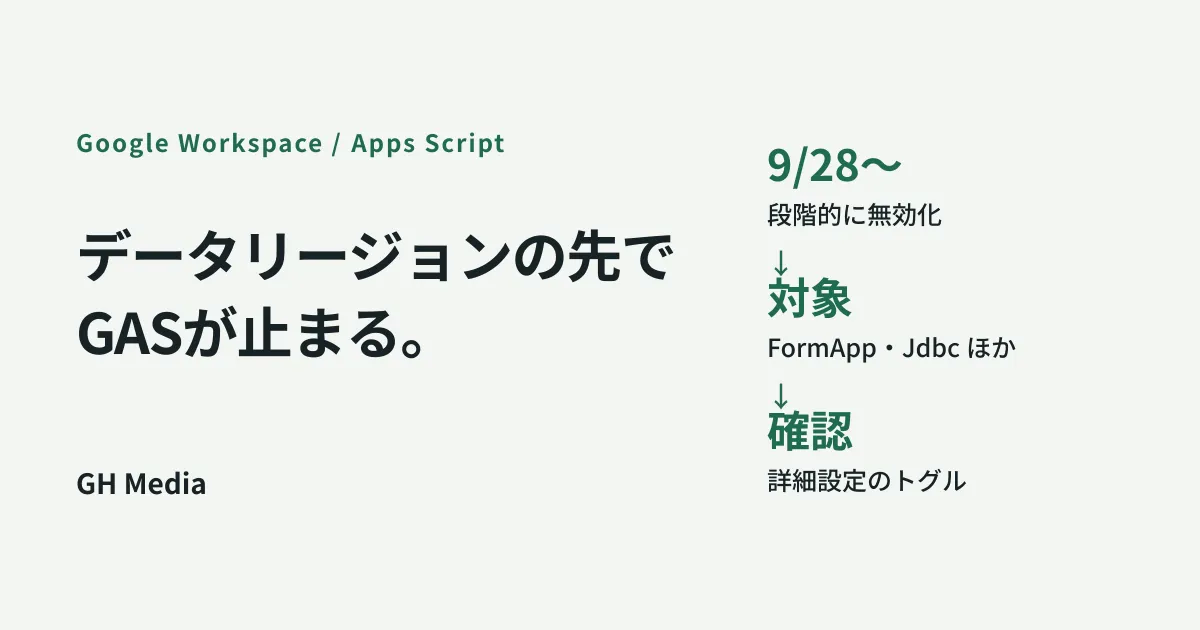
That GAS may stop working, in stages, from the end of September 2026. The scope is narrow: it affects organizations that strictly limit where data is stored in their data regions advanced settings. If that sounds like your setup, it is safer to check before September 28 rather than wait.
Only organizations that narrowed down where their data lives are affected
Google Apps Script is in the middle of moving to a model that keeps the data it processes inside designated regions. As part of that transition, non-regionalized services will be disabled starting in September 2026.
The organizations affected are those that have turned on the toggle in the Admin console’s data regions advanced settings that disables features processing Drive and Docs data outside designated regions. The gradual rollout begins on September 28, 2026, and applies to all Google Workspace customers and Workspace Individual subscribers.
Put the other way round: if your organization has never touched that toggle, this change will not stop your GAS. Start by checking only one thing — whether the toggle is on. If the answer is no, you can stop reading here.
For how data regions work and where the limits of that control lie, see Google Workspace data regions and where processing happens.
It is not “which script” that stops, but “which class”
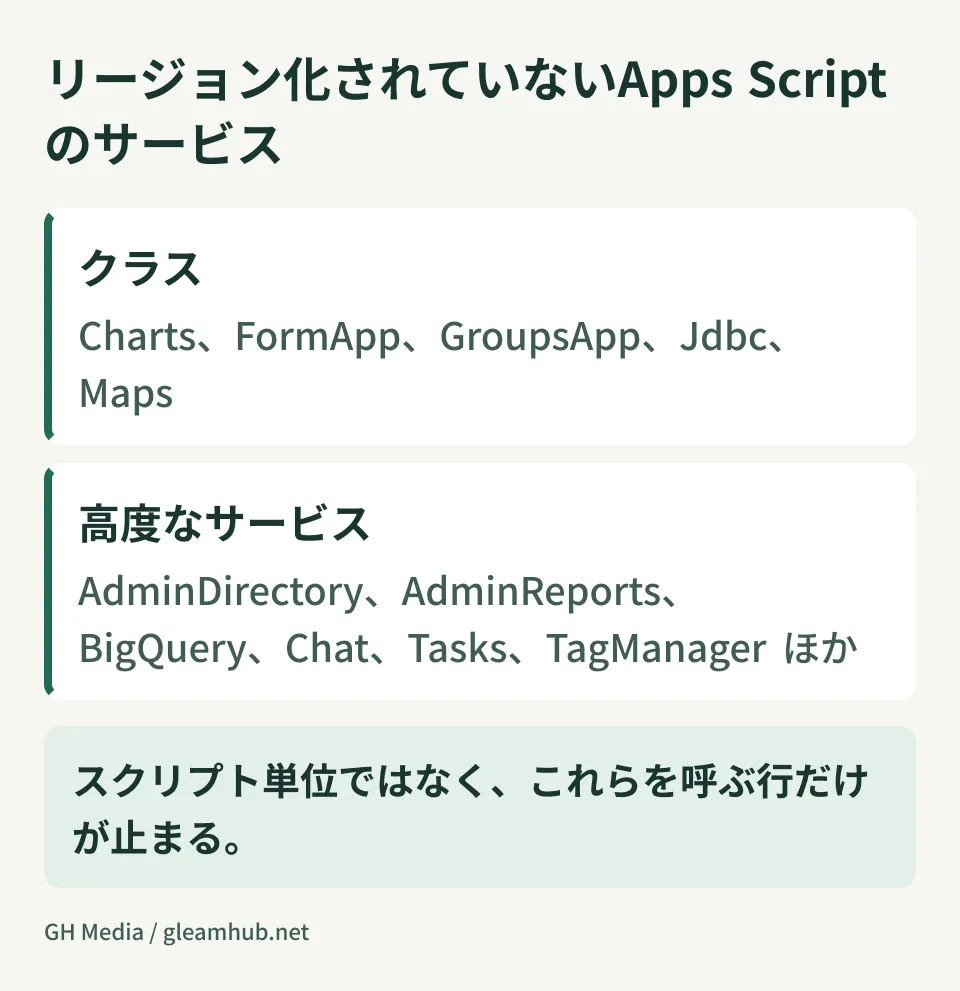
This is the part that is easily misunderstood. Disabling does not happen per script, nor per project. The lines that call specific classes and advanced services are what stop. If a single script mixes affected and unaffected calls, only those lines fail.
| Classification | What it covers |
|---|---|
| Non-regionalized classes | Charts、FormApp、GroupsApp、Jdbc、Maps |
| Non-regionalized advanced services | AdminDirectory、AdminReports、AdSense、Analytics、AnalyticsAdmin、AnalyticsData、BigQuery、Chat、Classroom、ShoppingContent、MerchantApi、DoubleClickCampaigns、TagManager、Tasks、YouTube、YouTubeAnalytics、YouTubeContentId |
In practice, these are the ones that tend to matter internally.
FormApp— processing that reads and transforms Google Forms responses from a script. Automation for requests, surveys and daily reports often sits hereAdminDirectory/AdminReports— user and group reviews, and sign-in status reports. If your IT team’s monthly routine is automated this way, you will find out at the start of the monthGroupsApp— processing that fetches group members and reconciles them against permissionsJdbc— scripts that connect directly to an internal MySQL or SQL Server. Setups that pull core data into Google Sheets deserve particular attentionChat— processing that sends notifications to Google Chat. Incident alerts and reminders quietly stop arriving
The combination of Jdbc and Chat — the monitoring script that checks an internal database and posts to Chat when something looks wrong — is the frightening case, because nobody notices when it stops. From the recipient’s side, “no notifications” and “nothing wrong” look identical.
Checking whether you are affected in 30 minutes
Work through it in order.
- Check the setting in the Admin console. Open Data > Compliance > Data regions > Advanced settings and look at the state of the toggle for Drive and Docs. If it is off, you are done here
- Inventory the scripts that are running. GAS tied to individual accounts is genuinely hard to list. At minimum, pick up the container-bound scripts attached to Sheets and Forms on shared drives, plus the standalone script projects
- Search the source as plain text. Search for the class and service names in the table above exactly as written. Including the dot —
FormApp.,AdminDirectory.,Jdbc.— cuts down false positives. Advanced services also leave a definition independencies.enabledAdvancedServicesofappsscript.json, so check there as well - Write down the impact if it stops. A script whose “who is inconvenienced if this stops” cannot be written in one line is usually one you can let go. Taking stock at this point reduces the workload considerably
On dealing with long-neglected GAS, deciding whether to keep maintaining Google Apps Script covers more ground, but the case that eats the most time is the person who wrote it has left the company. Secure someone who can read the source first.
What you can do when something stops
If you find affected code, there are broadly three routes.
Rewrite against a regionalized alternative. This is the most straightforward. For example, instead of reading form responses with FormApp, you can often have the responses written to a spreadsheet and process them with SpreadsheetApp. Not everything maps across, but it is enough for simple tallies.
Move the processing out of Apps Script. Anything reading an internal database directly through Jdbc was always heavy for GAS to carry. Treating the data region constraint as the trigger to move it to a server-side batch is easier to manage in the long run.
Revisit the toggle itself. Check whether the strict data region setting is genuinely required for regulatory compliance, or was switched on as a precaution. If it is the latter, there is room to re-evaluate whether it is worth the cost of work stopping. That said, this is not for the IT team to decide alone, so make the call together with legal and management.
In every case, work backwards from the assumption that the rollout is staged from September 28 onwards. Because it does not arrive everywhere at once, concluding “it still runs, so we are not affected” is premature.
Common pitfalls
How hard this is to notice in the execution logs is the biggest difficulty with this change. When a GAS trigger run fails, nothing appears on screen. Check whether the executions dashboard and failure notification emails are enabled at the same time as you do the review.
One more thing: scripts under individual accounts. Automation the administrator does not know about is, if anything, evidence that people are improving their own work. If you frame the review as “stop doing things without permission”, the information stops coming, so asking people to tell you what would hurt if it stopped collects far more.
What to do next
The first move is simply to look at the state of the toggle in the Admin console. If it is off, this does not apply to you and there is no work to do. If it is on, move on to inventorying your scripts.
GleamHub offers free IT and Google Workspace consultations covering reviews of Google Workspace data region settings, taking stock of and rewriting internal GAS, and designing the parts that should move out of Apps Script. Because the approach depends on your current settings and the scripts you are running, please get in touch through the contact form.