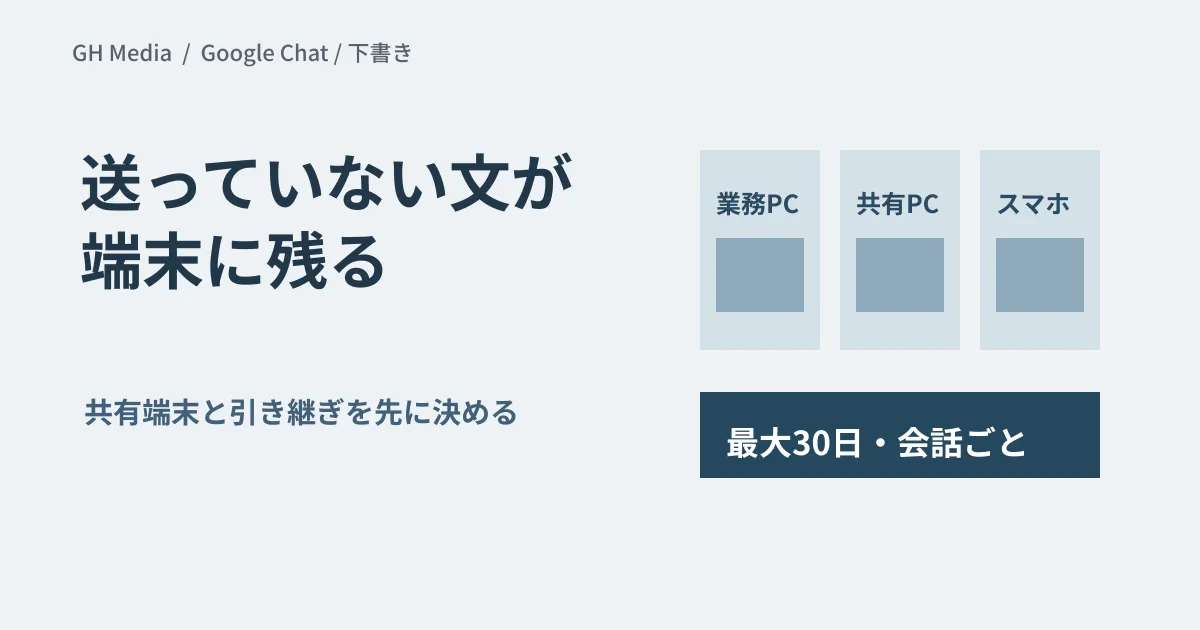
On a shared PC in a store or warehouse, a message someone on the previous shift started writing is still on the screen. Half-written text now stays even if you close Chat or restart the device, and the same draft also shows up on the other devices that person uses.
Persistent drafts in Google Chat automatically save unsent messages and sync them across devices. The feature makes it easier to pick up where you left off, but it changes some of the assumptions behind how shared devices and handovers are managed.
Drafts are saved per conversation, for a limited period
According to the official announcement, drafts are saved per conversation: for each direct message, group DM and space. They remain even if you close the app or restart the device, and unsent drafts are kept for up to 30 days. According to the Chat Help Center, the 30 days are counted from the last time a draft was edited, up to 100 drafts can be stored, and once that limit is reached the oldest drafts are deleted first.
Two things need to be kept apart here: a draft has not reached the recipient, and it does appear on the other devices the same person uses. Treat this not as a matter of messages sent by mistake, but as a situation where the same account is open on several screens.
Rollout dates differ by device type
| Target | Rollout per the official announcement |
|---|---|
| Web・Rapid Release | Gradual rollout from September 8, expected to be complete by September 15 |
| Web・Scheduled Release | Gradual rollout from September 22 (up to 15 days for feature visibility) |
| Android / iOS | Gradual rollout from September 28 (both release tracks; up to 15 days for feature visibility) |
It is available to all Google Workspace customers, Workspace Individual subscribers and personal Google accounts. The announcement states explicitly that there is no admin setting and no end-user setting for it. That means reviewing your operations on the assumption that it will arrive, not that you can turn it off.
Three situations most likely to be affected
Shared devices. Where several people use one device, everything rests on whether each person actually signs out when they finish. Drafts that persist expose any gaps in that sign-out practice as they are. If people share an account, assume that they share its drafts too.
Handovers and departures. Half-written messages do not show up in handover documents. If you add "check for drafts that were never sent and decide whether to send or delete them" to the procedure for handing over responsibilities, fewer messages will be left in limbo. The Help Center says the Drafts shortcut in the left sidebar lets you view and manage drafts across conversations. What happens to drafts after an account is suspended cannot be determined from publicly available information.
Drafts in spaces. Unlike messages to individuals, spaces have many members, and when a half-written message is sent a few days later, the circumstances it assumed may have changed. The more a message involves dates or amounts, the more you need the habit of rereading it before sending.
The mobile rollout is slated to begin on September 28. If you allow personal devices to be used for work, half-written company messages will also remain on employees' own smartphones. If you already have a device management policy, use this change as an opportunity to check the covered apps against your wipe procedure for departing employees, so that the policy matches reality.
What admins should check first
- Spend a day on site checking whether the sign-out procedure for shared devices is actually being followed
- Add a check of drafts to the handover and offboarding checklists
- Check the admin help pages for how drafts are treated in audits and in Vault under your own subscription
- In internal announcements, add the sentence "Messages you have not sent will also appear on all of your devices."
The third item is something this article could not confirm. The official announcement and the Chat Help Center mainly describe the feature for users, and they do not tell us whether retained drafts fall within the scope of an investigation. We do not draw a conclusion here; organizations that need to know should confirm this first. We cover how to go about reviewing logs in investigating with audit logs.
Announce the situation, not the feature name
Writing "Persistent drafts are now supported" will not change how people behave on the ground. Explain it as something that happens on that device, for example: "On shared PCs, a half-written message will still be there the next time Chat is opened. Please sign out when you finish your work."
We cover the basics of using Chat in our Google Chat guide, and how to decide whether to consolidate tools in consolidating business chat.
We checked the official announcement and the Google Chat Help Center through web searches on September 24, 2026, and organized this research article based on them. Saving, syncing and retention of drafts in the Chat interface have not been tested on actual devices, and how drafts are handled in audit logs and Vault has not been confirmed.
For help with managing shared devices or designing account handovers, please consult GleamHub.