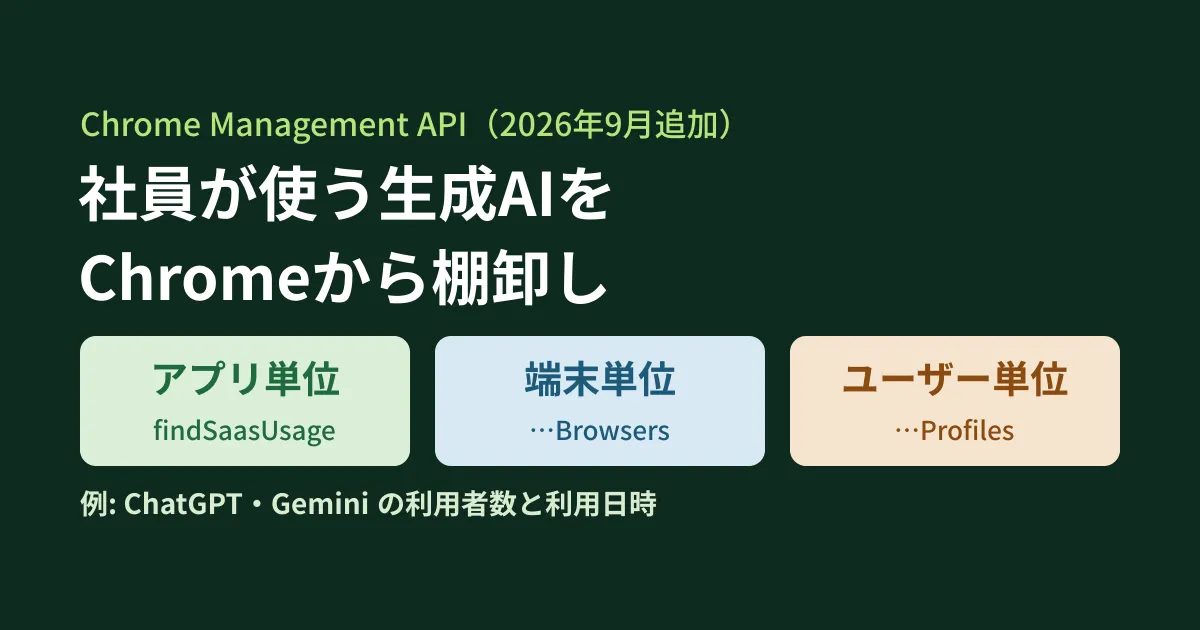
You set out to create rules for AI use, were first asked "Which generative AI services are employees using right now?" and could not answer. Even a survey will not capture services someone opened only once in the browser. If your company's Chrome is managed in the Google Admin console, can that usage be collected from the browser side? This article answers that question.
In a September 2026 update, the definition of the Chrome Management API, which is used to manage Chrome, gained three methods that return SaaS usage. In the Admin console, "Gen AI and SaaS app usage reporting" is being rolled out gradually in Chrome 150 to 151 as a Chrome Enterprise Core feature, and these appear to be its API version. The parameter descriptions give ChatGPT and Gemini as example app names. Below, based on the original text of the API definition (Discovery document) and the Chrome Enterprise Help Center and release notes, we check what is returned and what must be configured first, then summarize the steps to get started and considerations for employees as the editorial team's analysis and suggestions. Because we do not have credentials, we did not actually call the API.
The three new reports
In the Chrome Management API v1 Discovery document retrieved on October 10 (revision 20261008), customers.reports has the following three methods. All are read-only GET methods, and the required scope is https://www.googleapis.com/auth/chrome.management.reports.readonly (described as "See reports about devices and Chrome browsers managed within your organization").
| Method | Aggregation unit | Main fields |
|---|---|---|
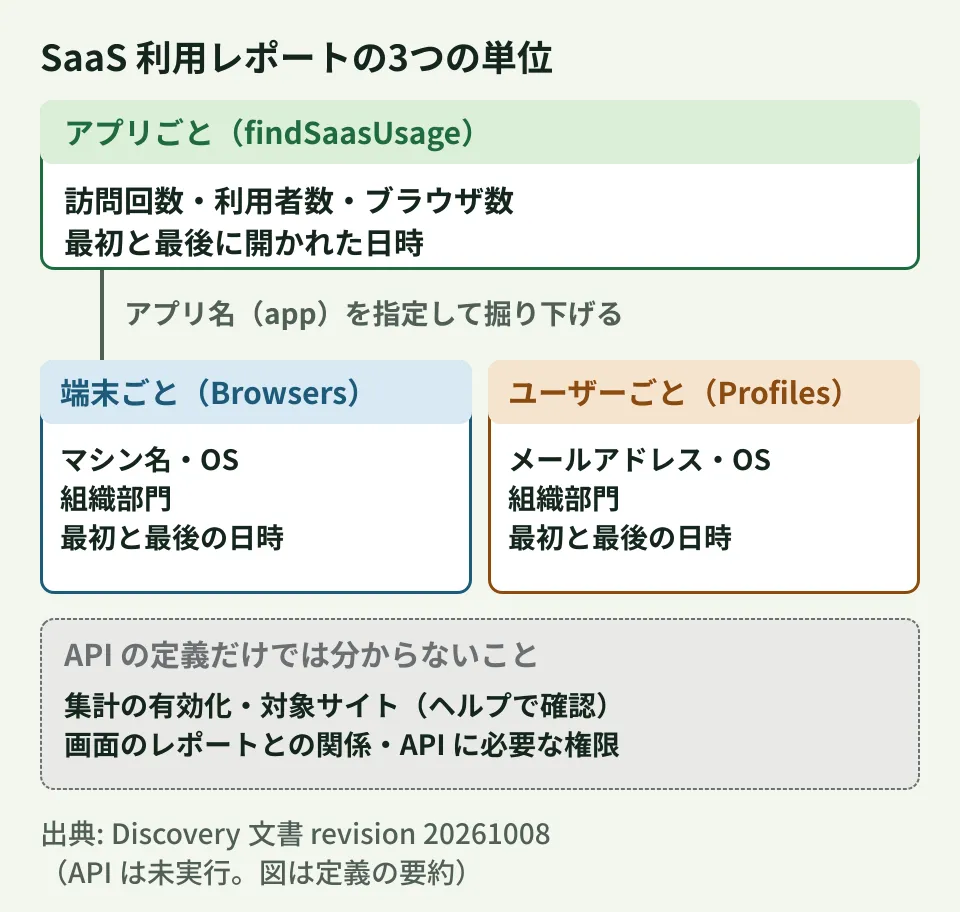
findSaasUsage | Apps | App name, category, visit count, number of users, number of browsers, first and last use date and time, number of content transfers |
findSaasUsageBrowsers | Browser (device) | Machine name, OS, organizational unit, date and time first and last opened in that browser |
findSaasUsageProfiles | Profile (user) | User email address, OS, organizational unit, date and time first and last opened |
In the history of the definition stored in Google's published Go client (googleapis/google-api-go-client), all three were added in a commit on September 12, 2026 (df333cb, updating from revision 20260715 to 20260907). In other words, they are not in the July 15 definition but are in the September 7 definition. The developer reference page for findSaasUsage (updated September 8, 2026) contains the same information.
Fields returned by each report
Per-app list (findSaasUsage)
Each entry returns the app name (app), category, the developer's organization name and headquarters location, related domains, and more. The following fields indicate the amount of use.
visitsCount: "Total number of visits to the application."distinctUsersCount,distinctBrowsersCount: the number of users and the number of browsers that visitedfirstNavigationTime,lastNavigationTime: the date and time first and last openedcontentTransferCount: the number of content transfers. It is described as "if available"
Each entry also includes an organizational unit ID (orgUnitId), but the definition does not make clear whether results are returned as separate rows for each organizational unit.
Drilling down to devices and users (Browsers and Profiles)
The other two are called with an app name specified in app. app is a required parameter, described as "Required. The name of the SaaS application (e.g., ChatGPT, Gemini)." The order is to first get the list with findSaasUsage, then pass the name of an app you want to look into to drill down.
findSaasUsageBrowsers returns the machine name (machine), device ID, OS and version, and organizational unit. findSaasUsageProfiles returns the profile ID plus email, described as "Output only. The email of the user." In other words, you can tell who used the app by their email address.
Filtering, sorting, and page size
All three accept filter and orderBy. findSaasUsage can filter by org_unit_id, category, last_navigation_time, distinct_users_count, and more, and the description gives the following example.
(first_navigation_time < "2026-01-31T00:00:00Z" AND last_navigation_time > "2026-01-01T00:00:00Z") AND visits_count > 100
For sorting, adding "desc" as in visits_count desc gives descending order. Each call returns up to 100 results by default, with a maximum of 200, and you get the rest with nextPageToken.
What the Help Center and release notes tell us
The API definition only covers the fields and how to call them. Licenses and prior configuration are described in the Chrome Enterprise Help Center and release notes for the Admin console report of the same name. However, neither mentions the API, so we have not been able to confirm whether the conditions described here apply to the API as is.
Required licenses
Within the same API, the securityInsights method that aggregates URL visits says, "Requires a Chrome Enterprise Premium subscription. If the customer does not have this subscription, query results will be empty." The three SaaS methods do not have this sentence.
In the Chrome Enterprise release notes, the Admin console's "Gen AI and SaaS app usage reporting" is listed under "Chrome Enterprise Core changes," and at the announcement stage it said, "This report is available for Chrome Enterprise Core (CEC) and Chrome Enterprise Premium (CEP) customers only." It was offered early to Trusted Testers (early access participants) in Chrome 147, and is rolling out gradually from Chrome 150 on Windows, Mac, and Linux and from Chrome 151 on ChromeOS. Premium is required for the part that restricts detected usage with DLP (data loss prevention) rules. Note that a Google Cloud blog post on October 1, 2026 lists "GenAI and SaaS app reporting" among Chrome Enterprise Premium features, so the descriptions are not consistent. The safe approach is to try it on the assumption that it works with Chrome Enterprise Core, while first checking that it does not return empty results in your own environment.
What is aggregated and prerequisites
According to the Help article "View Gen AI and SaaS app usage details," what is aggregated is visits from managed Chrome profiles or managed browsers. This suggests that use outside Chrome, such as Edge, Safari, or the ChatGPT app on smartphones, is not included. The field names are also based on "navigation" (opening a page), and there is no field showing what was entered after opening it.
- Prior configuration: The Help article describes opening "Gen AI and SaaS app usage reporting" under [Chrome browser] > [Settings] > [Browser reporting] in the Admin console and checking that "Enable SaaS usage reporting" is selected (labels from the English version). Whether it is on by default is unclear, as the Help article and release notes describe it differently
- Target sites: The Help article lists the sites that are aggregated (about 130, including chatgpt.com, claude.ai, gemini.google.com, and notebooklm.google.com). Assume that services not on the list are not counted
- Admin privileges: The Help article says changing the setting requires the "Mobile Device Management" privilege, and viewing reports requires the "Chrome administrator" privilege. The privileges required to call the API are not stated
- Content transfers: The Help article describes this as "Sensitive content" (the number of transfers of sensitive content). We have not been able to confirm whether the API's
contentTransferCountis the same thing
None of the sources stated how long it takes for reports to be reflected.
Steps to try it
From here on, these are the editorial team's suggestions based on the definition. The request examples have not been run either, because we do not have credentials.
- Bring your company's Chrome under management. If you have not already, enable Chrome Enterprise Core in the Admin console and enroll Chrome with an enrollment token. The steps are covered in Bringing browsers with unchecked extensions under management at no extra cost
- Enable aggregation. Check at the top-level organizational unit that "Enable SaaS usage reporting," mentioned above, is selected
- Make the API callable. Enable the Chrome Management API in a Google Cloud project and get a token with the read-only scope above. You can use
customers/my_customerto specify the customer. The admin privileges required for the API have not been confirmed - Get the list of apps. Limit the time period and sort by number of users, highest first
- Drill down into apps of interest. Pass the
appvalue from the list as is to check devices and users
Drilling down by user looks like this with curl.
# 編集部の例(認証情報がないため未実行)。TOKEN は reports.readonly スコープを含むアクセストークン
curl -sS -G "https://chromemanagement.googleapis.com/v1/customers/my_customer/reports:findSaasUsageProfiles" \
  -H "Authorization: Bearer ${TOKEN}" \
  --data-urlencode "app=ChatGPT" \
  --data-urlencode 'filter=last_navigation_time > "2026-09-01T00:00:00Z"' \
  --data-urlencode "orderBy=last_navigation_time desc"
If you want to keep a monthly inventory in a spreadsheet, you can write out the list with UrlFetchApp in Apps Script.
// 編集部の例(未実行)。appsscript.json の oauthScopes に次の3つを加える想定
// chrome.management.reports.readonly / script.external_request / spreadsheets.currentonly
function exportSaasUsage() {
  const url = 'https://chromemanagement.googleapis.com/v1/customers/my_customer/reports:findSaasUsage';
  const q = { filter: 'last_navigation_time > "2026-09-01T00:00:00Z"', orderBy: 'distinct_users_count desc', pageSize: 200 };
  const rows = [];
  let token = '';
  do {
    const params = Object.assign({}, q, token ? { pageToken: token } : {});
    const qs = Object.keys(params).map(k => k + '=' + encodeURIComponent(params[k])).join('&');
    const res = UrlFetchApp.fetch(url + '?' + qs, {
      headers: { Authorization: 'Bearer ' + ScriptApp.getOAuthToken() },
      muteHttpExceptions: true,
    });
    if (res.getResponseCode() !== 200) throw new Error(res.getContentText());
    const body = JSON.parse(res.getContentText());
    (body.saasReports || []).forEach(r => rows.push([r.app, r.category, r.orgUnitId,
      r.visitsCount, r.distinctUsersCount, r.distinctBrowsersCount, r.lastNavigationTime]));
    token = body.nextPageToken || '';
  } while (token);
  if (rows.length) SpreadsheetApp.getActiveSheet().getRange(2, 1, rows.length, 7).setValues(rows);
}
The definition says that when fetching the next page, the other parameters must be the same as in the first call. The example reuses the same q. If you get 0 results, check the aggregation setting, the Chrome version (150 or later on Windows, Mac, and Linux), and licenses as well.
Handling reports that show email addresses
findSaasUsageProfiles returns who opened the service and when. If used carelessly, employees may feel they are "being monitored." The editorial team recommends deciding the following before you start collecting data.
- Tell employees the purpose. Along with your work rules and IT usage policy, let them know that this is an inventory to decide which AI services the company will approve, and that the services opened in the browser and the dates and times are recorded
- Decide who can view it and how long to keep it. Limit which admins can view user-level reports, and decide the sharing scope and retention period for exported sheets
- Start by judging at the app level. If you are only setting policy, the app-level list, which shows the number of users and visits, is enough. Limit drilling down to individuals to cases such as when the handling of confidential information needs to be checked
Use the inventory results not as a list of bans but as material for deciding "which services may be used and under what conditions." How to create rules for AI use is covered in Before AI use in your company runs unchecked, and taking inventory of AI meeting-notes tools that join meetings is covered in There is an "invisible participant" in your meeting.
Scope of verification
On October 10, 2026, we directly retrieved and compared the Chrome Management API v1 Discovery document (https://chromemanagement.googleapis.com/$discovery/rest?version=v1, revision 20261008) and the history of chromemanagement-api.json in googleapis/google-api-go-client (commit df333cb [September 12, 2026, adding the three methods]), and opened and reviewed two Google Cloud blog posts about Chrome Enterprise (April 22 and October 1, 2026). On October 16, 2026, we reviewed the developer reference, the Chrome Enterprise Help article "View Gen AI and SaaS app usage details," and the release notes (Chrome 147 to 151) (all document research). Licenses, prior configuration, and target sites are described for the Admin console report, and we have not confirmed whether the same conditions apply to the API. We have not verified API calls, the Admin console report screen, the admin privileges required for the API, or how long it takes for data to be reflected. The steps, code examples, and considerations for employees are the editorial team's suggestions.
For managing your company's Chrome, or reviewing generative AI usage rules and admin settings, please contact us through our free IT and Google Workspace consultation.
References
- Chrome Management API v1 Discovery document
- googleapis/google-api-go-client — commit df333cb (adding findSaasUsage and more)
- googleapis/google-api-go-client — chromemanagement/v1/chromemanagement-api.json
- Google Cloud Blog — The future of browser-based security: Leveraging browser data for proactive defense (October 1, 2026)
- Google Cloud Blog — New ways to navigate the AI era with Google’s enterprise platforms and devices (April 22, 2026)
- Chrome Management API reference — customers.reports.findSaasUsage
- Chrome Enterprise and Education Help — View Gen AI and SaaS app usage details
- Chrome Enterprise and Education Help — Previous release notes