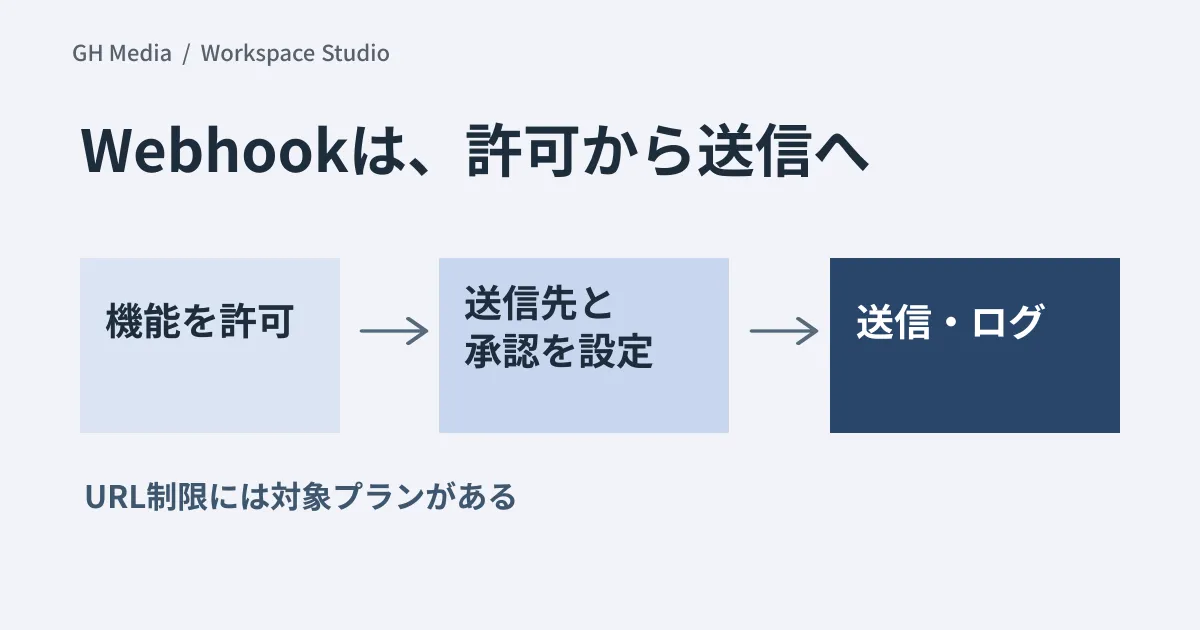
When connecting automated processes to external services in Workspace Studio, determine "allowing the feature," "restricting destinations," and "reviewing payload contents" separately. Merely toggling the webhook switch on does not accomplish these three decisions.
The official announcement on September 17, 2026, introduced custom starters, custom steps, third-party integrations (Beta), and webhooks. Administrative controls are off by default. Because this includes starters triggered by external events, not all capabilities can be lumped together simply as "outbound data transfer features."
Admin configuration dates differ from user launch dates
The official rollout schedule is outlined below. These dates indicate the start of rollout and do not guarantee availability for all users on that exact day.
| Target | Rollout schedule |
|---|---|
| Admin console | 1–3 days starting September 17 |
| Users: Rapid Release | 1–3 days starting September 21 |
| Users: Scheduled Release | Up to 15 days starting September 30 |
As of September 20, the mere absence of the feature in user interfaces cannot be interpreted as a misconfiguration.
Three stages for reviewing webhooks
According to the admin help documentation, webhooks are disabled by default, user confirmation prior to sending is required by default, and executions are recorded in Studio log events.
1. Restrict target organizational units. Before enabling webhooks company-wide, assign business process owners and administrators responsible for maintaining destination endpoints.
2. Configure URL allowlists if needed. Restricting URLs is separate from enabling webhooks. This capability is available for Business Plus, Enterprise Standard / Plus, and Education Standard / Plus editions. Verify whether your subscription includes this feature. Furthermore, because allowlists are shared across Drive, Docs, Sheets, and Apps Script, evaluate the impact on existing workflows when modifying them.
3. Review approvals and audit logs. Webhooks follow approval configurations for Sensitive Steps. Custom steps and third-party integrations have separate settings. Test which specific actions trigger approval prompts within the same workflow.
Preparing test payload data beforehand
For example, in a workflow such as "create a ticket when an inquiry arrives," use fictitious customer names and text for the initial test. Recording the following criteria before routing production data allows operational owners to participate in validation decisions.
| Tests | Example acceptance criteria |
|---|---|
| Sending to an allowed URL | Only required fields arrive exactly once |
| Sending to an unallowed URL | Request is rejected within configured restriction boundaries |
| User denies approval | No unintended outbound transmission occurs |
| Destination endpoint returns an error | Failures are detected without duplicate entries upon retry |
| Pausing or terminating a workflow | Impact can be clearly communicated to dependent operations and personnel |
This table is an example verification plan, not confirmed product behavior. Deleting a workflow outright can disrupt business operations, so verify dependencies and fallback procedures before disabling one.
Conversational integrations initiated from Gemini are covered in Reviewing Usage Permissions and Connection Authorizations for Third-Party Connectors.
Official documentation was reviewed on September 20, 2026. Hands-on testing of workflow creation, external transmission, and permission enforcement in Studio was not conducted.
For assistance with business workflow design and targeted transmission validation, please contact GleamHub.