When reviewing audit logs, have you ever encountered a record showing a shared drive file updated at 2:00 AM? The actor field lists an employee's name. When you ask them, they reply, "I was asleep at that hour."
In most cases, the culprit is not an intruder, but an automated flow that the employee built six months ago. Because flows run under their owner's permissions, the log looks indistinguishable from manual user actions. While "who did it" is recorded, "what executed it" is not.
Workspace Studio administrative features are receiving an update that fills in this missing dimension. However, what you need to understand most is not what it can do, but rather how far its coverage extends.
The actor field alone cannot separate humans from automation
Incidents triggered by automation flows are more troublesome than one-off user errors. Even if the creator has forgotten about them, they continue executing daily, and because they operate within legitimate user permissions, they do not trigger security alerts.
During investigations, the major hurdle is the inability to distinguish the following:
- Whether the action was intentional human activity or a scheduled flow execution
- If it was a flow, which specific flow executed it
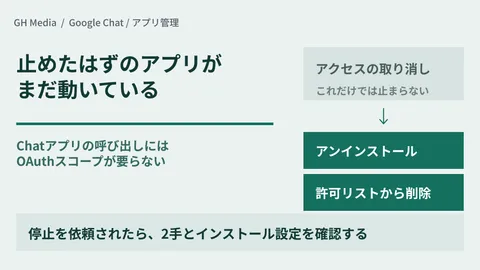
- Whether that flow is still actively running or was supposed to have been stopped
We covered the addition of device and owner fields to audit logs in Two new fields added to audit logs, but even that did not address whether an action was initiated by a human or an automation.
What is added: "Which flow executed this?"
With this update, Google is addressing the issue from two sides.
First, flow context is attached to audit events. Audit events for actions such as editing files in Drive or sending emails via Gmail will now include a unique flow identifier and owner details. This allows teams to distinguish human actions from flow executions within the logs.
Second, an Agent access management dashboard is introduced to the Admin Console. In addition to shutting down all flows simultaneously, administrators can revoke specific OAuth scopes for individual flows. For instance, you can strip Drive access from a flow while keeping the rest of its operations intact.
Furthermore, you can navigate directly from an audit event in the Security Investigation Tool to the Agent access management page. The workflow is designed as a direct path from spotting suspicious activity to halting that specific flow.
The rollout schedule begins on August 20, 2026, for Rapid Release domains (up to 3 days for feature visibility), and September 1, 2026, for Scheduled Release domains (up to 15 days).
Coverage applies only to newly created flows
Here is the crux of the matter.
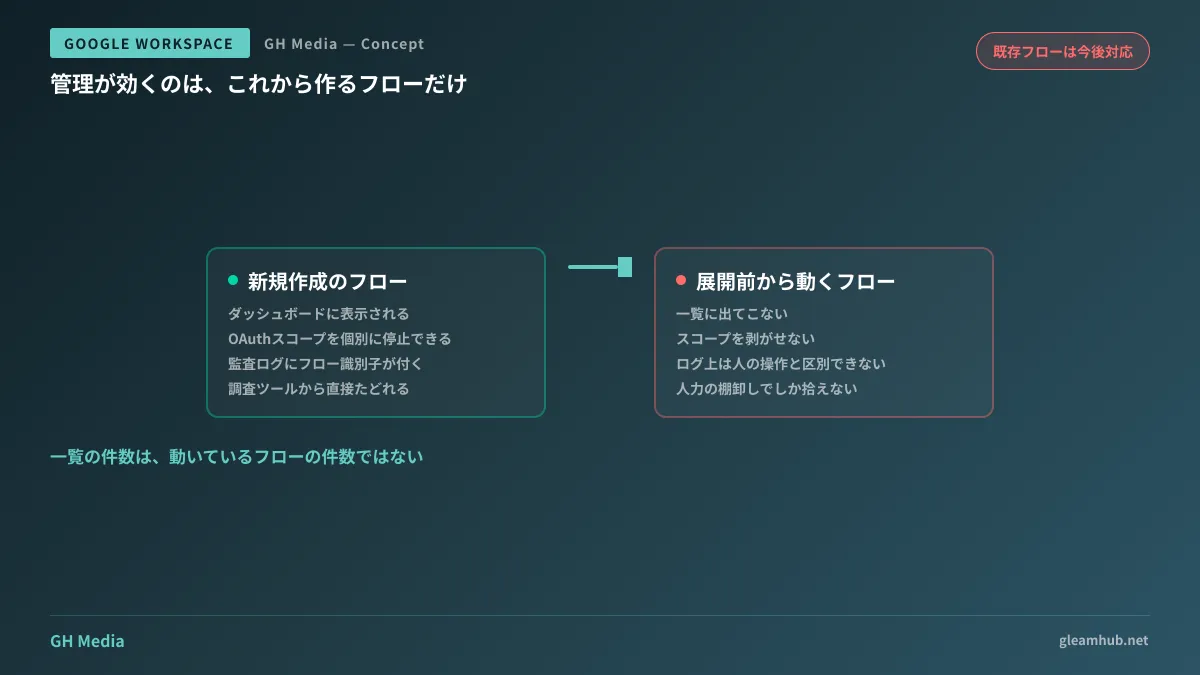
Only flows created after the rollout will appear in Agent access management. Support for existing flows is planned for the future. Similarly, agent context added to audit logs applies exclusively to newly created flows.
In other words, flows like the one mentioned at the beginning—created by someone six months ago and still running today—cannot be tracked or halted using this feature.
| Newly created flows | Flows running prior to rollout | |
|---|---|---|
| Dashboard listing | Displayed | Not displayed (future support planned) |
| Scope revocation per flow | Supported | Not possible |
| Flow identifier in audit logs | Attached | Not attached |
This asymmetry creates practical complications. Newer flows are more manageable, while older, opaque flows remain unmanageable—the exact inverse of what would be ideal. When you open the dashboard and see only three flows listed, that does not mean only three flows exist.
The order of auditing
Understanding the scope of coverage clarifies the proper sequence of action.
1. Manually identify existing flows. Because they will not appear on the dashboard, you must piece this together using the Studio interface list and interviews with creators. Prioritize flows owned by former employees or transferred personnel. Unattended flows running without an active owner leave no one to decide when they should be retired. For auditing non-human identities, the same logic from Residual service accounts applies.
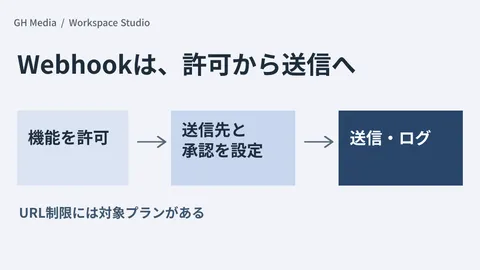
2. Review flows with external actions first. Flows involving webhooks or external sharing cannot be rolled back if an incident occurs. Controls to restrict specific step types were added in Workspace Studio's new management settings, and these apply to existing flows as well. Pairing tracking for new flows with step-level blocking for existing flows offers the most practical path forward.
In inventory audits, sorting flows by the data they touch yields faster decisions than working through a flat list. Even for a single flow, appending a row to an internal spreadsheet carries an entirely different risk profile than sharing customer records externally without traceability. With the former, the real-world harm is predictable even without tracking; with the latter, you cannot answer how long it occurred or how many records were exposed if an incident takes place.
3. For flows you decide to keep, evaluate rebuilding them. If a flow remains essential to daily operations, recreating it after rollout brings it under governance and audit coverage. This becomes a trade-off between rebuilding costs and the risks of running untracked automations. You do not need to rebuild everything; focusing solely on flows that interact with external services or touch sensitive data is usually sufficient.
What to do next
First, verify whether your domain is on Rapid Release or Scheduled Release, and ensure your team understands that only flows created after the rollout date fall under governance. Beginning an audit without knowing this date will lead you to mistake dashboard counts for the total reality.
Next, prioritize identifying existing flows whose owners have left the company or transferred departments. Whether your goal is to decommission or rebuild them, taking action while knowledgeable stakeholders are still available will always be less costly.
GleamHub assists with auditing Google Workspace automation flows, establishing investigation workflows via audit logs, and designing no-code governance frameworks through our free IT and Google Workspace consultations. Because the approach depends on flow volume and operational integration, please consult with us individually. Feel free to reach out via Contact Us.
Sources
- New enterprise security controls for Workspace Studio enable expanded collaboration use cases — Google Workspace Updates
- Securely manage AI and agent access to Workspace data with the AI control center — Google Workspace Updates
- Now available: Create AI agents to automate work with Google Workspace Studio — Google Workspace Updates
- OAuth log events — Google Workspace Admin Help