AI adoption leads and admins who have rolled out Claude Enterprise get asked by executives: "What work is it being used for, how much does it cost, and where is it getting stuck?" User counts alone cannot fully answer that, yet there is resistance to reading employees' conversations, and concerns arise that it might be used to evaluate individuals.
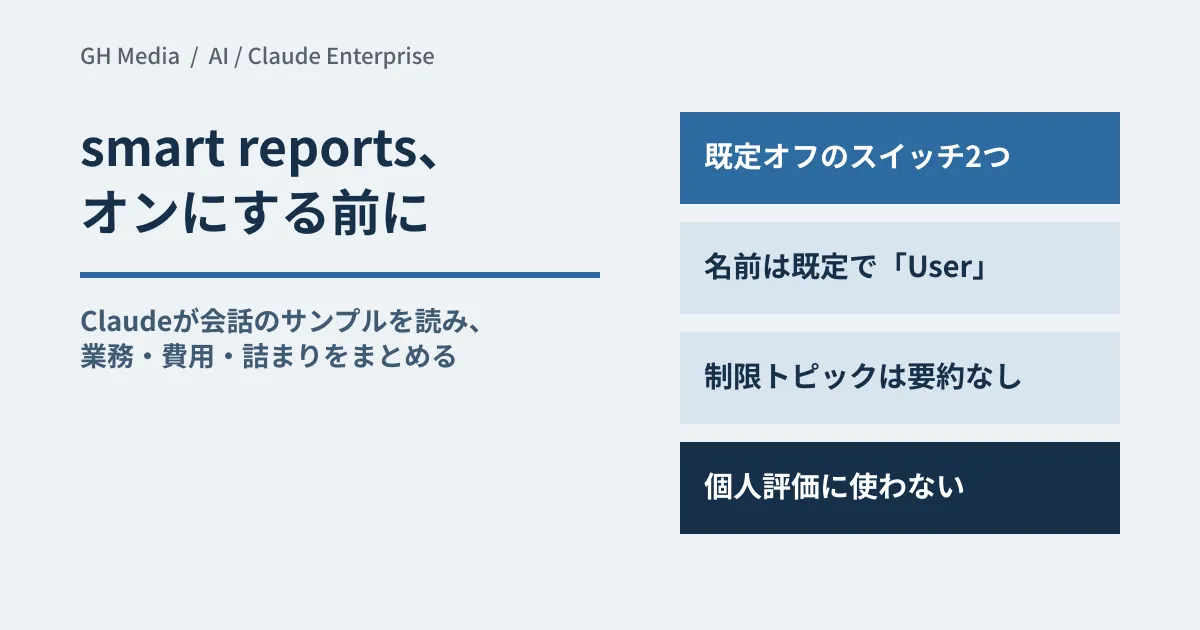
Smart reports, released in beta on September 10, 2026, answer this question from the content of conversation records. Put the other way around, it is a feature where "Claude reads and summarizes employees' conversations." Based on the official help center, we lay out what it reveals and who can see what, and, as the editorial team's proposal, what to decide before enabling it.
Surfacing work, costs and friction from conversation content
According to Anthropic's help center, a report includes the following sections.
| Section | What you can learn |
|---|---|
| Workstreams | What it was used for most (number of sessions and cost) |
| Deliverables produced | Breakdown by type of output (analysis, documents, code, etc.) |
| Cost per session by type of output | Average cost per session by type of output |
| Task outcomes | What each session produced |
| Most common frictions | Obstacles (unconfigured connectors, output that did not match the request, waiting for approval or sign-in, tool failures, redos) |
| Inefficiencies | Number and cost of sessions with no usable outcome, and of personal or non-work sessions (aggregates only) |
| Reusable skills and workflows to build | Recurring patterns that could become shared skills, with suggested prompts for setting them up |
| Most expensive sessions | Where costs are concentrated |
| Complex, autonomous work | Sessions high in complexity, time saved, length of autonomous work and expertise |
| Answers to custom questions | Answers to the questions specified when creating the report, and the sessions they are based on |
Clicking a workstream lists its sessions in descending order of cost, each with a one-paragraph summary, product, date and type of output. You can also download the report as HTML.
As a use case, the help center suggests bringing per-team usage, costs and outcomes, rather than company-wide averages, into budget discussions at renewal time. We also covered explaining usage through aggregated counts in our article on Gemini reports answering one more number. Smart reports differ in that they classify based on conversation content rather than counts.
Choose a scope, and Claude reads a sample and summarizes it in a few hours
Reports can be created by the Primary Owner, Owners, Admins and custom roles with analytics view access. Create a new report under Analytics > Smart reports (beta) and choose the following.
- Team or department (selectable only if there is at least one RBAC group, or if SCIM user data includes a department or cost center)
- Period (up to the most recent 28 days)
- Products (one or more of chat, Claude Code and Claude Cowork)
- Analysis focus, template questions (customizable), supplementary files and who to share with
Claude reads a sample of the conversation records within the scope, sorts them into workstreams and types of output, links costs to each, and writes up the results. When presenting figures to executives, note as a caveat that they are based on a sample, not every record. Generation takes several hours, and you receive an email when it is complete.
It is available in beta on Claude Enterprise, and cannot be used by organizations that use customer-managed encryption keys (CMEK), HIPAA configurations or Access Transparency. Claude Code in organizations using zero data retention (ZDR) is also excluded. During the beta, up to 10 reports per organization per month are free, resetting on the 1st of each month. Reports created by delegates also count toward this limit.
Two switches, off by default
It is enabled by an Owner or the Primary Owner in the Analytics section of Organization settings > Capabilities. There are two switches, both off by default. Turning on "Smart reports (beta)" makes it available to admins with analytics permissions. "Allow attribution to individual users" determines whether viewers can see who ran each session.
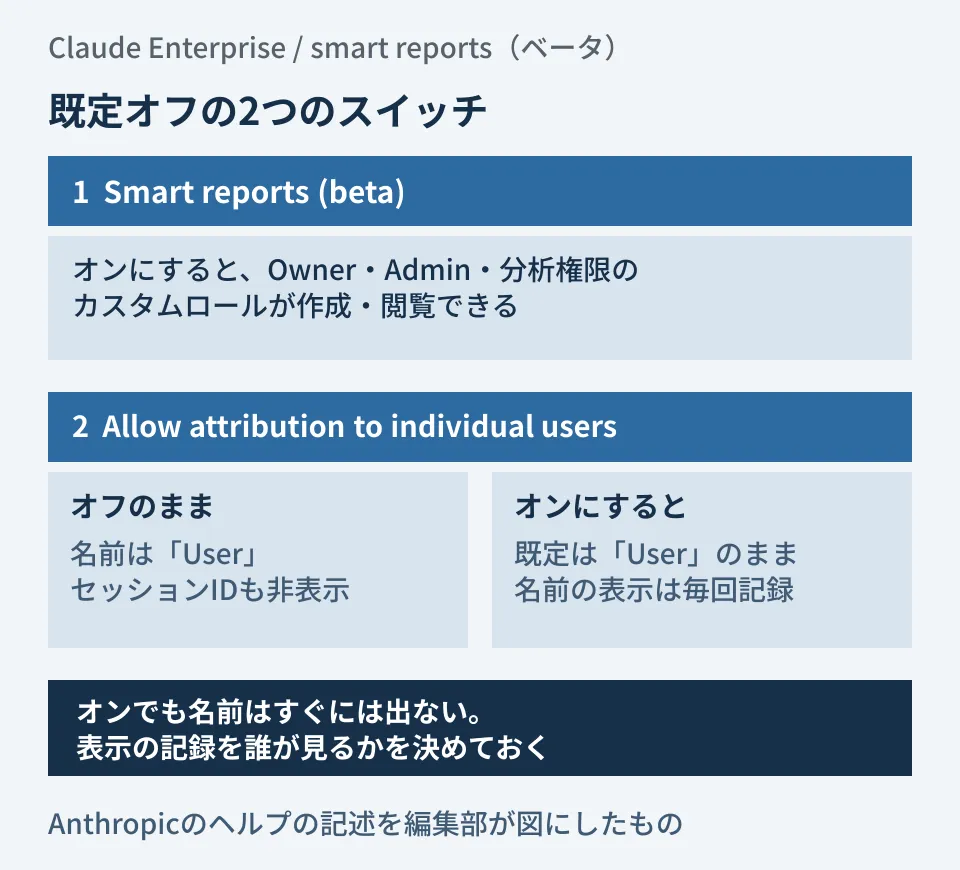
The point to note in the diagram is that turning on the second switch does not immediately reveal names. While it is off, every drill-down shows "User" in place of names, and session IDs are hidden as well. Even when it is on, the display defaults to "User"; viewers can reveal names and session IDs through an action within the report, and each reveal is logged.
Reports can be shared with individuals in the organization, and the share link can be opened only by the people it was shared with and by admins who could already view it. "Allow attributed view for people you share with," which lets recipients see names, can be selected only when the organization's "Allow attribution to individual users" is on.
Conversations that are not summarized, and the line on use the official docs draw
The help center's "Privacy guardrails" include two restrictions that are always on and cannot be disabled. You cannot ask custom questions about restricted topics, and sessions that Claude judges to involve restricted topics are used only in aggregates, with no summary shown.
Restricted topics are protected attributes (race, ethnicity, national origin, religion, gender identity, age, disability, immigration status), health and medical matters, labor union activity, harassment, whistleblowing and workplace legal matters, political and religious views, private life such as family and household finances, and feelings toward a specific person or that person's morale. For personal conversations, neither individual sessions nor names are shown.
On top of that, the help center states explicitly that smart reports are for understanding usage and planning investment, and should not be used for individual performance evaluations or employment decisions. It is a sentence you can quote as is in internal explanations.
Scope by team and delegate to leaders
The help center recommends narrowing to functional teams such as sales, finance or engineering rather than the whole organization, because that produces classifications you can act on. There are two ways to narrow the scope.
- RBAC groups under Organization settings > Groups (created manually or synced from your IdP via SCIM)
- Department and cost center passed via SCIM (
departmentandcostCenterin the enterprise extension). The values you send appear in the filter as is
You can also let team leads or department heads run reports without making them admins. An Owner or the Primary Owner, or a custom role with both Analytics and Identity & Access permissions, specifies the people and the scope (group, department or cost center) under "Manage access." The people granted access need the Custom roles access level, and they are not notified.
Delegates can create reports only within their assigned scope and can see only reports they created and reports shared with them. Named views appear only when the organization's switch is on, and restricted topics are handled the same way. Removing their access also prevents them from opening reports they created themselves, but files they have already downloaded are not affected.
What to decide internally before enabling
From here on, this is the editorial team's proposal based on the official specifications. Before flipping the switch, put the following five points in writing.
- Purpose. Write "to understand usage and inform investment decisions," and state explicitly, citing the help center, that reports will not be used for individual evaluations or employment decisions.
- Scope. Which teams, products and periods to cover, and, if delegating, who gets which scope. First confirm whether you can split by function using RBAC groups or SCIM departments.
- Whether to identify individuals. One option is to start with "Allow attribution to individual users" left off. If you turn it on, decide when names may be shown and who reviews the reveal logs.
- Who receives the results. Do executives get only aggregates, or session summaries too? Downloaded HTML stays on local machines even after access is removed, so also decide how widely it may be circulated and who deletes reports that are no longer needed (archive first, then delete).
- Explanation to employees. Tell them in advance that Claude reads a sample of conversation records, that restricted topics and personal conversations are not summarized, and that names are hidden by default.
Treat "shared skill candidates" and "friction" as material for fixing team processes, not individuals. We also cover designing for adoption after rollout in designing workflows to embed ChatGPT across sales teams.
On September 29, 2026, we opened and cross-checked Claude's release notes (the September 10, 2026 entry), the getting-started help article for smart reports (including the Privacy guardrails and Delete smart reports sections) and the help article on letting team members run smart reports for specific groups. Because we do not have an Enterprise environment, we have not enabled, created or shared smart reports, and have not verified the actual screens, sample sizes, classification accuracy or generation time. Menu names are given in English.
For designing the scope of AI adoption, including Claude, and operating rules, or for business automation, please consult GleamHub.