When you use Claude at work, the lines around questions such as whether tables and diagrams you create can be shared with people outside the company, and who can see figures from the company database, shift each time features are added. The three features Anthropic announced on November 10, 2026 are also an occasion for admins to review their settings.
The announcement is "Introducing Claude Whiteboards, Claude Sheets, and Claude Data." Anthropic is offering Claude Whiteboards, a whiteboard for teams, and Claude Sheets, spreadsheets that Claude creates and edits, in beta, and has made Claude Dashboards, which was in beta in October, generally available under the name Claude Data. It says they are available on all paid plans. In this article, we summarize what organization admins should check, based on the announcement and the Help Center.
What the three features do
- Claude Whiteboards (beta): a board where Claude organizes what was discussed and written into diagrams, flows and groups. Teams can edit it simultaneously and turn it into documents or slides. It can be sent to Lucid, Miro and Zoho Vani
- Claude Sheets (beta): Claude creates spreadsheets with tabs, formulas, formatting and dropdowns, and shows what changed when cells are edited. The announcement says "For now, sheets have simple spreadsheet functionality" and recommends exporting to .xlsx or CSV when you need Excel features
- Claude Data (generally available): creates dashboards and data explanations from data warehouses such as Amazon Redshift, BigQuery and Snowflake, and from data in apps connected to Claude. You can check the SQL query Claude wrote for each chart. Certified queries and live sharing are in beta
Organization defaults
According to the announcement's "For admins" section and the Help Center articles "Get started with Claude Data" and "Artifacts admin guide for Team and Enterprise plans" (the admin guide), the defaults are as follows. You can change the settings at any time under "Templates" in "Organization settings > Artifacts."
| Features | Team plan | Enterprise plan |
|---|---|---|
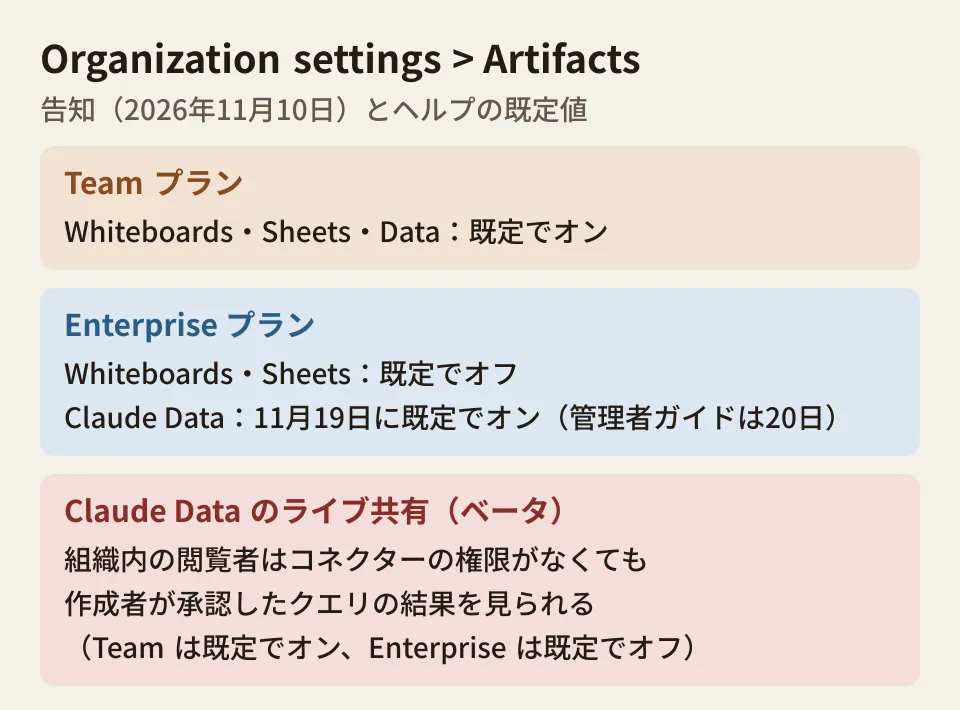
| Claude Whiteboards | On by default | Off by default |
| Claude Sheets | On by default | Off by default |
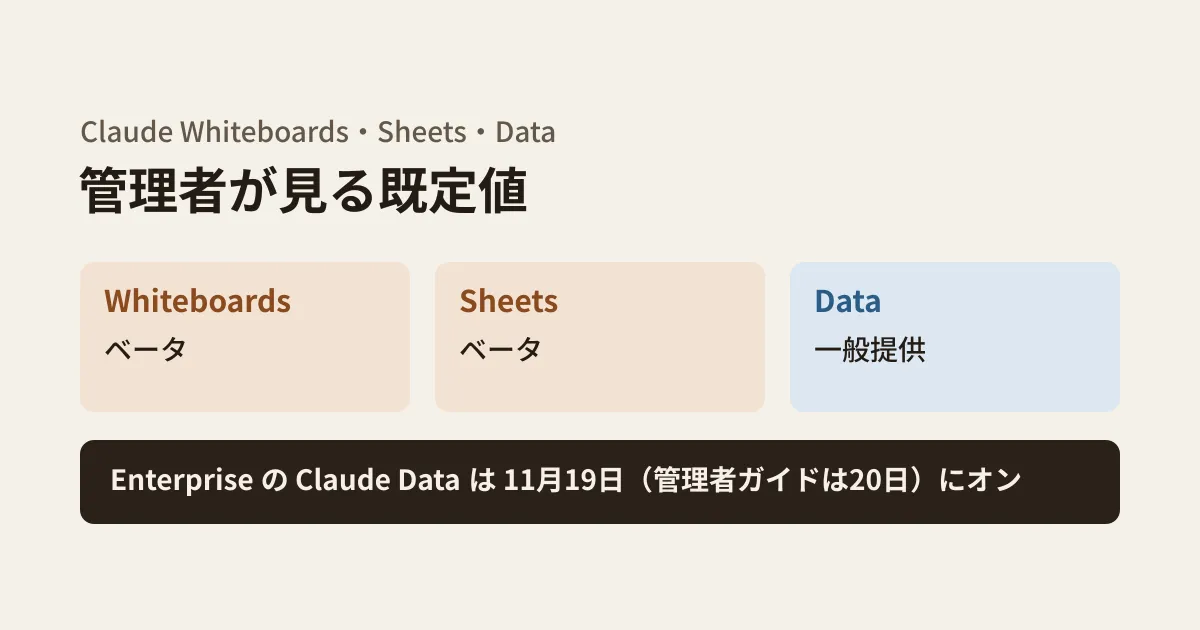
| Claude Data | On by default | On by default on November 19, 2026 (November 20 in the admin guide) |
| Certified queries and live sharing (Claude Data beta) | On by default | Off by default |
| Email invitations to people outside the organization (Email invitations outside your organization) | On by default | Off by default |
The date Claude Data becomes on by default for the Enterprise plan differs by one day depending on the source: November 19 in the announcement and the Claude Data help article, and November 20 in the admin guide we checked on November 13. The Claude Data help article says "unless an owner has already saved a setting," meaning that if an owner has saved a setting beforehand, that setting is used. Organizations that have not yet decided whether to open it to everyone can be sure by deciding and saving the setting before the earlier date, November 19. For Team plan organizations, check on the assumption that all of them are already on.
The Whiteboards help article ("Get started with Claude Whiteboards") says it is available in beta on the Pro, Max, Ultra, Team and Enterprise plans, and the Team and Enterprise defaults match the announcement. On the Enterprise plan, you can also use custom roles to open features such as Claude Data only to specific groups (provided the organization setting is on).
Sharing outside the organization
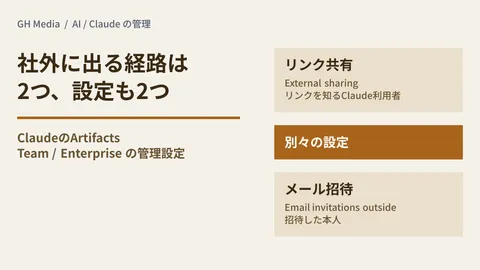
According to the Whiteboards help article, people outside the organization can also join a board if invited by email. However, on the Team and Enterprise plans, "Email invitations outside your organization" under "Organization settings > Artifacts" must be turned on. According to the admin guide, this setting is on by default on the Team plan and off by default on the Enterprise plan. It is a separate setting from "External sharing," which lets anyone with the link open the content, and turning on one does not turn on the other. We outlined how to think about paths out of the organization in our article on sharing Claude Artifacts externally.
The help article also lists limitations as of the start of the beta: in Whiteboards, Claude does not use information from connected apps and works only with the board's content, and it is not available to organizations with HIPAA-compliant configurations.
What viewers can see through Claude Data live sharing
For admins, Claude Data live sharing has the biggest impact. The announcement explains that colleagues who open a shared dashboard can see the latest figures even if they do not have access to the connectors that keep the data up to date. What viewers see are the results of queries the creator approved; viewers cannot run other queries with the creator's permissions.
According to the Claude Data help article, the people who can see results through live sharing are those within the organization, and only for the queries the dashboard needs. Without live sharing, data is loaded through each viewer's own connection. The help article cautions: "Anyone you share the dashboard with sees those results, even if they don’t have access to that source." According to the admin guide, when live sharing is turned off, people who open a dashboard are asked to connect to the data source themselves.
In other words, if someone with data warehouse permissions shares a dashboard, aggregated results reach people within the organization who do not have those permissions. This should be checked against your internal policies on who can view which data. This feature is on by default on the Team plan and off by default on the Enterprise plan. Shared Claude Data artifacts can be listed with their owners and visibility by filtering the type to Data under "Published artifacts" in "Organization settings > Artifacts." The Compliance API records creation, viewing, editing and deletion, but not the content.
Certified queries are a mechanism in which the person in charge of the data certifies "queries everyone should use," and charts using those queries display a "certified" label. They can help address the problem of metric definitions drifting between departments. According to the help article, anyone with edit permission on a Data artifact can certify queries. The announcement also mentions dashboard caching, per-dashboard refresh interval settings, and version history with the ability to revert to a specific version.
Steps to review your settings (editorial suggestions)
- Check your plan and current values. Check whether each of the three features is on or off under "Templates" in "Organization settings > Artifacts." On the Enterprise plan, decide how to handle Claude Data and save the setting before November 19.
- Decide how to handle data connectors and live sharing. Claude Data relies on connectors. Decide the certified queries and live sharing settings under "Data" in "Templates" together with data viewing permissions.
- Check the setting for external invitations. Whether people outside the organization can be invited to Whiteboards is determined by "Email invitations outside your organization." It is on by default on the Team plan.
- Decide its role relative to your existing spreadsheets. Sheets is a feature that starts with simple tables. Deciding whether the shared source of truth lives in Google Sheets or Excel or inside Claude helps prevent duplicate copies of the same table. We covered the issues involved in connecting Claude to your company's Google Workspace in our article on Claude for Google Workspace.
Scope of verification
On November 13, 2026, we checked Anthropic's announcement "Introducing Claude Whiteboards, Claude Sheets, and Claude Data" (November 10, 2026) and the Help Center articles "Get started with Claude Whiteboards," "Get started with Claude Data" and "Artifacts admin guide for Team and Enterprise plans" (desk research). We did not check how each feature's screens and admin settings actually appear, the help article for Claude Sheets (we could not find one) or pricing details. The date Claude Data becomes on by default on the Enterprise plan differs between November 19 and 20 depending on the source. Beta features may change.
GleamHub's development, AI and automation consulting covers deciding the scope of Claude use within your company and designing data sharing. Please reach out via our contact form.