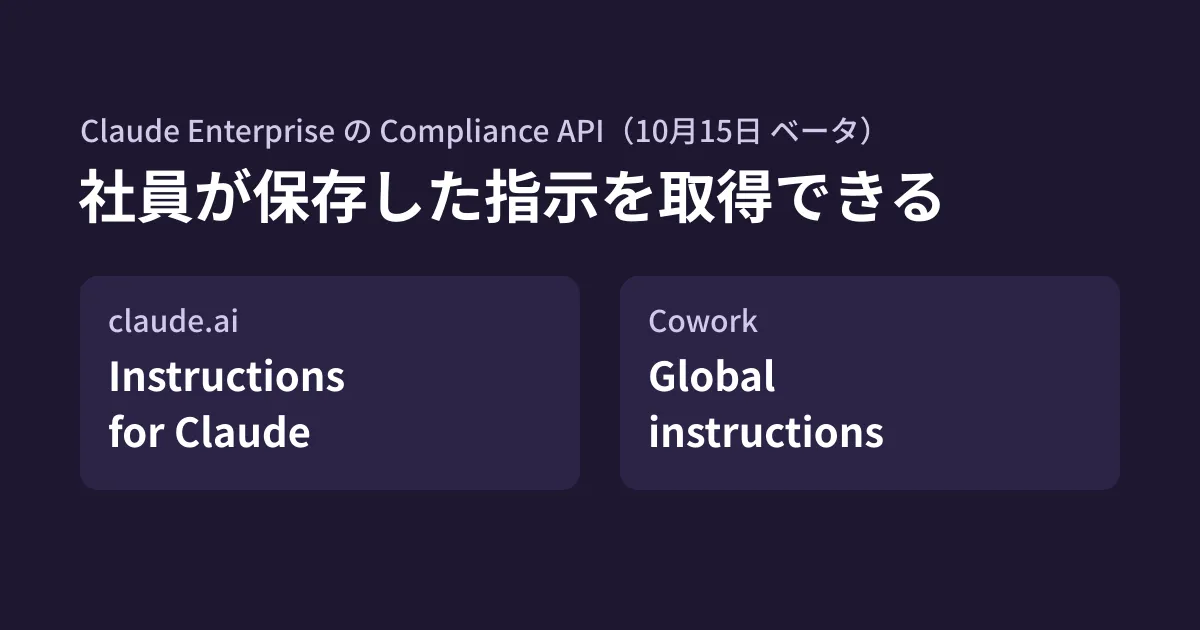
Because it is tedious for employees to give Claude the same background every time, they save a description such as "I'm in sales at Company X, and my clients are Y..." in their account settings. It is a convenient practice, but even if that text contained client names, internal circumstances or, in some cases, information such as passwords, administrators could not see it.
On October 15, 2026, the Claude Platform release notes announced that an endpoint for retrieving these saved instructions had been added to the Claude Enterprise Compliance API (beta). It covers claude.ai's Instructions for Claude and Cowork's Global instructions.
In this article, based on the official documentation (Compliance API, Organization data, Set up the Compliance API), we lay out what can be retrieved and what you end up authorizing to do so, and suggest what to decide internally before taking inventory.
What can be retrieved
The new endpoint is as follows.
GET /v1/compliance/organizations/{org_uuid}/user_preferencesThe documentation can be summarized as follows.
- It returns the organization'scurrent members'two saved texts
- claude.ai's Instructions for Claude (field name
conversation_preferences) - Cowork's Global instructions (field name
cowork_global_instructions)
- claude.ai's Instructions for Claude (field name
- Both are account-level settings, so for members who belong to multiple organizations, the same text is returned regardless of which organization you retrieve it from
- By default, only members who have set at least one of them are returned. Adding
include_unset=truereturns all members, and unset fields arenull - You can narrow down to up to 10 people with
user_ids[]. Each page has up to 100 items, and you keep retrieving untilnext_pagebecomesnull
The response is a set of the member's ID, email address and the two texts.
{
  "data": [
    {
      "user": { "id": "user_01...", "email_address": "priya@example.com" },
      "conversation_preferences": "Keep answers brief and cite sources.",
      "cowork_global_instructions": null
    }
  ],
  "has_more": false,
  "next_page": null
}
As the documentation cautions, a page is not necessarily the last page even if it has fewer items than limit or is empty. Also, from the second page onward, you get a 400 error unless you send include_unset and user_ids[] with the same values.
The required key can "also read company-wide conversations"
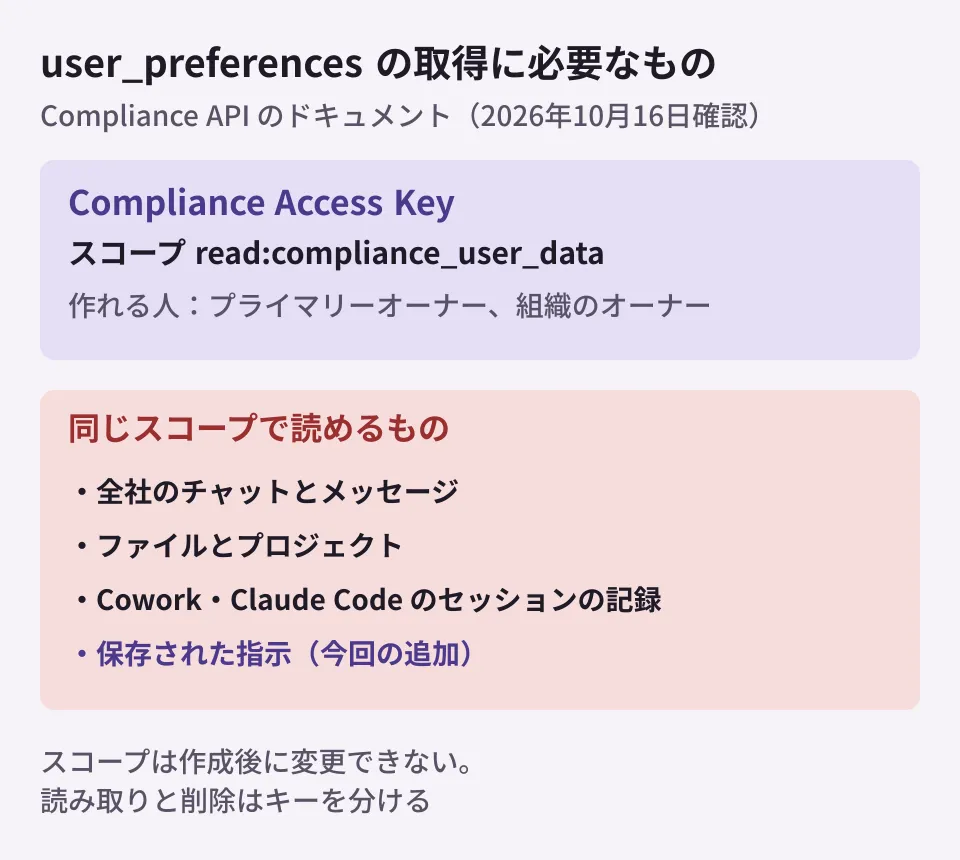
To call this endpoint, the Compliance Access Key needs the read:compliance_user_data scope. read:compliance_org_data, which reads organization settings, is not enough and results in a 403 error.
The problem is how broad this scope is. The documentation on creating keys cautions as follows.
A Compliance Access Key with
read:compliance_user_datacan read every chat, file, project, and session transcript in every linked organization, including content the primary owner has not seen.
In other words, a key for taking inventory of saved instructions has the same permissions as a key that can read records of company-wide chats, files, projects, and Cowork and Claude Code sessions (limited to that organization if the key was created by an organization owner). The scope cannot be changed after creation; to change it, you create a new key.
Keys can be created by the claude.ai primary owner (who can also create keys covering all organizations) and organization owners (keys limited to their own organization only). Before that, the primary owner must enable the Compliance API.
What to decide before taking inventory
Being able to see saved instructions is a way for administrators to check for information leaks, but for employees it also means the company reading their "personal notes." The editorial team suggests deciding the following, in this order, before retrieval.
1. Who looks, and for what purpose
Whoever holds the key can also read company-wide conversations. Write into internal rules, together with the purpose (such as checking for confidential information being written down), whether only the IT department handles it or whether it is handled by two people together with someone from legal or compliance. If you already have rules for using Claude, the sensible approach is to add that "saved instructions are also subject to review" and let employees know before starting.
2. Where to keep the key, and what to do after use
The documentation advises splitting the scopes into two keys if you both read and delete. Use only the read key for taking inventory. It says that if a key is leaked, you should delete it immediately and check the compliance_api_accessed records in the activity feed. Unless you retrieve data regularly, another option is to create a key for each task and delete it when finished.
3. What to do when you find something
Decide what to do if the retrieved text contains client names, personal information or strings that look like credentials. This endpoint is retrieval (GET) only, and the Compliance API documentation the editorial team reviewed did not describe any way for administrators to edit or delete saved instructions. Decide in advance, for each person in charge, the process for asking the employee to correct it and the changes needed if it was a credential (reissuing passwords or tokens).
The retrieval process
The process the editorial team envisions for the first inventory is as follows (we have not made actual calls).
- The primary owner enables the Compliance API and creates a
read:compliance_user_datakey - Check the target organization's
org_uuidusing the organization list endpoint (requiresread:compliance_org_data) or the admin console - Retrieve
user_preferencesuntilnext_pagebecomesnull(with the default, only members who have set them) - Search the retrieved text for email addresses, phone numbers, a list of client names and strings that look like credentials
- Contact the employees concerned and confirm the corrections. Delete the files with the retrieved results once the review is finished
Compliance API calls are limited to 600 requests per minute per parent organization across all endpoints combined. Even with many employees, retrieving 100 items per page should keep this inventory alone well below the limit.
Other retrievable data added around the same time
On October 8, the Compliance API chat endpoint started returning conversations in the unified Claude experience as well, and Claude Docs documents became retrievable as Word files (both in beta). If you use the Compliance API for audits or evidence preservation, reflect the expanded scope of retrievable data in your rules on retention periods and storage locations.
We also cover Claude admin settings in Settings for sharing Artifacts outside the company, Before enabling smart reports and Approving Gmail and Drive integrations.
Scope of verification
On October 16, 2026, we directly retrieved and reviewed the Claude Platform release notes (October 8 and 15, 2026) and the Compliance API documentation (Compliance API, List user preferences in Organization data, Set up the Compliance API, Content data) (document research). We have not verified actual Compliance API calls, how these appear in the claude.ai and Cowork settings screens, or how plans other than Claude Enterprise are handled. The example of saved content at the beginning is a hypothetical scenario, not a case from our company or our clients.
For setting up internal AI usage rules or reviewing Claude and Google Workspace admin settings, please contact us via Free IT and Google Workspace consultation.