When an employee asks, "Can I let Claude look at my Gmail and calendar?", the first thing an admin wants to know is what Claude could end up doing with a company account. Can it be trusted to send email or share files, and who can stop it? The information needed to decide is split between Anthropic's help center and the settings on the Google Workspace side.
Based on two articles in Anthropic's help center as of September 29, 2026, this article covers what Claude can do, how approvals work, how to enable the connectors, and how data is handled. We have not tried actually connecting Claude and Google Workspace.
Claude can do more than read
According to the help center, the Google Workspace connectors (Gmail, Google Calendar and Google Drive) are available to all users of Claude and Claude Desktop. The operations include write actions.
| Service | Read and search | Create, change and send |
|---|---|---|
| Gmail | Search and read, metadata (for attachments, metadata only, not contents) | Create drafts; send, reply and forward; organize labels |
| Google Calendar | View events (including shared calendars); find free time | Create, update and delete events; respond to invitations |
| Google Drive | Search and retrieve; read Sheets, Slides, PDFs, images and more; view permissions and revision history | Share, move and trash; upload; create folders |
| Docs, Sheets and Slides (beta) | Read comments and suggestions in Docs | Live editing in a pane beside the chat; create new files |
Live editing is a separate connector from Google Drive; search, upload and sharing are still handled by the Drive connector. For every connector, what Claude can see matches the permissions of the connected Google account. Anything the user cannot see, Claude cannot see either.
Sends and shares require approval for each action by default
The help center explains that, in general, actions Claude takes on a user's behalf require that user's explicit approval by default, and it specifically calls out the following two kinds.
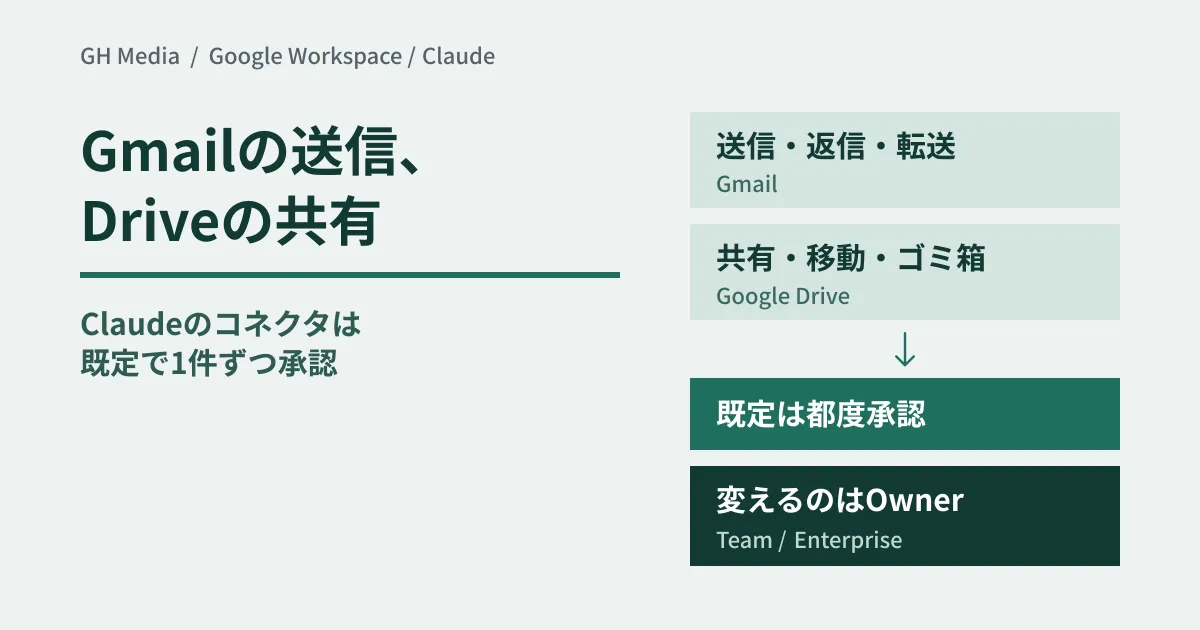
- Sending, replying to and forwarding in Gmail: by default, approval is required for each one
- Sharing, moving and trashing in Google Drive: by default, approval is required for each one
For both, it says that on Team and Enterprise plans, the Owner decides "whether members can be allowed to run these without confirming each time."
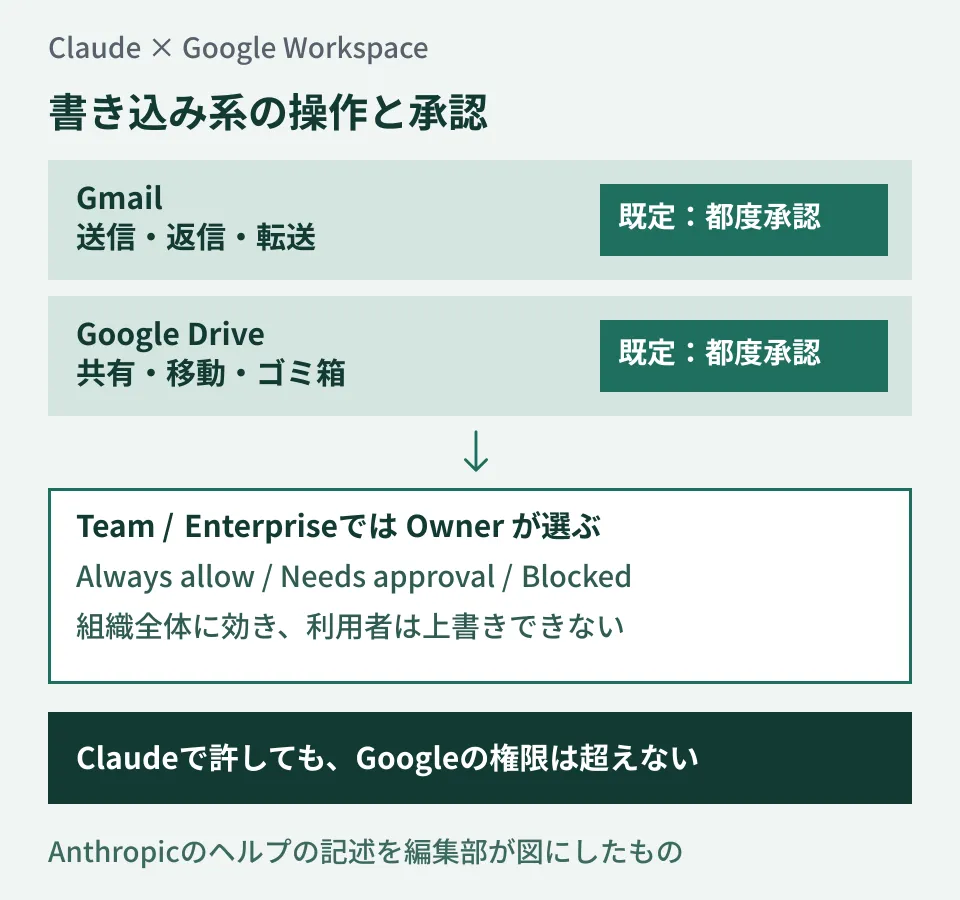
What to note in the diagram is that the default approval setting and who can change it are defined separately. According to the general connectors help article, Team and Enterprise Owners can choose Always allow, Needs approval or Blocked in a connector's Tool permissions, either by type of operation (read-only, write/delete and so on) or for individual operations. These restrictions apply to the whole organization, and users cannot override them. The help center also gives the example of "allowing searching and summarizing email, but blocking sending."
Also, allowing writes on the Claude side never goes beyond the permissions on the Google side. The help center explains that restrictions in Claude only narrow the permissions of the underlying service; they never widen them.
When you authenticate Gmail, Google's screen shows a permission to send email. The help center notes that even though it is shown, approval is still required for each send by default. Whether approval can be skipped on individual plans such as Pro is not stated in the help articles we read.
Two steps to enable on the Claude side, and one more in Workspace
On Team and Enterprise, users cannot authenticate until an Owner or Primary Owner adds the connector to the organization in Organization settings > Connectors. Adding it does not grant access automatically; each user can use it only after authenticating with their own Google account. The general connectors help article also describes "Enterprise-managed auth" as a beta for Team and Enterprise, where the organization authorizes once and users inherit access on first login. We could not confirm from the help articles we read whether this works with the Google connectors. Disabling is done on the same screen. On Team and Enterprise, connectors can be used only in private projects, and chats containing synced content cannot be shared.
If you see "Access blocked: your institution’s admin needs to review Claude for Google Drive" when connecting, the help center says the Workspace admin may need to make Claude a trusted app, and gives the following steps.
- At admin.google.com, go to Security > Access and data control > API controls > Manage third-party app access
- From "Add app," choose "OAuth App Name," search for "Claude" and set it to "Trusted"
- Wait about 15 minutes, then connect again
Live editing in Docs, Sheets and Slides uses the same "Claude for Google Drive" app, so a single approval is said to be enough. These steps are as described in Anthropic's help center. Check Google's help to see what "Trusted" permits on the Google side and whether there are other options.
When Gemini connects to external services, too, Google's permission to use them and the authorization of the destination take effect separately (Gemini's third-party connectors are on by default). Claude connects in the other direction, from outside into Workspace, but the permissions are layered in the same way.
Retrieved data stays with the chat
According to the help center, Claude accesses data only when the user explicitly asks, and retrieves only the minimum needed. Retrieved data is stored on Anthropic's servers and kept together with the chat. Deleting the chat also deletes the retrieved data. Data from the Gmail, Drive and Calendar connectors is not used to train models.
The exception: on consumer products (such as Free, Pro and Max), if the user has allowed chats to be used for training, content copied and pasted from Gmail, Drive and the like, and Claude's responses that include specific information from connectors, may be used to improve models. If any employees connect a company Google account to a personally subscribed Claude, this becomes an issue.
There are limits too. In Gmail, Claude cannot read the contents of attachments, only their metadata. From Drive files it extracts only text, and embedded images are not processed. Rate limits from Google's API quotas also apply.
Five things to decide before enabling
From here on, these are the editorial team's suggestions. Before enabling, put the following in writing.
- How far to allow write actions. Decide whether to start with sending, replying and forwarding, and sharing, moving and trashing, left at Needs approval, or set them to Blocked. If you choose Always allow, write down the reason and the scope. Consider sharing together with the sharing boundaries on the Drive side (Setting Drive external sharing with a single rule).
- Who may connect. In the help articles we read, enabling is done at the organization level, and we could not find a way to enable it for only some people. If you want to limit who can use it, first check what the admin console allows.
- How to handle connections from personally subscribed Claude accounts. The training exception applies to consumer products. Anthropic's help center does not say whether trusting Claude on the Workspace side applies only to the company's Claude subscription. Check how it works on the Google side before deciding.
- When to delete retrieved data. Align when and by whom chats used for work are deleted with your existing retention rules.
- Who owns the steps to shut it off. According to the help center, you can stop it for the organization in Organization settings > Connectors, remove a user's connection with "Disconnect" in Customize > Connectors, and remove the connection on the Google side at myaccount.google.com/connections. Decide how far to go when someone leaves or changes roles.
Whose permissions an AI runs under and how much it may write are common questions whenever AI touches business data. We covered a CRM example in The era of AI writing directly to sales data.
On September 29, 2026, we opened and checked Anthropic's help center articles "Use Google Workspace connectors" and "Use connectors to extend Claude’s capabilities" and the release notes directly. The help articles show no update date, and we have not confirmed since when the current wording has applied. We have not tested actual connections between Claude and Google Workspace, the approval screens or the Tool permissions settings screen. The Workspace-side steps are presented as described in Anthropic's help center and have not been checked against Google's help.
For help designing the scope and permissions of the Claude and Google Workspace integration, contact us via IT and Google Workspace consulting.