You keep quotes and contracts in Google Drive and route them to managers or accounting with the approvals feature. Yet the person in charge opens each file one by one to send approval requests, swaps approvers by hand when one goes on leave, and requests past their due date sit stalled until someone notices. This article is for those wondering whether this manual work could be handed off to internal tools or scheduled jobs.
The Drive API has a full set of methods for working with approvals. When general availability began on December 17, 2025, only listing and getting approvals were supported, but the April 21, 2026 release notes added methods to start, approve, decline, reassign approvers, cancel and comment on approvals as generally available. Based on Google's release notes, the "Manage approvals" guide, the reference for each method and the Drive API v3 Discovery document (the machine-readable definition of the API, revision 20261012), this article sorts out the conditions you should know before building them into automation.
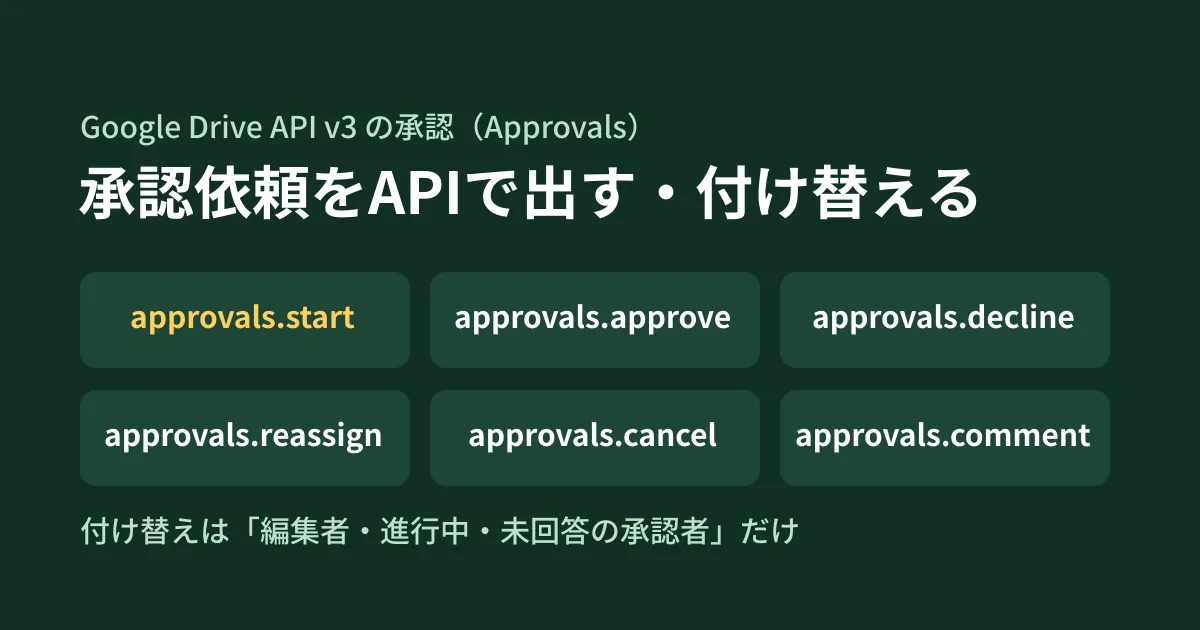
Approval operations you can call through the API
Approvals are defined under files/{fileId}/approvals as a resource tied to a file. The methods and the conditions stated in the reference and guide are as follows.
| Method | Permissions | Officially documented conditions |
|---|---|---|
approvals.start | Start an approval | Approver email addresses are required. Due date, message, locking and edit handling are optional |
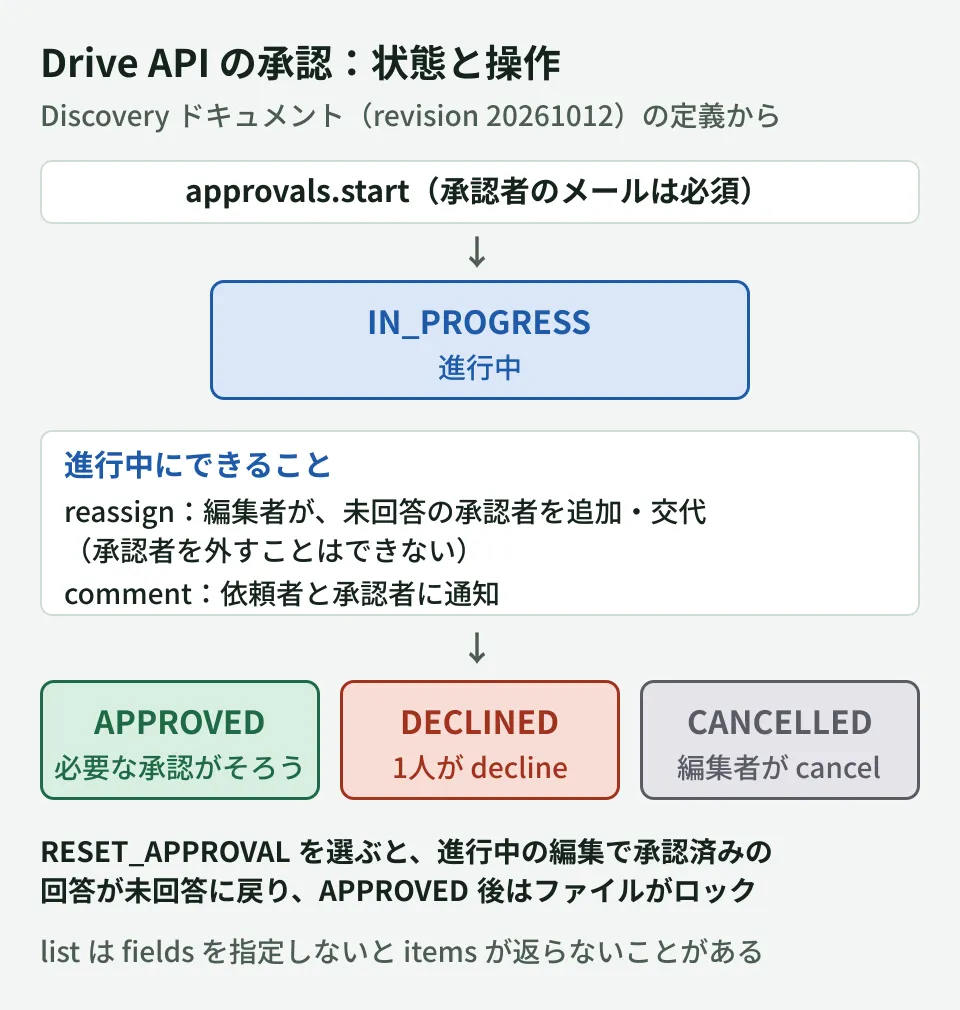
approvals.approve / decline | Approve / decline | Updates the calling user's own response. Declining ends the whole approval as DECLINED |
approvals.reassign | Add or replace approvers | Can be called by a file editor (writer) while the approval is in progress and the target approver has not responded. Approvers cannot be removed |
approvals.cancel | Cancel an approval | Can be called by the requester or an editor while the approval is in progress |
approvals.comment | Comment on an approval | Both the requester and the approvers are notified, and it is kept in the approval record |
approvals.get / list | Read the approval status | Can be called even with a read-only scope |
Write methods such as start, approve and reassign are defined as callable with any of the drive, drive.file or drive.metadata scopes. If you do not want to grant permission to read file contents, you can first consider whether your design fits within drive.file (limited to files the app opened or created) or drive.metadata.
The write methods were announced as generally available (GA) in the Drive API release notes on April 21, 2026. fileContentChangeBehavior, which decides how edits to the file during an approval are handled, became generally available a little later, on July 15, 2026. Among client libraries, the Discovery document bundled with the Python client (google-api-python-client) supports the eight methods from revision 20260428, and @googleapis/drive for Node.js supports them from 20.2.0, released on May 20.
What to check before starting
The guide advises checking the file's canStartApproval permission information (capability) with files.get before starting an approval. If any of the following applies, it becomes false and you cannot start one.
- The approvals feature is restricted by an administrator setting
- Your Google Workspace edition is not eligible
- The file owner is outside your domain
- The calling user is not an editor (writer) of the file
Another thing automation tends to miss is file sharing. Drive does not automatically share the file with approvers. According to the guide, if an approver still cannot access the file, the approval request itself succeeds, but the approver receives no notification and cannot open the file. Approver email addresses must be linked to a Google account; otherwise the request fails. Add a step that finishes sharing with approvers before the start step.
Settings to decide when starting an approval
You pass the following five items to approvals.start.
reviewerEmails(required): an array of approver email addressesdueTime: the due datemessage: a message attached to the notification sent to approverslockFile: whether to lock the file as soon as the approval startsfileContentChangeBehavior: how to handle edits to the file during the approval
The last item is the one you especially want to decide on for automation. It has two values, which the guide and reference describe as follows. If omitted, the default is RESET_APPROVAL.
RESET_APPROVAL: if the file's content changes while the approval is in progress, approved responses revert to unanswered and approvers approve the new version again. When the approval completes (APPROVED), the file is lockedNO_APPROVAL_ACTION: responses do not revert even if the file's content changes, and the file is not locked when the approval completes. Approvers can revert their own approval to unanswered before completion
The split is RESET_APPROVAL for documents such as contracts where you want to fix the "approved version," and NO_APPROVAL_ACTION for proposals where you only want agreement on direction. How the UI gained "alignment approvals" based on the same idea is covered in Google Drive's "alignment approvals". However, the editorial team has not verified whether the API values behave exactly the same as the UI options.
Conditions for reassigning approvers and canceling
Reassigning when an approver goes on extended leave is another candidate for automation. The conditions for approvals.reassign are defined in detail.
- It can be called by the requester or a file editor (writer)
- When the approval is in progress (
IN_PROGRESS) and the approver being reassigned has not responded - Viewers (reader) can only reassign approvals assigned to themselves
- Approvers cannot be removed (only added or replaced)
In the request, you specify the people to add (addedReviewerEmail in addReviewers) and pairs of people to replace (removedReviewerEmail and addedReviewerEmail in replaceReviewers). You can also optionally attach a message to the new approvers (message). "Remove A and add B" is expressed as a replacement, while "just remove A" is not possible. The guide advises canceling the approval and starting again if you want to remove an approver. Since you also cannot replace someone who has already approved, the reassignment step should first check each approver's response (reviewerResponses) with approvals.get before making the call.
Canceling (approvals.cancel) can also be called on an in-progress approval by the requester or an editor. If you build a mechanism that automatically cancels requests past their due date, the canceling account needs editor permission. How to assign file permissions is covered in the Drive sharing settings guide.
Specify fields when listing
To list approval statuses, use approvals.list. The reference includes the following note.
By default, this method returns a minimal response that may not include the items array. To retrieve approval details, you must explicitly specify the fields you want using the
fieldsquery parameter.
If you do not specify fields, the approval content (items) may not be returned. To get the status, due date and each approver's response, specify them explicitly, as in items(approvalId,status,dueTime,reviewerResponses(reviewer/emailAddress,response)),nextPageToken. A single call returns up to 100 items when pageSize is omitted. According to the guide, default fields not being returned is not limited to list; it applies to every approvals method. If you use approvalId or other values from the start or reassign responses, specify fields as well.
There are four statuses (status): IN_PROGRESS, APPROVED, CANCELLED and DECLINED. There are three per-approver responses (response): NO_RESPONSE, APPROVED and DECLINED.
We checked the request shapes locally
The editorial team type-checked the following code against the type definitions of @googleapis/drive 26.0.2 for Node.js and ran it with the API endpoint pointed at a local stub (a test server that returns fixed responses). We did not connect to an actual Google Drive.
import { drive_v3 } from "@googleapis/drive";

export async function requestApproval(
  drive: drive_v3.Drive,
  fileId: string,
  reviewers: string[],
  dueTime: string,
) {
  const { data } = await drive.approvals.start({
    fileId,
    requestBody: {
      reviewerEmails: reviewers,
      dueTime,
      message: "見積書の確認をお願いします",
      fileContentChangeBehavior: "RESET_APPROVAL",
    },
  });
  return data;
}

export async function listApprovals(drive: drive_v3.Drive, fileId: string) {
  const { data } = await drive.approvals.list({
    fileId,
    fields:
      "items(approvalId,status,dueTime,reviewerResponses(reviewer/emailAddress,response)),nextPageToken",
  });
  return data.items ?? [];
}
The requests that reached the stub were POST /drive/v3/files/{fileId}/approvals:start (with reviewerEmails, dueTime, message and fileContentChangeBehavior in the body) and GET /drive/v3/files/{fileId}/approvals with fields attached. The type check (TypeScript 5.9.3, strict) also passed without errors. Note that the requestApproval above does not include fields, so with the actual API the response may not contain the approval content. If you use the response, add fields.
What to decide before building it into automation
From here on are the editorial team's suggestions.
- Whose name the request goes out under. The approval's
initiatoris defined as "the user who requested the approval." If you send requests from a shared account, it becomes harder for approvers to see in their notifications who made the request. Start from authenticating as the person in charge (including when using domain-wide delegation). We have not checked how approvals started by a service account are handled - Decide edit handling for each document type. Decide whether to use
RESET_APPROVALorNO_APPROVAL_ACTIONfor each type, such as contracts, quotes and proposals, before writing it into code - Reassign only after checking the response status. Since only people who have not responded can be reassigned, check with
approvals.getbefore callingreassign - List with fields and pick up overdue items. If you start with a step that extracts approvals still
IN_PROGRESSafter their due date (dueTime) and notifies the requester, you can confirm the benefit without changing existing operations
Where the approvals feature fits and where to draw the line against dedicated workflow SaaS is covered in Completing internal approvals and sign-offs with Google Drive approvals. Check Google's Help for the editions that can use the approvals feature before adopting it. On the API side, the canStartApproval mentioned earlier lets you check whether an approval can be started on the target file. Simple tracking where you just pick a status from a dropdown in the document does not serve as an audit trail for approvals, because anyone can change the selection.
Scope of verification
On October 17, 2026, we retrieved the Drive API v3 Discovery document (revision 20261012) and checked each
approvalsmethod and the definitions ofApproval,StartApprovalRequest,ReassignApprovalRequestand others in the original. We confirmed when the methods were added by comparing the definitions bundled with google-api-python-client 2.195.0 and 2.196.0 (revisions 20260405 and 20260428) and the type definitions of@googleapis/drive20.1.0 and 20.2.0 on npm (document research). We also type-checked the code example with@googleapis/drive26.0.2 and ran it against a local stub. On October 19, 2026, we opened the Drive API release notes, the "Manage approvals" guide and theapprovalsreference (start, reassign, list and others), checked the general availability dates, the conditions for starting, sharing with approvers, default values and the handling offields, and reflected them in this article. We have not checked the list of eligible editions or how approvals actually behave in Google Drive.
If you are considering how far you can run approvals and internal approval processes with standard Google Workspace features and APIs, contact us through our free IT and Google Workspace consultation.