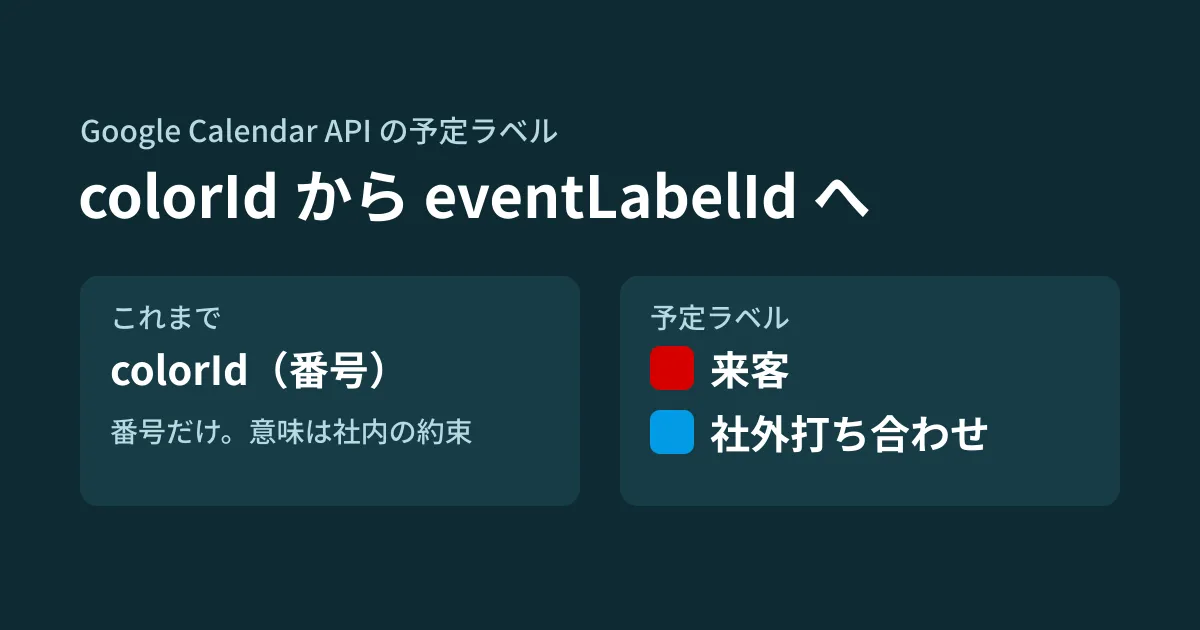
Some companies assign colors on a shared calendar, such as "visitors in red, external meetings in blue," and use the API to color-code events coming in from booking forms or internal tools. What they use is the event's colorId, a mechanism that picks a color by number from the list returned by the colors endpoint. The numbers have no meaning, so the rule that "red means visitors" exists only in the tool's settings and in an informal agreement within the company.
"Event labels," which have a name and a color, have been added to the Google Calendar API and were announced as generally available (GA) in the July 7, 2026 release notes. Labels are attached to events with eventLabelId, and the labels themselves are defined per calendar with labelProperties.eventLabels. The reference describes this field as one that "supersedes the index-based colorId property." In this article, we summarize the conditions you should know before switching existing tools, based on what we checked by opening the Calendar API Discovery document (revision 20261012) and Google's client libraries on October 18, 2026, and the reference, the labels guide, the release notes, and the Workspace Updates announcement on October 19. This is document research plus the editorial team's suggestions; because we had no credentials, we did not call the API.
How colorId and event labels differ
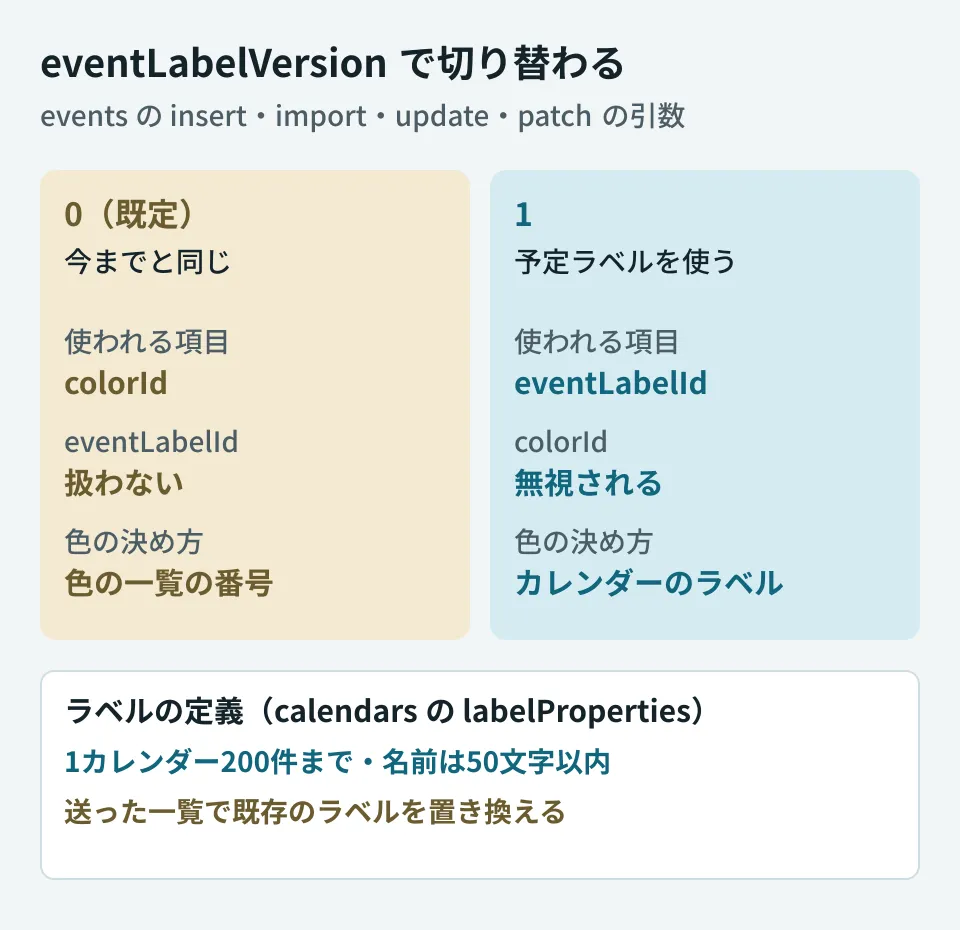
Until now, colorId only pointed to a number in the list of colors returned by the colors endpoint. Event labels are named categories defined per calendar. In the reference (Calendars), labelProperties.eventLabels has the following fields.
id: The label ID. According to the reference, it can be omitted when creating a new label, in which case a unique ID is generated. It is required when updating, and if you specify it, it must be in UUID format and unique within the calendar. However, the guide says "each label requiresid" (see below)backgroundColor: A hexadecimal color such as "#039be5". Requiredname: The label name. Optional; if specified, it must be 50 characters or fewer
Up to 200 labels can be defined per calendar ("Each calendar can have a maximum of 200 labels."). Labels are defined on the calendar (the calendars resource); there is no such field on the calendarList side, which holds each person's display settings.
The permission requirements are described in the guide. To define or modify labels, you need owner access to the calendar ("You must have owner access to a calendar to define or modify its labels."). To add a label to an event, you need writerWithoutPrivateAccess access or higher (including writer and owner). On a shared calendar, the people who add events use the labels the owner has defined.
Adding labels to events requires specifying a version
To add a label to an event, add eventLabelVersion=1 to insert, import, update, and patch of events. The reference (events.patch and others) describes it as follows.
Version 0 assumes no event label support and processes the colorId field for color management. Version 1 enables support for event labels, and processes the eventLabelId in the event’s body. In this case, the colorId field is ignored. The default is 0.
The default is 0, so if you change nothing, colorId is used as before. Conversely, in requests that include eventLabelVersion=1, colorId is ignored. If you mix them within the same tool, using colorId in some processes and labels in others, it becomes hard to track which color will remain. If you switch, use the same version in every process that writes events.
import { calendar_v3 } from '@googleapis/calendar';

// 共有カレンダーに「来客」「社外打ち合わせ」のラベルを定義する
export async function defineLabels(calendar: calendar_v3.Calendar, calendarId: string) {
  const current = await calendar.calendars.get({ calendarId });
  const labels = current.data.labelProperties?.eventLabels ?? [];
  await calendar.calendars.patch({
    calendarId,
    requestBody: {
      labelProperties: {
        eventLabels: [
          ...labels, // 既存のラベルを含めないと消える
          { name: '来客', backgroundColor: '#d50000' },
          { name: '社外打ち合わせ', backgroundColor: '#039be5' },
        ],
      },
    },
  });
}

// 予定にラベルを付ける(eventLabelVersion: 1 が必要)
export async function labelEvent(calendar: calendar_v3.Calendar, calendarId: string, eventId: string, labelId: string) {
  await calendar.events.patch({
    calendarId,
    eventId,
    eventLabelVersion: 1,
    requestBody: { eventLabelId: labelId },
  });
}
This code passed type checking against the type definitions of @googleapis/calendar 20.1.0 for Node.js; we did not actually send it and check the response. Omitting id for the new label follows the reference's description, but the guide says "each label requires id," and its example assigns its own UUID and sends it with calendars.update. Because the official descriptions differ, to be safe, put your own UUID in id when sending. We have not verified the actual behavior when id is omitted.
Two ways of writing requests that remove labels
There are two ways of writing requests that can unintentionally remove event labels. Both behaviors are described in the reference and the guide.
The first is overwriting the calendar's list of labels. labelProperties says "If specified, overwrites the existing label properties." and eventLabels also says "If this is present when updating the calendar, it will replace the existing event labels." If you send only the labels you want to add, all other labels are deleted. The guide also asks you to read the calendar first to get the current list, add or remove entries locally, and then send it. As in the code above, get the current list with calendars.get, add to it, and send it. To delete a label, remove it from the list and send the list.
The second is omitting the field on the event side. The description of eventLabelId says "Setting an empty string, or not setting this field at all, will remove the existing label from the event." The guide also says that omitting the field in an update request removes the label. When you update with eventLabelVersion=1, the label is removed unless you include eventLabelId in the body. On the other hand, the description of events.patch says "Fields that you don't specify in the request remain unchanged," and the documentation does not make clear whether the label remains when you omit eventLabelId with patch. When writing a process that changes only the time, check both patch and update on a test calendar (unverified).
When it became available
In its July 7, 2026 entry, the Calendar API release notes announce event labels as Generally Available, stating "The Google Calendar API now provides full support for custom labels and colors." The explanation that labels are defined with labelProperties, attached to events with eventLabelId, and that eventLabelVersion=1 is required also matches what we described in this article. In Google's google-api-python-client for Python as well, eventLabelId is absent from 2.198.0 (Calendar definition revision 20260614) and present from 2.199.0 (revision 20260708, published August 20, 2026). For Node.js, @googleapis/calendar includes it in 20.1.0, the latest version as of October 19.
For end users, the Workspace Updates blog announced "Custom event colors in Google Calendar" on June 17, 2026. It expands event colors, previously limited to a fixed set of 11, so that up to 200 custom colors can be used from the web, the mobile apps, and the Calendar API; 24 colors are available by default, and on the web (or via the API) you can define your own RGB colors. The rollout began on June 17 for Rapid Release domains and on June 29 for Scheduled Release domains, and it is available to all Google Workspace customers, Workspace Individual subscribers, and users with personal Google accounts. There is no admin setting. The blog's "200" is described as "each user," which is a different way of counting from the reference's "200 per calendar." Design around the limit stated in the reference.
Whether existing colorId colors are migrated to labels is not stated in any of the documents, and we have not been able to confirm it.
What to decide before switching (editorial team's suggestions)
- Write down your current color rules: From the tool's settings, list what each
colorIdmeans. This list becomes your label names as is - Decide who defines the labels: The list of labels is a calendar setting, and only people with owner access can change it. If there are multiple owners, or multiple tools rewrite it with owner permissions, labels can be lost by being overwritten. Consolidate the process that changes definitions in one place
- Identify every process that writes events: List every process that creates or edits events, such as booking forms, internal tools, and Apps Script, and switch them over with
eventLabelVersionaligned - Test on a test calendar: Before moving to production, confirm that labels remain after everyday updates such as changing the time of a labeled event or adding attendees
The steps for transferring ownership of a shared calendar before someone leaves the company are covered in Conditions for transferring calendar ownership, and scheduling with overseas offices is covered in the article on the third time zone. When deciding who will change label definitions, also check who owns the calendar.
Start by counting how many processes write events through the API. If there is only one, the switch will be small; if there are several, you need to decide the order in which to align their versions.
On October 18, 2026, we directly retrieved and checked the Google Calendar API Discovery document (calendar v3, revision 20261012), the definitions bundled with google-api-python-client 2.198.0 and 2.199.0 along with their publication dates on PyPI, and the type definitions of
@googleapis/calendar20.1.0 on npm. On October 19, we opened and cross-checked the references for Events, Calendars, and events.patch, the labels guide, the Calendar API release notes, and the Workspace Updates announcement (June 17, 2026) (document research). The code example passed TypeScript type checking against@googleapis/calendar20.1.0. Because we had no credentials, we did not call the API, and the actual responses, whether labels remain withpatch, the behavior when creating a label withidomitted, how labels appear in the calendar interface, and migration of existing colors are unverified.
GleamHub's free IT and Google Workspace consultation can help you review integrations between Google Calendar and booking forms or internal tools. Because the approach depends on how many tools are integrated and how they are used, please reach out through Contact.
References
- Google Calendar API release notes
- Google Calendar API — Labels (guide)
- Google Calendar API reference — Events
- Google Calendar API reference — Calendars
- Google Calendar API reference — Events: patch
- Google Workspace Updates — Custom event colors in Google Calendar (June 17, 2026)
- Google Calendar API Discovery document(calendar v3)
- PyPI — google-api-python-client
- npm registry — @googleapis/calendar