When a bug appears on a live site or business system, Cloudflare Workers lets you revert to the previous version with wrangler rollback. In the middle of incident response, it is natural to conclude that the rollback worked as soon as "SUCCESS" appears on screen and move on to the next check.
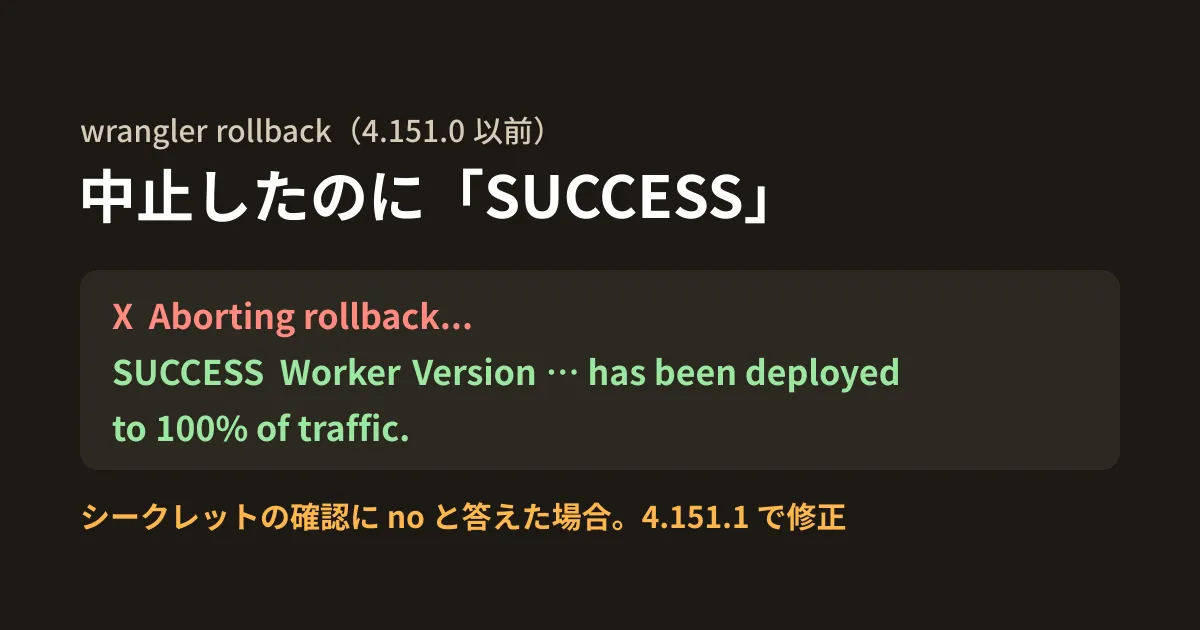
However, there was a bug in which "SUCCESS … has been deployed to 100% of traffic." was displayed right after you aborted a rollback partway through. You would think you had rolled back, while in reality the problematic version continued to be served. It was fixed in wrangler 4.151.1, released October 16, 2026.
In this article, we reviewed the Wrangler changelog and the implementations of versions 4.131.1, 4.151.0 and 4.151.1 published on npm, and actually ran wrangler rollback in the editorial team's test environment against a local stub (a small server that returns fixed responses in place of the Cloudflare API). We did not perform a rollback on a real Cloudflare account.
What was happening
wrangler rollback shows an additional confirmation when the secrets (secret values such as API keys) differ between the version you are rolling back to and the current version. This confirmation has been in place since 3.62.0 (June 2024).
The following secrets have changed since version … was deployed. Please confirm you wish to continue with the rollback
There was a bug in how a "no" answer to this prompt was handled. The changelog for 4.151.1 describes it as follows.
Previously, declining the “The following secrets have changed…” confirmation printed “Aborting rollback…” and then also printed a success message and the target version as the “Current Version ID”, even though no deployment was made and the original version was still live.
The gist is that after the abort message, a success message appears along with the ID of the target version shown as "Current Version ID", yet no deployment actually happens and the original version keeps being served. Reading the implementation of each npm version, up to 4.151.0 processing continued after the abort message (cancel("Aborting rollback...")), and 4.151.1 added return;.
Verifying it with a stub
In the test environment (Linux, Node.js v22.22.0), we ran CLOUDFLARE_API_BASE_URL against a local stub. The stub rejects the first deployment request on the grounds that secrets have changed (error code 10220) and accepts only a resend with ?force=true. The error wording and IDs were created for testing and are not actual Cloudflare responses.
This is the end of the output in 4.151.0 when answering "no" to the secrets confirmation.
╰  X  Aborting rollback...
│
╰  SUCCESS  Worker Version aaaaaaaa-0000-4000-8000-000000000001 has been deployed to 100% of traffic.

Current Version ID: aaaaaaaa-0000-4000-8000-000000000001
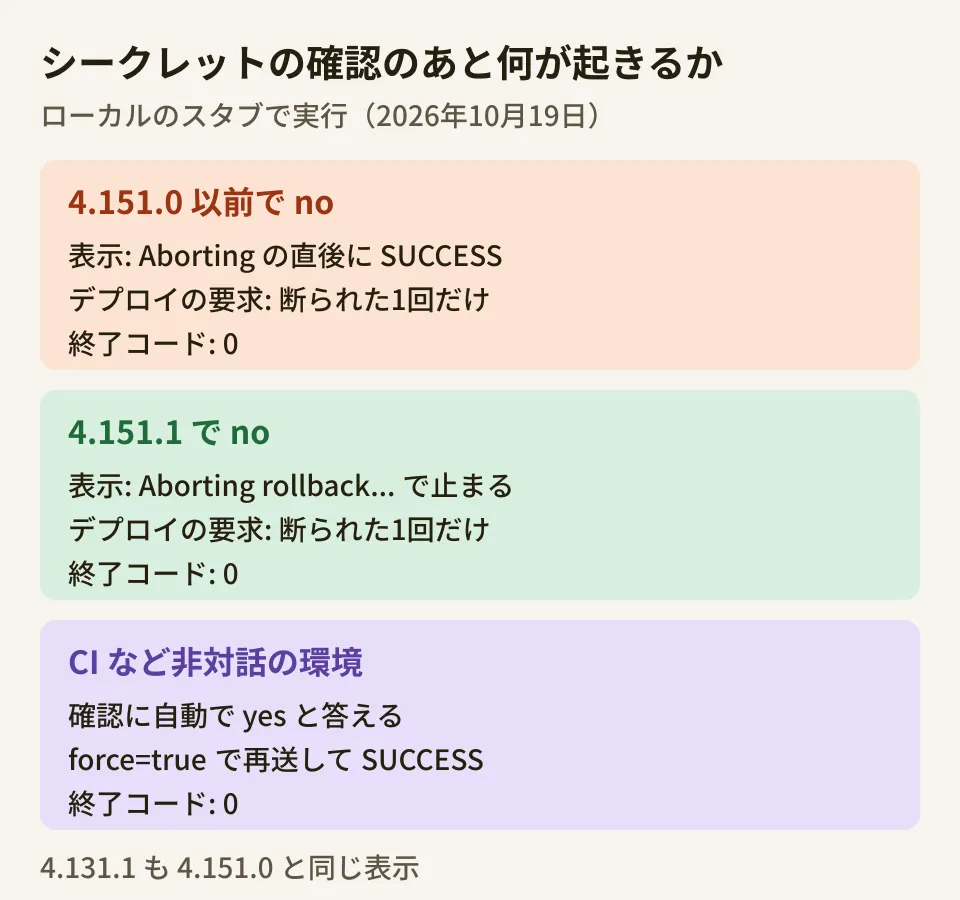
According to the stub's log, there was only the one rejected deployment request and no resend. Even so, success was displayed. Version 4.131.1, released in September 2026, produced the same output. In 4.151.1, it stopped at "Aborting rollback…" and no success message appeared.
Two caveats that remain even after upgrading
Apart from the fix itself, our testing revealed two points to watch out for in operations.
The first is the exit code. When aborted, the exit code was 0 (success) in both 4.151.0 and 4.151.1. The abort message is only screen output and does not change the exit code. If you run it from a script and judge success by the exit code, you will not notice the abort.
The second is the confirmation in non-interactive environments such as CI. In environments where the terminal is not interactive or where CI environment variables are set, Wrangler answers prompts with their default values. The default for the secrets confirmation is "yes"; running with CI=1 displayed the following, and the request was resent with ?force=true and succeeded.
? The following secrets have changed since version aaaaaaaa-0000-4000-8000-000000000001 was deployed. Please confirm you wish to continue with the rollback
  * API_TOKEN
  * WEBHOOK_SECRET
🤖 Using fallback value in non-interactive context: yes
In other words, an automated rollback proceeds without asking a person even if secrets have changed. Which value the secrets end up with after rolling back with force=true is not stated in Cloudflare's rollback documentation (Rollbacks, updated July 15, 2026), and we could not confirm it with the stub either. Treat a rollback right after rotating secrets as something that may break integrations with external services.
What to decide for operations (editorial team's proposal)
- Upgrade Wrangler to 4.151.1 or later: If you pin the version with
package.json, review it together with your rollback runbook. This applies both to the terminals of people who run it by hand and to CI - Verify with the version being served, not the displayed message: After a rollback, use
wrangler deployments statusto check that the version served at 100% is the one you wanted to roll back to. If you script it, comparing as follows lets you detect aborts and changes that were not applied through the exit code - Treat automated rollbacks and secret changes separately: Set a rule such as having a person judge, right after secrets are changed, whether the target version assumes the old values. You can check the names of the current secrets with
wrangler versions secret list
#!/usr/bin/env bash
# ロールバック後に、本番で100%配信されている版が戻したい版と一致するかを確かめる
set -euo pipefail
TARGET="$1"   # 戻したい Version ID
LIVE=$(npx wrangler deployments status --json \
  | jq -r '.versions[] | select(.percentage == 100) | .version_id')
if [ "$LIVE" != "$TARGET" ]; then
  echo "ロールバックは反映されていません(配信中: ${LIVE:-なし})" >&2
  exit 1
fi
echo "配信中の版: $LIVE"
We ran this script against the same stub and confirmed that it exits with code 1 when given an ID different from the version being served and 0 when given the same ID, and that when two versions are each served at 50% (no version at 100%), it prints "Serving: none" and exits with 1.
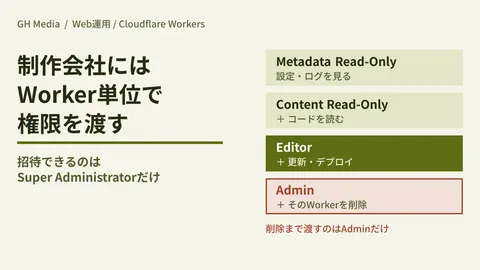
If you have given Workers permissions to a web agency or similar, also document in the runbook who can run rollbacks. We cover how to split permissions per Worker in our article on granting permissions per Worker, and pre-release checks using per-branch preview URLs in our article on Workers previews. If you are considering moving to Cloudflare's new CLI "cf", also see how to choose between cf and Wrangler.
Conclusion
First, check the Wrangler version used locally and in CI with npx wrangler --version, and if it is 4.151.0 or earlier, add a "check the version being served" step to your rollback procedure. If you keep this step even after upgrading, you can tell whether the rollback took effect without relying on the exit code or CI's automatic "yes".
On October 19, 2026, we reviewed
packages/wrangler/CHANGELOG.mdin cloudflare/workers-sdk (4.151.1 and 3.62.0),wrangler-dist/cli.jsof wrangler 4.131.1, 4.151.0 and 4.151.1 published on npm, and Cloudflare's rollback documentation (documentation review). In the editorial team's test environment (Linux, Node.js v22.22.0), we ranwrangler rollbackfor the three versions against a local stub, both in an interactive terminal and withCI=1, and also ranwrangler deployments status --jsonand the script in this article (hands-on testing). The stub's responses were created for testing; we have not verified the behavior on a real Cloudflare account, the secret values in the case offorce=true, or rollbacks from the dashboard.
GleamHub's development, AI and automation consultations cover building deployment and rollback procedures and reviewing CI for websites and business systems running on Cloudflare Workers. Since what needs to be checked depends on your setup, please reach out via our contact form.