After you build internal document search or RAG (retrieval-augmented generation), a more accurate embedding model comes out. You want to swap it in, but all vectors must be regenerated and the index must be rebuilt as well. If search stops in the meantime, or if vectors from the old model get compared with query vectors from the new model, search results break.
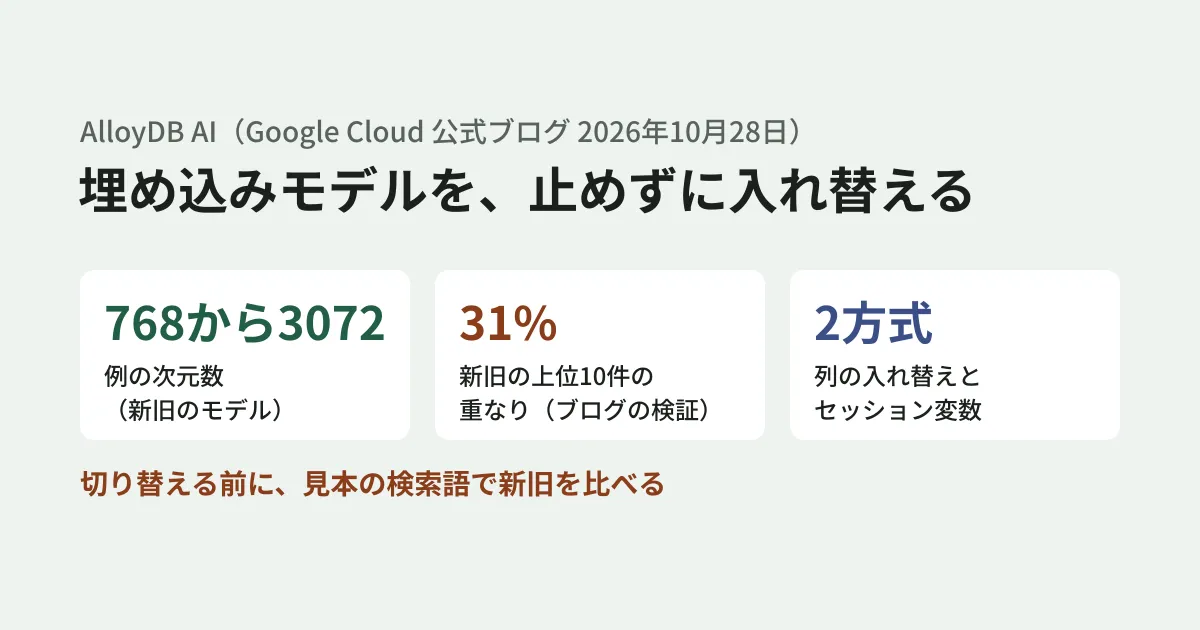
On October 28, 2026, Google Cloud published a procedure on its official blog for swapping embedding models in AlloyDB AI without downtime. The example migrates the product reviews table ecomm.product_reviews from text-embedding-005 (768 dimensions) to gemini-embedding-001 (3072 dimensions) while it stays in operation. Auto vector embeddings, which are central to the procedure, became generally available (GA) on March 3, 2026. In this article, we walk through the blog's procedure in order, add conditions we confirmed in the AlloyDB documentation, and suggest what to decide in your migration plan.
The swap also has a deadline. In Google's model list (checked on November 6, 2026), the discontinuation date for text-embedding-005, the source model in the example, and for the multilingual text-multilingual-embedding-002 is April 1, 2027. This date is said to be one that may be extended but will not be moved earlier. The target model, gemini-embedding-001, will not be discontinued before May 20, 2028. text-embedding-005 supports English, so if you are searching Japanese documents, read the source model as the one in your own environment. The newer gemini-embedding-2 also exists, but it is not in AlloyDB's list of built-in supported models (updated November 3, 2026).
Four problems that come with swapping models
The blog lists the following four problems that come with swapping models in production.
- Regenerating embeddings: All existing data must be re-embedded with the new model. During any period when the old and new models run side by side, a mechanism for writing to both is also needed
- Mathematical incompatibility: Different models have different vector spaces and cannot be compared directly. Query vectors and stored vectors must switch models at the same time
- Rebuilding the index: To search large numbers of vectors efficiently, the index must be rebuilt with the new vectors
- Impact on users: Repeated DDL changes take exclusive locks and may block reads and writes
The flow of the blog's procedure
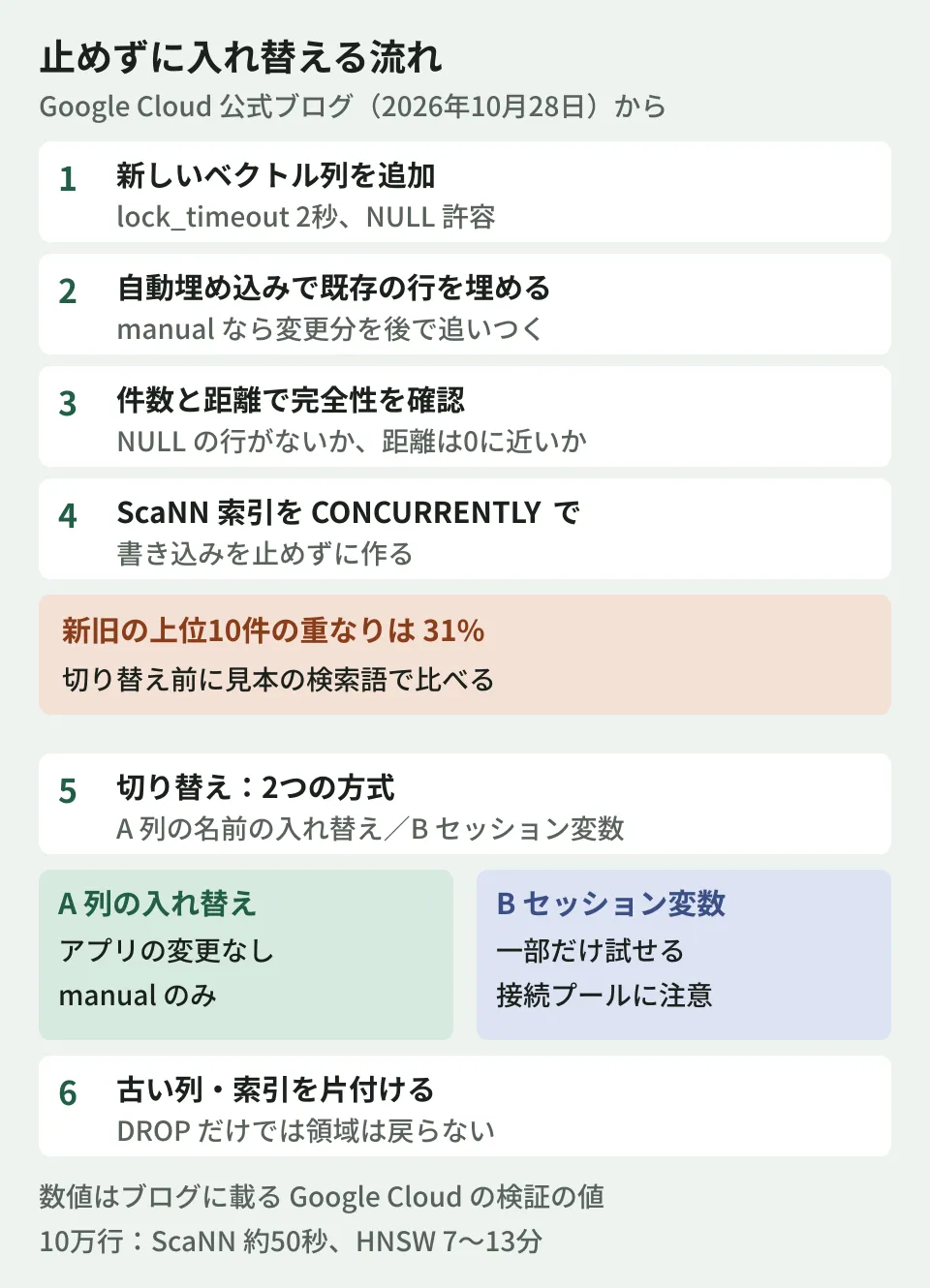
The blog's procedure has eight stages, from preparation (Step 0) to cleanup (Step 7).
- Preparation: Confirm that the
google_ml_integrationextension is 1.5.6 or later (the blog tested with 1.6.1). Confirm the new model's output dimensions (3072). The documentation also requires the two flagsgoogle_ml_integration.enable_model_supportandgoogle_ml_integration.enable_faster_embedding_generationto be on. Because processing on large tables can be throttled by default quotas, it recommends checking and increasing them first - Add a new column: A nullable column with no default value needs only a metadata update and finishes almost instantly. Set
lock_timeoutto 2 seconds so that waiting for a lock does not stall production work, and retry on failure - Fill existing rows with auto embeddings: Fill the new column with
ai.initialize_embeddings. There are two update modes.transactionalupdates embeddings immediately on each write (which slows writes), whilemanualrecords changed rows and later regenerates only the changes withai.refresh_embeddings(). The blog's example usesmanual, which is the default in the documentation - Catch up changed rows: Update rows that changed during the fill with
ai.refresh_embeddings(). Run it periodically with pg_cron or an external scheduler - Verify completeness and search quality: Check the number of rows where the new column is NULL and the distance from a freshly embedded value (which should be close to 0). Because writes continue in production, the blog uses a tracking column (
google_ml_track_stale_embedding) to narrow down to rows that have not changed since the last update. The column name may differ by table - Build a new ScaNN index: Use
CREATE INDEX CONCURRENTLYto build it without stopping writes. Because building an index at 3072 dimensions requires a lot of memory, the example setsmaintenance_work_memto 1GB - Switch search over: Choose one of the two methods described later
- Clean up the old model: Remove the old column's auto embedding settings and index, and reclaim disk space
The blog says the fill runs at up to 3,000 items per second and that creating a ScaNN index is up to 10 times faster than open-source HNSW. In a test on 100,000 rows, it reports that a 3072-dimension ScaNN index took about 50 seconds, while an HNSW index using halfvec took 7 to 13 minutes. All of these are values from Google Cloud's tests; the editorial team has not measured them.
Even without downtime, there is still load and cost
Keeping search running does not make the burden during the migration go away. Here are the points from the blog and documentation that are worth including in your plan. All figures are values from Google Cloud's tests as published in the blog.
- Write waits: During the fill, concurrent updates and deletes wait for the batch being processed to be committed. In a test on 10,000 rows, the default
max_parallel_requests(400) led to waits of up to 5.1 seconds. Lowering it to 20 reduced the wait to 0.39 seconds and lengthened the total time from 5.2 seconds to 7.6 seconds - Disk: Storage use grows while the old and new columns sit side by side. The blog's rough guide is about 13.3KB per row for the new column (about three times the old column) and about 0.6KB for the ScaNN index, plus about 25% of headroom for WAL and the like. For 10 million rows, that is about 133GB for the new column and about 6GB for the index
- Cost: According to the documentation, AlloyDB does not charge for AI function calls, but the model provider's fees still apply. Include the cost of re-embedding every row in your estimate as well
Before switching, assume the search results will change
The blog says that in an internal comparison, the top 10 results of text-embedding-005 and gemini-embedding-001 overlapped by only 31%. The blog treats this as a sign that the new model captures meaning in finer detail, but because it can affect an application's assumptions, it recommends running offline tests with sample search queries (golden queries) before routing production search to the new embeddings.
From here on is the editorial team's proposal. If close to 70% of the top 10 results change, the "search results" users see become something different. For the sample search queries, prepare pairs of queries commonly used in your business and the documents that count as correct, and compare the results from the old and new columns. If you generate answers with RAG, the documents that ground those answers will change, so evaluate the answers again as well.
Index search settings also affect the results. In the blog's test, raising scann.num_leaves_to_search from its default to 25 improved Recall@10 from 0.35 to 0.95, with a search latency of 8.8 milliseconds. If you compare with the default left in place, you risk underestimating the new model's accuracy.
Two ways to switch
| Approach | How it works | Best fit and constraints |
|---|---|---|
| A: Swapping column names | Put a function in between that generates the query embedding, and swap the column names and the function's model in a single transaction | If query embeddings are already generated through this function, no application changes are needed at switchover. manual method only. It is an all-at-once switch; you cannot try it on only some users |
| B: Session variable and function | A session variable called app.embedding_model selects, inside the function, whether to search the old or new column | Allows testing that routes only some sessions to the new model (canary) and immediate rollback. Also supports the transactional method |
With method A, the blog says that to roll back you can call the same procedure with the column arguments reversed. Method B comes with a connection pool caveat. When PgBouncer runs in transaction mode, a plain SET stays on the pool's server-side connection and may leak to other clients or fail to apply to your own later transactions. The blog recommends using SET LOCAL inside an explicit transaction or running PgBouncer in session mode.
If you use auto embeddings with the transactional method, the procedure changes in three ways: catching up changed rows (step 4 above) is not needed; swapping column names (method A) cannot be used, because the auto embedding trigger references the column name as a fixed value, so writes fail; and during the migration each write triggers two external embedding calls, which slows writes. In the blog's test, the median time to update one row was about 37.5 milliseconds before the migration, about 191 milliseconds during it, and about 172 milliseconds after the switch. The documentation also describes transactional as a method suited to demos, small data, and tables with few updates.
Cleanup does not free up storage right away
Even if you drop the old column with ALTER TABLE ... DROP COLUMN, PostgreSQL's TOAST storage stays on disk until the data pages are rewritten. The blog shows a procedure of gradually setting the old column to NULL, running VACUUM, and then dropping the column. In a test on 100,000 rows, it says this made 381MB of TOAST storage reusable. Because this method creates a new version of every row, the blog says to decide whether to reclaim the storage right away by weighing it against the VACUUM load.
We covered overall cautions for running production search on pgvector in the pgvector production operations guide, and the idea of separating AlloyDB from production so AI can read it in Letting AI agents read your production DB — AlloyDB's new preview.
Scope of verification
On November 6, 2026, we opened and checked the Google Cloud official blog post "How to upgrade embedding models in AlloyDB AI with zero downtime" (October 28, 2026), the AlloyDB documentation (auto embeddings, ScaNN indexes, supported models, release notes), and Google's model list (document research). The requirement of extension version 1.5.6 or later and the difference between
manualandtransactionalmatch the documentation. Figures such as 3,000 items per second, 10 times, and 31% are values from Google Cloud's tests as published in the blog and cannot be confirmed in the documentation. We did not create an AlloyDB cluster to test this. The approach to evaluation before switching is the editorial team's proposal.
For swapping embedding models in internal search or RAG, or for designing search evaluation, please contact us through Development, AI, and automation consultations.
References
- How to upgrade embedding models in AlloyDB AI with zero downtime (Google Cloud Blog, October 28, 2026)
- Generate and manage auto vector embeddings for large tables (AlloyDB documentation)
- AlloyDB for PostgreSQL release notes (March 3, 2026 entry)
- Supported AI models (AlloyDB documentation)
- Model versions and lifecycle (Google's model list)