You want staff at a partner company or freelancers to join a shared drive or a Chat space. When you do, you need to decide whether to issue them the same paid accounts as employees or to get by with sharing file by file. The former increases cost and management effort; the latter tends to scatter the record of "who was given what."
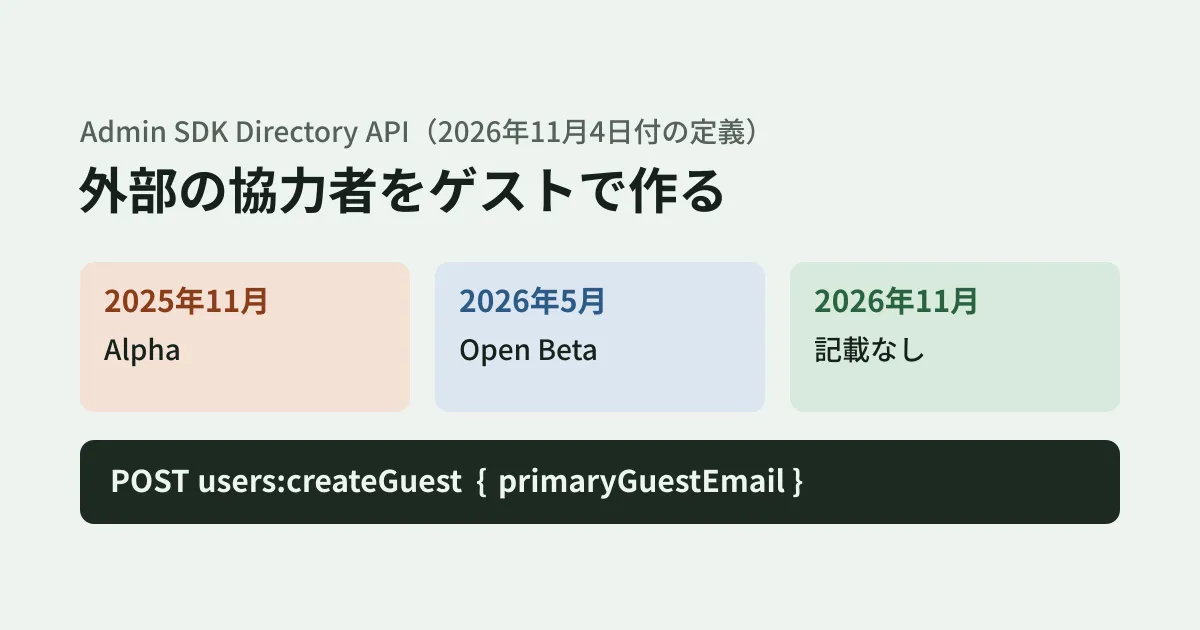
The Google Workspace Admin SDK (Directory API) has a method, users.createGuest, that creates a "guest user" in between these two options, and it is listed in the reference. In the API definition Google publishes (the Discovery document), the version dated November 4, 2026 removed the "Open Beta" label from this method's description. In this article, we summarize what the reference and definition say, how the admin help and announcements describe guests, and what to check before building it into a system for managing external collaborators.
How the definition's description has changed
A Discovery document is Google's official definition that describes an API's methods and fields in machine-readable form. Google's Go repository (googleapis/google-api-go-client) imports these definitions automatically, so you can follow the change history. The description of users.createGuest has changed as follows.
| Definition version (revision) | Date imported | End of the method description |
|---|---|---|
| 20251124 | November 27, 2025 | This feature is currently in Alpha. Please reach out to support if you are interested in trying this feature. |
| 20260522 | May 27, 2026 | This feature is currently in Open Beta. |
| 20261104 | November 7, 2026 | (No release stage stated) |
In every version, the first part of the description is "Create a guest user with access to a subset of Workspace capabilities." What that "subset" includes is indicated by a link to an admin help article (support.google.com/a/answer/16558545, which now redirects to the "Manage Workspace guests" page).
The latest definition retrieved on November 11, 2026 (revision 20261109) also states no release stage in the description. The reference on developers.google.com (Method: users.createGuest, last updated October 30, 2026) likewise has only this one sentence as its description, with no Alpha, Beta or preview label.
The guest account feature itself was announced as generally available in Google Workspace Updates on March 30, 2026. That announcement says "API capability to create guests will be available in open beta by May 2026," which matches the definition's description changing to "Open Beta" in the May version.
On the other hand, we found no announcement that creation via the API has become generally available (we checked the Workspace Updates search, the Admin console release notes and the Google Workspace developer release notes on November 11, 2026). The removal of "Open Beta" from the description cannot be treated as equivalent to a general availability announcement. Before building it into production operations, confirm the release stage through the Admin console or Support.
Fields sent and fields returned
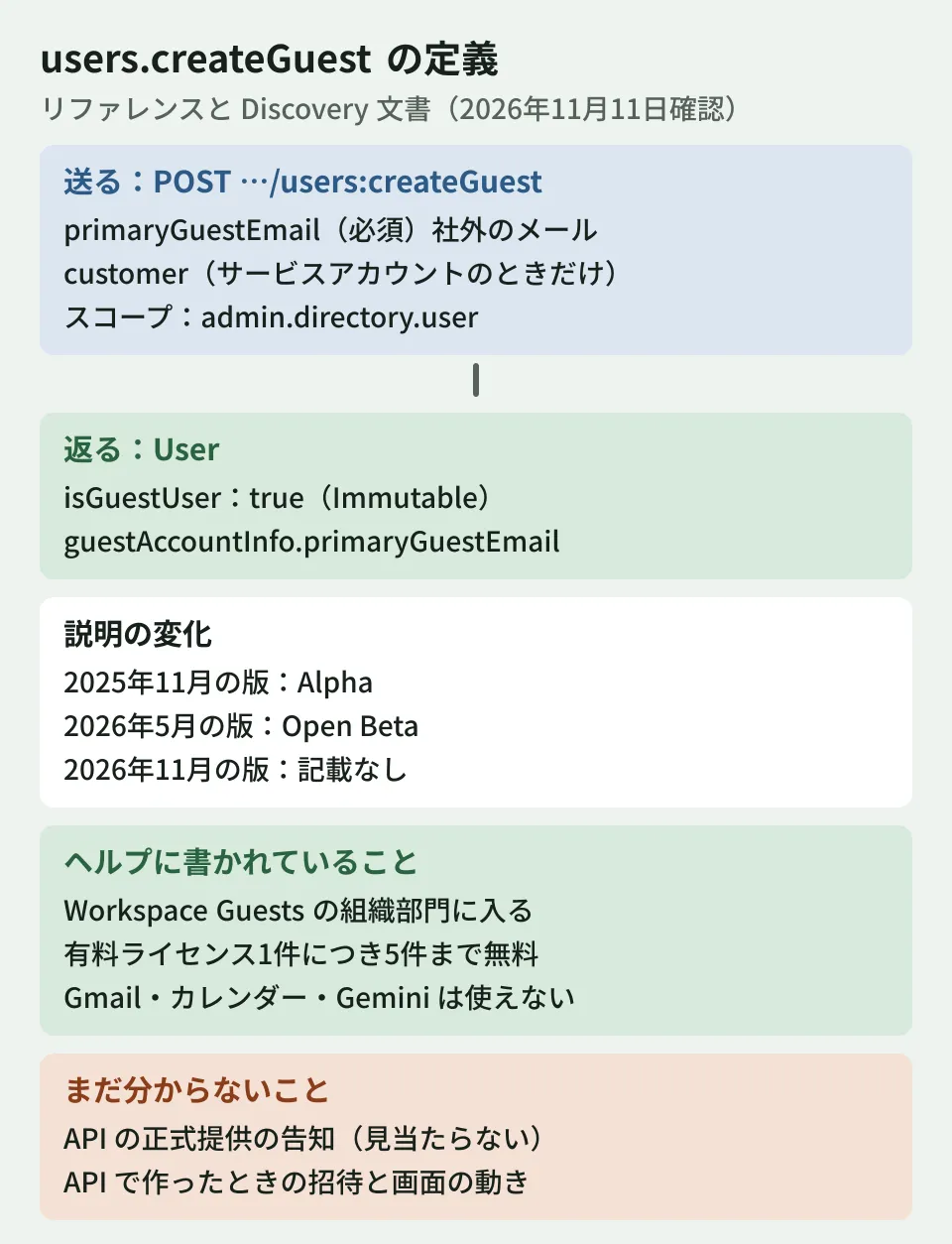
According to the definition, the request takes the following form. The required OAuth scope is https://www.googleapis.com/auth/admin.directory.user.
POST https://admin.googleapis.com/admin/directory/v1/users:createGuest
Content-Type: application/json

{
  "primaryGuestEmail": "partner@example.com"
}
The request body has only two fields.
primaryGuestEmail: Required. The external email address of the guest to createcustomer: Optional. The immutable ID of the Workspace account. Required only when calling from a service account; otherwise, the customer ID of the authenticated user is used
customer and the statement that primaryGuestEmail is required were added in the May 2026 version. In the Alpha version, primaryGuestEmail was described only as "Immutable."
The response is the same User resource as for regular users. Two fields relate to guests.
isGuestUser: A boolean indicating whether the user is a guest (Immutable)guestAccountInfo.primaryGuestEmail: The guest's external email address (Immutable)
Because both are marked "Immutable," as far as the definition shows, they are not provided as fields for switching between regular user and guest after creation. The User resource in the reference also lists the two fields with the same descriptions. Note that we did not call users.createGuest on a real account to check the returned values.
How help articles and announcements describe guests
What guest accounts can do is described not in the API definition but in the admin help (Manage Workspace guests, last updated November 5, 2026) and the March announcement. The main points are as follows.
- Eligible editions: Chat guests are available on all Business and Enterprise SKUs
- How they are created: when an internal user invites an external person in Chat (or sends a client-side encrypted email), a guest account is created and the person receives an invitation
- Where they live: they are automatically placed in an organizational unit called "Workspace Guests" in the Admin console and cannot be moved to other organizational units
- Free allowance: up to five guest accounts free for each paid Business or Enterprise license
- What is unavailable: Gmail, Google Calendar and Gemini in Workspace cannot be used, and guests cannot be added to dynamic groups
- Intended users: according to the announcement, guest accounts are for external people who do not use Workspace; collaboration with Workspace users and personal Google accounts continues as before, without creating guests
The help article also lists what guests can and cannot do in Chat and Drive. We covered how to send invitations and when to use visitor sharing instead in our article on Google Workspace guest accounts. The help article assumes invitations from Chat. Neither the help article nor the announcement says how invitations reach guests created via the API, or how the API responds when the person already has a personal Google account.
Getting a list of guests
External collaborators' accounts need to be cleaned up when their contracts end. To do that, make sure you can get a list of the current guests.
The March announcement says "user.list will now include guests by default." If your existing inventory or license-counting scripts treat the results of users.list as a list of employees as-is, check whether guests get mixed in.
There are two ways to extract only guests. One is to use the search condition isGuest listed on the user search guide page (Search for users). The guide says "Whether the user is a guest user. If not specified, the response will contain both guest and non-guest users." The other is to filter by isGuestUser on the retrieved users. The following example uses both and retrieves up to 500 users at a time (the limit in the definition). It assumes the "Admin SDK API" advanced service is enabled in Apps Script.
// ゲストユーザーの一覧をスプレッドシートに書き出す(編集部の例。実際の組織では未実行)
function listGuestUsers() {
  const rows = [['主メール', 'ゲストの社外メール', '作成日時', '最終ログイン', '停止']];
  let pageToken;
  do {
    const page = AdminDirectory.Users.list({
      customer: 'my_customer',
      query: 'isGuest=true',
      maxResults: 500,
      pageToken: pageToken,
    });
    (page.users || [])
      .filter((u) => u.isGuestUser === true)
      .forEach((u) => rows.push([
        u.primaryEmail,
        u.guestAccountInfo ? u.guestAccountInfo.primaryGuestEmail : '',
        u.creationTime,
        u.lastLoginTime,
        u.suspended,
      ]));
    pageToken = page.nextPageToken;
  } while (pageToken);
  SpreadsheetApp.getActiveSheet().getRange(1, 1, rows.length, rows[0].length).setValues(rows);
}
The search condition syntax (isGuest=true) was put together from the operator table on the guide page and has not been tested in a real organization. The sources also do not tell us whether isGuestUser is actually returned in the list, or what form a guest's primaryEmail takes. Create one guest in a test organization to confirm before using this for regular inventories.
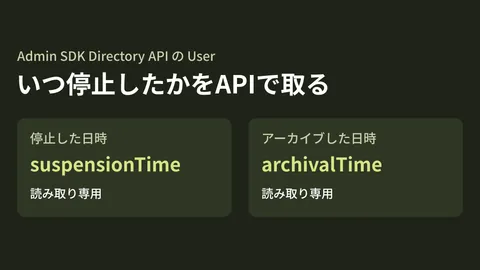
We covered how to check, through the API, which groups allow members from outside the organization in our article on external members in Google Groups, and how to get the suspension date of a departed employee's account in our article on suspension dates in the Admin SDK. A guest inventory can be built on the same approach.
What to decide before building it into your systems (editorial proposal)
From here on, this is the editorial team's proposal based on the sources above.
Use a single entry point for creation. According to the help article, by default users in your organization can invite people outside it as guests from Chat. If guests can be created both through Chat invitations and through the API, it becomes hard to keep a record of who invited whom and why. If you make a request form or workflow the entry point and create only approved guests through the API, you can tie the requester, the project and the planned end date to the creation record. In that case, also decide whether to stop invitations from Chat with the setting named in the help article, "Allow users to send guest invitations to people outside your organization" (we have not checked whether turning off this setting affects creation through the API).
Always record a planned end date. Contracts with partner companies come to an end. Have the requester enter a planned end date at the time of the request, compare it against the list above, and notify the person in charge about guests whose end date has passed.
Confirm what guests are allowed to do first. The help article says guests are placed in the "Workspace Guests" organizational unit and cannot be moved to other organizational units. The March announcement advises setting policies such as 2-Step Verification and Context-Aware Access on this organizational unit. This article could not confirm what happens when you exceed the free allowance (5 per paid license), or how suspending and deleting guests created through the API is handled. Confirm these in the help article and through actual behavior in a test organization before deciding on your operating rules.
Scope of verification
On November 10, 2026, we checked the Discovery document for the Admin SDK (Directory API) (revision 20261104) and the history of
admin/directory/v1/admin-api.jsonin googleapis/google-api-go-client (f3dc8f4: November 27, 2025; 3c139a0: May 27, 2026; 06ea9e1: November 7, 2026). On November 11, 2026, we checked the Discovery document (revision 20261109), the reference on developers.google.com (users.createGuest and the Users resource) and the guide to searching for users, the admin help article "Manage Workspace guests", the Google Workspace Updates announcement of March 30, 2026, and the Admin console and developer release notes (desk research). We did not callusers.createGuestorusers.list, run the Apps Script example, or check guests in the Admin console.
GleamHub's free IT and Google Workspace consultation can help with handling accounts for outside collaborators and with building a process that runs from request to creation and inventory. What needs to be decided depends on the size of your organization and the form of your contracts, so please reach out through our contact form.
References
- Admin SDK Directory API — Method: users.createGuest
- Admin SDK Directory API — Search for users
- Google Workspace Updates — Introducing guest accounts (March 30, 2026)
- Admin SDK Directory API — Discovery document
- googleapis/google-api-go-client — admin/directory/v1/admin-api.json(commit 06ea9e1)
- Google Workspace Admin Help — Manage Workspace guests (linked from the definition's description)