One approach is to "suspend" the account of an employee who has left instead of deleting it right away. That way you can keep it while transferring email and Drive data. The problem comes after the suspension. Six months later the account is still suspended, and nobody can tell when it was suspended or whether it can now be deleted. You could find out by going back through the audit logs one person at a time in the Admin console, but that becomes impractical as the number of people grows.
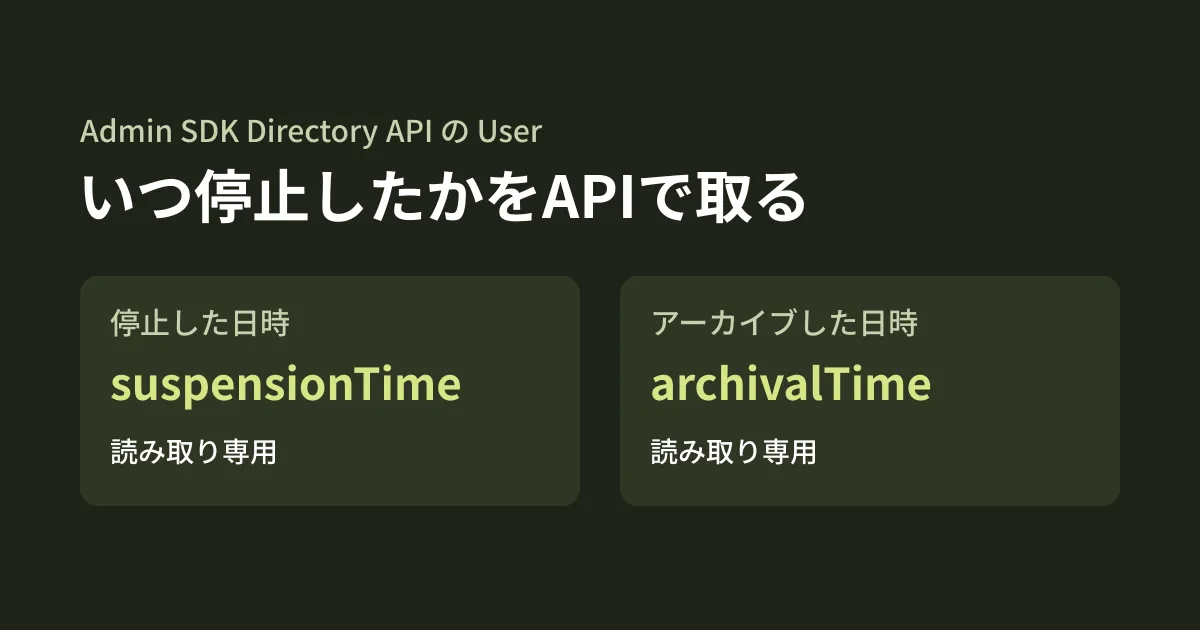
The user resource (User) in the Admin SDK Directory API now includes suspensionTime, representing the date and time of suspension, and archivalTime, representing the date and time of archiving. In this article, we summarize how to use them for account audits, based on what we checked by opening the Directory API Discovery document (directory_v1, revision 20261012), Google's client libraries, and the repository of the admin tool GAM on October 18, 2026, and the API reference (Users) and the guide to searching for users on October 19. This is document research plus the editorial team's suggestions; because we had no credentials, we did not call the API.
The two new fields
The Users page of the API reference (updated June 3, 2026) and User in the Discovery document contain the following descriptions.
suspensionTime:「Output only. User’s account suspension time. (Read-only)」archivalTime:「Output only. User’s account archival time. (Read-only)」
Both are read-only, and their values cannot be changed through the API. Placed alongside the existing fields, they look like this.
| Item | Description (reference) | Type |
|---|---|---|
suspended | Indicates if user is suspended. | Whether the user is suspended (boolean) |
suspensionReason | The reason for suspension by an admin or by Google. Returned only when suspended is true | Read-only |
suspensionTime | Date and time of suspension | Read-only (new) |
archived | Indicates if user is archived. | Whether the user is archived (boolean) |
archivalTime | Date and time of archiving | Read-only (new) |
Because suspensionReason is also available, you can tell at the same time whether an admin suspended the account or it was suspended by Google's decision. In an audit, you can sort the list so that accounts not suspended by an admin are checked first.
Note that we have not been able to confirm the date format (which time zone and what string format). The reference only gives the type as string, and these two fields in the Discovery document have no format specified either. Before using them for comparisons, look at one actual value to check the format.
When they became available
We found no announcement of these two fields in the Admin SDK release notes (whose latest entry as of October 19 is December 30, 2025) or the Workspace Updates blog. They do appear on the Users page of the reference. Comparing Google's google-api-python-client for Python, the two fields are absent from 2.197.0 (Directory definition revision 20260421) and present from 2.198.0 (revision 20260531, published June 25, 2026). For Node.js, @googleapis/admin also includes them in the type definitions of 37.0.2, the latest version as of October 19.
Version 7.44.00 in the change history (src/GamUpdate.txt) of the admin tool GAM says "Added support for User data archivalTime and suspensionTime that is available when fields archived and suspended are requested in gam info user and gam print users." GAM's description puts it as: they are returned along with archived or suspended when those are included in the output fields.
Neither source says whether dates are filled in for users suspended before the fields were added. If the value is empty for an older suspended user, you will need to check that person in the audit logs as before.
Identifying users suspended for more than 90 days
The following code retrieves all users and lists those for whom more than 90 days have passed since suspension or archiving. It uses fields in users.list to narrow the response to only the necessary fields. The maximum for maxResults is 500.
import { admin_directory_v1 } from '@googleapis/admin';

// 停止・アーカイブから90日を過ぎたユーザーを洗い出す
export async function staleAccounts(admin: admin_directory_v1.Admin, now = new Date()) {
  const limit = now.getTime() - 90 * 24 * 60 * 60 * 1000;
  const out: { email: string; state: string; since: string; reason?: string }[] = [];
  let pageToken: string | undefined;
  do {
    const res = await admin.users.list({
      customer: 'my_customer',
      maxResults: 500,
      pageToken,
      fields: 'nextPageToken,users(primaryEmail,suspended,suspensionTime,suspensionReason,archived,archivalTime)',
    });
    for (const u of res.data.users ?? []) {
      if (!u.suspended && !u.archived) continue;
      const since = u.archived ? u.archivalTime : u.suspensionTime;
      if (since && Date.parse(since) < limit) {
        out.push({ email: u.primaryEmail!, state: u.archived ? 'archived' : 'suspended', since, reason: u.suspensionReason ?? undefined });
      }
    }
    pageToken = res.data.nextPageToken ?? undefined;
  } while (pageToken);
  return out;
}
This code passed type checking against the type definitions of @googleapis/admin 37.0.2; we did not actually send it and check the response. The guide to searching for users includes the conditions isSuspended and isArchived, and writing something like isSuspended=true in query of users.list narrows the results to suspended users only. Here, to pick up both suspended and archived users in a single retrieval, we fetch all users and filter locally. The call requires the admin.directory.user.readonly scope or broader.
What to decide once you have the list (editorial team's suggestions)
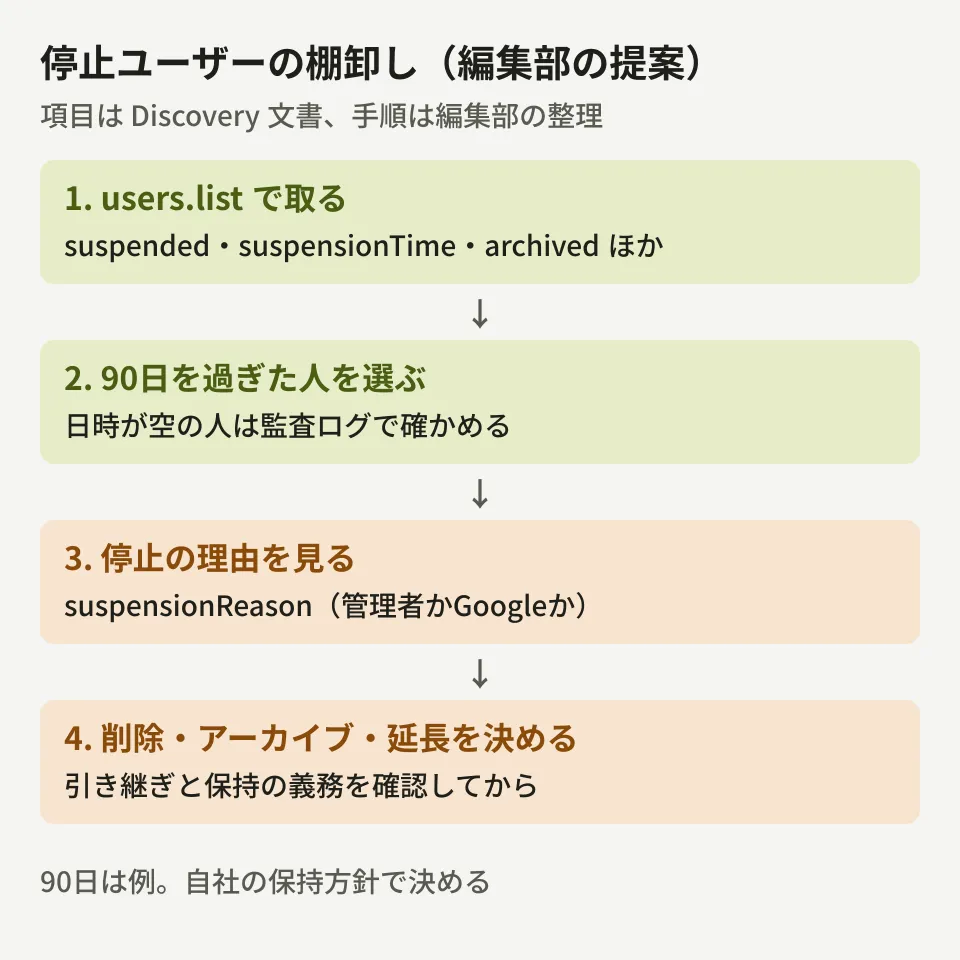
Even if you can get the dates, deciding whether an account can be deleted requires separate checks. For each user on the list, check the following in order.
- Has the data handover been completed?: Confirm that ownership of email, Drive, and Calendar has been transferred. Shared calendars must be transferred before deletion, as described in Conditions for transferring ownership before someone leaves
- Is there an obligation to retain data?: If there is data that must be kept for litigation or audits, check your Vault retention settings. If you notice after deleting, you cannot undo it
- Keep suspended, archive, or delete?: The decision depends on whether your contract charges for licenses even while accounts are suspended. The relationship with licenses for archived users is covered in The problem of former employees' accounts you can't delete but don't want to keep paying for
- Record the decision: Keep a record of who deleted the account, when, and on what grounds. This saves you from repeating the same checks in the next audit
The 90-day cutoff is just an example used in this article. Set it according to your company's work rules and retention policy.
What to check before using it
- Users with no value: It is unverified whether dates are returned for users suspended or archived before the fields were added. Put users with empty values on a separate list and check them in the audit logs
- If an account is restored and then suspended again: It is not documented whether the date is replaced with that of the latest suspension when a suspension is lifted and the account is suspended again
- The relationship between archiving and suspension: We have not checked how
suspendedis returned for archived users. The code above includes a user if either one istrue - Library version: When using Node.js, use a version whose type definitions include the fields. Older versions may also return them if you specify them in
fields, but we have not verified this
Start by counting how many users are currently suspended and checking one of them to see whether the date is filled in. If you review all admin accounts together with the Google Workspace security checklist, you are less likely to miss anything.
On October 18, 2026, we directly retrieved and checked the Admin SDK Directory API Discovery document (directory_v1, revision 20261012), the definitions bundled with google-api-python-client 2.197.0 and 2.198.0 along with their PyPI release timestamps, the type definitions in npm's
@googleapis/admin37.0.2, andsrc/GamUpdate.txtin GAM-team/GAM. On October 19, we opened the API reference (Users, users.list), the guide to searching for users, and the Admin SDK release notes and cross-checked them (desk research). The code example passes TypeScript type checking against@googleapis/admin37.0.2. Because we had no credentials, we did not call the API, and the actual responses, the timestamp format, the values for users suspended before the fields were added, and the handling of unsuspension and re-suspension remain unverified.
GleamHub's free IT & Google Workspace consultation can help with auditing the accounts of departed employees and setting up the Google Workspace side of onboarding and offboarding procedures. The approach depends on your number of users and your retention policy, so please reach out via Contact Us.