Text such as the body of inquiry form submissions or invoice line items often sits in the database while people read it and classify or transcribe it by hand. If you try to automate this with generative AI, you need a program that pulls the data out, calls the model's API, parses the response and writes it back, and you also end up owning retries and error handling yourself.
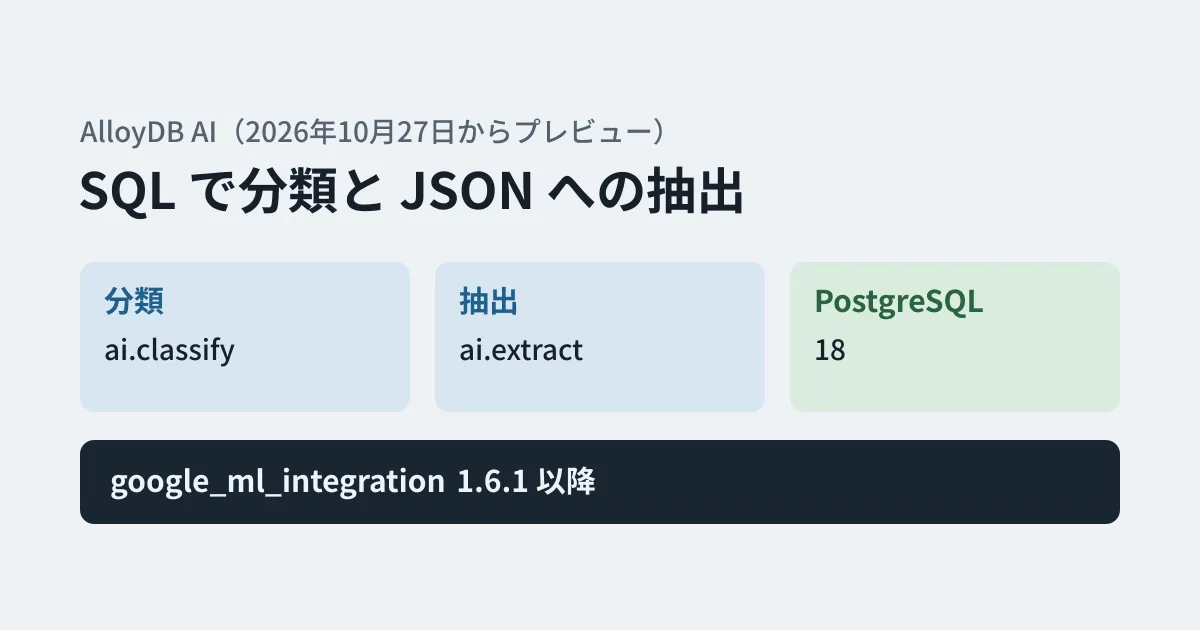
"AlloyDB AI", part of the PostgreSQL-compatible database AlloyDB, has added ai.classify, which classifies text from SQL, and ai.extract, which extracts JSON from text, as a preview. They appear under the October 27, 2026 entry in the AlloyDB release notes, and the official Google Cloud blog introduced them on November 12. In this article, we organize the requirements and syntax described in the blog and the documentation, and summarize how this differs from doing the same thing in your own program and what to decide before using it on business data. This is based on a documentation review; we did not run the functions.
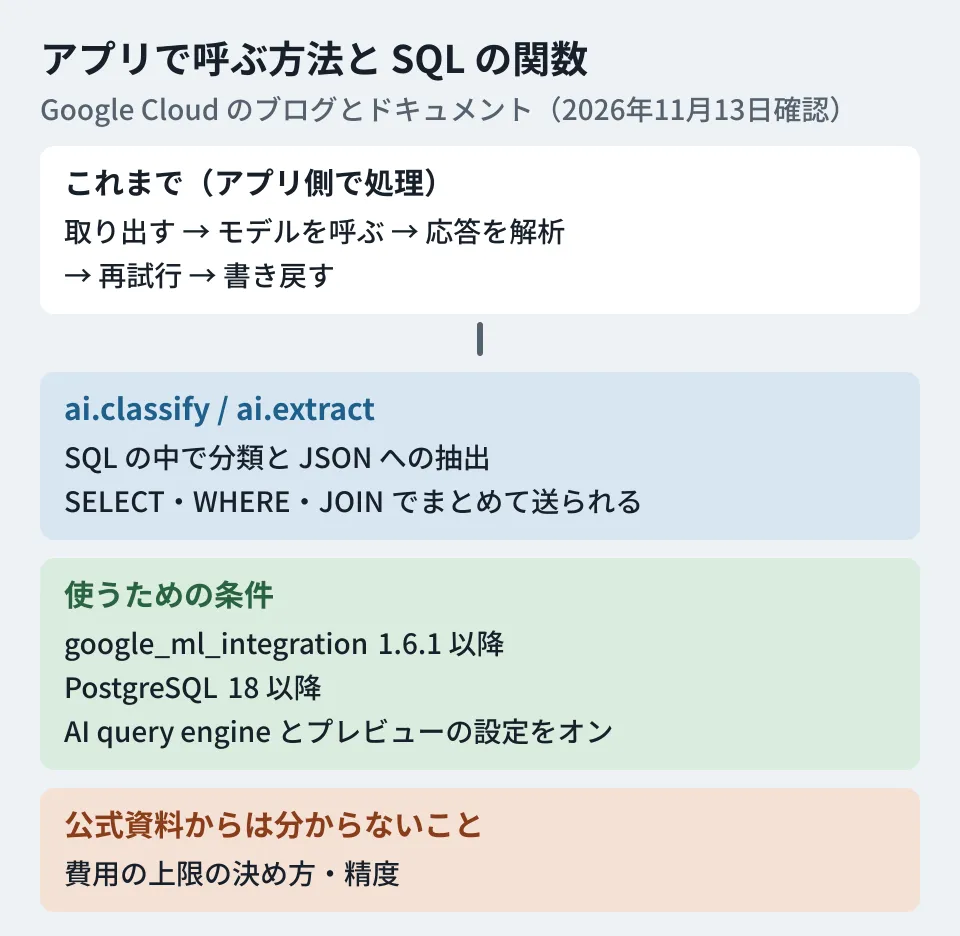
Requirements for use
The requirements stated in the documentation ("Classify text" and "Extract structured data", both updated November 10, 2026) are as follows. The version and PostgreSQL requirements also match what the blog says.
- PostgreSQL 18 or later (the blog says "PostgreSQL 18")
- Version 1.6.1 or later of AlloyDB's
google_ml_integrationextension - Two settings that enable the AI query engine and the preview functions (both off by default; no database restart required)
- The release stage is preview (subject to the Pre-GA Offerings Terms, provided "as is", and support may be limited)
SET google_ml_integration.enable_ai_query_engine = 'on';
SET google_ml_integration.enable_preview_ai_functions = 'on';
The blog's example is just the single line SET google_ml_integration.enable_preview_ai_functions = TRUE;, but the documentation lists the two settings above. Besides setting them per session, it also shows how to set them for a specific database with ALTER DATABASE, or for all databases with an instance database flag.
You can also use "smart batching for AI functions" (also called AI function acceleration), which bundles per-row calls and sends them to the model together. According to the release notes, smart batching became generally available on November 9, 2026 for functions including ai.classify and ai.extract on clusters running PostgreSQL 17 or later (ai.classify and ai.extract themselves remain in preview). According to the smart batching documentation, it works as follows.
- On by default in PostgreSQL 18 (the setting is
google_ml_integration.enable_ai_function_acceleration) ai.classifyandai.extractare sent in batches withinSELECTcolumns,WHEREandJOIN- Ordinary filter conditions that do not use AI are evaluated first, and only the rows that pass them are sent to the model
- As a prerequisite, integration with Gemini Enterprise Agent Platform is required (granting the Vertex AI User role to the AlloyDB service agent)
- Available regions are those where the default model (or the model you configured) is available
Using the case of the WHERE clause as an example, the blog explains that this is faster than evaluating one row at a time, and that it reduces duplicated prompts and lowers token costs.
How to write the functions
ai.classify returns which of the specified categories the text falls into. The features listed in the blog and the documentation are as follows.
- Whether to pick just one (
output_mode => 'single') or return all that apply (output_mode => 'multi') - You can pass not only category names but also a description of each category as a two-dimensional array
- Few-shot specification by passing examples (
examples) - Three types of input: a single row (
TEXT), an array (TEXT[]) and a cursor (REFCURSOR). For arrays and cursors, you can specifybatch_size(the default for arrays is 10) - You can specify the model to use with
model_id. In addition to pre-registered models, you can also specify models you have registered yourself
The example in the blog and the documentation sorts product reviews into "positive / neutral / negative". It attaches a description to each category and specifies batch_size => 5. The sample output in the documentation was positive, negative and negative for three reviews.
SELECT unnest(
  ai.classify(
    inputs => ARRAY(SELECT review FROM product_reviews ORDER BY id),
    categories => ARRAY[
      ['positive', 'Good sentiment'],
      ['neutral', 'Neither good nor bad sentiment'],
      ['negative', 'Bad sentiment']
    ],
    batch_size => 5
  )
) AS sentiment;
ai.extract pulls the specified fields out of text and returns them as JSON. You specify the fields either with a JSON schema or with a sentence describing the fields you want to extract. The blog's example extracts the patient name, age, symptoms and prescribed medications from clinical notes, passing a typed JSON schema to output_schema. In neither example is any prompt wording or response parsing code written.
As business use cases, the blog cites extracting the vendor, date and line-item total from invoice text, and extracting the governing law, liability cap and termination notice period from contracts.
The default model used when model_id is omitted is described differently depending on the source. The classification and extraction documentation says gemini-3.5-flash-lite, while the smart batching documentation says gemini-2.5-flash-lite. The release notes (October 29, 2026) state that in version 1.6.5 of the extension, the default Gemini model became gemini-3.5-flash-lite and the gemini-2.5 series models were removed from the pre-registered list. Because the default changes with the extension version, specifying model_id explicitly in business use lets you trace later which model produced a given result (editorial proposal).
Differences from calling models from your own program
The blog lists the burdens of calling models from the application side as pulling out the data, calling an external model, assembling prompts, parsing unpredictable responses, retrying and writing the data back, and says these lead to latency, more code, token costs and compliance risks from data crossing multiple network boundaries.
Organizing this from our editorial perspective, the advantages of making it a SQL function are that classification and extraction results can be written directly into tables, and that you do not need to run a program outside the database. On the other hand, the following points may be easier to control with your own program.
| Dimension | SQL functions (ai.classify / ai.extract) | Your own program |
|---|---|---|
| Choosing the model | Specified with model_id (registered models also allowed) | Free to choose |
| Cost cap | A setting to cap costs on the AlloyDB side is not described in the documentation we read | You control the number of calls and tokens yourself |
| Validating results | Checked in the calling SQL | Can be rejected at the parsing stage |
| Release stage | Preview (smart batching is generally available) | Depends on the release stage of the model's API |
On pricing, the AlloyDB pricing page states: "AlloyDB AI is available at no additional charge. Customers making calls to AI models will be billed through the model provider." There is no additional charge for the AlloyDB AI features themselves, and charges for model calls are billed by the model provider. The smart batching documentation says that exceeding the model's token quota (TPM) or Agent Platform API limits can result in HTTP 429 errors, and shows settings to lower the degree of parallelism and the batch size. As future plans, the blog lists cost optimization, per-row provenance tracking, and pushing processing down beyond the WHERE clause.
We covered how to think about token limits when using similar generative AI functions in BigQuery in our article on the daily token limit for BigQuery AI functions, and the steps for swapping embedding models in AlloyDB AI in our article on AlloyDB AI embedding models.
What to decide before using it on business data (editorial proposal)
From here on are our editorial proposals based on the blog and the documentation.
- Save results in a separate column and do not overwrite the original data. Store classification and extraction results in a column or table separate from the original text, together with when they were run, the model used and the function settings (the list of categories or the schema). That way, when you change the settings or the model, you can tell which results are outdated.
- Decide what people will check. For fields where mistakes affect operations, such as invoice amounts or contract terms, set up a flow in which people check the extraction results before they are used. For classification, providing an "other" category for items the model is not confident about lets you narrow down what people need to review.
- Narrow down the target rows before trying it. Even with smart batching sending calls together, if many rows are evaluated by the function, the model will be called that many more times. According to the documentation, only rows that pass non-AI conditions such as dates are sent to the model. Try it first on a range narrowed by date or status, check how much time and cost it takes and whether it hits quota limits, and then expand.
- Check how text containing personal information is handled. The blog cites keeping data inside the database as an advantage, but the functions send the text to a model (by default, Gemini on Agent Platform) for processing. Check the route by which data is sent to the model and how it is stored against the Agent Platform documentation and your contract.
- Check the preview terms. Preview features differ from generally available ones in their terms of availability and scope of support. According to the release notes (October 27, 2026), argument names changed in other functions of the same AI query engine (such as
ai.analyze_sentimentandai.summarize), so the syntax may also change during the preview. Before building it into production processing, check Google Cloud's terms and the release notes.
Scope of verification
On November 12, 2026, we reviewed the official Google Cloud blog post "Introducing new AI functions for AlloyDB: ai.classify and ai.extract" (November 12, 2026). On November 13, we reviewed the AlloyDB release notes (the October 27, October 29 and November 9 entries), the documentation pages "Classify text", "Extract structured data" and "Accelerate performance for queries with AI functions" (all updated November 10), the steps for integrating with Agent Platform, and the pricing page (documentation review). We did not run the functions. We have not checked the accuracy of classification and extraction or the per-token price of the models.
GleamHub accepts consultations on development, AI and automation, including building systems that use generative AI to classify and transcribe data from inquiries and business forms. The setup depends on the volume of data and how results are checked, so please reach out via our contact form.
References
- Google Cloud Blog — Introducing new AI functions for AlloyDB: ai.classify and ai.extract
- AlloyDB for PostgreSQL release notes
- AlloyDB — Classify text
- AlloyDB — Extract structured data
- AlloyDB — Accelerate performance for queries with AI functions
- AlloyDB — Integrate with Gemini Enterprise Agent Platform
- AlloyDB pricing