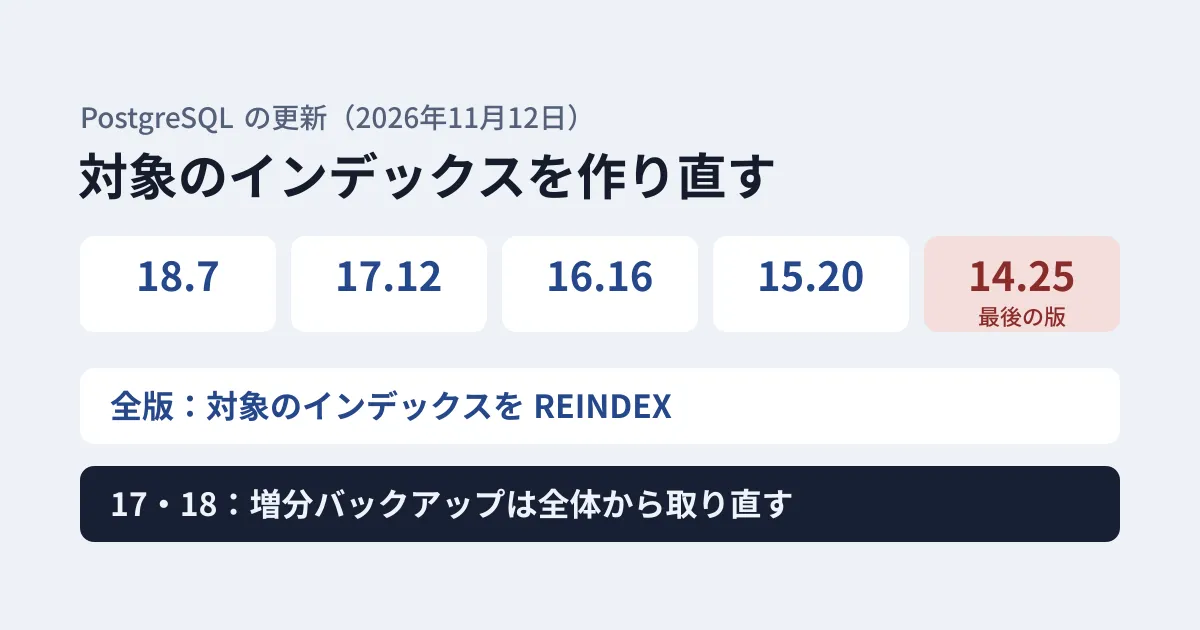
A PostgreSQL minor version update is usually done once you upgrade the package and restart. The November 12 update is not finished with that alone. This is because the “Migration” section of each version’s release notes and the “Updating” section of the announcement ask you to rebuild indexes and to retake incremental backups.
On November 12, 2026, the PostgreSQL project released 18.7, 17.12, 16.16, 15.20 and 14.25 (PostgreSQL 19 RC 2 was also released the same day). The announcement says the releases fix 52 security vulnerabilities and over 140 bugs. Counting the CVE numbers fixed in each version’s release notes gives 52 for 18.7 and 40 even for 14.25. In this article, we lay out the post-update tasks based on the original text of the release notes and the announcement, and on the results of testing SQL to find affected indexes in a test environment (PostgreSQL 16.15 on Ubuntu 24.04).
Two tasks the release notes ask for
“Migration to Version 18.7” in the 18.7 release notes says the following.
However, several different bugs have been discovered that could result in index corruption. Examine the changelog entries below that mention REINDEX, and reindex any indexes you have that might be affected.
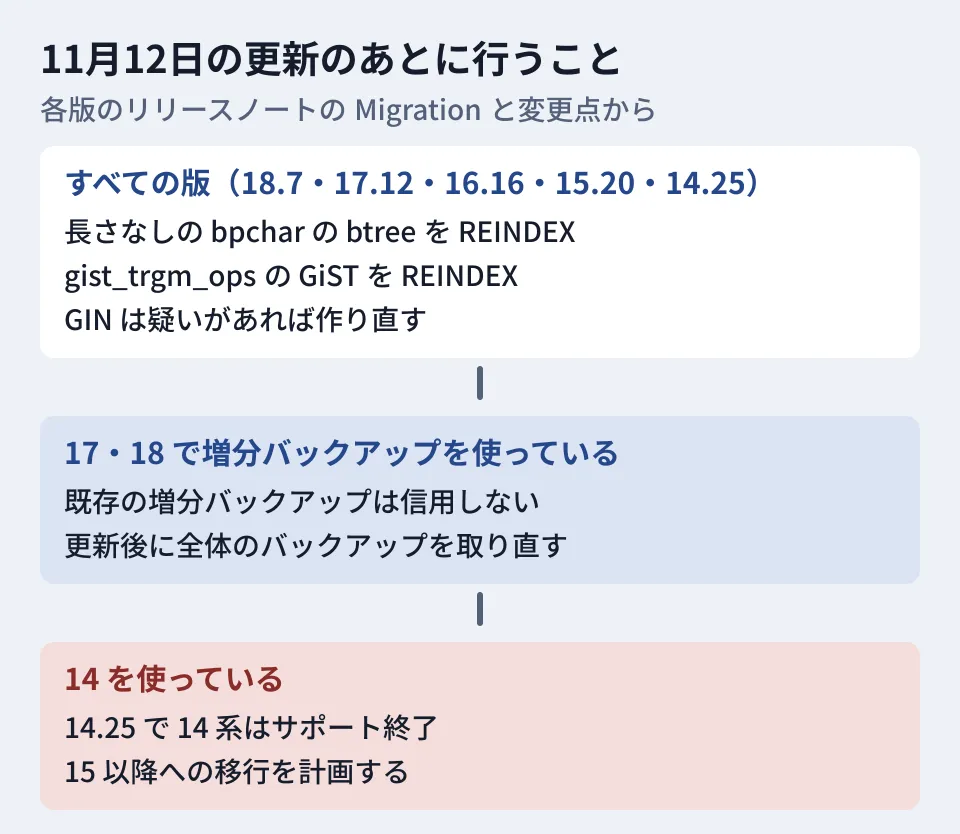
A dump and restore (reloading the data) is not required, but because several bugs that corrupt indexes were found, it asks you to read the items that mention REINDEX and rebuild any affected indexes. This paragraph appears with the same wording in all five versions.
17.12 and 18.7 have one more paragraph.
Also, existing incremental backup files should not be trusted, thanks to the discovery of several ways that they could become corrupt. It’s recommended that users of incremental backups take a new full backup after updating and use it as the basis for subsequent incremental backups.
For incremental backups (backups that capture only the changes since the previous one), added in 17, several ways they could be corrupted were found, so it recommends not trusting existing incremental backups, and instead taking a new full backup after updating to serve as the base for subsequent incremental backups. Versions 16 and earlier do not have incremental backups, so this paragraph is not included there.
Indexes that need REINDEX
Among the items that mention REINDEX, the following are ones where users can determine what is affected. We confirmed that each of them appears in the release notes of all five versions.
- Btree indexes on
bpcharcolumns without a specified length. This is a fix that disables de-duplication viabpchar, and it says “users who have btree indexes on bpchar columns should REINDEX them.” The release notes say that the common usage with a specified length, such asCHAR(n), is “not at risk.” - GiST indexes using
gist_trgm_opsfrom pg_trgm. This is an extension used for fuzzy search and similar purposes. Because the fix does not repair existing indexes, it says “Users should REINDEX existing gist_trgm_ops indexes after updating.” - GIN indexes. There are two bugs, one where entries that VACUUM should remove are left behind and one in page deletion, and both say “REINDEX is recommended if you suspect this has happened.” This is described as a task for when you suspect a problem. This index type is used for full-text search and jsonb search.
- Indexes on TOAST tables. This is a bug where index updates could be missed after
REINDEX CONCURRENTLY; the table itself is intact, and “a REINDEX will suffice to recover.” The announcement says that if a “missing chunk number” error appears when reading the table, you should rebuild the whole table withREINDEX TABLE(the indexes on the TOAST table are rebuilt along with it).
A problem where functions used in index predicates or expressions could interfere with REINDEX CONCURRENTLY (CVE-2026-116336) was also fixed.
Testing SQL to find affected indexes in a test environment
On November 15, 2026, we created a test database on PostgreSQL 16.15 (the pre-update version) on Ubuntu 24.04, prepared indexes on bpchar without a length, char(2), gist_trgm_ops, gin_trgm_ops and jsonb, and ran the following SQL. The data is fictitious.
-- 1) 長さの指定がない bpchar 列を含む btree インデックス
SELECT i.indexrelid::regclass AS index_name, i.indrelid::regclass AS table_name, a.attname AS column_name,
       format_type(a.atttypid, a.atttypmod) AS column_type
FROM pg_index i
JOIN pg_class c ON c.oid = i.indexrelid
JOIN pg_am am ON am.oid = c.relam AND am.amname = 'btree'
JOIN pg_attribute a ON a.attrelid = i.indrelid AND a.attnum = ANY (i.indkey)
WHERE a.atttypid = 'bpchar'::regtype AND a.atttypmod = -1
ORDER BY 1;

-- 2) pg_trgm の gist_trgm_ops を使う GiST インデックス
SELECT c.oid::regclass AS index_name, i.indrelid::regclass AS table_name, opc.opcname
FROM pg_index i
JOIN pg_class c ON c.oid = i.indexrelid
JOIN pg_opclass opc ON opc.oid = ANY (i.indclass::oid[])
WHERE opc.opcname = 'gist_trgm_ops'
ORDER BY 1;

-- 3) GIN インデックスの一覧(疑いがある場合に REINDEX を検討)
SELECT c.oid::regclass AS index_name, i.indrelid::regclass AS table_name,
       pg_size_pretty(pg_relation_size(c.oid)) AS size
FROM pg_index i
JOIN pg_class c ON c.oid = i.indexrelid
JOIN pg_am am ON am.oid = c.relam AND am.amname = 'gin'
WHERE c.relnamespace <> 'pg_catalog'::regnamespace
ORDER BY 1;
The first query returned only the index on bpchar without a length; the index on char(2) did not appear. The second query returned only the GiST index using gist_trgm_ops, while the GIN index using gin_trgm_ops on the same column appeared in the third list. We ran REINDEX INDEX CONCURRENTLY on the two indexes found, and both succeeded. Adding CONCURRENTLY lets you keep writing to the table (inserts, updates and deletes) during the rebuild. Without it, REINDEX blocks writes until it finishes (reads are not blocked).
This SQL was written by the editorial team, and there is no guarantee it covers every case listed in the release notes. Because the first query looks at columns directly, it cannot find the expression part of expression indexes (indexes built on an expression rather than a column). If you have multiple databases, run it in each database. Indexes on TOAST tables are not covered.
How to tell whether you use incremental backups (17 and 18)
Incremental backups are taken by adding --incremental to pg_basebackup, and on the server side, WAL summarization must be enabled with the summarize_wal setting (off by default). The PostgreSQL 17 documentation says that incremental backups fail if the summary files are not available.
So if SHOW summarize_wal; is on, you may be using incremental backups. If your backups are handled by an external product or by operational runbooks, check those settings too. If you use them, take one full backup after updating and base subsequent incremental backups on that full backup. The 18.7 release notes list a bug where incremental backups taken after a table truncation could restore stale data in environments where both data checksums and wal_log_hints are disabled, and say that because this fix does not repair existing WAL summaries, “incremental backups taken after updating can still be affected.” The new full backup assumes you have already applied the update.
A check for 18 only: NOT NULL NO INHERIT on partitioned tables
Apart from indexes, 18.7 has one more item that asks you to check after updating. Partitioned tables (tables split into partitions) are not supposed to allow NOT NULL NO INHERIT constraints, but the check was missed when constraints were copied by CREATE TABLE ... LIKE and similar operations, which could allow NULLs into partitions. 18.7 now rejects this constraint in all cases. The release notes and the announcement provide the following SQL to find affected constraints.
SELECT conrelid::regclass, conname FROM pg_constraint WHERE contype = 'n' AND connoinherit AND conrelid IN (SELECT oid FROM pg_class WHERE relkind = 'p');If a constraint you find is not needed, drop it with ALTER TABLE ... DROP CONSTRAINT ...; if you want to keep it, fix it with ALTER TABLE ... ALTER CONSTRAINT ... INHERIT. The latter fails if a partition contains NULL values. This item appears only in the 18.7 release notes, not in 17.12 or earlier. We did not run this SQL for this article.
The 14 series ends with 14.25
The 14.25 release notes state it as an expectation: “This is expected to be the last PostgreSQL release in the 14.X series. Users are encouraged to update to a newer release branch soon.” Meanwhile, the announcement on the same day says “This is the final release of PostgreSQL 14. PostgreSQL 14 is now end-of-life and will no longer receive security and bug fixes.” and the versioning policy page (checked on November 20) also lists 14 as unsupported, with a final release date of November 12, 2026. No further bug or vulnerability fixes will be released for the 14 series.
Business systems running 14 should upgrade to 14.25, carry out the tasks above, and then plan a migration to 15 or later. Major version migrations are done with pg_upgrade or a dump and restore, and require testing on the application side. When choosing a target version, the planned end-of-support dates on the same page are a useful guide (15 on November 11, 2027; 16 on November 9, 2028; 17 on November 8, 2029; 18 on November 14, 2030). PostgreSQL 19 was officially released on November 19. The November 12 announcement says that when moving to 19 with pg_upgrade, indexes using full-text search, pg_trgm or fuzzystrmatch may need to be rebuilt, and asks you to read “Migration to Version 19” in the 19 release notes. If you use 14 from a distribution package such as Ubuntu’s, the distributor may have its own support terms, so check the distributor’s guidance. We covered zero-downtime REPACK, introduced in 19, and graph queries, which were dropped from the official release, in our article on zero-downtime REPACK in PostgreSQL 19.
Update steps (editorial suggestion)
- Take a full backup (as a safeguard before updating).
- Update the package, restart PostgreSQL and confirm the version with
SELECT version();. - Run the SQL above in each database and rebuild the affected indexes with
REINDEX INDEX CONCURRENTLY. - If you use incremental backups on 17 or 18, take a new full backup.
- If you use partitioned tables on 18, check for NOT NULL NO INHERIT constraints with the SQL above.
- If you are on 14, decide when and how to migrate.
For how to check OS packages when updating servers, our article on pro fix in Ubuntu Pro is also a useful reference.
Scope of verification
On November 15, 2026, we reviewed the release notes at each postgres/postgres tag (REL_18_7, REL_17_12, REL_16_16, REL_15_20 and REL_14_25) and the PostgreSQL 17 documentation (configuration and backup) (desk research). We also created a test database on PostgreSQL 16.15 on Ubuntu 24.04 and ran the search SQL above (three queries) and
REINDEX INDEX CONCURRENTLY. On November 20, 2026, we reviewed the postgresql.org announcement (November 12), each version’s release notes and the versioning policy page, and reflected the CVE counts, the status of 14 and the NOT NULL NO INHERIT item for 18. We did not run anything on 17 or 18, take or combine incremental backups, run anything on the updated versions, run the SQL to find NOT NULL NO INHERIT constraints, or run anything against real business data.
GleamHub’s development consulting covers updating databases for business systems and planning major version migrations. The steps depend on your setup and data volume, so please reach out through our contact form.
References
- PostgreSQL — PostgreSQL 18.7, 17.12, 16.16, 15.20, 14.25, and 19 RC 2 Released!
- PostgreSQL — Release 18.7
- PostgreSQL — Versioning Policy
- postgres/postgres — release-18.sgml(REL_18_7)
- postgres/postgres — release-17.sgml(REL_17_12)
- postgres/postgres — release-14.sgml(REL_14_25)
- postgres/postgres — backup.sgml (REL_17_12, incremental backups)
- postgres/postgres — config.sgml(REL_17_12、summarize_wal)