Employees sometimes run MCP servers on their own PCs so they can operate task management or note-taking apps from an AI client. Servers that listen on 127.0.0.1 by default, like the Todoist MCP HTTP server, look unreachable from outside, but the browser on that PC is an exception. Scripts on a website opened in the browser can send requests to the local server when the right conditions are met.
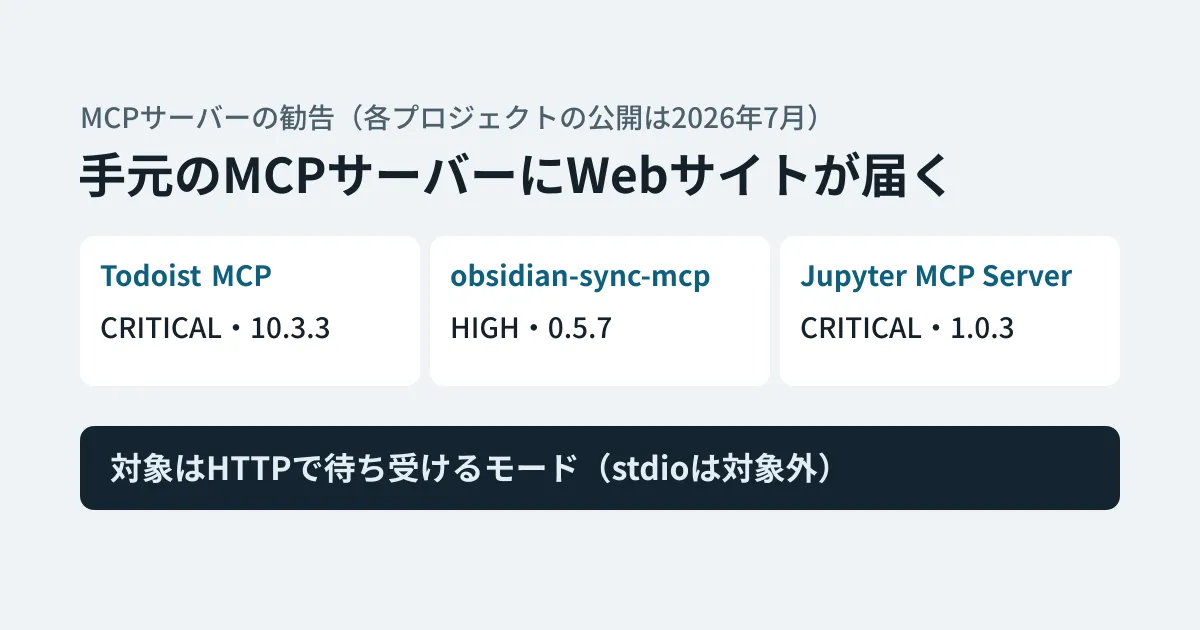
Between November 19 and 20, 2026, four advisories for three MCP servers, covering a weakness that lets a website you visit control your local MCP server, were added to the GitHub Advisory Database as reviewed. All of them had already been published by each project in its repository on July 10–12, 2026, and fixed versions were also released in June and July. According to GitHub's documentation, repositories with Dependabot alerts enabled receive a notification when a newly reviewed advisory is added for a package they depend on. This article uses the original text of each advisory to lay out the common cause and summarizes what users and developers should check.
The three disclosed servers
| Server (package) | Advisory (repository publication date) | Fixed version (release date) | Latest as of November 20 |
|---|---|---|---|
Todoist MCP(npm @doist/todoist-mcp) | GHSA-833v-v58w-294h (CRITICAL, July 10) | 10.3.3 (June 24, 2026) | 14.0.5 |
| obsidian-sync-mcp(npm) | GHSA-mx6p-3fg7-v6pj (HIGH, July 10) | 0.5.7 (July 10, 2026) | 0.12.1 |
Jupyter MCP Server(PyPI jupyter-mcp-server) | GHSA-9x8x-crjq-g64h (CRITICAL, July 12), GHSA-24pw-rf5p-mgp7 (HIGH, July 11) | 1.0.3 (July 11, 2026) | 2.2.6 |
The impact is, for Todoist, adding, completing, or deleting tasks with the permissions of the API key configured on the local server; for Obsidian, reading, overwriting, deleting, or moving notes in the vault; and for Jupyter, switching the connected Jupyter environment to one prepared by the attacker.
The common cause: browsers can reach local servers
What the three have in common is that MCP servers listening over HTTP did not check the Host and Origin headers of requests (or that check did not extend to all paths).
In DNS rebinding, the attacker switches the name resolution result for their own domain to 127.0.0.1 after the page has loaded. From the browser's point of view, the traffic is still going to the same domain, so the page's scripts can send requests to the local server and read its responses. If the server checks whether Host is localhost or 127.0.0.1, it can tell these requests apart.
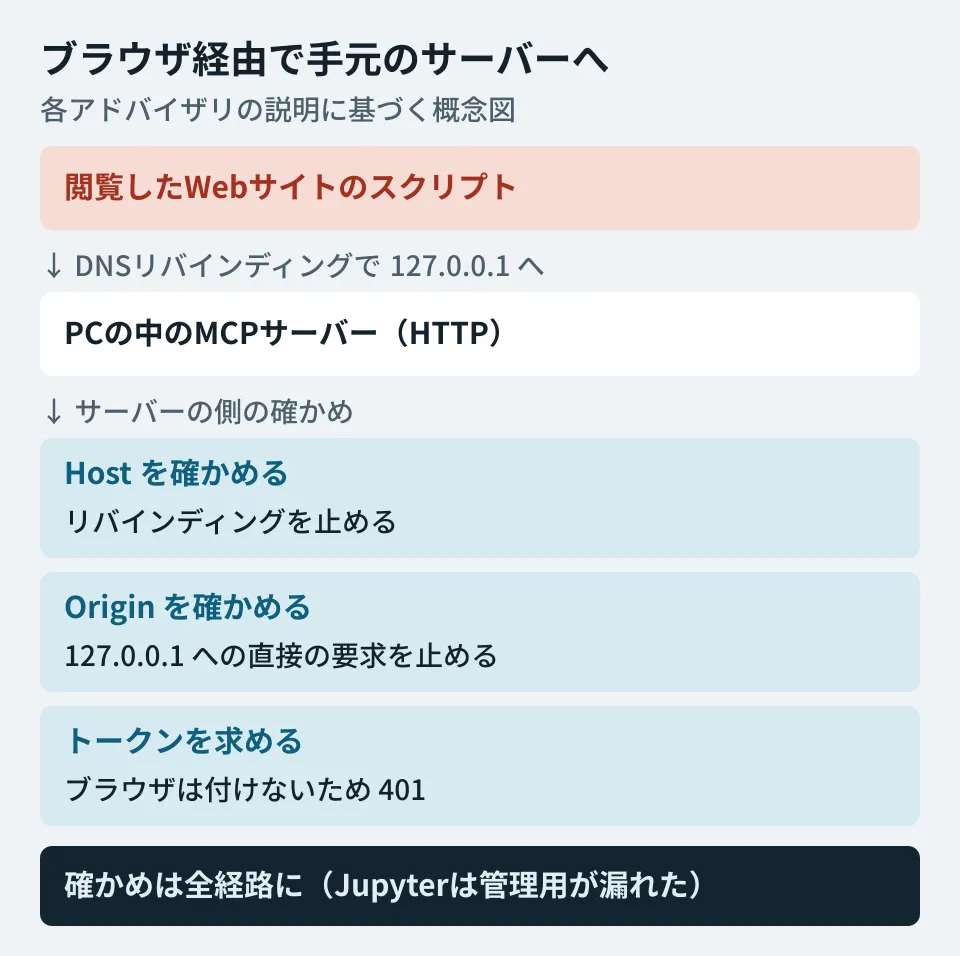
The obsidian-sync-mcp advisory explains the approach to the fix as follows.
- Checking
Hoststops DNS rebinding - Checking
Originstops the path where the page sends directly tohttp://127.0.0.1:<ポート>/mcp(withHoststill the real127.0.0.1). Because this server addedAccess-Control-Allow-Origin: *to its responses, responses could be read on this path even without rebinding - If an authentication token (
MCP_AUTH_TOKEN) is configured, the browser does not attach that token, so forged requests get a 401 - Header checks stop only browser-based attacks. Clients other than browsers can forge both headers, so configure a token on untrusted networks
The Jupyter MCP Server example is a case where the check covered "only some paths." According to the advisory, the main MCP /mcp rejected forged Host with 421 Invalid Host header, but neither that protection nor token checks extended to the management paths added to the same app (PUT /api/connect, DELETE /api/stop). The other advisory, GHSA-24pw-rf5p-mgp7, covers the lack of token checks on the same management paths; in that case, anyone who can reach the server's listener can get through simply by sending requests directly, without using a browser. The advisory also cites the fact that this server listens on 0.0.0.0 (the entry point for all networks) by default as a factor that widens who can reach it.
Note that the Todoist advisory states explicitly that launching the server over standard input/output (stdio) cannot be reached from a browser. For all three, what is affected is the mode that listens over HTTP.
What users should check (editorial suggestions)
- List the MCP servers you run in HTTP mode. In your AI client's settings, check whether each MCP server is launched with a command or connected via a URL (
http://127.0.0.1:...). The ones connected via a URL are what this article is concerned with. - Upgrade. All three servers above have versions newer than the fixed versions. Even if your setup fetches the package with
npxevery time, it stays on the old version if you have pinned the version. - Use stdio if stdio is enough. If you only use the server from one client on one PC, you may not need it to listen over HTTP.
- If you run it over HTTP, configure a token. For servers that let you skip authentication for convenience, such as the "no-auth mode" of obsidian-sync-mcp, configure a token before using them.
What developers should check (editorial suggestions)
If you build MCP servers for internal use, making the following four points acceptance criteria, based on the fix recommendations in each advisory, makes it easier to avoid the same type of weakness.
- Check
HostandOriginon every path in the same app, not only on/mcp - When listening over HTTP, require an authentication token by default, even when listening on
127.0.0.1(the Todoist advisory says that checkingHostandOriginis no substitute for authenticating the caller; according to its advisory, Jupyter MCP Server has requiredMCP_TOKENviastreamable-httpsince 1.0.0) - Put management and configuration paths under the same authentication as the main MCP endpoint
- Listen on
127.0.0.1by default, and require allowed host names to be specified explicitly when listening on anything else (as the Jupyter advisory recommends)
We covered how to decide permissions for internal MCP servers in our article on the Google Chat MCP, and the idea of managing entry points in one place in our article on MCP server portals.
Scope of verification
On November 20, 2026, we checked GHSA-833v-v58w-294h and GHSA-mx6p-3fg7-v6pj (added to the database on November 19) and GHSA-9x8x-crjq-g64h and GHSA-24pw-rf5p-mgp7 (added on November 20) in the GitHub Advisory Database, the dates each project published them in its repository (July 10–12), the descriptions of the fix commits, and the release dates and times of each version on the npm registry and PyPI (document research; dates in UTC). We did not reproduce DNS rebinding locally or verify the behavior of the fixed versions. We did not investigate whether MCP servers other than these three have the same problem.
GleamHub's development, AI, and automation consulting can help with designing systems that connect AI agents to internal tools and with developing MCP servers. Please reach out via our contact form.
References
- GHSA-833v-v58w-294h: Todoist MCP Server: Browser DNS rebinding lets websites write and delete Todoist data through local MCP server(github/advisory-database)
- GHSA-mx6p-3fg7-v6pj: obsidian-sync-mcp: Missing Host/Origin validation lets a public website drive a victim’s Obsidian vault via DNS rebinding(github/advisory-database)
- GHSA-9x8x-crjq-g64h: Jupyter MCP Server: Browser DNS rebinding can hijack the Jupyter backend through management routes(github/advisory-database)
- GHSA-24pw-rf5p-mgp7: Jupyter MCP Server: Unauthenticated management routes can hijack the Jupyter backend in standalone HTTP mode(github/advisory-database)
- Advisories from each project: Todoist MCP, obsidian-sync-mcp, Jupyter MCP Server (GHSA-9x8x), Jupyter MCP Server (GHSA-24pw)
- GitHub Docs — GitHub Advisory Database
- npm — @doist/todoist-mcp・npm — obsidian-sync-mcp・PyPI — jupyter-mcp-server