"Accounting pointed out that our monthly cloud bill is higher than last year. Our headcount hasn't grown, so why?" We recently received this inquiry from an administrative manager at a company with about 25 employees. One reason is evident: in 2025, Google integrated Gemini—previously a paid add-on—as a standard capability into Google Workspace plans, raising base fees by approximately 17% to 22% (Google Workspace Price Revision and Standard Gemini Integration | ZUNDA). Whether actively used or not, pricing with AI features included began applying to all users.
The price increase itself cannot be avoided. However, if you keep "passively paying per head," you often continue paying month after month for costs you didn't need to incur on top of the price hike. Accounts of former employees, redundant SaaS subscriptions, and oversized plans—taking stock of these areas alone frequently offsets the price increase. Before rushing to downgrade plans, let's look at where to start reviewing.
First, accurately identify "what you are paying for and how much"
The first step in cost optimization is not cutting expenses, but accurately understanding current realities. Check your contracted plans and the number of users assigned licenses in the Admin Console. A common pattern here is continuing to pay for "people who still have accounts but don't actually use them."
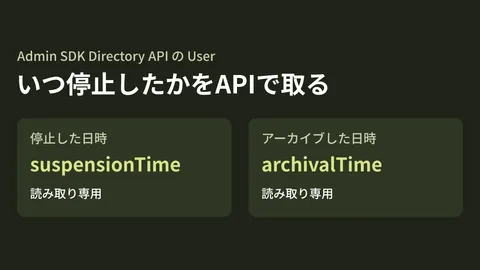
Three items are particularly prone to being overlooked. The first is accounts of departed or on-leave employees. If they are merely suspended without deletion or auditing, they continue consuming licenses. The second is identities created for shared mailboxes or departments left on paid licenses. Depending on the use case, free Google Groups addresses may suffice. The third is seats increased on a trial basis that were never reduced. Many companies retain seats temporarily added for specific projects. If you are unsure how to navigate the Admin Console, Admin Console Basics outlines key operational practices.
Identify unused licenses and redundancies
Once current status is clear, evaluate whether each account is truly necessary: accounts whose last login was months ago, features assigned but never touched, and—surprisingly impactful—functional overlap with other SaaS tools.
For example, we often see companies paying double by separately subscribing to dedicated tools for video conferencing, chat, surveys, or electronic signatures, even though Google Workspace already includes Meet, Chat, Forms, and eSignature. If you continue paying for third-party services that Workspace can replace, that is your primary target for cost reduction. Start by cataloging what Workspace provides and matching it against external SaaS. This alone can sometimes absorb the entire price increase from the Gemini bundle.
On the other hand, certain items must never be cut. If you disable security capabilities or audit logs—elements invisible in daily operations but vital during emergencies—simply because "they aren't being used," cost cutting turns into a breeding ground for incidents. Always filter potential cuts by asking: "Will daily operations stop?" and "Will we be compromised during an incident?"
Plans that are "too high" or "too low" both generate cost
Google Workspace plans are divided into Business Starter, Standard, Business Plus, and others, with storage, security capabilities, and AI scope increasing tiered by tier. What matters here is that you do not need to put everyone on the same plan.
Only certain departments or key personnel typically require large storage capacities or advanced security features. Putting the entire company on a higher tier means paying for unused features for every employee. Conversely, downgrading staff handling confidential information to the lowest tier leaves you without necessary controls, creating new risks. The mindset of allocating plans by role yields balanced, waste-free costs. Because determining which plans Gemini should be enabled on and for whom is covered in detail in Selecting Gemini Plans, refer to it if you want to plan backward from required AI features.
Contract renewal timing and the effective dates of price revisions for smaller organizations vary by plan and agreement terms. If you are evaluating a review, starting early by understanding your current status is far better than waiting until right before your renewal month.
Get your money's worth by "leveraging fully," not just "cutting"
Another way to justify costs following price increases is to fully leverage bundled Gemini and standard features in daily operations. Since they are already included in the bill, failing to use them is purely lost value. Automating meeting minutes, drafting emails, assisting spreadsheet analysis—identifying manual tasks that features in your existing contract can replace delivers benefits both in canceling external tools and boosting operational efficiency. Practical automation examples for spreadsheet tasks are compiled in Google Sheets Best Practices.
Cost optimization is not merely "switching to a cheaper plan"; it is fully using what you pay for and eliminating what you don't need. Viewed through both lenses, price increases do not automatically mean higher net costs.
Where to begin
Start by opening the Admin Console and listing two things: accounts with no login for three months or more, and external SaaS tools overlapping with Workspace capabilities. In many cases, these two checks alone reveal room for optimization. Following up by reassigning plans based on individual roles makes offsetting the price increase entirely achievable.
The optimal strategy for cataloging internal licenses and external SaaS, designing role-based plans, and scheduling reviews around renewal timing depends on organizational structure. We partner with you from breaking down your invoices to configuring a waste-free setup.