You post a proposal in chat asking everyone to "take a look," but after three days, no one has replied. When prompted, someone verbally says, "I saw it." But does that "I saw it" mean they agreed with the content, or just skimmed through it? Internal reviews slipping by without leaving any record—many companies find themselves in this exact situation with estimates, proposals, internal regulations, and standard operating procedures.
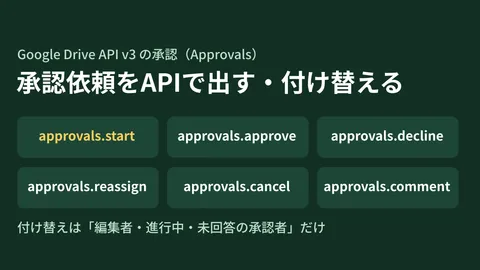
Google Drive has long offered an Approvals feature that lets you assign approvers to files and log approvals or rejections as records. However, once companies actually start using it, many stumble over the exact same hurdle.
Fixing a single typo wipes out approvals
In the conventional approval feature, if the contents of a file change while an approval is pending, all previously recorded approvals are reset.
This is an intended specification. If there are three approvers and the content is modified after Person A approves, what Person A approved is no longer the "current content." To guarantee that everyone reviewed and made decisions on the exact same text, resetting is the correct behavior. This is essential for contracts and documents that carry external liability.
The problem is that the vast majority of documents circulating within a company do not require that level of rigor.
During a proposal review, both the sales director and the tech lead have already approved. Just while waiting on the final person, a typo is found in the body text. Fixing it sends the entire approval back to square one, triggering new requests to the two people who already approved. Starting from the second round, reviewers simply click the approve button without reading the content, leading to a state where the record remains, but its significance is lost.
When this happens, frontline teams stop using the approval feature altogether. Instead, they ask for an "Looks good" in chat. Because that is a conversation rather than a record, six months later nobody can trace who approved what. You are right back where you started.
Alignment approvals: "preserving decisions even if content changes"
Rolled out gradually starting June 2, 2026 (Rapid Release) and June 15, 2026 (Scheduled Release), alignment approvals address this very bottleneck (Request lightweight document alignment with approvals in Google Drive — Google Workspace Updates).
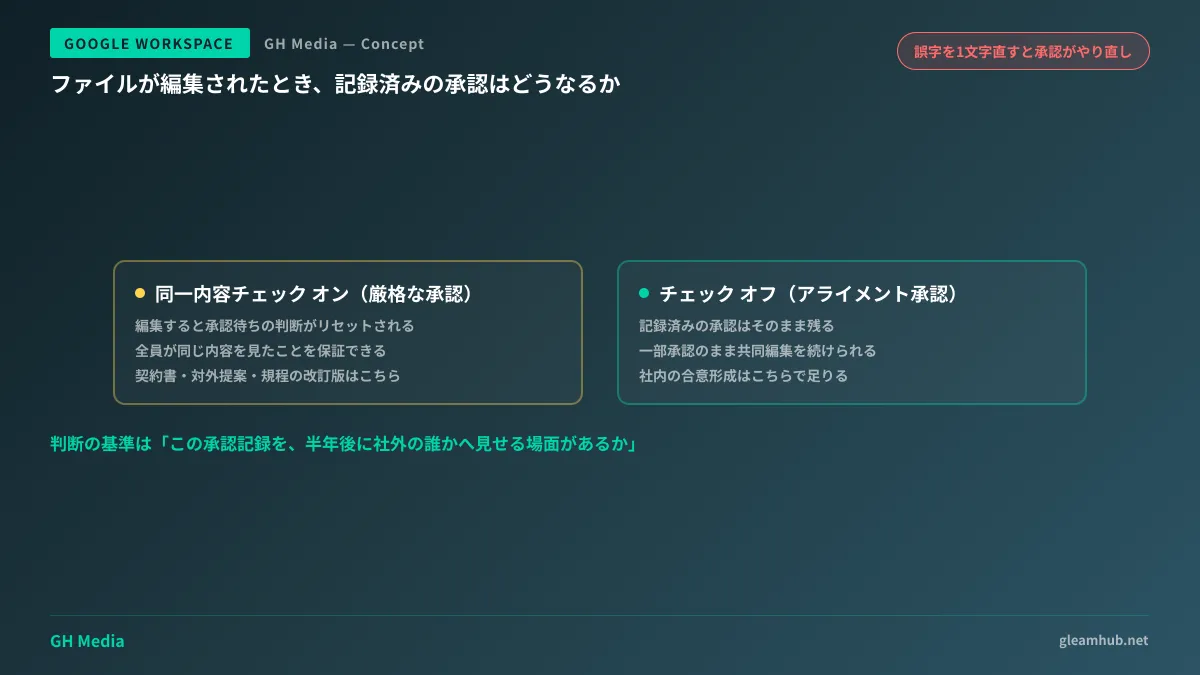
Operationally, all it adds is a checkbox to "require all approvers to review the same content" in the approval request dialog. The behavior splits as follows:
| Checkbox | Term | When the file is modified |
|---|---|---|
| Checked | Conventional strict approval | Pending approval decisions are reset |
| Unchecked | Alignment approval | Recorded approvals remain intact |
With the checkbox unchecked, collaborative editing can continue even after partial approvals have been recorded. Fixing typos or adding supplementary notes will not wipe out approvals that have already been granted.
You might wonder, "Doesn't that defeat the purpose of an approval?" However, this feature is designed for alignment, not formal sign-off. It is a lightweight mechanism focused strictly on recording that there are no objections to the general direction, complete with names and timestamps—just as the name suggests.
Choosing which to use depends on "who sees it later"
You can easily decide between strict approvals and alignment approvals not by document importance, but by who might need to see that approval record later on.
For documents where you must demonstrate to external parties or auditors that "these specific individuals approved this exact version"—such as contracts, final versions of external proposals, or revised corporate policies—use strict approvals. Having the process reset here is not an inconvenience; it is the correct safeguard.
On the other hand, for intermediate stages of internal consensus building—such as project direction, design architecture, or preliminary estimating assumptions—alignment approvals are more than enough. What is required here is a record that there were no objections, not verbatim textual immutability.
If you are unsure, ask yourself this question: "Is there any scenario where this approval record will be shown to someone outside the company six months from now?" If not, an alignment approval is completely sufficient.
What administrators can and cannot control
There are two key points administrators should keep in mind.
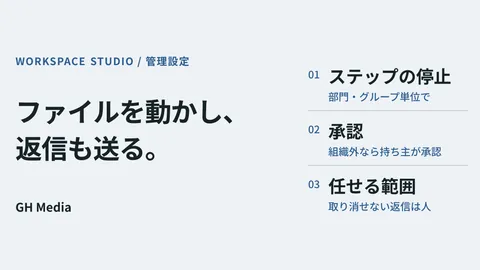
First, the approval request feature itself is enabled by default, and it can be disabled by domain, organizational unit (OU), or group. You can choose whether to open it company-wide or roll it out starting with specific departments.
Second, there is no dedicated administrative setting to control alignment approvals separately. Any user who has access to approvals can also use alignment approvals. You cannot enforce a policy such as "disabling only lightweight approvals."
In practice, this distinction is significant. Because which mode to use is left to the discretion of frontline teams, you have to govern it through internal rules rather than administrative toggles. Conversely, once you establish a clear one-line rule, there is no additional management overhead: "Keep the identical-content check enabled for external documents, and turn it off for internal alignment." That is all it takes.
If you are unclear about setting locations and the overall layout of the Admin console, please review How to Use the Google Workspace Admin Console first. If you are in the middle of migrating from Japanese legacy groupware and looking for a place to host your internal approval flows, From Domestic Groupware to Google Workspace outlines the common friction points when transitioning bulletin boards and internal approvals.
What to verify before introducing a dedicated workflow product
Discussions about approvals often quickly jump to evaluating electronic sign-off apps from Google Workspace Marketplace or external workflow products. If your requirements include multi-level sign-off routes, proxy approvals, conditional branching, or digital seals, Google Drive's built-in approval feature will indeed fall short.
However, when organizations actually inventory their requirements, they often discover that all they really needed was a record of "who reviewed this and had no objections." Compared to the opening scenario where verbal confirmations slip away untracked, that alone is a major step forward.
In terms of sequence, it is far safer to start with Drive's approval feature and only move on to product selection once clear, unmet requirements surface. If you adopt a dedicated product first, you will inevitably have to adapt your operations to match the software's mold. Approval workflows must be reconfigured whenever business processes change, so over-engineering them early on creates significant operational drag later.
The perspective of evaluating whether operational challenges can be resolved before adopting more tools was also explored in Connect Before Adding Tools. Approval flows share this same dynamic: it is well worth distinguishing between reviews that can be eliminated, reviews that merely require an audit trail, and reviews that genuinely demand formal sign-off.
Action items for this week
Pick one recurring review process in your company and clarify whether it represents a formal sign-off or consensus alignment. Once you have differentiated them, enable the identical-content check only for formal sign-offs, and run consensus reviews with it disabled.
If you encounter reviews that are hard to classify or feel like "both," that is usually a sign that the review process itself lacks structure. That is an operational design challenge, not a software feature choice.
Whether you want to assess how far standard Google Workspace features can take your internal approval and review flows, or evaluate whether external workflow tools are truly necessary, GleamHub offers free IT and Google Workspace consultations. Because optimal configurations depend on specific requirements, we provide customized quotes. Please reach out via our contact form.