You want to check contract templates or meeting minutes automatically with Apps Script or AI. But if you rewrite the body directly through the API, the document keeps no record of what was changed or by whom, and the reviewer has to start by hunting for the differences. Until now, the Docs API had no way of writing that corresponded to the "suggestion mode" people use in the editor.
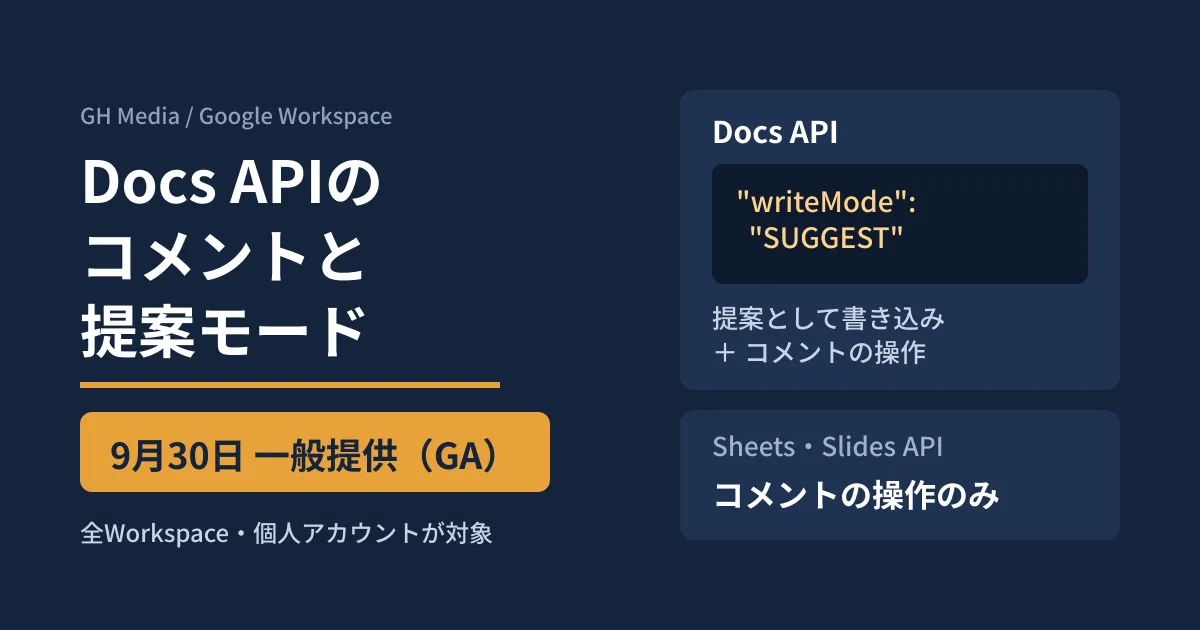
On September 30, 2026, Google made the ability to work with comments in the Docs, Sheets and Slides APIs generally available (GA). In the Docs API, writes can also be left as "suggestions." Features that had been offered early in July and August have now reached the stage where anyone can use them. We summarize what we confirmed in the official release notes and guides, and what to decide before building this into business automation.
What became generally available on September 30
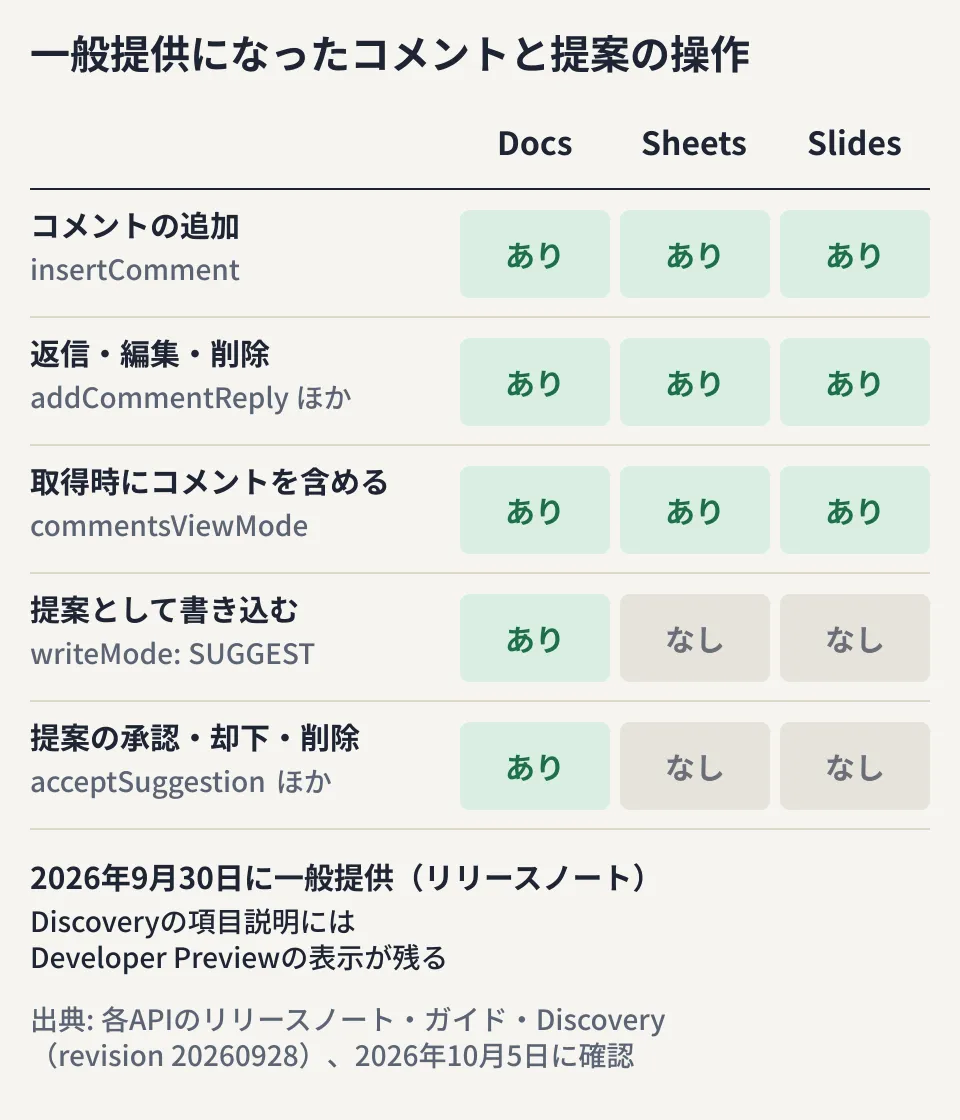
According to the Google Workspace Updates announcement and the Docs, Sheets and Slides release notes, the following operations became generally available on September 30.
| Docs API | Sheets API | Slides API | |
|---|---|---|---|
| Adding comments | insertComment (specify a body range range) | insertComment (specify a cell coordinate) | insertComment (specify a page, shape or table cell) |
| Reply, edit and delete | addCommentReply and 3 others | The same 4 | The same 4 |
| Accept, reject and delete suggestions | acceptSuggestion rejectSuggestion deleteSuggestion | None | None |
| Write as suggestions | writeControl.writeMode: SUGGEST | None | None |
| Include comments when reading | commentsViewMode | commentsViewMode | commentsViewMode |
Only the Docs API can write suggestions. Sheets and Slides are limited to comment operations.
The availability conditions stated in the announcement are as follows.
- Eligibility: All Google Workspace plans and personal Google accounts
- Rollout: For both Rapid Release and Scheduled Release domains, a gradual rollout starting September 30, taking up to 15 days before the feature becomes available
- Admin settings: There is no on/off setting specific to this feature. Which apps are allowed to access Workspace data is managed through the existing app access controls
According to the release notes, the same features had been released as a Developer Preview (early access for registered developers) on July 7 for Docs, July 23 for Sheets and August 31 for Slides. The announcement also states that comment operations through the Docs, Sheets and Slides MCP servers (connection points that let AI agents work with documents) remain in early access, like the MCP servers themselves. This general availability applies to the REST APIs.
Discovery still shows the old label
Discovery documents are how Google publishes the methods and types of each API in machine-readable form. In the Docs, Sheets and Slides Discovery documents we retrieved on October 5 (all revision 20260928), the descriptions of the added fields still carried a "Developer Preview" label. On the other hand, the API reference on developers.google.com (such as batchUpdate, updated September 30) and the guides do not show this label. Google has not officially explained why the label remains, so the release notes and the announcement are the reliable way to determine the availability stage.
Suggestions are created by how you write
There is no dedicated request for creating suggestions. You specify SUGGEST in the writeMode of writeControl and send the usual insertText or deleteContentRange. If you do not specify it, the edit is a normal one. The guide says that "all updates in the request are processed as suggestions," so you cannot mix committed edits and suggestions in the same batchUpdate. If you want to separate them, split the request into two.
{
  "requests": [
    { "insertText": { "location": { "index": 120 }, "text": "(甲乙協議のうえ)" } }
  ],
  "writeControl": { "writeMode": "SUGGEST" }
}
The suggestionResponses in the response returns the IDs of the suggestions created, accepted or rejected by each update, one-to-one with the requests. This gives you a way to match up the results later when people accept or reject them.
What to check before building it into automation
Some requests cannot be used in suggestion mode
According to the guide, the following requests return an error with SUGGEST.
- Adding, deleting and changing settings of tabs (
AddDocumentTab,DeleteTab,UpdateDocumentTabProperties) - Creating and deleting named ranges (
CreateNamedRange,DeleteNamedRange) - Deleting headers and footers (
DeleteHeader,DeleteFooter) - Changing table column settings (
UpdateTableColumnProperties)
Even with UpdateDocumentStyle, the page format (documentFormat) and the header and footer settings for even pages and the first page cannot be made into suggestions. If you switch existing automation to SUGGEST as is, requests that include these will no longer go through.
Sometimes only the comments or suggestions fail to save
The guide states that a batchUpdate involving comments or suggestions "may partially fail." This is a state where the insertion or deletion in the body was applied, but the comments or suggestions you meant to add were not saved. If commentUpdateState in the response is ALL_SAVED, it succeeded; if it is ALL_FAILED_UNKNOWN_REASON, saving the comments and suggestions failed. Sheets and Slides have the same field. Even if the HTTP status indicates success, you cannot notice the failure without checking this value.
Positions are counted with suggestions included
If a document has pending suggestions, the body positions (indexes) shift depending on how documents.get is read. To get the positions to use in the next batchUpdate, the guide asks you to read with suggestionsViewMode set to SUGGESTIONS_INLINE. If you take positions using a read mode that shows suggestions as accepted or rejected, the write target will be off.
Permissions required to delete, edit and accept
- Comment text is limited to 2,048 UTF-8 code units. Japanese uses 3 bytes per character, so the guideline is about 680 characters. The assignee (
assigneeEmailAddress) has the same limit - Only the author can delete or edit. Deleting a comment or editing a post returns a 400 error for anyone other than the author. Replies that change the status (resolve or reopen) or include an assignee cannot be deleted even by the author. Comments added by an automation account can only be removed by that account
- The first post in a suggestion thread cannot be edited. This is because it is created automatically by the suggestion-mode write
- Accepting, rejecting and deleting require different permissions. Accepting a suggestion requires edit permission, and returns 403 without it. Rejecting requires edit permission or being the author of the suggestion, and deleting requires being the author of the suggestion
What to specify when reading with comments
In Docs, to set commentsViewMode to COMMENTS_VIEW_MODE_INCLUDED, you need to set suggestionsViewMode to SUGGESTIONS_INLINE and includeTabsContent to true (a field mask that references tabs also works). If you specify nothing, comments are not returned. In Sheets, if you read a narrowed range or sheet, comments that lost their position because the original cell was deleted are not included.
Client libraries and Apps Script
In the official Node.js clients, writeMode and insertComment were added to the type definitions in googleapis 183.0.0, released October 3, and in @googleapis/docs 14.1.0, which includes only Docs. They are not included up to 182.0.0, released September 24, so you need to update if you have pinned an older version.
The description page for the Apps Script advanced service (Docs) says it "uses the same objects, methods and parameters as the public API." However, there is no specific mention of comment or suggestion operations, and the editorial team has not verified whether they can actually be called from Apps Script.
How this differs from Drive API comments
Drive API v3 has long had comments.create. It represents a position in the document as a JSON string called anchor, which is separate from Docs-specific range specification. The Docs API insertComment directly accepts the body Range (start and end positions). If you want to add comments at specific positions, it is more straightforward to design around the Docs API operations.
Routing AI edits to human approval (editorial proposal)
With both comments and suggestion mode available, automation results can be left in the document as "candidates for a person to judge" rather than "committed changes." What follows is the editorial team's proposal based on the official documentation. We have not verified it with actual API calls.
- Write AI and script changes with
SUGGEST. The body is not finalized until a person accepts the suggestion. In the editor, they should be reviewable in the same flow as suggestions made by people - Mark points that need a decision with comments and assignees. Use
insertCommentfor places where you only want to point something out without changing the body, and specify the reviewer withassigneeEmailAddress - Pin the revision before writing. With
writeControl.requiredRevisionId, the request stops with a 400 if the document changed after you read it. This is an existing mechanism for avoiding overwriting people's edits - Always log
commentUpdateStatefrom the response. Prepare a procedure for when it fails: reread the document, check the state of the body, comments and suggestions, and notify the person in charge - Narrow the scopes. Docs
batchUpdatecan be called with any of thedocuments,driveordrive.filescopes. If the targets are limited to files the app created or selected,drive.filegives the narrowest scope
For having Gemini read a document full of comments and draft replies, see how to handle comments with Gemini in Google Docs. When automating with the API, decide first which account it runs under and where people approve. For taking over automation built in Apps Script, our article on rebuilding a predecessor's GAS may also help.
Pitfall
- Assuming suggestion mode works in every API. Only the Docs API has
writeMode. Changes to spreadsheet values are applied immediately, as before - Expecting everyone to have access right on September 30. The rollout takes up to 15 days. If it does not work, consider that the rollout may not have reached you yet
- Getting stuck because people cannot delete comments from the automation account. Only the author can delete them, so build a cleanup procedure into the script as well
- Treating comments not being returned on read as a bug. The default is
COMMENTS_VIEW_MODE_OMITTED
On October 5, 2026, we directly opened and cross-checked the Google Workspace Updates announcement (September 30), the Docs, Sheets and Slides API release notes, the guides "Work with comments and suggestions" and "Manage comments" (Sheets and Slides), the Docs, Sheets and Slides API references, the description page for the Apps Script advanced service (Docs), the Discovery documents for the Docs, Sheets and Slides APIs (all revision 20260928), and the type definitions in npm
googleapis183.0.0 and@googleapis/docs14.1.0. The description of Drive API comments is based on the Drive API v3 Discovery document retrieved on October 3. We have not verified actual API calls, use from Apps Script or how things appear in the editor.
For automating document work in Google Workspace or designing the permissions you give to AI, contact us through IT and Google Workspace consulting.
Sources
- Programmatic comment and suggestion support now available in the Google Docs, Sheets, and Slides APIs — Google Workspace Updates
- Google Docs API release notes
- Google Sheets API release notes
- Google Slides API release notes
- Work with comments and suggestions — Google Docs API
- Manage comments — Google Sheets API
- Manage comments — Google Slides API
- Method: documents.batchUpdate — Google Docs API
- Advanced Docs Service — Apps Script
- Google Docs API v1 — Discovery document
- Google Drive API v3 — Discovery document
- googleapis — npm registry