"An internal note was left in the meeting invite sent to our client"—this issue often surfaces only when pointed out by the other party. People put project names in the meeting title, write internal context in the description, and add external guests as is. There is no malice; Calendar is simply being used as an internal scratchpad.
Companies restrict email attachments and review sharing settings in Drive, yet leaving Calendar untouched is surprisingly common. The reason is straightforward: until now, Calendar lacked any mechanism to stop it.
Why Calendar was a loophole in security measures
Data loss prevention (DLP) detects confidential text strings and applies auditing, warning, or blocking actions. In Google Workspace, it has rolled out sequentially across Gmail, Drive, and Chat.
Calendar, however, remained unsupported for a long time. Yet looking closely at day-to-day operations, items like these are routinely entered into Calendar:
- Unannounced project titles or client company names in meeting titles
- Building entry codes or connection passwords in meeting descriptions
- Destination addresses and contact names in the location field
- The actual meeting materials themselves attached directly to the invite
Furthermore, all of this is handed over to guests the moment a single one is added to the event. Unlike sharing a file in Drive, sending an invite is an everyday action. Deciding to "bring this person in too" rarely involves checking sharing permissions.
What makes this even trickier is that event details are referenced by AI assistants. The convenience of summarization and search directly means that whatever is written is easier to retrieve. Notes written in Calendar linger long after the author has forgotten them.
What is now possible
Data loss prevention policies for Google Calendar launched in beta on February 11, 2026, and subsequently reached general availability (Data loss prevention policies for Google Calendar now available in GA — Google Workspace Updates).
The scan targets event titles, descriptions, and locations. Administrators can use predefined detectors like credit card numbers and national ID numbers, as well as custom regular expressions and word lists.
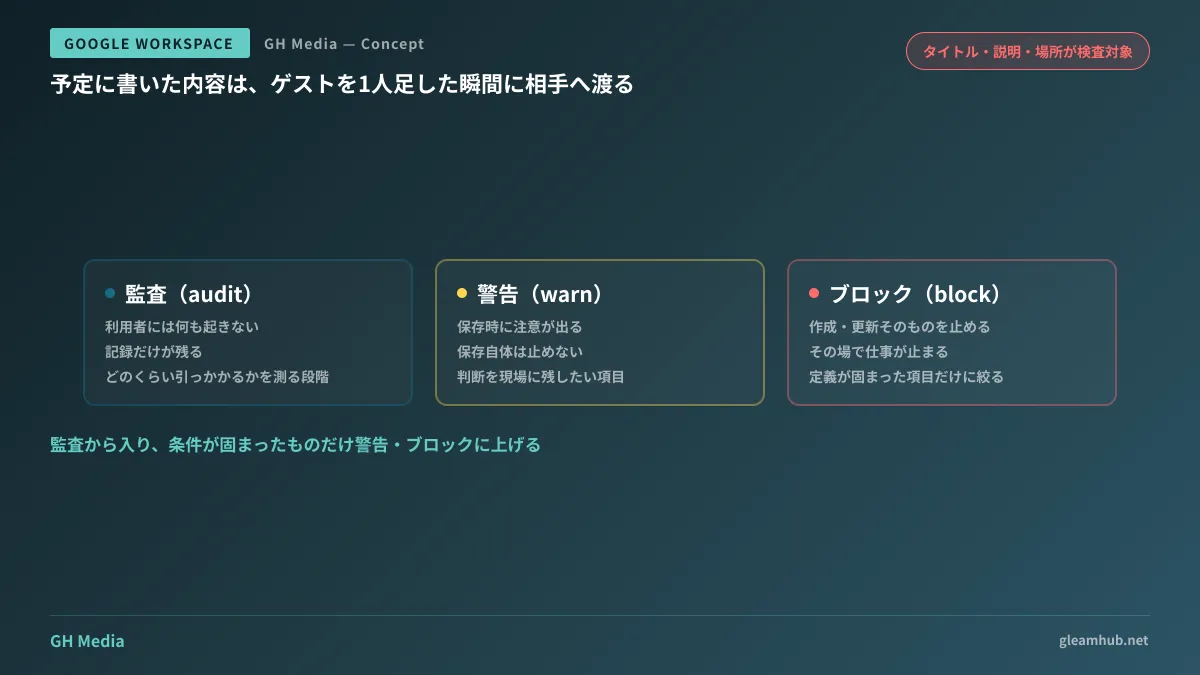
Administrators can select from three actions:
| Behavior | Consequence | Best suited for |
|---|---|---|
| Audit | Nothing happens for the user; only a record is kept | Initial rollout phase to measure match frequency |
| Warn | Displays an alert to the user upon saving; saving itself is still permitted | Operational rollout phase, leaving final judgment to frontline staff |
| Block | Halts event creation or updates altogether | Established rules for items that must never be exposed |
Additionally, in June 2026, DLP for non-Workspace file attachments and proximity conditions reached general availability (New data loss prevention capabilities for file attachments and proximity conditions are generally available — Google Workspace Updates). Attachments can be filtered by file extension, file name, and file type, while proximity conditions allow specifying a maximum distance of 1,000 characters between two matching strings.
Proximity conditions may sound subtle, but they are highly effective at reducing false positives. Simply flagging "a sequence of 12 digits" will trigger on internal invoice numbers, whereas checking whether "a sequence of digits appears near the word 'account'" significantly improves precision.
What to do if it does not appear in your Admin console
The most common question is that administrators cannot find the setting when attempting to configure it. In almost all cases, the cause is the subscription edition.
Workspace DLP is an enterprise-tier feature and is not available in Business Starter, Standard, or Plus. Calendar policies have required Enterprise Standard or higher since beta. If your organization is on a Business plan, you will not find it in the Admin console no matter how much you search.
There is no need to make a snap decision to immediately upgrade to Enterprise. Upgrading an edition solely for DLP multiplies costs across all user licenses. Practical alternatives available while remaining on Business plans are outlined in Google Workspace DLP is unavailable on Business plans, so establish a realistic baseline there first. The overarching philosophy of unified DLP, including Gmail, is summarized in Integrated DLP including Gmail.
Starting with blocking will get it disabled by next week
Even when your edition supports the feature, enabling blocking from day one is not recommended for operational reasons.
When users are blocked from creating events, their work stops on the spot. Attempting to schedule a meeting right before it begins, getting blocked, and not understanding why creates frustration. If this happens to just a few people, inquiries flood the IT team, almost always resulting in "let's just disable it for now."
A much safer sequence is as follows:
- Enable audit-only mode and run it for two weeks. During this period, users experience no disruption
- Review the logs and count what was actually flagged. Unexpected entries will often top the list
- Remove high-false-positive conditions and narrow criteria using proximity conditions
- Promote remaining conditions to warnings. This is the first stage visible to end users
- Promote to blocking only for conditions that generate no user complaints after several months of operation
To see what was actually flagged in step two, use DLP incident reports (DLP incident report — Google Workspace Admin Help). Adding conditions without checking these reports means launching operations on top of a mountain of false positives.
Additionally, separate from DLP, Google Calendar now includes a setting to hide the contents of private events from delegates. If you want to review this alongside delegate permission design, please refer to Google Calendar Adds Setting to Hide Private Events. DLP controls written content, whereas delegation settings control who can see it; relying on just one does not close the gap.
One thing to count before configuring anything
Checking one metric before opening the Admin console can speed up your decision: how many events involved external guests over the past month.
Searching Calendar for events with external domain guests will give you an approximate figure. If your organization only has a handful of such events per month, establishing an operational rule—such as "do not use project names as titles when inviting external guests"—will work faster than setting up DLP. Conversely, if there are dozens every week, relying on human diligence is bound to fail.
What determines the required weight of your countermeasures is not the availability of features, but whether external meetings are an everyday occurrence in your company. Setting up policies without counting this metric simply creates another unused system.
Whether you want to thoroughly audit data exit points across Calendar and other tools or determine how much protection is possible while remaining on a Business plan, GleamHub offers free IT and Google Workspace consultations. Because the optimal setup varies depending on requirements, we provide customized quotes. Please reach out via our contact form.
Sources
- Data loss prevention policies for Google Calendar now available in GA — Google Workspace Updates
- Data loss prevention policies for Google Calendar now available in beta — Google Workspace Updates (February 11, 2026)
- New data loss prevention capabilities for file attachments and proximity conditions are generally available — Google Workspace Updates (June 2026)
- How to configure DLP policies in Google Calendar — Qiita
- DLP incident report — Google Workspace Admin Help