"Notes from last week's meeting showed up in Drive even though nobody wrote them. Who made them?" At companies that have introduced a way to record meetings automatically, questions like this come to the IT team.
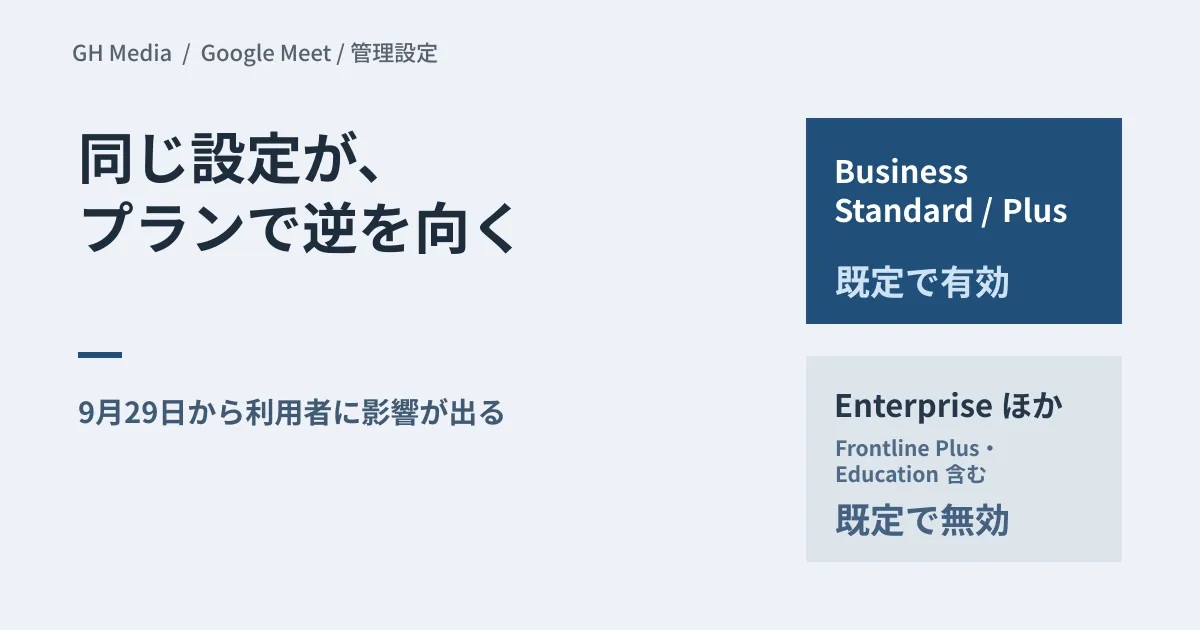
On September 29, the settings for automatic notes in Google Meet change. Depending on your plan, the feature ends up on the enabled side even if admins do nothing. It is worth checking this week.
A third option beyond "all or nothing"
According to the official announcements as confirmed through web searches, the new admin and end-user settings announced in July start taking effect on September 29. The July announcement gave the date as "no sooner than September 21," and the September announcement set it as the 29th. Until now, admins had only two choices: turn automatic notes on for all meetings or turn them off. A third option is being added: on only for meetings with three or more participants, including the host.
Users get a setting with the same granularity, and from the 29th they are said to be able to override the admin default in their Meet user settings. In other words, the value an admin sets is a starting point, not the final state.
The default points in opposite directions by plan
What needs attention is that the initial value of the new setting points in opposite directions depending on the plan.
| Plan or add-on | Default for the new setting |
|---|---|
| Business Standard / Business Plus | On (automatic notes in meetings with three or more people, including the host) |
| Enterprise Standard / Enterprise Plus / Frontline Plus, and the Google AI Pro for Education add-on | Off |
In both cases, the impact on users begins on September 29. Business Standard and Business Plus are common among small and medium-sized businesses, and they are on the "on unless you do something" side. Companies on Enterprise plans are the opposite: if they want to use the feature, they need to turn it on themselves.
Organizations participating in the Gemini Alpha program have been advised to check their current settings before the 29th, because their previous configurations may change how they are affected.
The three-person line does not exclude every sensitive meeting
Two-person meetings include many where the very existence of a record needs careful handling, such as one-on-ones, job interviews and individual sales meetings with customers. The "three or more" line removes most of them from the scope of automatic notes.
However, reading this line as "recording is fine if three or more people attend" is a mistake. A three-way HR meeting, a meeting about resignation procedures and a sales meeting that includes both a customer and an agency all have three or more people. The number of participants is no substitute for deciding whether a meeting may be recorded.
Settings for the level of detail in automatic notes and what they include have been changing for some time, and we covered them in how far Meet's automatic notes can be customized and the admin setting for capturing screen images in notes. What changes this time comes before all of that: whether note-taking runs at all.
Three things to decide by the 29th
- Whether to set different defaults for each organizational unit. A realistic approach is to turn it off only for the units that correspond to HR, legal and management.
- Whether to tell users that they can override the default. If you do not, notes will still be generated in meetings where individuals have turned it back on, even if the unit default is off.
- Where generated notes are stored and who they are shared with. The automatically created documents keep piling up in the meeting organizer's Drive.
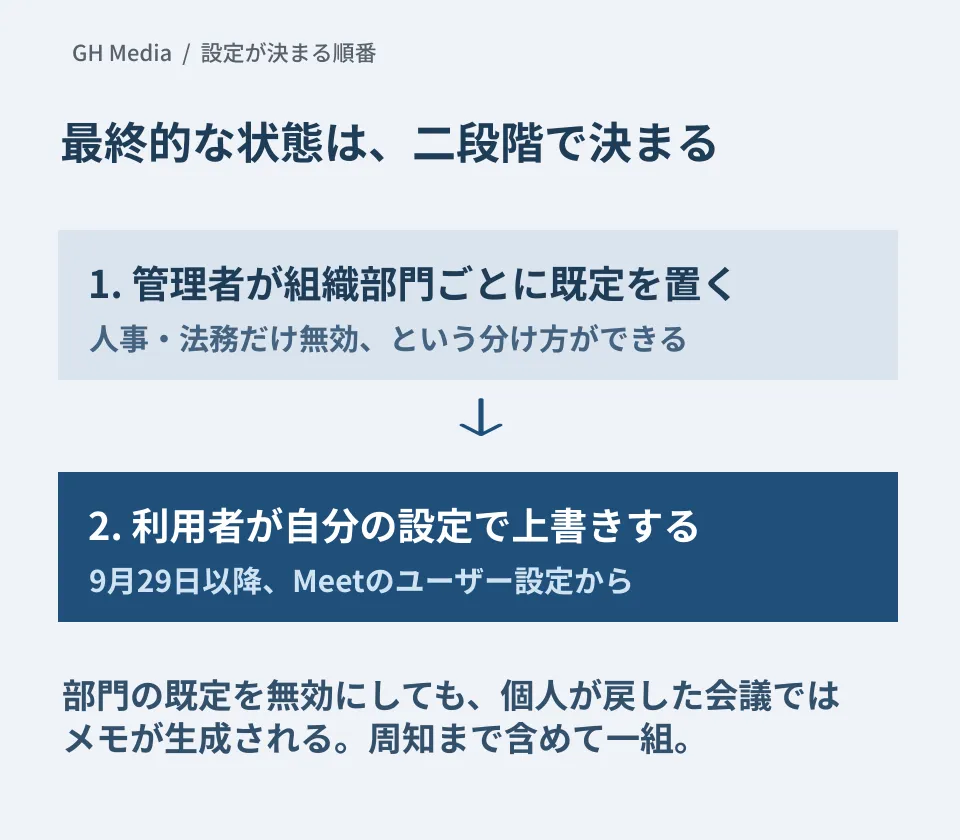
What matters is the order. The admin default is the starting point, and whether notes are ultimately generated depends on each user's setting. Even if you turn it off for a unit, anyone in that unit who switches it back on in their own settings will get notes in the meetings they host. Treat changing the settings and informing users as a set.
For units where you need to be sure automatic notes are not used, stop them through access to the feature itself rather than through the default. Google's official help says access to AI note-taking, found in the Gemini settings for Meet, can be turned on or off for each organizational unit.
If you put off the third item, six months from now you will have hundreds of meeting notes and "no idea what is where." When you introduce a setting that creates more records, it is safer to decide on the deletion process at the same time. We lay out how to think about retention and deletion in how Gemini conversation history is handled in Vault.
Action items for this week
Record the current settings in the Admin console, look at the same screen again after September 29, and compare what changed. When a default moves, having before-and-after records decides whether you can pin down the cause of questions that come in later.
We checked publicly available information through web searches on September 24, 2026. Changing settings in the Admin console, the behavior after September 29 and the content of generated notes have not been verified. This article organizes what to check and what to base decisions on.
For an inventory of your Google Workspace admin settings or help creating rules for handling meeting records, please consult GleamHub.