

Google Workspace105 articles
Deployment, sharing, permissions, and daily operations. A collection of articles related to Workspace.
Articles are ordered by popularity over the past 30 days.
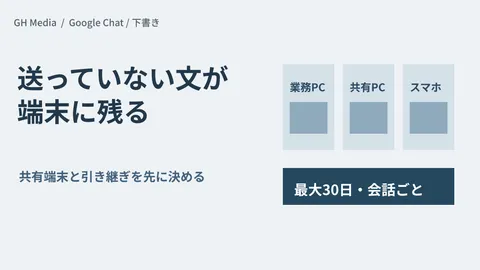
Google Chat drafts remain on every device — what to check for shared devices

Gmail Delegation Comes to Mobile: Uninterrupted Executive Email Handling on the Go

20 Gemini Prompt Templates: A Copy-and-Paste Collection by Business Scenario

Decisions to make with Google Chat MCP before letting AI read your internal chats

How to Automatically Generate Sales Decks with Google Slides × Gemini [2026 Edition]

Are you stuck between making Google Chat spaces private or visible to the whole company?

Replying All to a BCC'd Email: Gmail Now Intervenes Before Sending

Google Drive "Organize My Files" Enters General Availability | Gemini Automatically Organizes Drive

Do Gemini chat histories persist or disappear? Designing governance with Vault

Chat spaces multiplying uncontrollably: Preserving DMs while restricting creation

Google ends "Ultra Access" AI add-on — What small and mid-sized businesses need to review now

Differences Between "Projects" and Folders in Google Drive, and Permission Pitfalls

Google Workspace Gemini AI Practical Guide | Docs, Slides, and Sheets

Are deleted AI chats truly gone? The relationship between Gemini history deletion and Vault

Some users don't see the Gemini side panel — The cause is setting location, not licensing

What are Google Workspace group addresses? Creation, benefits, and practical tips (2026 edition)

Google Chat introduces new Meetings section: a feature for centrally managing meeting chats

Google Chat Practical Guide: Streamlining Internal Communication with Spaces, Huddles, and Bots

Migrate three years of Teams conversations to Google Chat or leave them behind?

Claude's Gmail and Drive connectors: approving sends and shares

NotebookLM Becomes "Gemini Notebook": What Changes for Internal Knowledge Utilization?

Resolving "We want AI to read internal documents, but worry about data leaving the country" via admin settings — Selecting data storage regions for Gemini in Google Workspace

You have permission, but there are files you don't want AI to read

Gmail Business Tips: Master Your Inbox with Labels, Filters, and Templates

Internal Operational Design for Systematizing Repetitive Tasks with Gemini Gems

Are departing employees' emails disappearing? Systems to preserve essential data

Three-plus person chats with external clients are coming to Google Chat: what admins must decide first

Conversations between employees and Gemini exposed externally directly via Drive sharing settings

Notification Emails Halting Mid-Send: Options for Companies Hitting Gmail Sending Limits

Gemini's answers became "interactive diagrams" — What to decide before using them for internal explanations
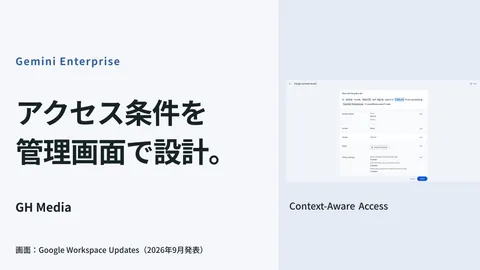
CAA configuration to restrict Gemini Enterprise access by device and location

The Gemini Windows app: three things to decide before it lands on company PCs

Dedicated Workspace accounts for AI: what admins should decide first

Google Forms × Gemini "Suggest Questions" Complete Guide — How to Streamline Survey Design with AI

The era when AI sends emails on its own — Control design for safely integrating Gemini Spark into business operations

Should You Switch Training and Manual Videos to In-House Production with Google Vids?

Where should you host custom domain email? Options and pitfalls

Gemini side panel doesn't appear despite having the same plan — The cause is "Smart features and personalization"

50 comments piled up stalling the proposal — Gemini in Google Docs reads and responds
Showing 1–40 of 105 articles
Turning concepts into design.
Development Environment↔AI Models
Access Permissions · Data · Logs
Building an environment
to use AI internally
Internal data, development environments, and access permissions. Advancing adoption concepts into concrete technical reviews.
Compare approachesOrganize implementation requirementsTest on a small scale
Read feature 
Google Workspace
administration basics
Resolving administrator uncertainties from rollout to sharing and permissions.
Pricing & rolloutSharing rulesPermissions & security
Read feature 
Getting started with AI
at work
Selecting tasks to delegate, experimenting on a small scale, and operating safely.
How AI worksTesting in workflowsSafe usage
Read feature 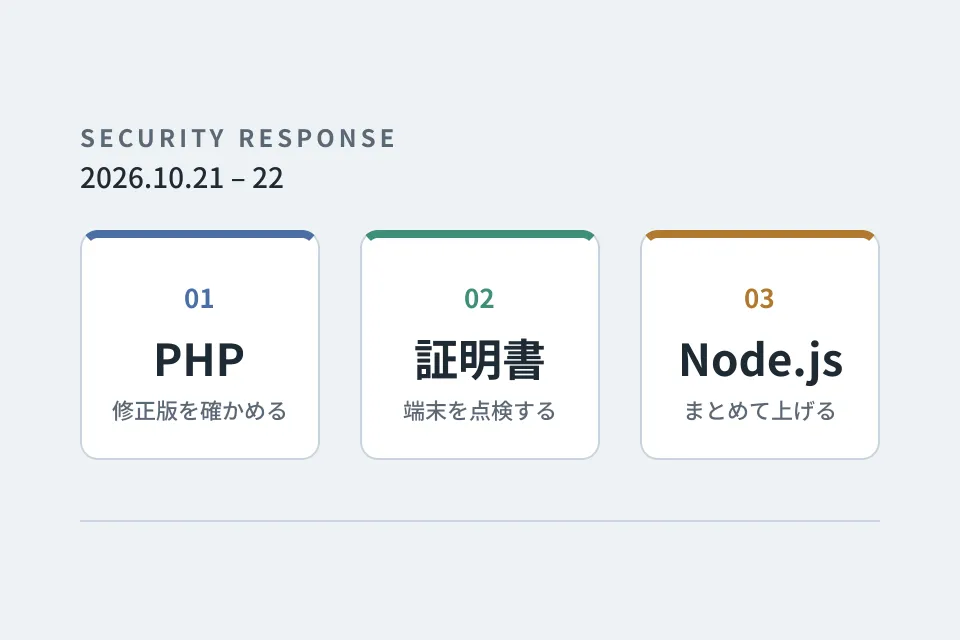
Looking back at
emergency vulnerability responses
PHP, certificates and Node.js. A record of the responses that overlapped on October 21–22, 2026, down to the steps we verified and the pitfalls we hit.
Checking providers' responsesInspecting certificates on devicesUpgrading multiple repositories at once
Read feature 
Improvement notebook for
growing your website
Forms, usability, and updates: tackling post-launch improvements one step at a time.
Form optimizationUI refinementsUpdates & operations
Read series